|
|||||
|
|||||
|
|||||
|
|||||
VB 103Events, Properties, Variables, Form TricksWelcome to Visual Basic Beginner 103. In this course you will learn how to work with events and properties in Visual Basic, including using GotFocus and LostFocus, color constants, and naming conventions for variables. We will discuss variable types, explore functions for measuring string length, and see how to use the Select Case statement as an alternative to multiple If Then statements. You will also see how to change form properties with code, adjust form startup behavior, and learn tips for working with border style and accessing additional resources. Lessons
ResourcesLesson SummaryWelcome! Events, Properties & Forms Tips - In this lesson, we will introduce Visual Basic basics, focusing on working with events and properties like GotFocus and LostFocus, using color constants, and understanding variable types and naming conventions. We will discuss functions including how to measure string length, explore the Select Case statement as an alternative to multiple If Then statements, and talk about events such as the Form Load event. We will also cover how to change form properties with code, adjust form startup behavior, and share tips for working with border style. Resources and community discussion options will be mentioned.
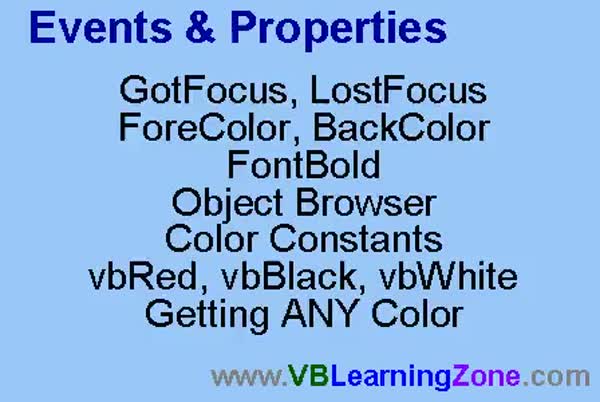
Lesson 1: Focus Events & Color Properties - In Lesson 1, we will cover event properties in Visual Basic by focusing on the GotFocus and LostFocus events for text boxes. We will walk through creating a simple form with First Name and Last Name fields, demonstrate how to use these events to change properties such as ForeColor, BackColor, and FontBold, and discuss how to find and use VB color constants like vbRed and vbYellow. We will also briefly talk about using the Object Browser and how to select and apply custom colors using the properties window.
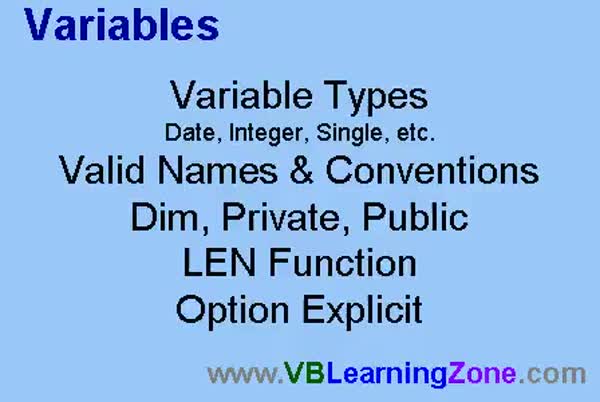
Lesson 2: Variables, Types, Naming, Explicit - In Lesson 2, we are going to explore variables in detail, including different variable types such as date, integer, long integer, double, and string. We will discuss valid variable names and naming conventions, including the use of type prefixes. I will explain how to declare variables using Dim, Private, and Public, and show you how to use the LEN function to get the length of a string. We will also cover scope, the importance of Option Explicit, and how to avoid common errors when working with variables in your projects.
Lesson 3: Select Case for Grading & Validation - In this lesson, we will walk through how to use the Select Case statement in your project. We start by validating input for student names, then set up three test score fields and calculate both the average score and letter grade using If...Then blocks. I will demonstrate how to replace lengthy If...Then...ElseIf structures with the more efficient Select Case statement, including how to handle ranges and multiple cases, as well as how to set properties based on the selected case, such as changing the color of a grade box. We will also discuss some issues with fractional averages and how to address them.
Lesson 4: Form Load & Resize: Caption & Size - In this lesson, we will explore more event properties by looking at the form load and resize events, and demonstrate how to use properties like caption, width, and height to interact with forms and controls. I will show you how to make a label resize dynamically with the form and how to use a button to toggle the form's width between two preset sizes. We will also briefly discuss the Top and Left properties for positioning controls, and how units like twips work in form sizing.
Lesson 5: Border Style & Startup Position - In this lesson, we will explore more form properties, focusing on the border style property and the start-up position property. I will show you the different border style options like none, fixed single, fixed dialog, fixed tool window, and sizable tool window, explaining how each affects form resizing, control buttons, and presence on the taskbar. We will also discuss various start-up position settings, including center screen, center owner, and manual, and I will demonstrate how to use the form layout window to visually position your form on the screen. Multiple document interface (MDI) is mentioned and will be discussed in a future lesson.
Lesson 6: Events, Properties, Vars, Controls - In this course we learned about events and properties in Visual Basic, such as Got Focus, Lost Focus, ForeColor, BackColor, FontBold, and explored the Object Browser. We discussed color constants, variable types like Date, Integer, Long, Single, Double, and String, as well as valid variable naming conventions and the difference between Public and Private variables. We covered the Len function, Option Explicit, Select Case statements, the Form Load and Resize events, and changing properties like Caption, Width, BorderStyle, and StartupPosition. We also talked about accessing additional resources, asking questions, and provided information about the next steps in the Visual Basic series.
NavigationKeywordsVisual Basic events, GotFocus, LostFocus, ForeColor, BackColor, FontBold, color constants, Select Case statement, variable types, Len function, Option Explicit, form load event, form resize, border style, startup position, Object Browser
More InformationTranscriptWelcome to Visual Basic 103, brought to you by VBLearningZone.com. I am your instructor, Richard Rost. In today's class, we are going to work with events and properties, such as GotFocus and LostFocus. We are going to learn how to work with colors and the different color constants. We are going to learn how to work with variables and the different variable types, such as String, Date, and Long Integer. We will learn different naming conventions for variables. We are going to learn a couple of functions, including the Length function, to see how to take the length of a string. We will learn about the Select Case statement, which is an alternative to long If Then blocks. Continuing on with different events, we are going to learn about the Form Load event, which fires when a form first opens. We will learn how to change form properties using VB code. For example, the size of a form can be changed during your program. We will learn a lot of little tips and tricks too. For example, we will cover how to change where your form starts up when your program loads, how to manipulate properties such as the border style, and lots of little tricks. This class follows Visual Basic 102. I strongly recommend you take my VB 101 and 102 classes before taking this one. I will be using Visual Basic 6.0 in this class. If you are using a different version of Visual Basic, such as VB.NET or VB 2005, you will find the interface is a little bit different, but most of the code that I am using in class should work for any version of VB. I suggest you sit back, relax, and watch the video once the first time through, then watch the lesson a second time following along with the examples. I do recommend that you try to build the sample projects that I am building in class before you try to apply what you are learning to a project that you happen to be working on. The class website for this particular course is at VBLearningZone.com?vb103. On that page you will find information about this class. You will also find our discussion web where you can talk about the topics in this class with me and other students. If you happen to be watching this class in the Amicron Video Player or in the Amicron Theatre Online, you will find that this discussion form opens up just to the right of the video in the player. If you have any questions or comments about the class, post them there and everyone can join in. IntroIn lesson 103, you will learn how to work with events and properties in Microsoft Visual Basic 6.0, including GotFocus, LostFocus, and Form Load. We will cover working with colors and color constants, handling variables of different types such as String, Date, and Long Integer, and discuss variable naming conventions. I'll show you how to use the Length function, the Select Case statement, and demonstrate how to change form properties, such as size and border style, during program execution. We will also look at tips for controlling form startup position and other useful tricks. QuizQ1. Which of the following events will you learn about in this class? A. GotFocus and LostFocus B. KeyPress and KeyUp only C. MouseMove only D. Click and DoubleClick only Q2. What is one of the main differences with the Select Case statement as discussed in the video? A. It is an alternative to long If Then blocks B. It is used for creating message boxes C. It only works with numeric variables D. It replaces all variable declarations Q3. Which variable types are specifically mentioned in this class? A. String, Date, Long Integer B. Double, Boolean, Byte C. Cur, Dec, Object D. Variant, Currency, Single Q4. What function will you learn to use in order to determine the length of a string? A. Length B. Width C. Height D. Size Q5. In this class, which version of Visual Basic is primarily used for demonstration? A. Visual Basic 6.0 B. Visual Basic.NET C. Visual Basic 2008 D. Visual Basic for Applications Q6. What does the Form Load event do? A. Fires when a form first opens B. Occurs when a form is closed C. Occurs when a form is minimized D. Happens only when a button is clicked Q7. According to the video, what is recommended before applying the lessons to your own project? A. Build the sample projects from the class B. Read the course textbook C. Take a test on the video content first D. Complete all the website quizzes Q8. What will you learn to change by using VB code, according to the material? A. The size of a form B. The color of Windows desktop C. The type of hardware used D. The operating system version Q9. What should students do if they have questions or comments about the class? A. Post them in the discussion area provided B. Write an email to Microsoft C. Attend a physical classroom session D. Call the instructor directly Q10. If using a version of Visual Basic different from VB 6.0, what should a student expect? A. Most code should work, but the interface may be different B. All code will not work at all C. Only the color functions will work D. The Form Load event will not exist Answers: 1-A; 2-A; 3-A; 4-A; 5-A; 6-A; 7-A; 8-A; 9-A; 10-A DISCLAIMER: Quiz questions are AI generated. If you find any that are wrong, don't make sense, or aren't related to the video topic at hand, then please post a comment and let me know. Thanks. SummaryToday's video from Visual Basic Learning Zone is Visual Basic 103, where I will be introducing some important programming concepts and techniques to help you build more dynamic and responsive applications. In this class, we explore the use of events and properties in Visual Basic. I will show you how to work with events like GotFocus and LostFocus, which allow your program to respond when a control gains or loses focus. We will also get into the basics of working with colors in your forms, including how to use the various color constants that are available in Visual Basic. This class will cover variables in detail, including the different types such as String, Date, and Long Integer. I will discuss common naming conventions for your variables to help keep your code clear and organized. We will also look at a couple of useful functions. For example, I will demonstrate how to use the function that returns the length of a string, allowing you to check how many characters are in a particular variable. In addition, I will introduce you to the Select Case statement, which is a great way to handle multiple conditions in your code, making your programs easier to manage than with a long series of If Then blocks. Moving along with event handling, I will cover the Form Load event, which triggers when a form opens. You will learn how to change properties of a form using Visual Basic code, such as adjusting the form's size at runtime. There are a lot of helpful tips and tricks included throughout the lesson. Some of the other useful techniques we will look at include setting the startup position of your form when your program loads and modifying properties like the border style. I will be sharing a variety of small but useful tricks to enhance how your forms look and behave. This course is a continuation of the previous Visual Basic 102 lesson. If you have not already taken VB 101 and 102, I strongly recommend starting with those before proceeding with this class. Although I am teaching with Visual Basic 6.0 in these lessons, if you are working with a later version like VB.NET or VB 2005, you will see that the interface may look a bit different, but the majority of the code that I demonstrate in this class should be compatible with your version. For the best learning experience, I suggest that you watch the video one time all the way through. On your second viewing, follow along with the examples and try to build the sample projects yourself. It is important to work through these examples before applying the techniques to your own projects. The website for this course can be found at VBLearningZone.com?vb103. On that page, you will find more details about the class as well as access to our discussion area, where you can interact with me and other students. If you are watching through the Amicron Video Player or the Amicron Theatre Online, the discussion form will open right next to the video, allowing you to easily ask questions or share comments with the group. You can find a complete video tutorial with step-by-step instructions on everything discussed here on my website at the link below. Live long and prosper, my friends. Topic ListUsing events like GotFocus and LostFocus Working with color properties and color constants Using variables and different variable types Naming conventions for variables Using the Length function to measure strings Using the Select Case statement Understanding the Form Load event Changing form properties using code Changing the size of a form at runtime Setting form startup position Modifying form border style property Primary TopicsVisual Basic events, form properties, color constants, variable types, variable naming conventions, functions, Select Case statement, Form Load event Secondary Topicscode tips and tricks, interface differences among VB versions |
||
|
| |||
| Keywords: Visual Basic events, GotFocus, LostFocus, ForeColor, BackColor, FontBold, color constants, Select Case statement, variable types, Len function, Option Explicit, form load event, form resize, border style, startup position, Object Browser PermaLink How To Work With Events Properties Variables Select Case and Form Properties in Visual Basic 6.0 |