Overzealous Security
By Richard Rost

 18 hours ago
Security That Drives Customers Away In today's Captain's Log, we discuss overzealous security and how fraud prevention, validation rules, and excessive confirmations can prevent legitimate customers and users from completing ordinary tasks. We will look at why safeguards should match the actual risk, provide clear feedback, allow practical recovery from mistakes, and avoid creating barriers that cost sales, trust, and usability. Keywords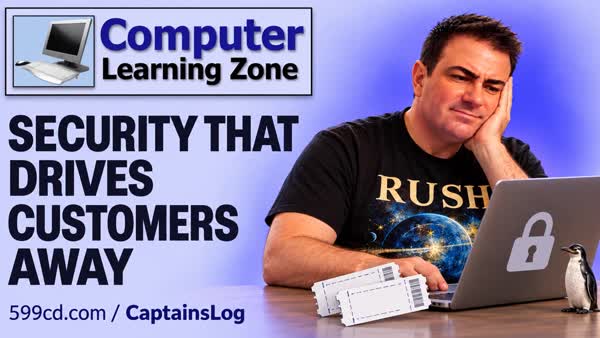 Captain's Log, false decline credit card, payment authorization without capture, address verification system AVS, billing address mismatch, checkout fraud prevention, payment gateway false positive, security usability balance, confirmation fatigue, soft delete records, data validation rules
More InformationTranscript How secure is your website if it won't let your actual customers buy anything?
Congratulations! You've stopped the fraud and the sales!
A while back, I tried to buy tickets to see a Rush tribute band, and I had the seats I wanted. I had a working credit card, and apparently that wasn't enough.
Welcome to another Captain's Log, brought to you by Computer Learning Zone. I'm your instructor, Richard Rost.
I went online to buy some tickets to see a Rush tribute band that was playing here a while back in town.
This is a local venue I had supported for years. I had been a seasoned ticket holder at one point, and I'd bought all kinds of tickets for different shows there: comedians, rock bands, Broadway shows, whatever looked good.
This time, it was a Rush tribute band, all right. I had two front-row seats, front row center, in my cart, right where I wanted to be. I was so close I could count the beads of sweat on the Geddy Lee wannabe's brow between Tom Sawyer and YYZ. It was that close.
And then their website broke me.
At checkout, I get an error saying my billing information didn't match my card statement. Okay, double-check everything, try it again, same error.
I tried different cards: Mastercard, Visa, American Express, Discover. I've got them all. I even tried another computer and another browser, and I even tried on my phone just in case there was some weird cache or cookie problem.
Same result.
At this point, I wasn't buying concert tickets. I was troubleshooting somebody else's website for free.
So I emailed support, and to their credit, they got back to me within about half an hour.
The explanation was that everything had to match exactly: the billing address, even the street abbreviation, had to match. Now, I live on a terrace, and sometimes that's abbreviated as TER, and apparently, to their system, that mattered.
Even my name had to match my statement exactly. On some cards, I'm Richard Rost; on others, I'm Richard D. Rost.
So I checked my statement, I matched my name, I matched the address, even included the ZIP+4. It still wouldn't process the order.
Now, I can't tell you exactly what part of their checkout system was making that decision. I didn't have access to their code or their fraud settings. I can tell you that following the instructions their support person gave me didn't get me through checkout.
But the really annoying part was that the system could get an authorization from my bank, but it still wouldn't complete the order.
Now, an authorization isn't the same thing as a completed charge, but now I had a bunch of authorizations on different cards that I had to keep an eye on. More work for me, and still no tickets.
Their solution was for me to call the box office.
Now, those of you who know me know how much I love talking on the phone, which is to say, I don't, which is why I was using their website in the first place.
And by then, of course, the front-row seats were gone.
Now, here's the lesson: you can't make your fraud prevention so strict that it stops actual customers from spending money with you.
Fraud is real. I've been running websites for over 20 years. I understand why you need safeguards.
I'm not saying you should wave every transaction through because somebody has bought something before. Accounts can be compromised, too.
But if a legitimate customer follows your instructions and still can't buy anything, you need a workable way to resolve that, especially when you're selling something time-sensitive, like the last two great seats at a show.
And this isn't just an online shopping problem. If you build a database or software, that applies to you, too: endless login prompts, constant confirmations, rules that won't let somebody enter perfectly valid information, forms locked down so tightly that fixing a typo requires an audience with the administrator.
I've seen Access databases where users had to click through five confirmation boxes just to delete a record.
At some point, people stop reading those messages. They just learn where the yes button is.
And if you've trained them to click through your warnings, that's probably not the security improvement you were hoping for.
Sometimes the better answer is to make mistakes easier to recover from.
Could you archive a record instead of permanently deleting it? Yeah.
Could you provide a restore option?
Could you let someone correct an ordinary typo without giving them permission to rewrite the entire database?
You still need appropriate permissions and safeguards, especially for sensitive information or actions you really can't undo.
But the safeguards should fit the risk.
Protect against real threats, give people clear feedback when something goes wrong, and give legitimate users a practical path to finish what they came to do.
A system that blocks everything is easy to make secure. It's also pretty easy to make useless.
When you put too many barriers between a customer and a purchase, you don't just risk losing a sale. You risk losing their trust, their goodwill, the next show they might have booked, the next order they might have placed.
I'd been a customer of this venue for years, and this experience has made me seriously question whether I want to keep doing business there.
So yes, fight fraud, but don't punish your real customers in the process.
Test what happens when a perfectly ordinary person tries to do a perfectly ordinary thing on your website.
And when that doesn't work, make sure the next step actually helps.
Now, there is a happy ending to this story.
I never did get to see that Rush tribute band.
But it's a while later now, and next month I'll be seeing the actual Rush in Tampa on their 50-something tour.
So I'm really stoked about that. That's a pretty good upgrade.
If you enjoyed this and you want to hear more personal stories about computers, technology, science, Star Trek, or whatever else gets my brain working, you can check out my Captain's Log on my website.
Thanks for watching, and as always, live long and prosper. Intro In today's Captain's Log, we discuss overzealous security and how fraud prevention, validation rules, and excessive confirmations can prevent legitimate customers and users from completing ordinary tasks. We will look at why safeguards should match the actual risk, provide clear feedback, allow practical recovery from mistakes, and avoid creating barriers that cost sales, trust, and usability. Quiz No quiz available. Summary In this Captain's Log, I share a frustrating experience I had trying to buy concert tickets online and the larger lesson it provides about security, fraud prevention, and usability.
I attempted to purchase two excellent front-row seats for a Rush tribute band at a local venue I had supported for years. I had bought tickets from them many times in the past, but this time their checkout system repeatedly rejected my payment information. I tried several different credit cards, multiple browsers, another computer, and even my phone. Nothing worked.
Their support team responded quickly and explained that my billing information had to match my credit card statement exactly, including details such as whether my street type was written as "Terrace" or "TER" and whether my name included a middle initial. I followed those instructions carefully, even using my ZIP+4 code, but the website still would not complete the purchase.
The system was able to authorize my cards, but it would not finalize the order. That left several pending authorizations on my accounts while I still had no tickets. Their only solution was to call the box office, which defeated the purpose of using an online ticket system in the first place. By the time I could have pursued that option, the seats I wanted were gone.
The broader point is that security measures need to be appropriate for the risk involved. Fraud prevention is important, and businesses absolutely need safeguards. However, a system that is so strict that legitimate customers cannot complete ordinary purchases is not serving the business or the customer.
The same principle applies to software, databases, and business systems. Too many login prompts, warning messages, confirmation boxes, and restrictive rules can make a system frustrating rather than secure. If users are forced to click through repeated confirmations for routine actions, they eventually stop reading the messages and simply learn where the Yes button is. That does not improve security.
Whenever possible, it is better to make mistakes recoverable. Records can often be archived instead of permanently deleted. Users may need a way to restore information or correct an ordinary typo without being given unrestricted access to modify everything in the database. Permissions and safeguards should still protect sensitive information and irreversible actions, but they should not prevent legitimate people from doing normal work.
A system that blocks everything may be secure, but it is also useless. When security barriers prevent customers from making purchases, businesses risk losing not only a single sale, but also long-term trust and future business.
There was at least one good outcome. I never got to see that Rush tribute band, but I will be seeing the actual Rush in Tampa on their 50-something anniversary tour. That is a pretty substantial upgrade.
You can find a complete video tutorial with step-by-step instructions on everything discussed here on my website at the link below. Live long and prosper, my friends. Topic List A personal commentary on balancing fraud prevention with a practical customer experience. Article Security measures are important, but they should not prevent legitimate customers from completing ordinary tasks. A website that blocks fraud but also blocks real sales is not serving the business or its customers well.
Consider an online ticket purchase. A customer selects seats, enters valid payment information, and attempts to check out. The payment system rejects the transaction because the billing address or cardholder name does not match its records exactly. Perhaps the customer entered "Terrace" while the card issuer stores it as "Ter," or the card statement includes a middle initial that was omitted during checkout.
Some amount of address verification is reasonable. Card processors commonly compare billing information with the information on file at the bank. However, a system can become too strict when minor formatting differences cause valid purchases to fail. A customer should not have to guess whether an address must use "Street," "St.," "Avenue," or "Ave." to complete a purchase.
The problem becomes worse when the site authorizes the card but still refuses to complete the order. An authorization is not the same as a completed charge, but it can temporarily reserve funds on the customer's account. If a customer tries several cards or retries the transaction repeatedly, they may end up with multiple pending authorizations and still have no ticket, product, or service.
When a purchase is time-sensitive, such as selecting seats for a concert or event, a failed checkout can cost the customer the item they wanted. By the time they contact support, troubleshoot their browser, try another device, or call the business, the best seats or limited inventory may be gone.
A well-designed system should balance fraud prevention with usability. It should validate important information without demanding exact formatting where the underlying meaning is the same. If the system cannot accept a transaction automatically, it should provide a clear explanation of what failed and give the customer a practical way to resolve it.
For example, a checkout system should identify whether the problem involves the postal code, street number, cardholder name, card security code, bank approval, or some other issue. A vague message such as "billing information does not match" leaves the customer guessing. Clear feedback helps legitimate users correct real mistakes without exposing sensitive fraud-detection rules.
The same principle applies when building databases and business software in Microsoft Access or any other platform. It is easy to add confirmation prompts, restrictive validation rules, required fields, permission limitations, and approval steps. Each safeguard may seem reasonable by itself. Together, however, they can make ordinary work unnecessarily difficult.
For example, a database might require users to click through multiple confirmation messages before deleting a record. That may seem safer, but users often stop reading repetitive warnings. They learn to click Yes automatically, which defeats the purpose of the confirmation message. A better approach may be to archive records instead of permanently deleting them, or to provide a restore feature so accidental deletions can be corrected.
Similarly, not every data-entry error should require an administrator. A user who entered a typo in a phone number or misspelled a customer name should usually be able to correct it without receiving broad permission to modify sensitive records. The system should allow routine corrections while protecting fields and actions that carry greater risk.
When designing a secure application, start by identifying the actual risk. Ask what could go wrong, how serious the consequences would be, and how likely the problem is to occur. Then choose safeguards that match that risk.
For low-risk actions, make the process simple and reversible. Allow corrections, provide helpful validation messages, and preserve an audit trail if necessary. For higher-risk actions, require stronger confirmation, limited permissions, approval workflows, or additional verification. For irreversible or sensitive actions, such as changing financial records, deleting protected data, or accessing confidential information, stronger controls are appropriate.
The goal is not to remove security. The goal is to avoid creating security controls that frustrate legitimate users without meaningfully reducing risk. A system that blocks everyone is technically secure, but it is also useless.
Test your website, database, or application from the perspective of an ordinary user. Try entering valid information in common formats. Try correcting a typo. Try recovering from a mistake. Try completing a purchase or transaction without special knowledge of how the system was built.
If a legitimate user encounters a problem, the next step should actually help. Provide clear instructions, useful error messages, and a practical resolution path. When security is designed well, it protects the organization while still allowing real customers and users to accomplish what they came to do. Primary Topics fraud prevention usability balance, payment checkout failures, address verification strictness, legitimate customer access, time-sensitive online purchases, database security design, recoverable mistakes Secondary Topics payment authorizations versus completed charges, customer support escalation, confirmation dialog fatigue, user trust and retention, permissions by risk level |






