You can teach a student a lesson for a day; but if you can teach him to learn by creating curiosity, he will continue the learning process as long as he lives.
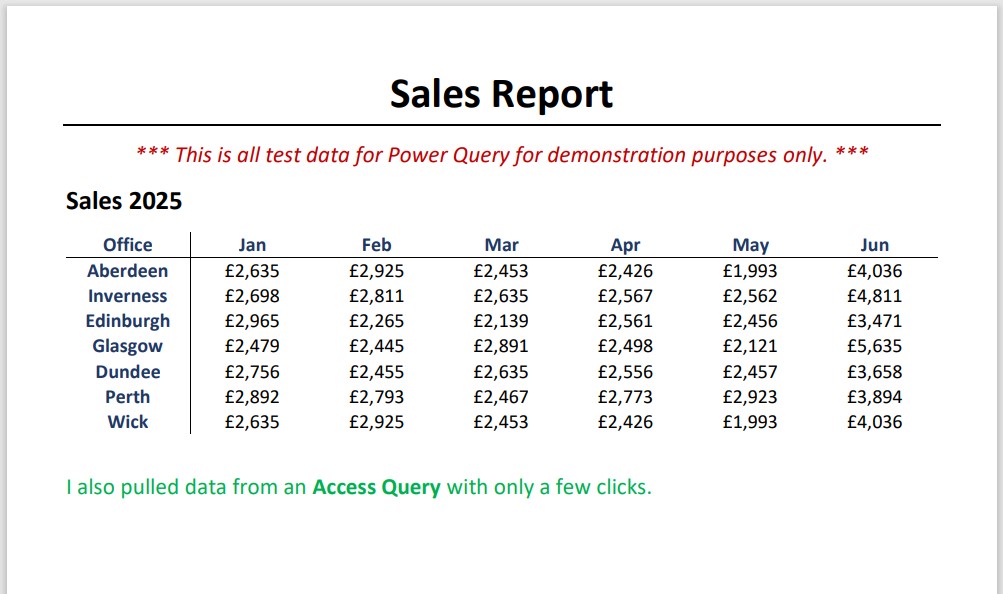
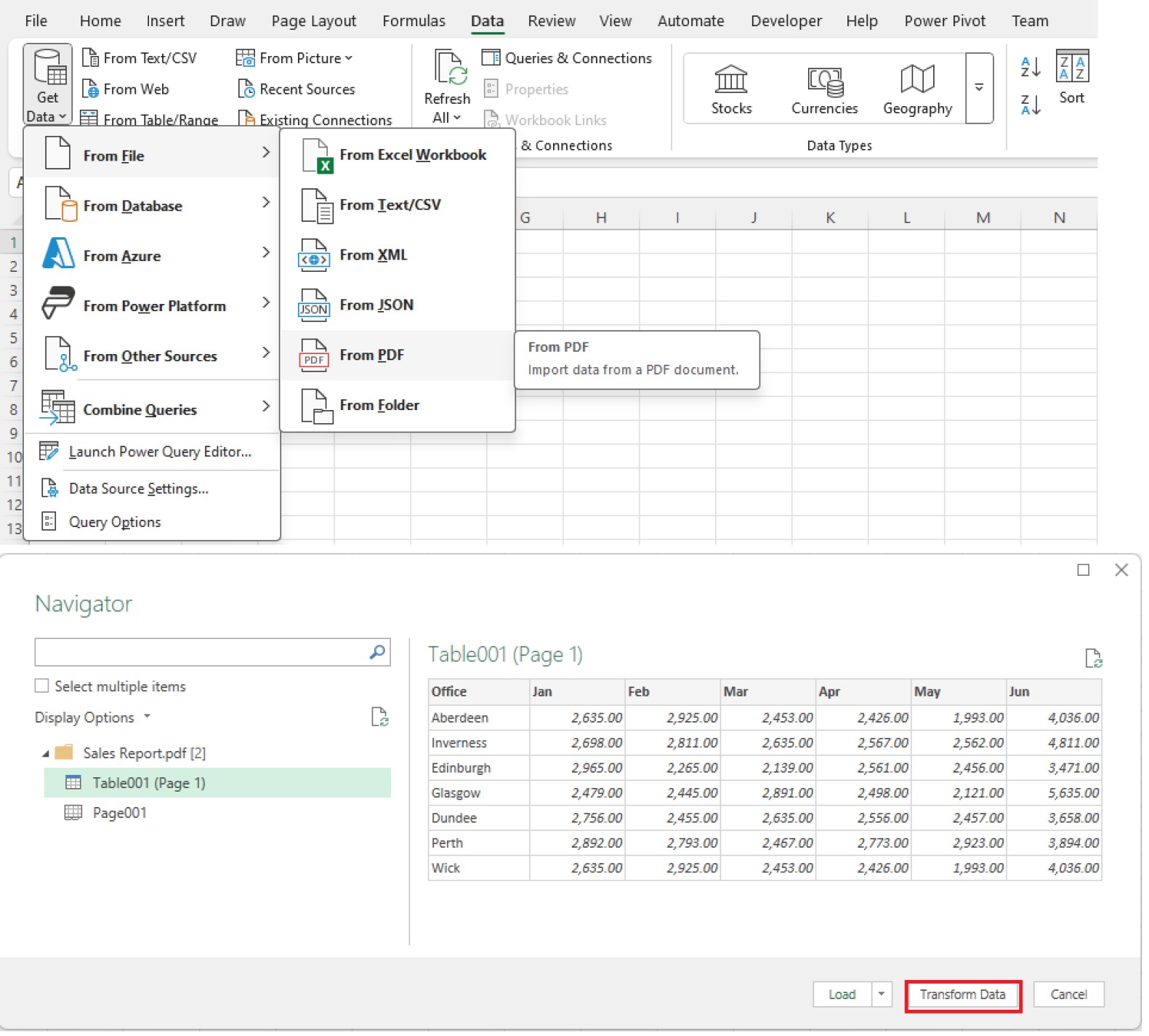
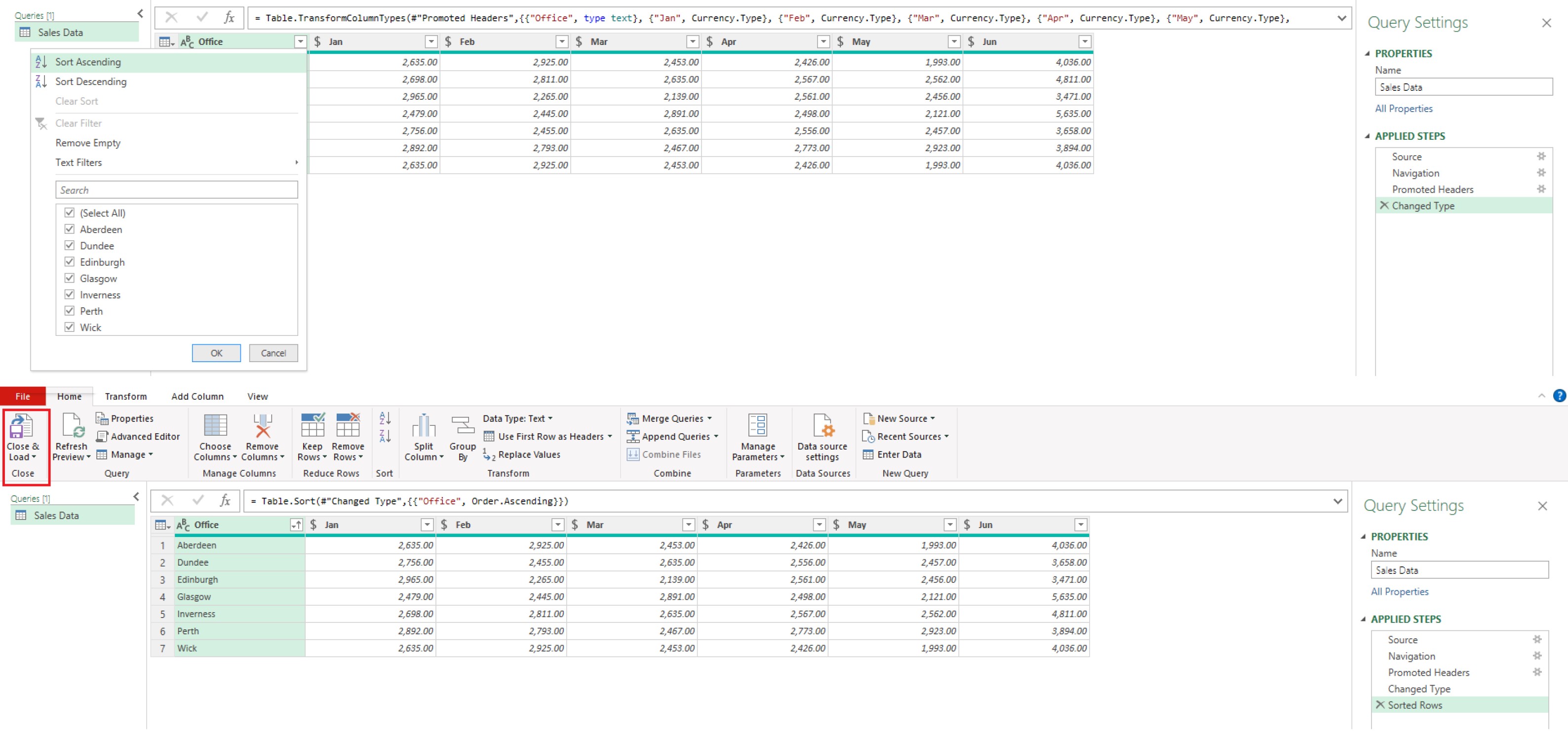
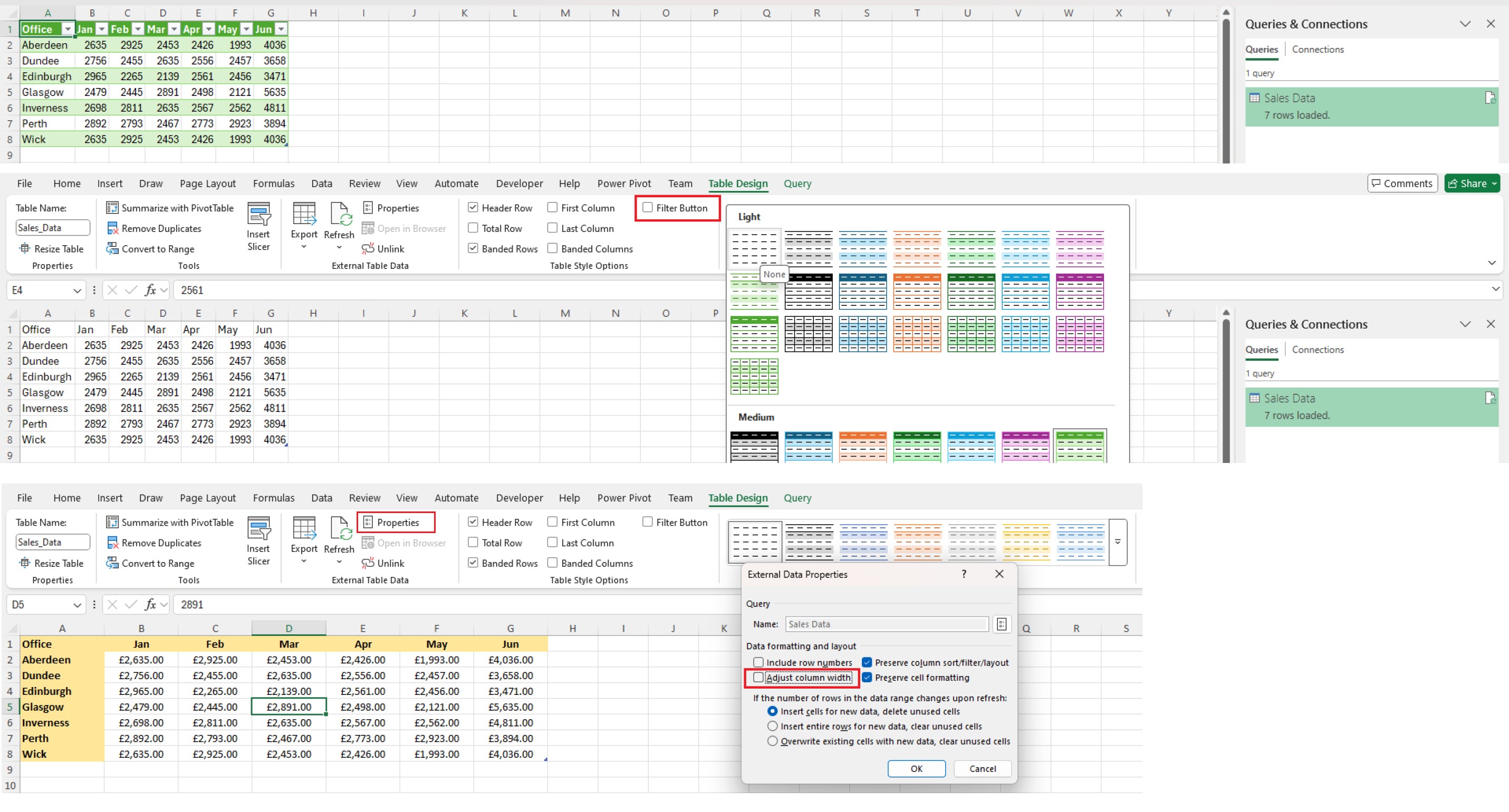
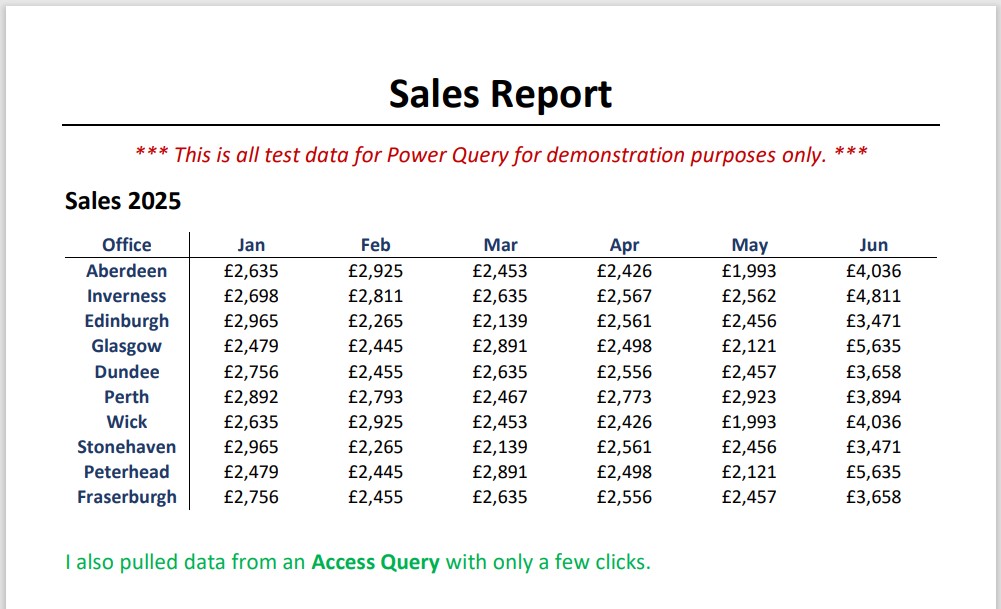
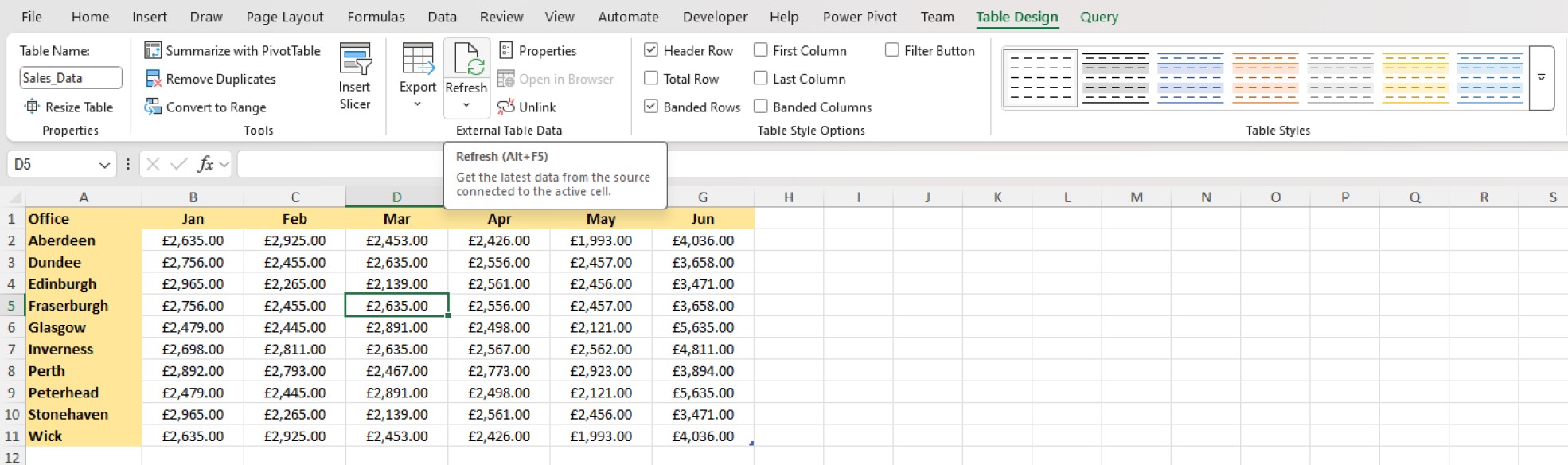
Just for fun I created a PDF with a single Table of data. I used Power Query to get that Data into Excel. Easy stuff. See the images below for the sequence.
Image 1 - Original PDF Image 2 - Select PDF / Table Image 3 - Add Sort & Load Image 4 - Formatting Image 5 - Updated PDF Image 6 - After Refresh
Nice. Yeah, I need to get more into PQ when I redo my Excel lessons.
Jennifer Neighbors
@Reply 17 months ago
Kevin - Is it possible to work with PQ from within Access?
Kevin RobertsonOP
@Reply 17 months ago
Hi Jennifer,
I didn't think it so but wasn't totally sure so I asked ChatGPT.
Jennifer Neighbors
@Reply 17 months ago
Thanks, Kevin. ChatGPT yielded a clear, complete, and concise answer.
Bryan Enbey
@Reply 17 months ago
@Jennifer the PQing would still be being done in Excel, but I'd venture to say you could direct it to be done from an Access Sub's code. Y'all have me curious to mess with that; maybe I'll make a test button in an Access form to perform the below task.
Trickiest thing I've done in PQ thus far is I have an Excel sheet that talks to my Access DB where I log all my stock market transactions, and per a ticker I put, it pulls all the transactions under that ticker, then via PQ talks to MarketChameleon and pulls the live price and next dividend data, so the sheet can calc current profit/loss (and vs upcoming dividend).
I was doing this manually before, which is annoying, so now I can see if a stock is down and if the dividends earned have made up for any loss in value, etc.
Sorry, only students may add comments.
Click here for more
information on how you can set up an account.
If you are a Visitor, go ahead and post your reply as a
new comment, and we'll move it here for you
once it's approved. Be sure to use the same name and email address.
This thread is now CLOSED. If you wish to comment, start a NEW discussion in
Excel Forum.