Sadly can't take credit, such a fun idea.
Can't remember how many hours I used to sit and watch this, it was a simpler time.
Kevin Yip
@Reply 50 days ago
The first time I saw this was in the 90s DOS utility Norton's PCTools, later a Windows version. Did Windows have this built-in at any time? I don't remember.
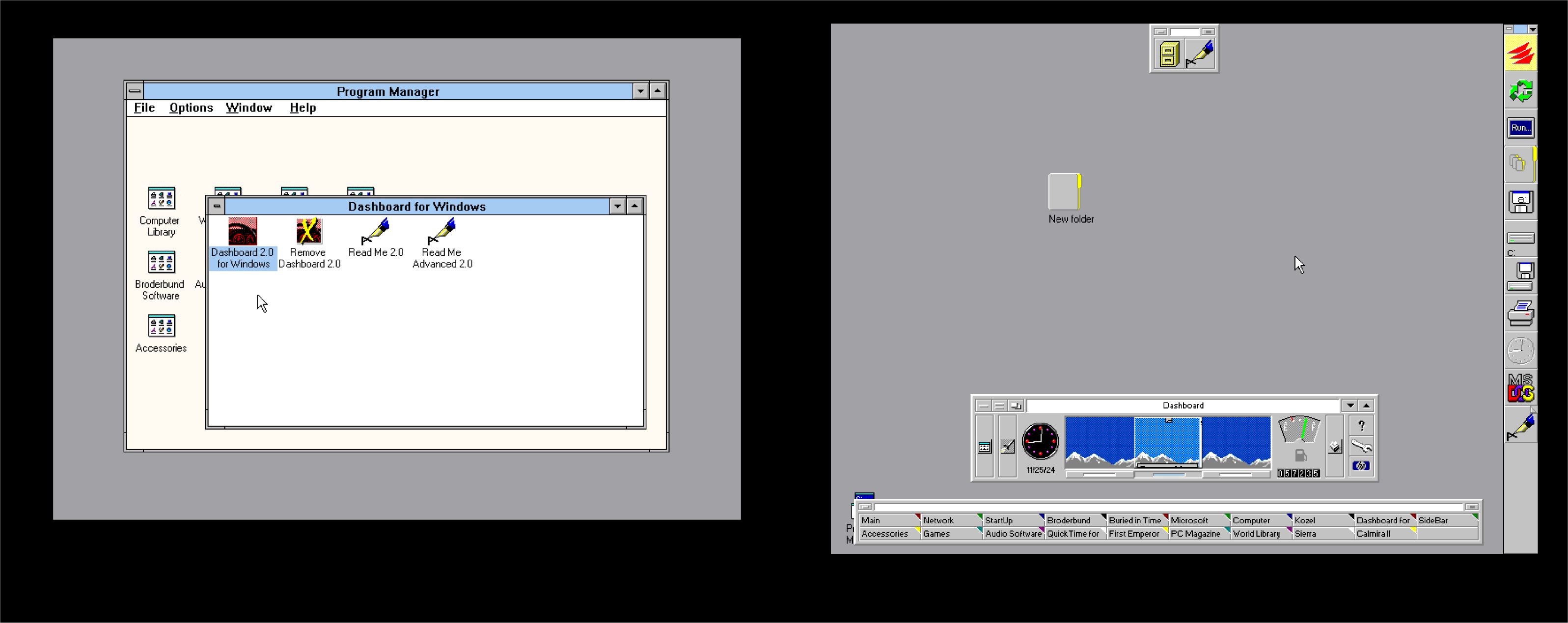
I remember Windows 95 copied many key features from third-party utilities for DOS and Windows 3.x. The Windows taskbar, which was added in Win95 and still exists today, was semi-copied from a utility called Dashboard (pictured below), made by Broderbund, I believe.
Kevin Yip
@Reply 50 days ago
Matt Hall
@Reply 50 days ago
It did. I just checked and it still does, but i couldn't find the graphic display. When I ran it, it took about half a second to complete.
I guess the need dropped off with the advent of solid-state drives. As I understand it, the solid state media has a much lower rewrite capacity than magnetic media and to address this they have developed active write management to spread out the writes. I would expect that includes automatically defragging the drive, as it works. The drives so much faster that the performance hit is less significant with the ssd's.
Kevin, yes, Windows 95 did include Disk Defragmenter. I'm pretty sure the original version was based on technology licensed from Diskeeper. I remember letting it run for what felt like half the day while watching those little blocks crawl around the screen.
Matt is right that Windows still has the tool, although it is now called Optimize Drives. For a traditional spinning hard drive, it defragments files. For an SSD, Windows normally sends a TRIM command instead, which tells the drive which blocks are no longer in use so its internal controller can manage them efficiently.
You generally don't want to manually defrag an SSD. It doesn't provide the same performance benefit as it does on a mechanical drive, and it creates unnecessary writes. Modern Windows is pretty good about recognizing the difference and doing the appropriate maintenance automatically.
That said, the drive in the website you sent us to, Alex, has a lot of bad sectors. They might want to look at replacing that thing. LOL.
Sorry, only students may add comments.
Click here for more
information on how you can set up an account.
If you are a Visitor, go ahead and post your reply as a
new comment, and we'll move it here for you
once it's approved. Be sure to use the same name and email address.
This thread is now CLOSED. If you wish to comment, start a NEW discussion in
Developer Forum.