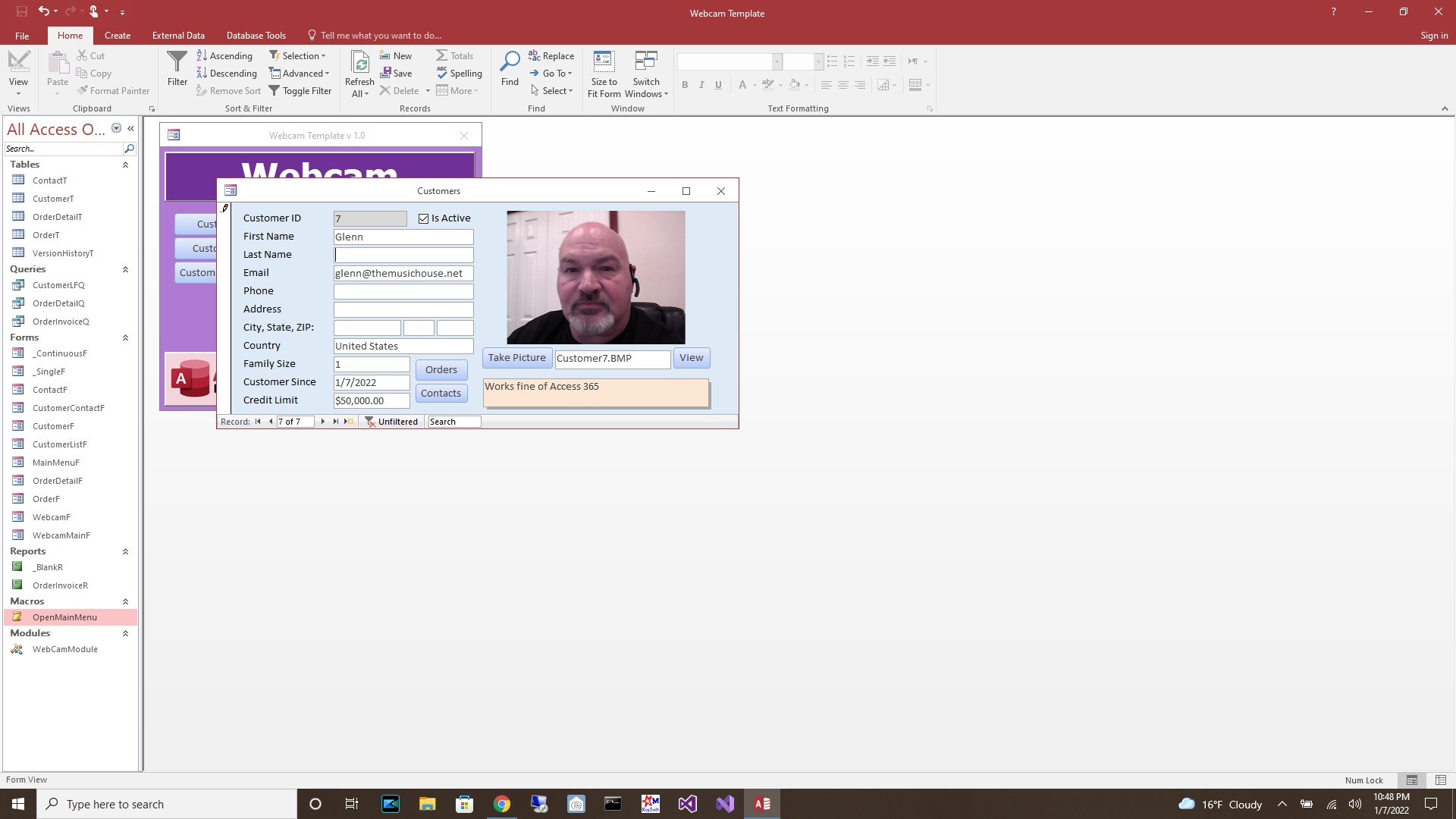
I have two computers, both Windows 10 and up to date. On the first computer I'm using Access 2016. I opened up the database and clicked the WEBCAM button. The webcam light came on for about a second then all I got was a green screen. When I clicked the CONFIGURE CAMERA button and then simply clicked OK, the webcam came on and showed me a live feed. I was not able to save any images.
When I went into the customer record and clicked the TAKE PICTURE button all I got was a black screen and I was able to save that to the record, but no photo. So for Access 2016 it didn't work for me.
On computer #2, I used Access 365 and it worked flawlessly. The only thing I noticed is I had to disable all but one video device or it wouldn't work. I have a video converter box, and a capture card attached to the system, as well as a webcam. Once I disabled the other two devices the webcam and the database worked as designed.
If you are a Visitor, go ahead and post your reply as a
new comment, and we'll move it here for you
once it's approved. Be sure to use the same name and email address.
This thread is now CLOSED. If you wish to comment, start a NEW discussion in
Webcam Template.