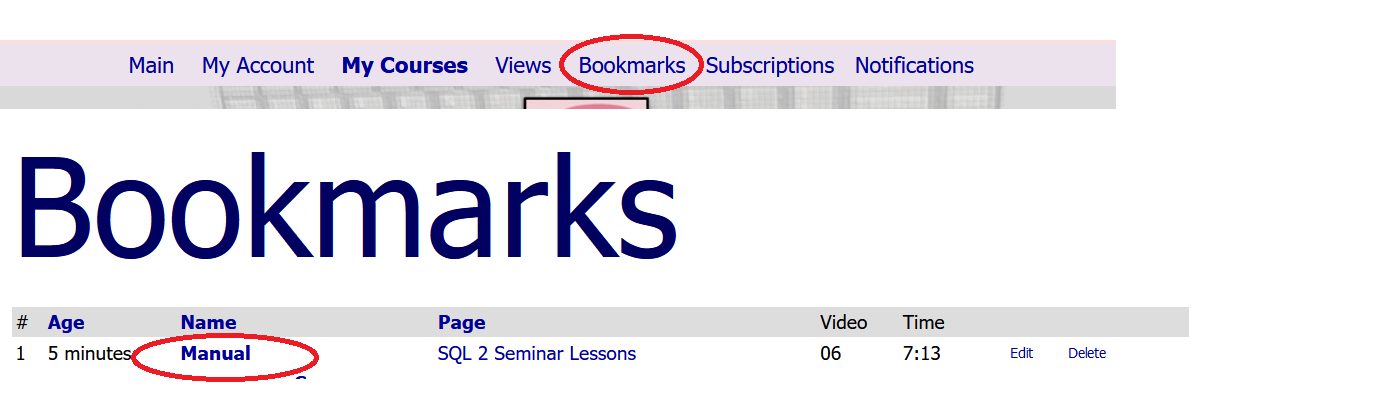
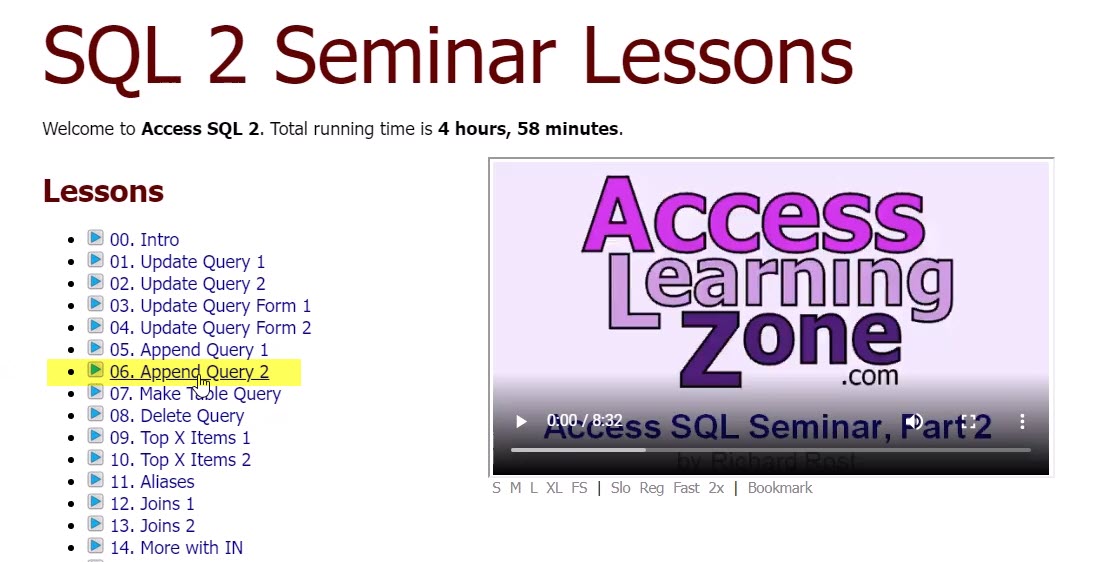
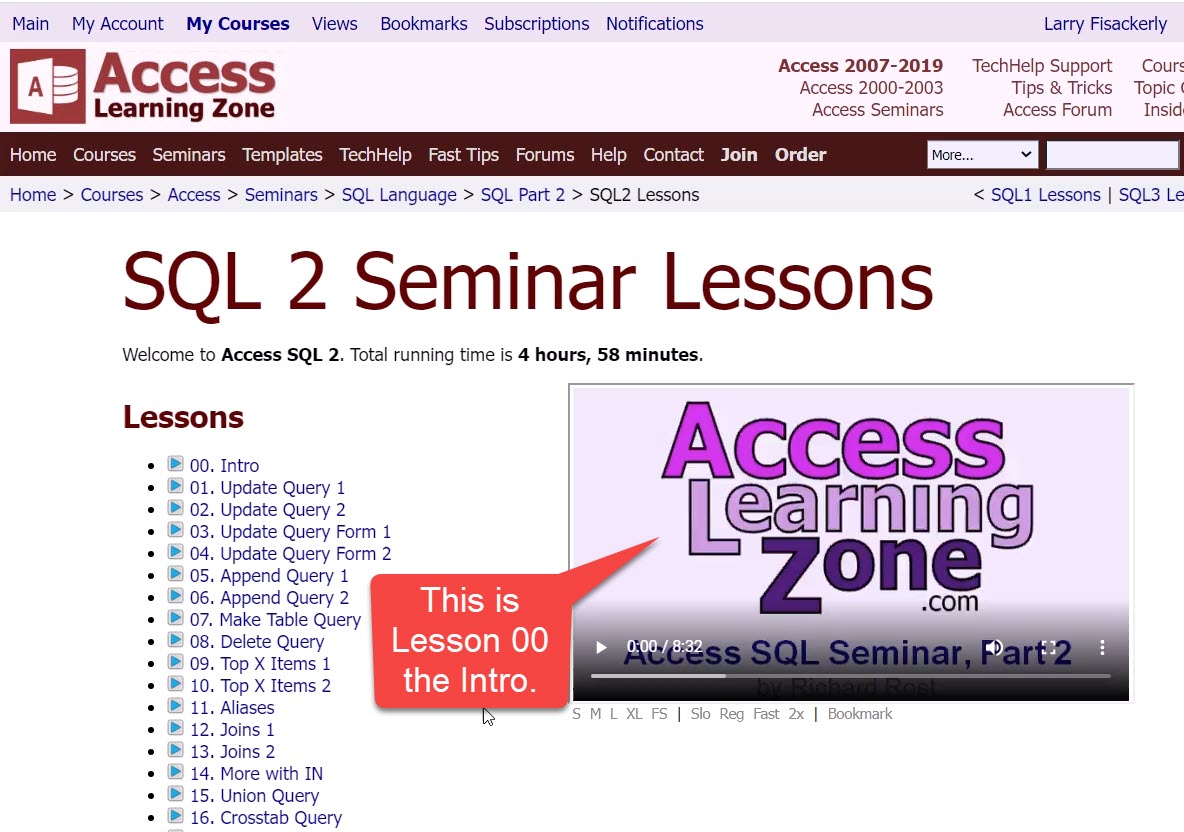
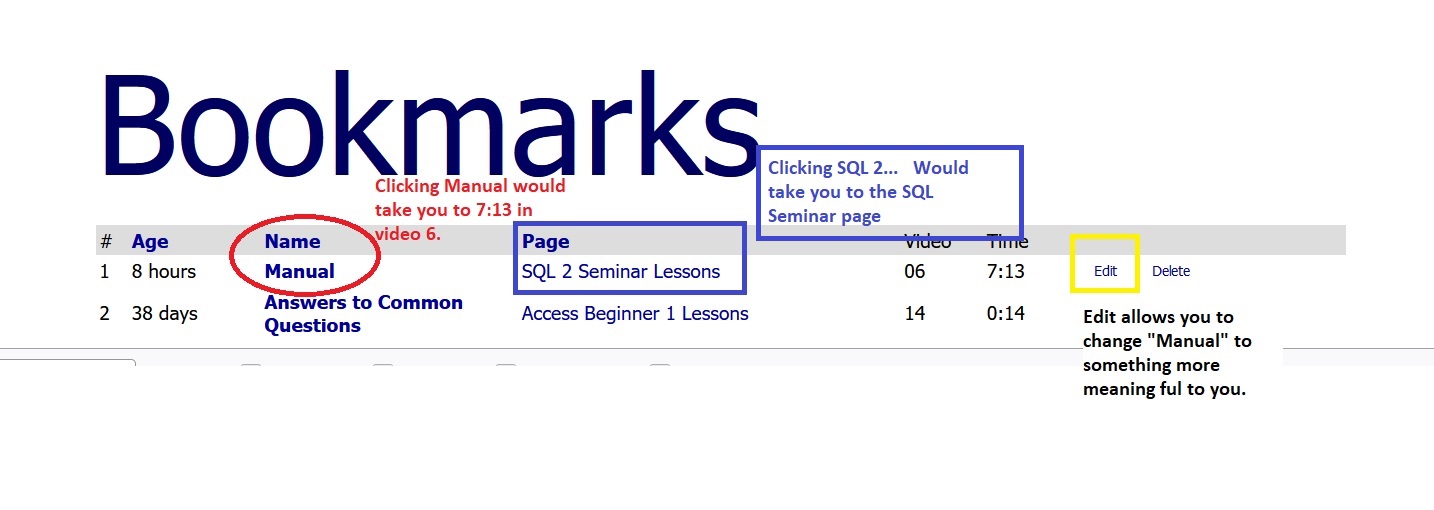
I watched the video on bookmarks. I am watching Seminar SQL 2 Lesson 06. At 6 minutes in, I click bookmark to create a manual bookmark. I go to Bookmarks at top of page and see the bookmark I have created at 6 minutes. When I click on "page", it takes me to SQL Seminar 2 showing ALL lessons, not to the lesson I was watching and not to the 6 minute mark. What am I doing wrong?
Kevin Robertson
@Reply 4 years ago
Under Bookmarks you need to click on the link under name NOT under page. This will be Manual or whatever you have named the bookmark.
Larry FisackerlyOP
@Reply 4 years ago
I did click link under name. It takes me to lesson 6 but not to minute 9 that is when I clicked bookmark.
Scott Axton
@Reply 4 years ago
Larry -
I just tried it and it works fine. So making sure that you are clicking the right things.
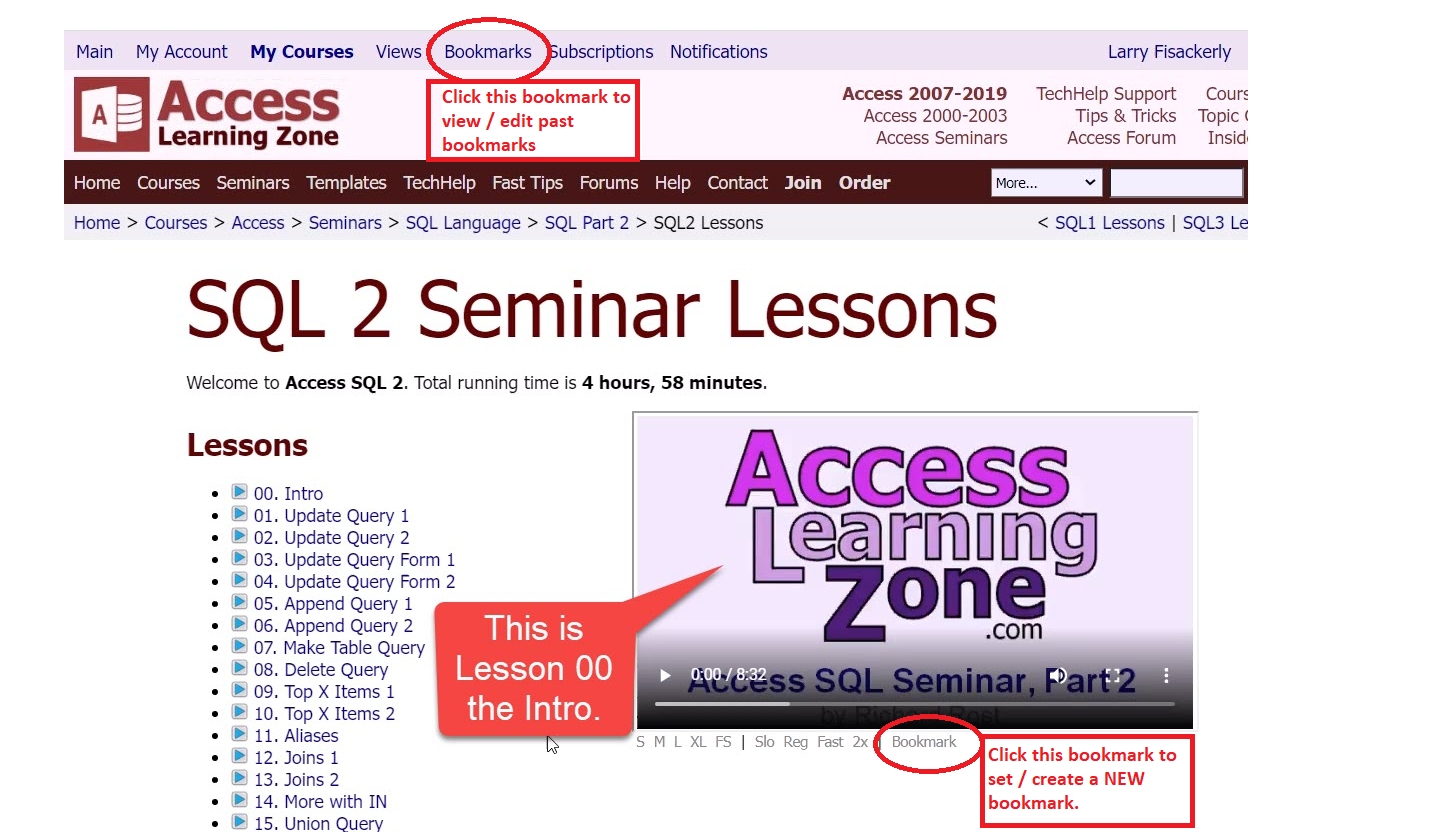
to SET a bookmark: You click the Bookmark directly under the video.
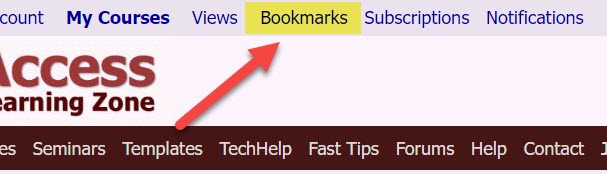
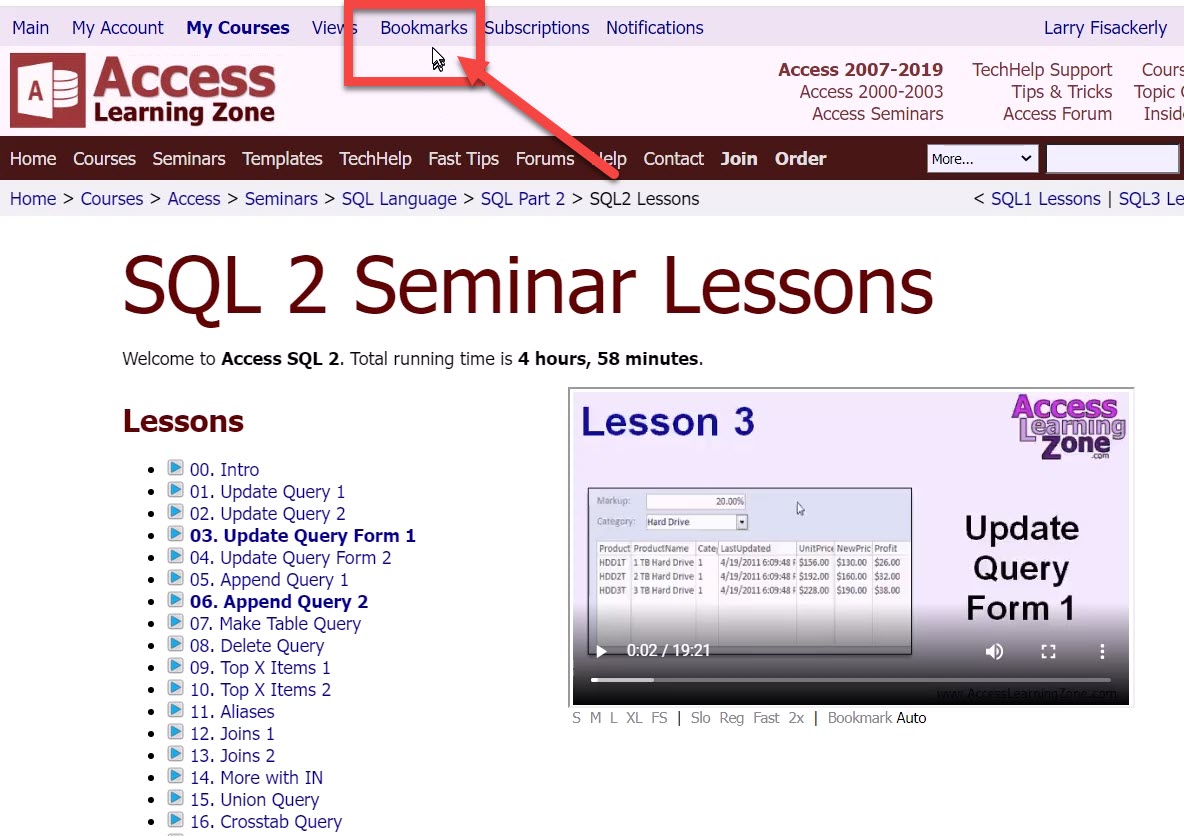
to RETURN to the bookmark you made click the Bookmark at the very top of the page.
Then click the bookmark item under the Name column to go to the time of the video that you placed the bookmark.
Scott Axton
@Reply 4 years ago
Larry FisackerlyOP
@Reply 4 years ago
Maybe I do not understand what Bookmarks is supposed to do. I think when I click on a entry under Page in the Bookmarks listing, I will be taken to the (1) the Lesson and (2) the time I stopped watching the Lesson so I could resume where I left off. If I click a Bookmark made at 7:00 in Lesson 6, I would be taken to Lesson 6 at 7:00. That is not happening. I am being returned to the Lessons page Lesson 00. Please see the screen shots attached.
Larry, what browser are you using? I know this works fine in Chrome and Edge and my Android devices.
Scott Axton
@Reply 4 years ago
Scott Axton
@Reply 4 years ago
Larry FisackerlyOP
@Reply 4 years ago
I am using Chrome with latest Chrome update as of yesterday. Maybe update broke the Bookmarks functionality. I will try with Edge also with latest update. I know they both are based on same underlying code.
Problem solved. It was "operator error". I was clicking in the "Page" column. When I click in the "Name" column, it works just like designed. Sorry for all the trouble. Thanks for everyone's help and time.
If you are a Visitor, go ahead and post your reply as a
new comment, and we'll move it here for you
once it's approved. Be sure to use the same name and email address.
This thread is now CLOSED. If you wish to comment, start a NEW discussion in
Bookmarks.