Starfleet captains are like children. They want everything right now and they want it their way. But the secret is to give them only what they need, not what they want.
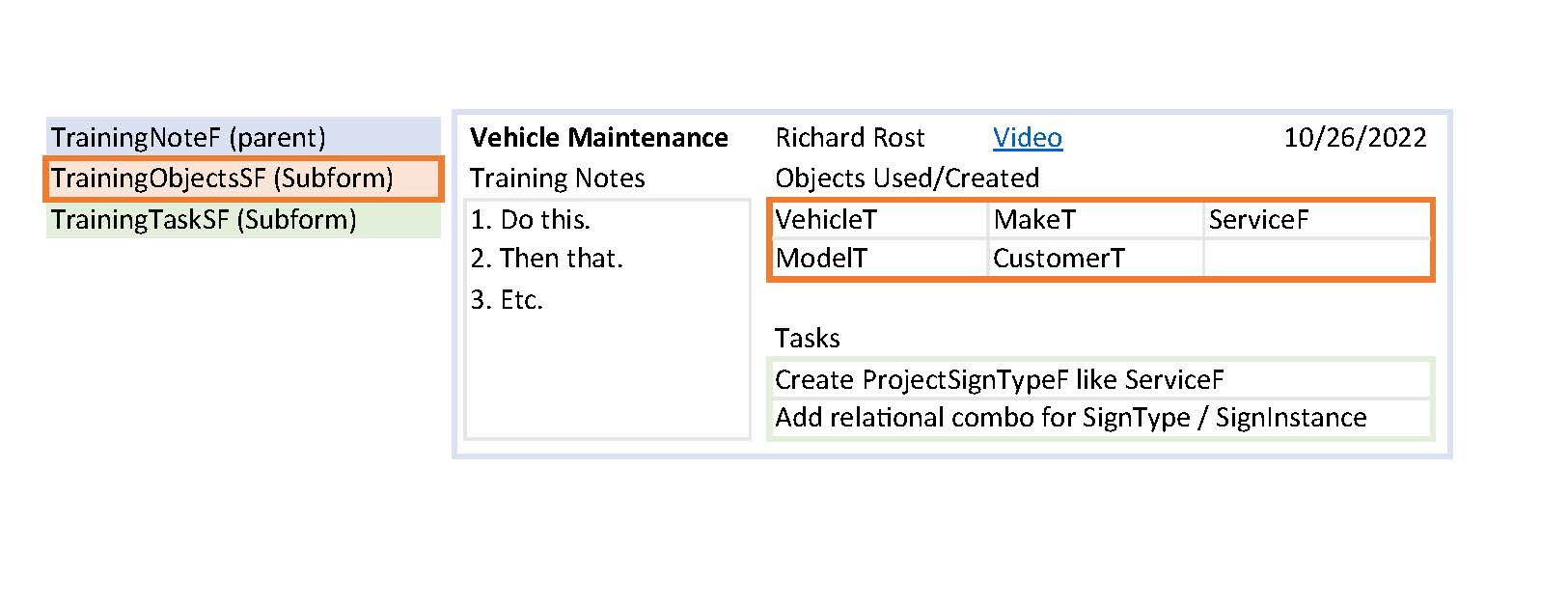
I am wanting to display the values of a single-field, continuous subform within multiple columns to maximize design space. For example, I have a database training notes form, with a subform to list the objects used/created in that training. But, I want to list the objects into 2 columns within that subform, allowing more room for my dev task subform below that. Thanks for any tips!
Scott Axton
@Reply 4 years ago
Tiffany We need more information.
A screen shot or two of what you have in mind would be great. Even if you do a mock up in Word or Excel.
Doesn't have to be fancy just an idea of what you're trying to accomplish.
Of course block out any sensitive info or use dummy info.
Tiffany JanishOP
@Reply 4 years ago
Tiffany JanishOP
@Reply 4 years ago
Hi Scott! Thanks for your message. I have added a mockup of what I am wanting. I would use this is many situations, but this is an example. The TrainingObjectSF is a single field subform that I want to "wrap" and display into multiple columns and have the list scroll if possible Thanks again for any advice!
Kevin Yip
@Reply 4 years ago
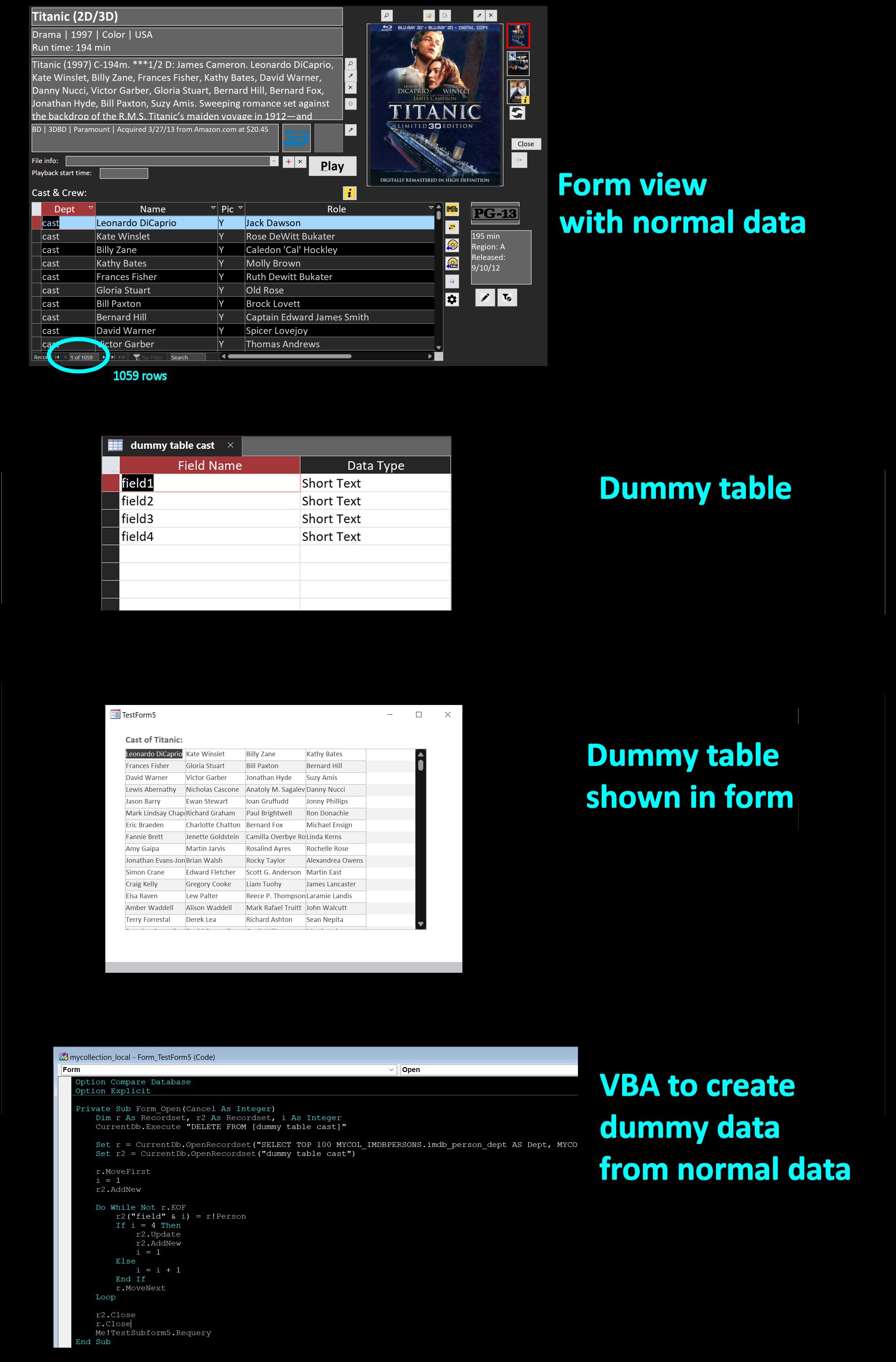
Hi Tiffany, that kind of multi-column display can only be done in reports, not in forms. To do it in a form, you have to create a dummy table and put your data in it, in the arrangement you want. This can be done in VBA with recordset operations, not terribly difficult, but certainly not something you would normally do. I did an example below (see picture). It took me about an hour (just to give you an estimate on how much work is involved in case you take this job to someone and he says, oh, 6 months). And if you want to do this yourself, you need VBA and recordset skills.
In my example below, a movie has a long list of cast, and I list them in an "across-and-down" format to make the list shorter:
Kevin Yip
@Reply 4 years ago
Sorry, only students may add comments.
Click here for more
information on how you can set up an account.
If you are a Visitor, go ahead and post your reply as a
new comment, and we'll move it here for you
once it's approved. Be sure to use the same name and email address.
This thread is now CLOSED. If you wish to comment, start a NEW discussion in
TechHelp.