Code
var image = canvas.toDataURL("image/png").replace("image/png", "image/octet-stream");  // here is the most important part because if you dont replace you will get a DOM 18 exception.


window.location.href=image; // it will save locally
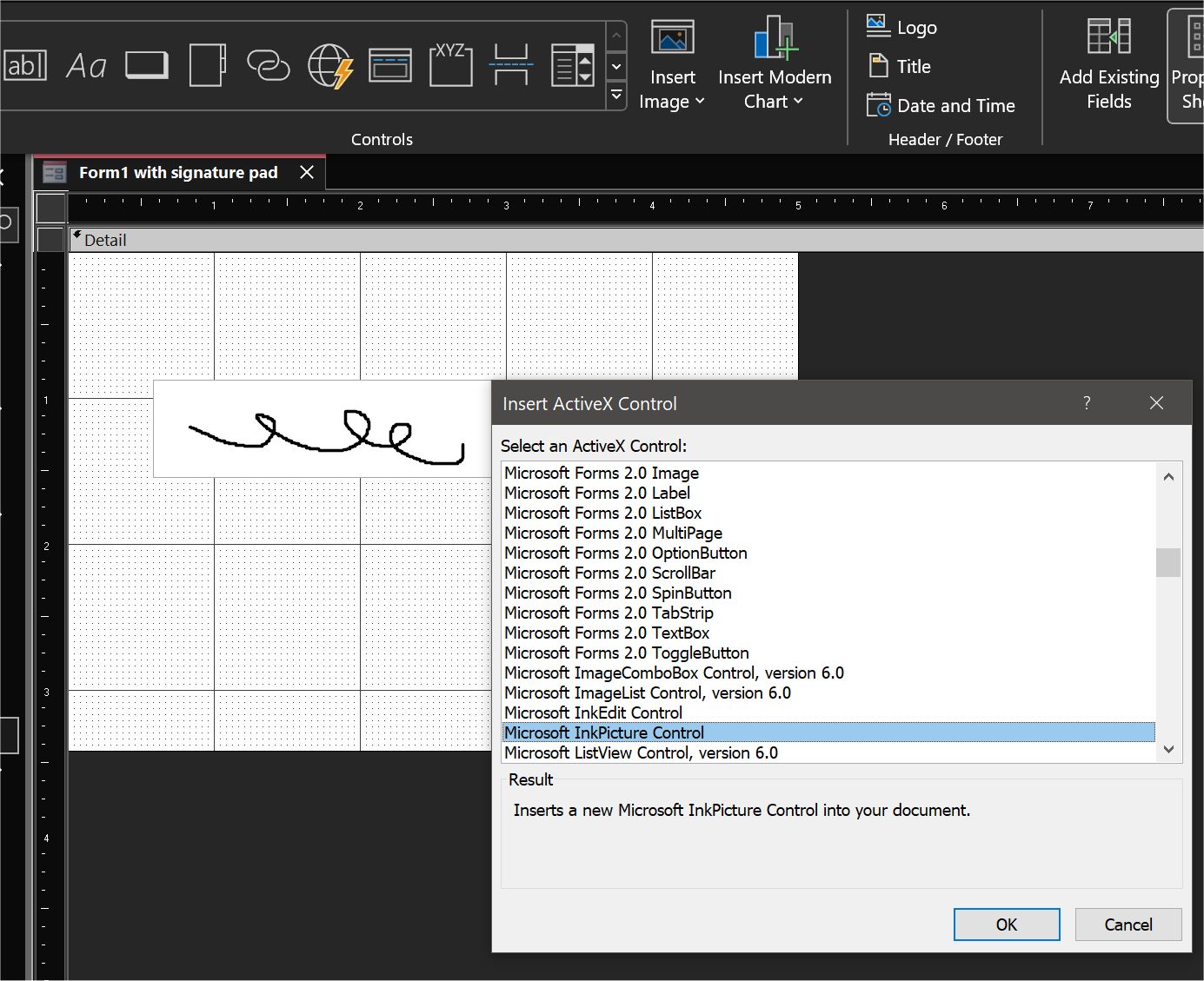
Access has an ActiveX control called InkPicture, which may work as a drawing pad (see picture below). It lets the user draw, save, or clear the drawing. I'll be back with some testing. I haven't used it extensively.
Kevin Yip
@Reply 2 years ago
Kevin Yip
@Reply 2 years ago
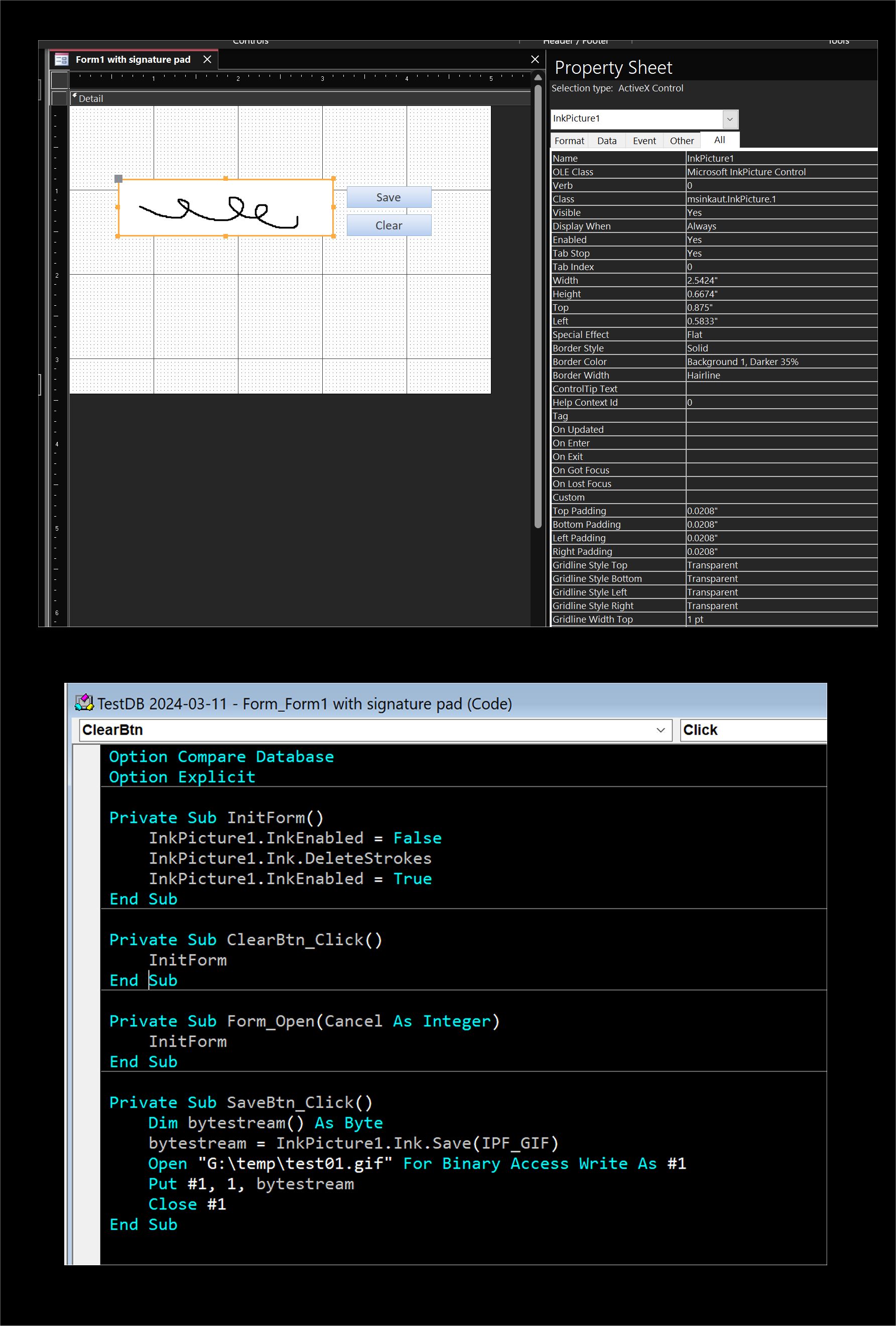
Pictured below is my simple test. I created a form with the aforementioned ActiveX control, named it "InkPicture1", and wrote VBA code to save the drawing to a file, and clear the drawing pad.
The user can draw freely on the pad, as soon as the cursor is inside the area. Left or right mouse button does the drawing the same way. Default foreground and background colors are black and transparent, but they can be changed. The picture can only be saved as a GIF file, as far as I can see. Microsoft's documentation is here: https://learn.microsoft.com/en-us/windows/win32/tablet/inkpicture-control-reference . The resulting VBA code isn't too cumbersome, as least in my testing below, which is promising. But full knowledge of the object model is needed to apply its full power, naturally.
Kevin Yip
@Reply 2 years ago
Joe HoodOP
@Reply 2 years ago
Hello Guys,
I appreciate your help. I am sure one of these solutions will work just fine.
Thanks, and Have a Great Day!
Sorry, only students may add comments.
Click here for more
information on how you can set up an account.
If you are a Visitor, go ahead and post your reply as a
new comment, and we'll move it here for you
once it's approved. Be sure to use the same name and email address.
This thread is now CLOSED. If you wish to comment, start a NEW discussion in
ASP Forum.