
VLOOKUP
Using the VLOOKUP Function
In this tutorial you will learn how to use the VLOOKUP Function.
You can use the VLOOKUP function to search the first column of a range of cells, and then return a value from any cell on the same row of the range.
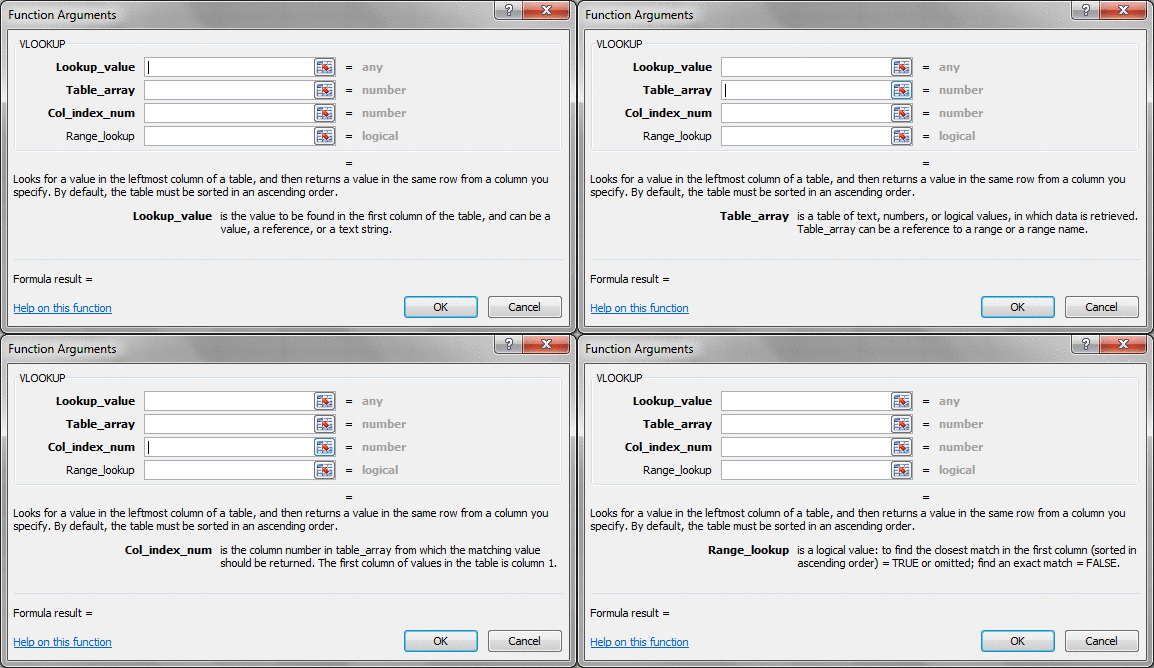
=VLOOKUP( Lookup_value, Table_array, Col_index_num, Range_lookup )
Lookup_value
Table_array
Col_index_num
Range_lookup
In this example <...>.

The result is <...>.
 Function Function
In a Cell you could set the Expression to
=VLOOKUP( )
Courses
 Excel 202
|
Excel 202
|
 Excel Expert Level 4
Tips
See this FREE Tip on VLOOKUP.
 Search Search
You can find more about this by searching the website.
 By: Alex Hedley
Click here to sign up for more FREE tips
| 


