There are huge advertising budgets only when there's no difference between the products. If the products really were different, people would buy the one that's better... Advertising teaches people to be stupid.
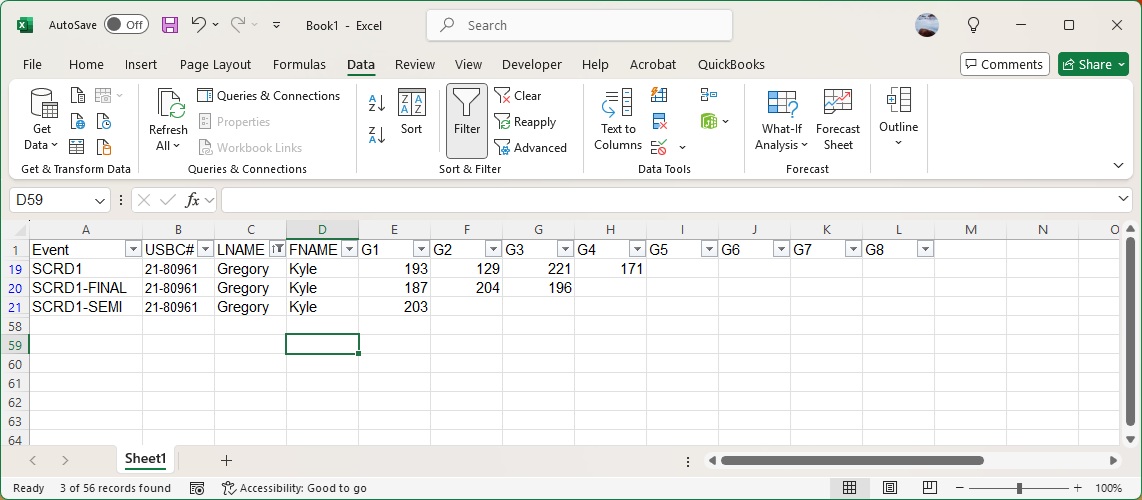
I need to combine data for a tournament that has 3 parts (qualifier, semi, finals). Each participant bowls 4 games, top 8 qualify for semi, winners of semi go to finals. The datasheet has them all listed in rows by event. (A1)Event(B1)USBC#(C1)LNAME(D1)FNAME(E1)G1(F1)G2(G1)G3(H1)G4(I1)G5(J1)G6(K1)G7(L1)G8 SCRD1 21-80961 GregoryKyle193129221171 SCRD1-FINAL21-80961 GregoryKyle187204196 SCRD1-SEMI21-80961 GregoryKyle203
My question is how can I get the score from column(E) for SCRD1-SEMI to fill in the Game5(I1) column under the SCRD1 row, and the SCRD1-FINAL scores which appear in columns E-G to fill SCRD1 row in columns J-L.
Teresa MeekOP
@Reply 17 months ago
Teresa MeekOP
@Reply 17 months ago
I should mention that there are also SCRD2, HCD1, HCD2, HCD3 in the list for both the qualifiers, semi, and finals.
Allan McConnell
@Reply 17 months ago
Sorry if I am vague here, but I sort of get what you trying to do...but could you map out what your target is and what you what form the end result? I.e. how do you want the outcome to be if it worked perfectly?
If you format it in a spreadsheet as to how you want it to look like in the spreadsheet (without formulas or magic tricks) or notepad to show what the outcome you want. Do it manually and the figure out what tools and formulas there is to bring it to how you want it.
It appears there will be some cross references to the different cells and finding that sweet formula that provides the outcome you want. I have often done this when someone has provided me a sheet with formulas in it and I reverse engineer how they have come up with the result.
I may not be the one to help you, but I am also taking on a challenge to see if I could nut it out with you. No doubt there are the experts here that will understand it and give you an answer, I am looking forwards to that too.
I am watching with baited eyes to see the results or work it out first.
Regards from Norfolk Island.
Teresa MeekOP
@Reply 17 months ago
Teresa MeekOP
@Reply 17 months ago
I have a list of about 120 bowlers. They bowl a 4 game qualifier, then the top 8 bowlers go head-to-head for one game. The winners of the head-to-head (SCRD1-SEMI, which is game 5, but shows up in my report under game 1) then bowl in a step-ladder format (SCRD1-FINAL), so they may have scores for games 6 or 7 or 8, which show up in my report under game 1, 2, or 3
Kevin Robertson
@Reply 17 months ago
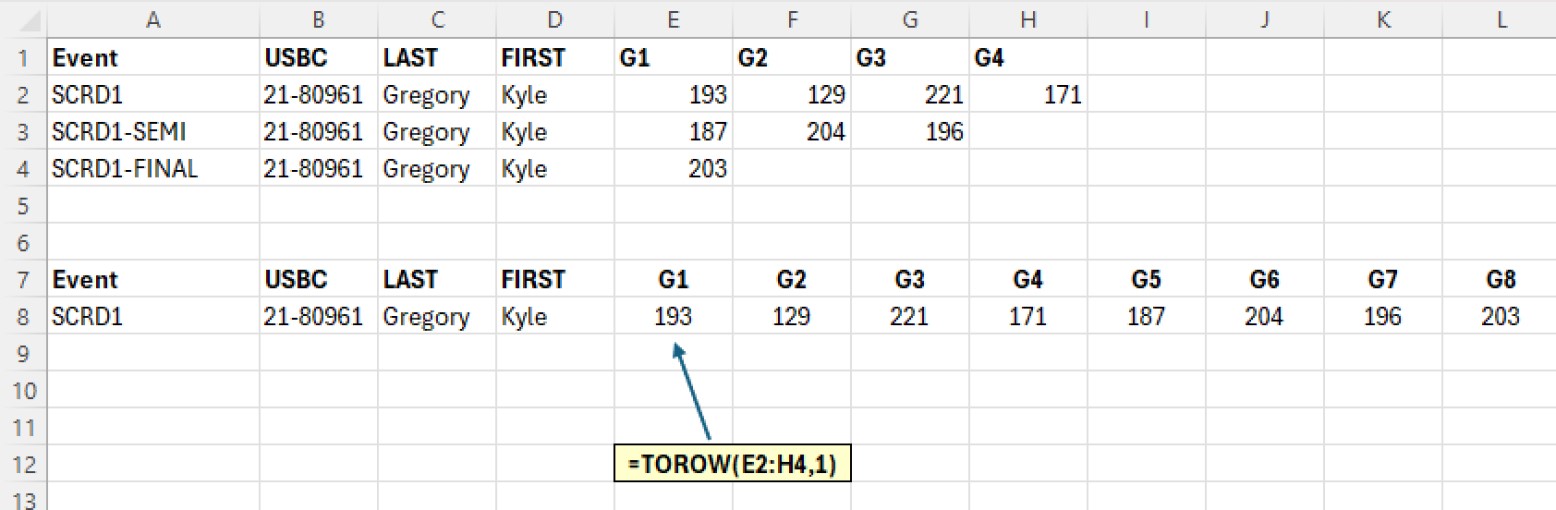
First of all - why are there more games in the Final than there are in the Semi Finals?
I feel those two rows need to be reordered.
I would use the ToRow function for this (see screenshot).
Kevin Robertson
@Reply 17 months ago
Teresa MeekOP
@Reply 17 months ago
Yes, Kevin, you are correct. When I was making the mockup, I reversed the labels for SCRD1-SEMI AND SCRD1-FINALS. SEMI should only have the one game and FINAL has the 3 games.
Teresa MeekOP
@Reply 17 months ago
Teresa MeekOP
@Reply 17 months ago
Teresa MeekOP
@Reply 17 months ago
Teresa MeekOP
@Reply 17 months ago
Teresa MeekOP
@Reply 17 months ago
Teresa MeekOP
@Reply 17 months ago
Teresa MeekOP
@Reply 17 months ago
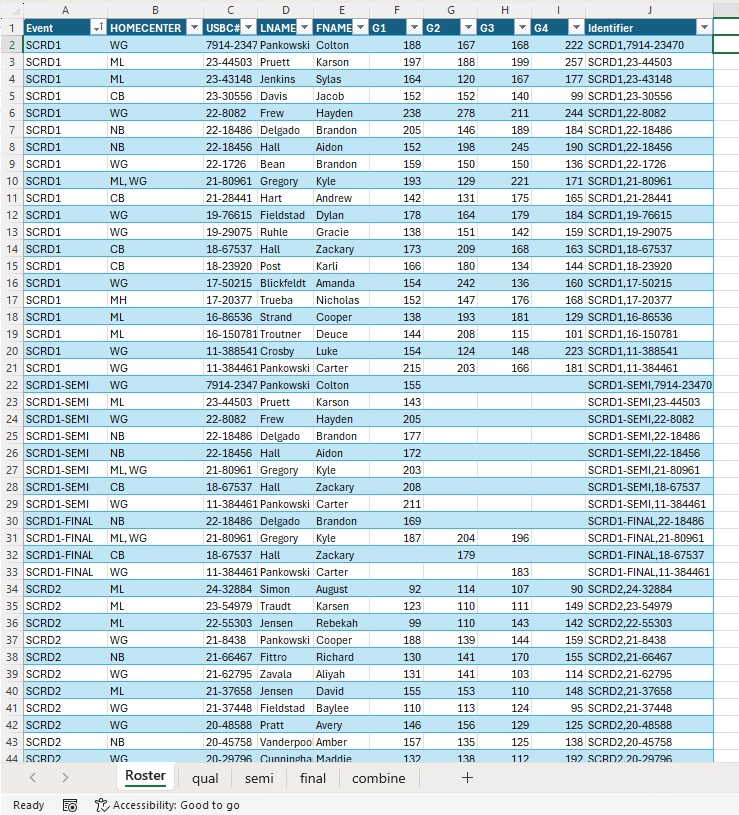
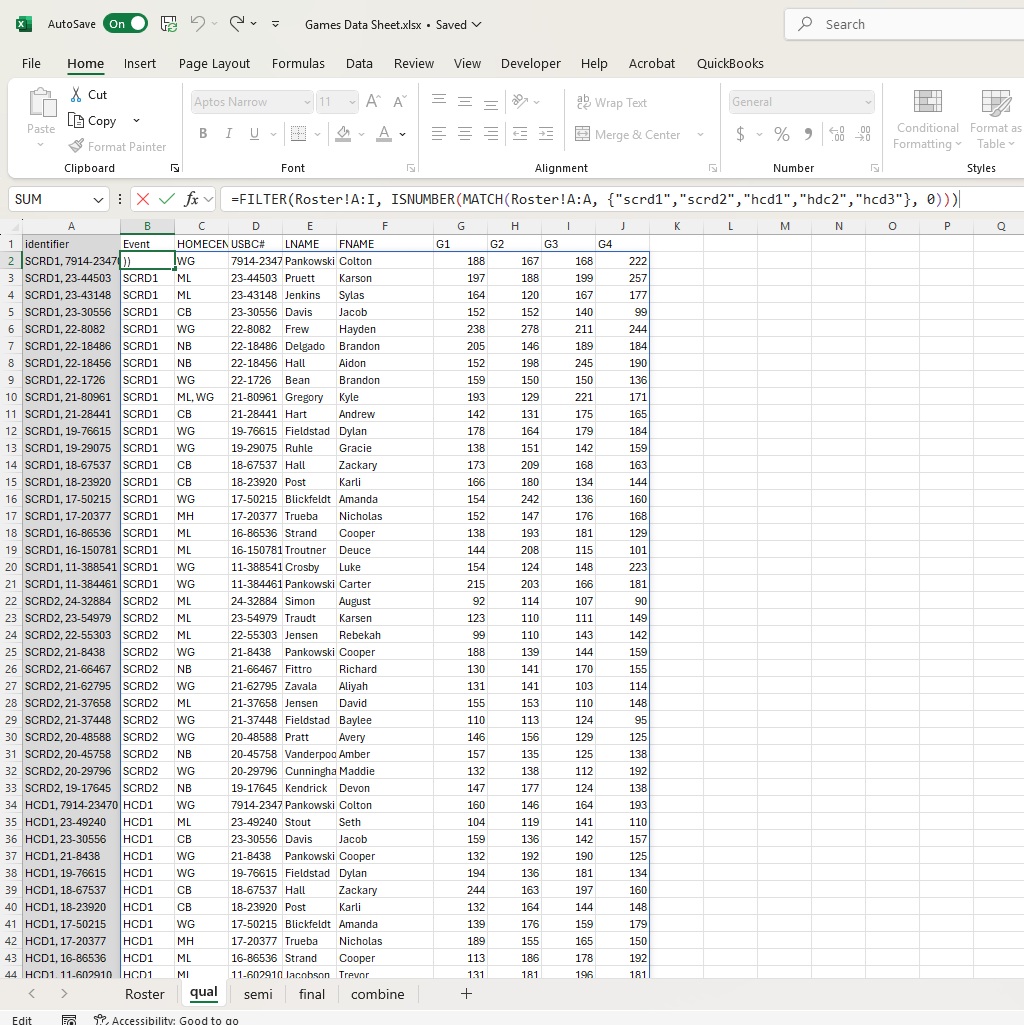
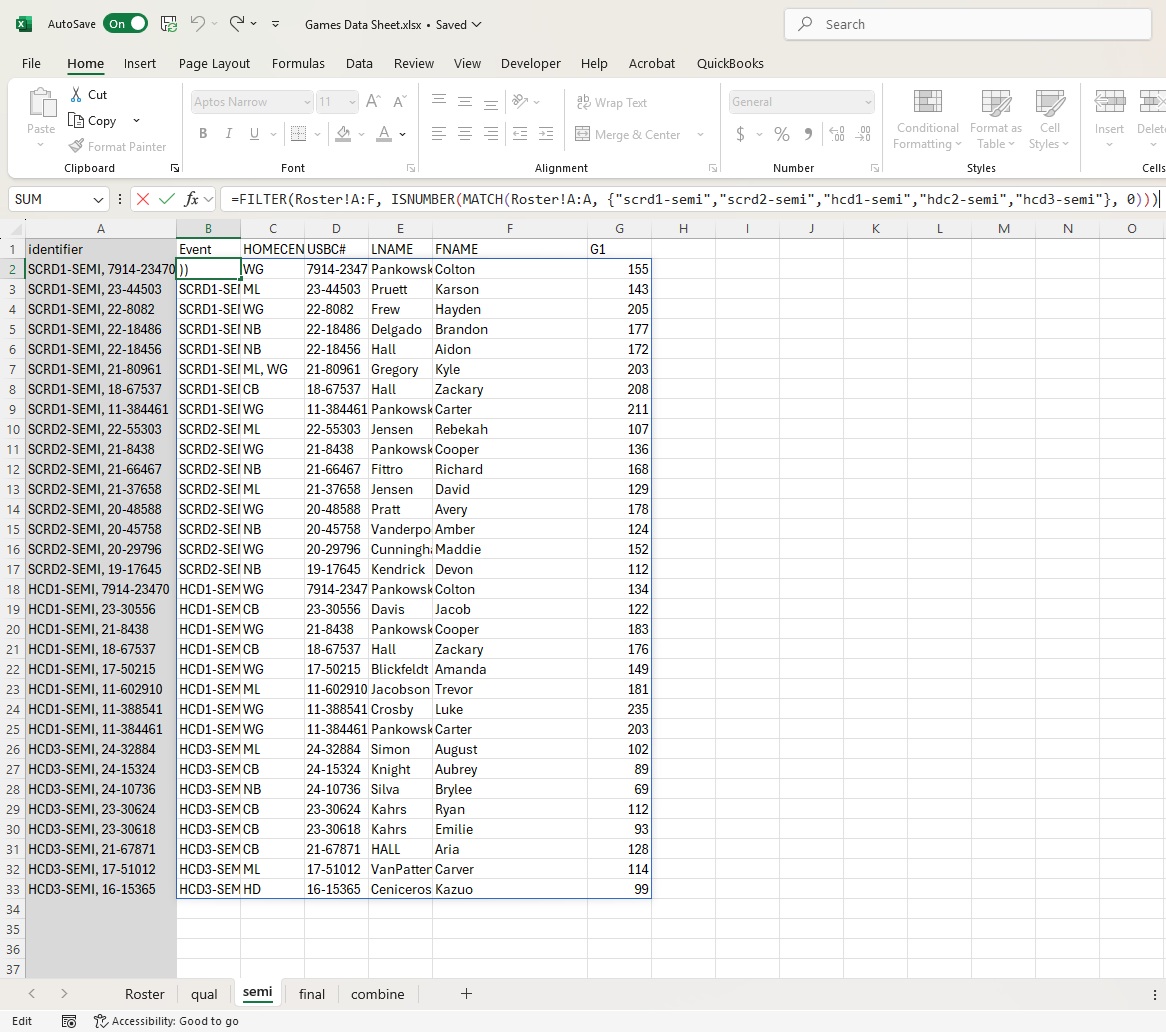
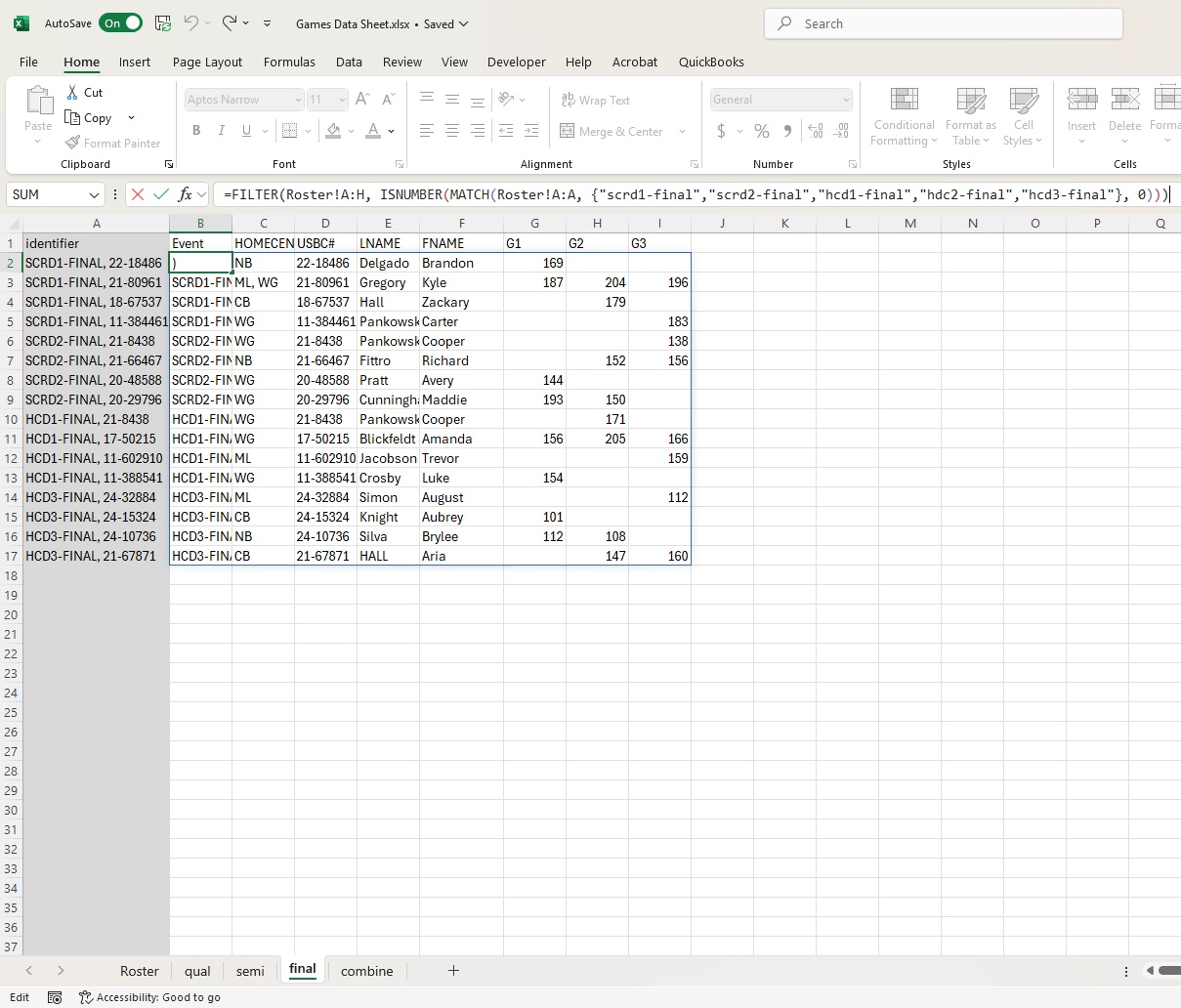
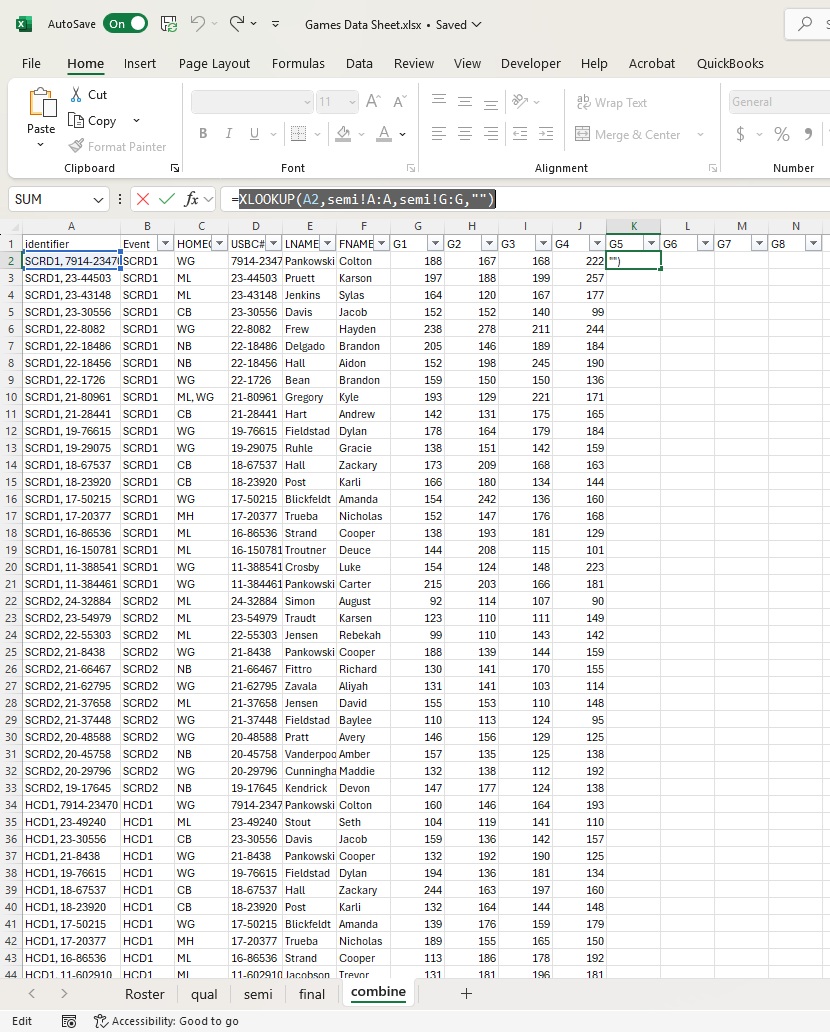
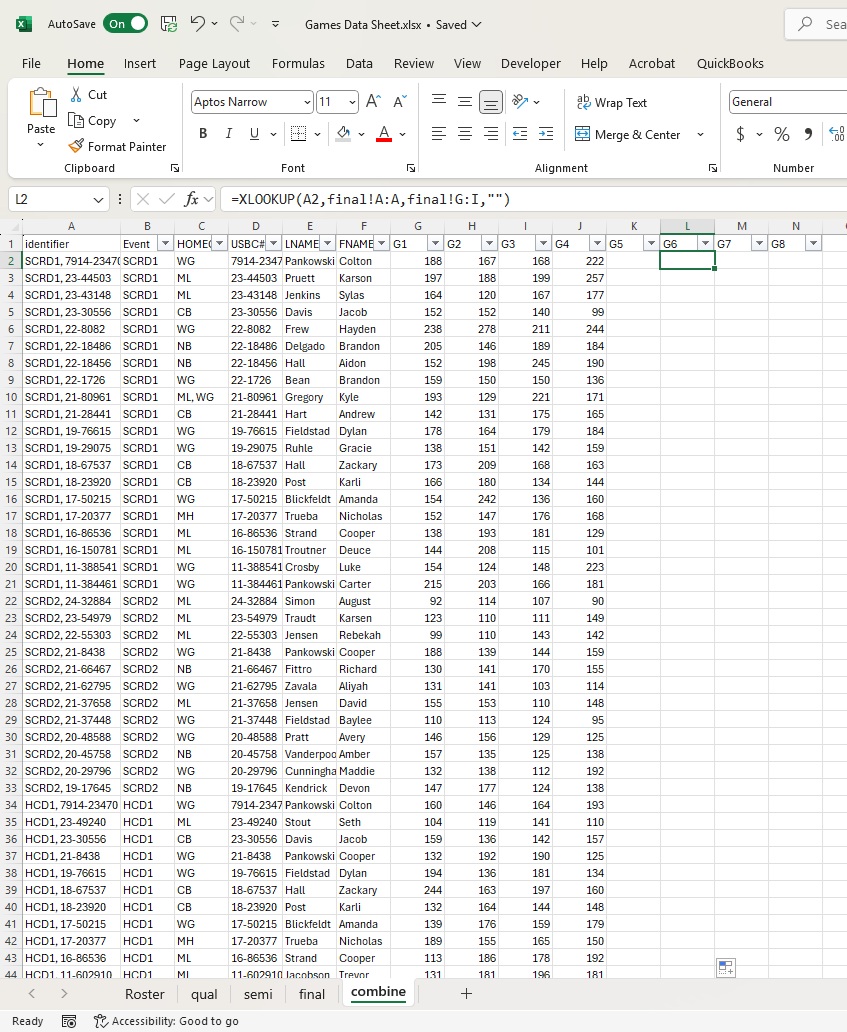
Here was my thought process. Separate all of the qualifying games, semi games and finals, then combine them by pulling the scores from the respective sheets. I added a column to combine event&usbc# because I need it to pull the scratch semi and final games to the scratch entry and the handicap semi and finals games to the handicap entry. Some bowlers bowl in both events.
I pull the information from the tournament software, put it in the correct column order and paste it into the first tab called Roster. That automatically spill the information into the qual, semi, and final tabs. Where I am having trouble is getting the combine tab, for the semi's game 5, and the finals games 6-8. I tried to use the xlookup function to look for the combo of the event & usbc# and return the score from that sheet. It is not working...
I admit that this is over my skill level as I am 63 and have not worked alot with spreadsheets over the past 30 years. I know enough to ask for help!
Teresa MeekOP
@Reply 17 months ago
Nevermind. I figured it out myself.
Sorry, only students may add comments.
Click here for more
information on how you can set up an account.
If you are a Visitor, go ahead and post your reply as a
new comment, and we'll move it here for you
once it's approved. Be sure to use the same name and email address.
This thread is now CLOSED. If you wish to comment, start a NEW discussion in
Excel Forum.