Hi Richard. I have blocked users to edit fields by using allowedits = false. However there is a specific field which always must be available (yes/no-field). Is there a way to do this with allowed edits false or must I lock al the fields except that one? Thanx again.
Dan Jackson
@Reply 3 years ago
Hi Fred,
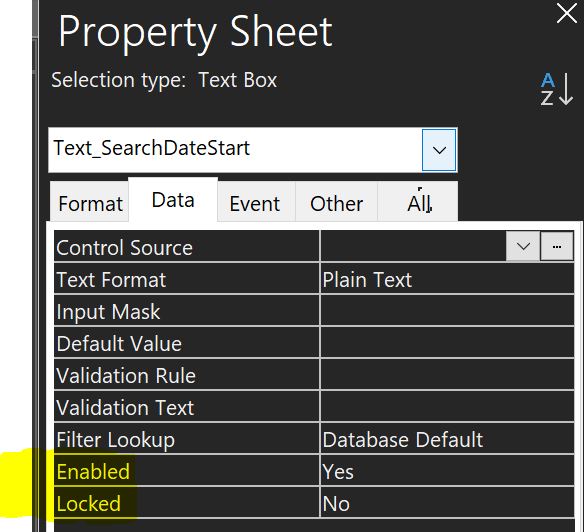
AllowEdits is a form level setting. You can't make exceptions. You need to set Allow Edits = True, then use the LOCKED AND ENABLED settings for the individual controls.
Locked means the field works as it normally would BUT cannot be edited
Enabled = No means the field will be locked but also greyed out and can only be read with the eye.
For example, with a locked field, you could still select and copy the text. If the field is disabled, you can't do either.
Dan Jackson
@Reply 3 years ago
Kevin Robertson
@Reply 3 years ago
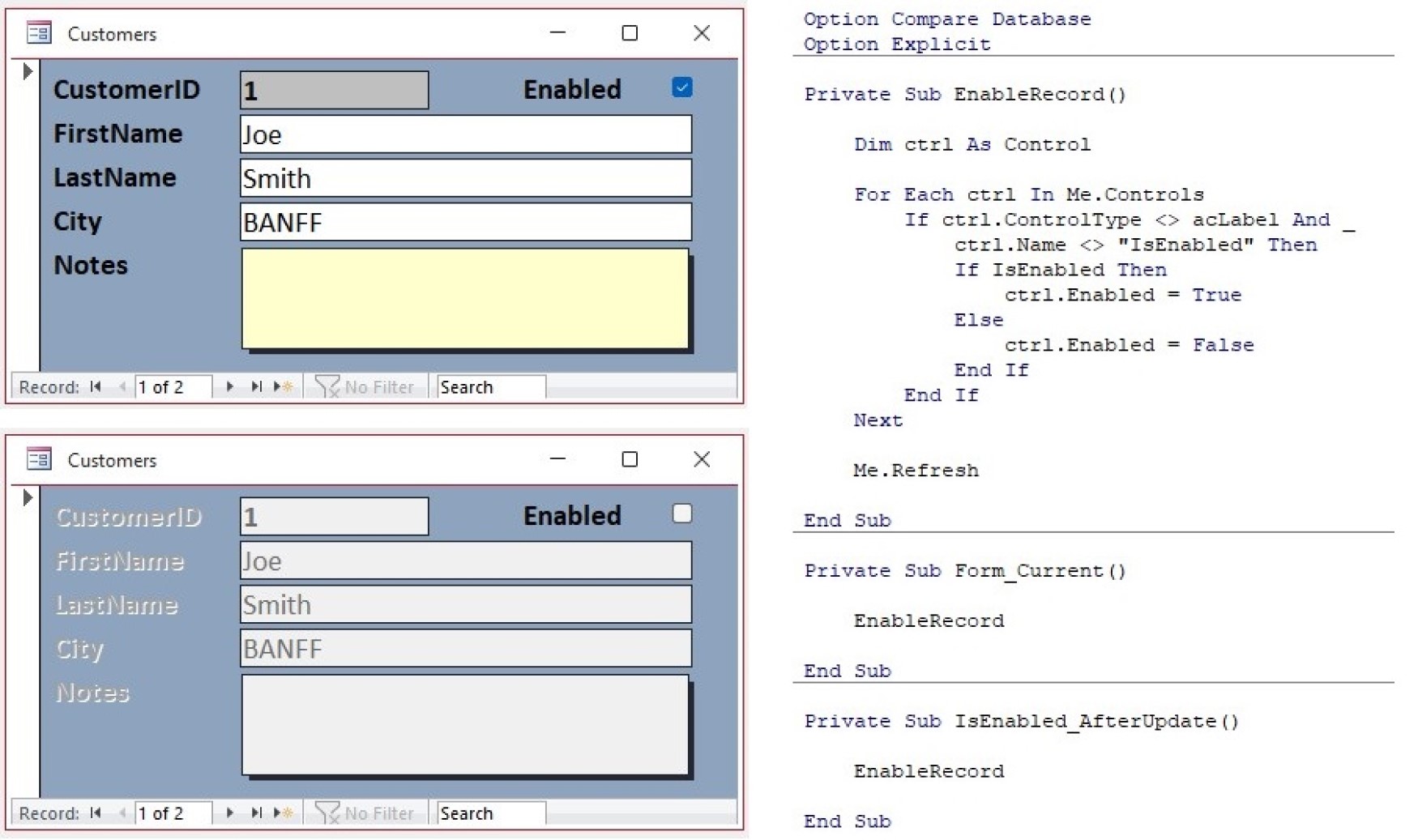
If you need a runtime solution you could loop through the controls on the form excluding labels (labels don't have Locked/Enabled properties) and the control you want to remain enabled. In my example below I have used the Enabled property so you can visually see the difference.
Kevin Robertson
@Reply 3 years ago
Scott Axton
@Reply 3 years ago
Take a look at the Dirty video as well. That shows how to deal with different changes to a record.
Sorry, only students may add comments.
Click here for more
information on how you can set up an account.
If you are a Visitor, go ahead and post your reply as a
new comment, and we'll move it here for you
once it's approved. Be sure to use the same name and email address.
This thread is now CLOSED. If you wish to comment, start a NEW discussion in
Visitor Forum.