Captain's Log Supplemental. Access Server Experiment: Kill the Process, Not Just the Database
If you've been watching my videos for any amount of time, you probably know I keep a Microsoft Access database running on what I lovingly refer to as my "server machine." It's not a real server. It's basically a copy of Windows 10 sitting in the corner doing background work like a dedicated crewman who never sleeps.
This machine runs a 24-hour loop and does all kinds of automated tasks for me: sending emails (using my Email Seminar template), performing backups, running scheduled routines, and generally keeping my business humming along.
Now, for years I've noticed something annoying: if I don't reboot that machine at least once a week, Access starts throwing weird errors. Out-of-stack space. Random instability. Strange behavior that always magically disappears after a reboot. I assumed it was just Windows being Windows.
So I decided to run a little experiment. Starting January 15th, I changed my routine:
1) My nightly backup runs. 2) After the backup finishes, I force-kill MSACCESS.EXE. See Kill Access 3) That runs automatically three nights per week: Monday, Wednesday, and Friday.
And guess what?
Since I started doing that, I have not gotten a single one of those weird Access errors. We're going on three weeks now.
To put that in perspective: before this, if I didn't reboot that machine at least weekly, I'd get errors by Day 7 without question. And I'm talking years of this behavior. Like clockwork. In fact, if I was on vacation and the vacation would last longer than seven days, I had to make sure I logged in remotely to reboot the server. That meant if I was on a cruise in the middle of the Caribbean, I had to find a way to get online. Which nowadays is not a big deal, but you know ten years ago this was an issue.
So what does that tell me?
It strongly suggests that Access (or something in my environment) leaks memory over time, and simply closing the database isn't enough. Because here's the key part: my database already closes and restarts itself every 30 minutes during the loop. But I'm not killing the actual MSACCESS.EXE process, and clearly something is sticking around in memory.
Now, to be fair, this could be my code too.
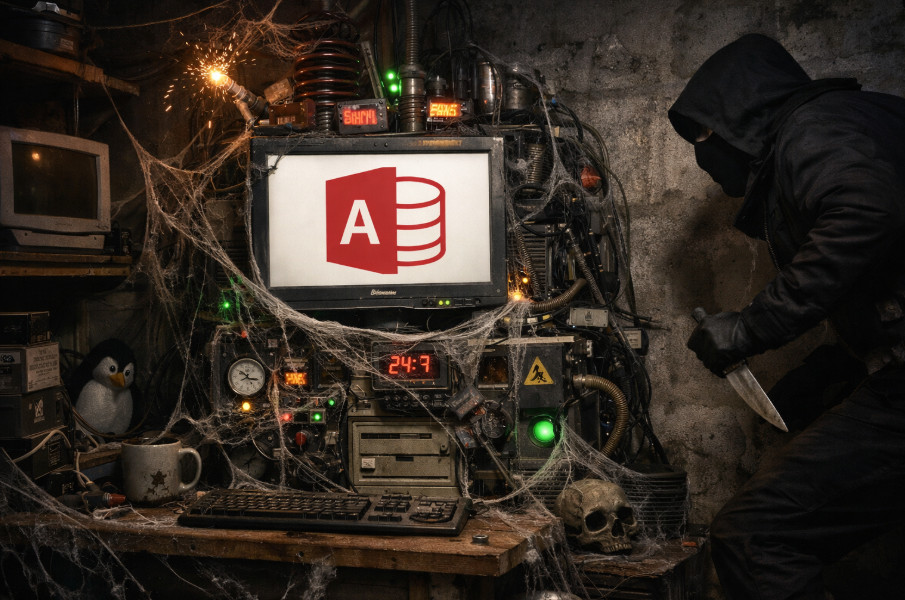
This database has been evolving for about 20 years. It's huge. It does a LOT. And 20-years-ago Rick did not have today's coding skills. So I wouldn't be shocked if there's some old nonsense in there... unclosed objects, recordsets left hanging, orphaned references, duct tape, bailing wire... basically Scotty's engine room with bypasses everywhere like a Christmas tree.
That's why one of my favorite lines in class is: If you set it, you got to forget it.
But regardless of whether the leak is Access itself or my Franken-database, the result is real: killing MSACCESS.EXE a few times a week seems to prevent most of these cumulative weird errors.
So if you're running long-term Access automation (especially on a machine that stays up 24/7), consider scheduling an occasional full Access process kill, not just closing the database. It might save you from the classic creeping instability that shows up after several days.
I find the same with just plain ol' Windows. I keep my desktop on (it still sleeps), but if I don't cold start it every few days, stuff starts happening. For me, the icons in the system tray turn invisible. The buttons are there-- they work, and hovering shows which invisible space is which app shortcut-- but it's blank space. Other more random things happen too, so now the system tray thing just makes me power off and restart later.
Oh, I'm not saying you never need to reboot Windows. I would definitely still reboot Windows like once or twice a month, but I had to at least once a week, or my Access database started acting flaky.
Jeffrey Kraft
@Reply 7 months ago
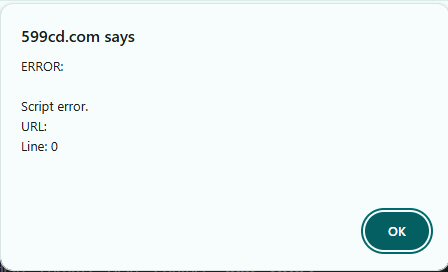
What is with all the script errors I am seeing.
599cd.com says
ERROR:
Script error.
URL:
Line: 0
Browser used is Chrome don't ask for the build, it also has occured using Edge. Also noticed one of my post disappeared (not a big deal but).
This one. It's appeared on a couple other log entries as well. Just started to happen a couple days ago.
Jeffrey Kraft
@Reply 7 months ago
I take it back, the problem goes back to the Captains Log "Redneck Star Trek Green Girls", "Lots Going On" (had the issue now doesn't, "Rollable Laptop Screens are the future", and "KILL MSACCESS.EXE experiment" all have the error at least on this computer (haven't tried the lapton), it's not happening with Edge any more. It could be a chrome thing for me :(
Jeffrey Kraft
@Reply 7 months ago
It may have been a plugin... after I removed it the problem went away. It's wierd that the issue was only those Captains logs above and maybe a video somewhere. :(
Yeah, the only place I really use video embeds from YouTube is in the Captain's Log, so it could have been something dealing with that. I will say that at any given moment there's usually 30 to 50 users on the website watching classes, reading stuff, whatever. If there's a problem, I almost immediately get 10 to 15 emails, posts, or complaints that something's wrong. When it's just one user, my first thought is it's something on your machine.
Sorry, only students may add comments.
Click here for more
information on how you can set up an account.
If you are a Visitor, go ahead and post your reply as a
new comment, and we'll move it here for you
once it's approved. Be sure to use the same name and email address.
This thread is now CLOSED. If you wish to comment, start a NEW discussion in
Captain's Log.