Free Lessons
Courses
Seminars
TechHelp
Fast Tips
Templates
Topic Index
Forum
ABCD
 
Home   Courses   TechHelp   Forums   Help   Contact   Merch   Join   Order   Logon  
 
Back to Access Forum    Comments List
Upload Images   @Reply   Bookmark    Link   Email   Next Unseen 
Date Field
Taruna Matharu 

5 years ago
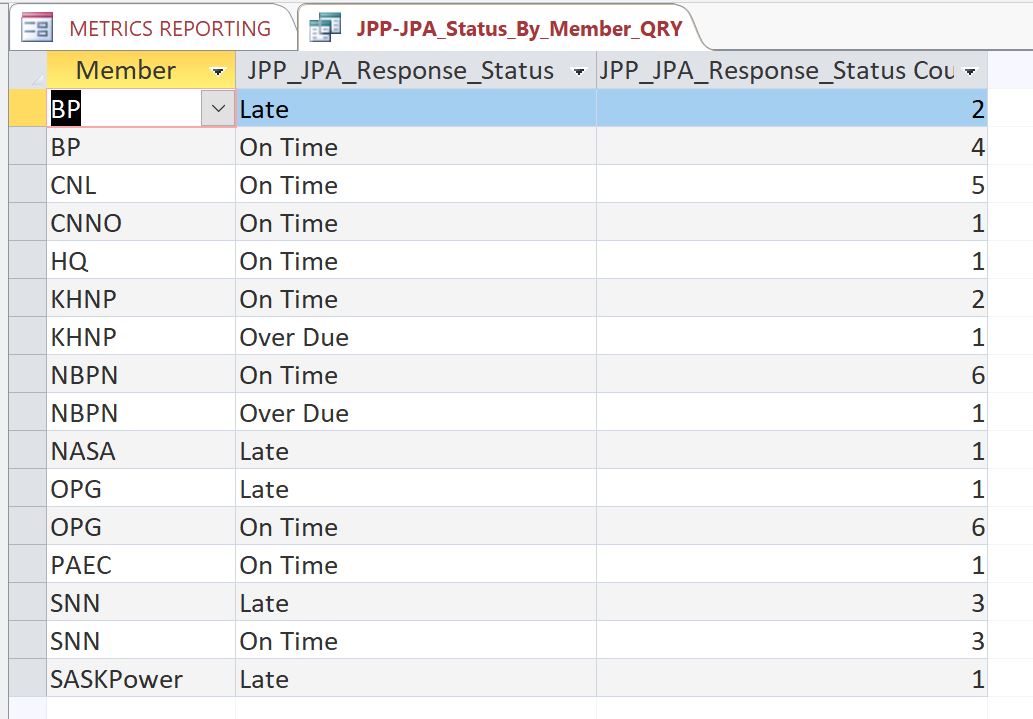
I am using the query results in another query and when I run the query, it prompts the previous query date selection form and when I ender date range (01 Apr 2021 ---- 31 Jul 2021) it displays incorrect count which is from Jan-2021-Aug 2021. The  user entered range should verify any record that are in date field Due_Date.
Taruna Matharu OP  @Reply  

5 years ago

Taruna Matharu OP  @Reply  

5 years ago

Adam Schwanz  @Reply  
           
5 years ago
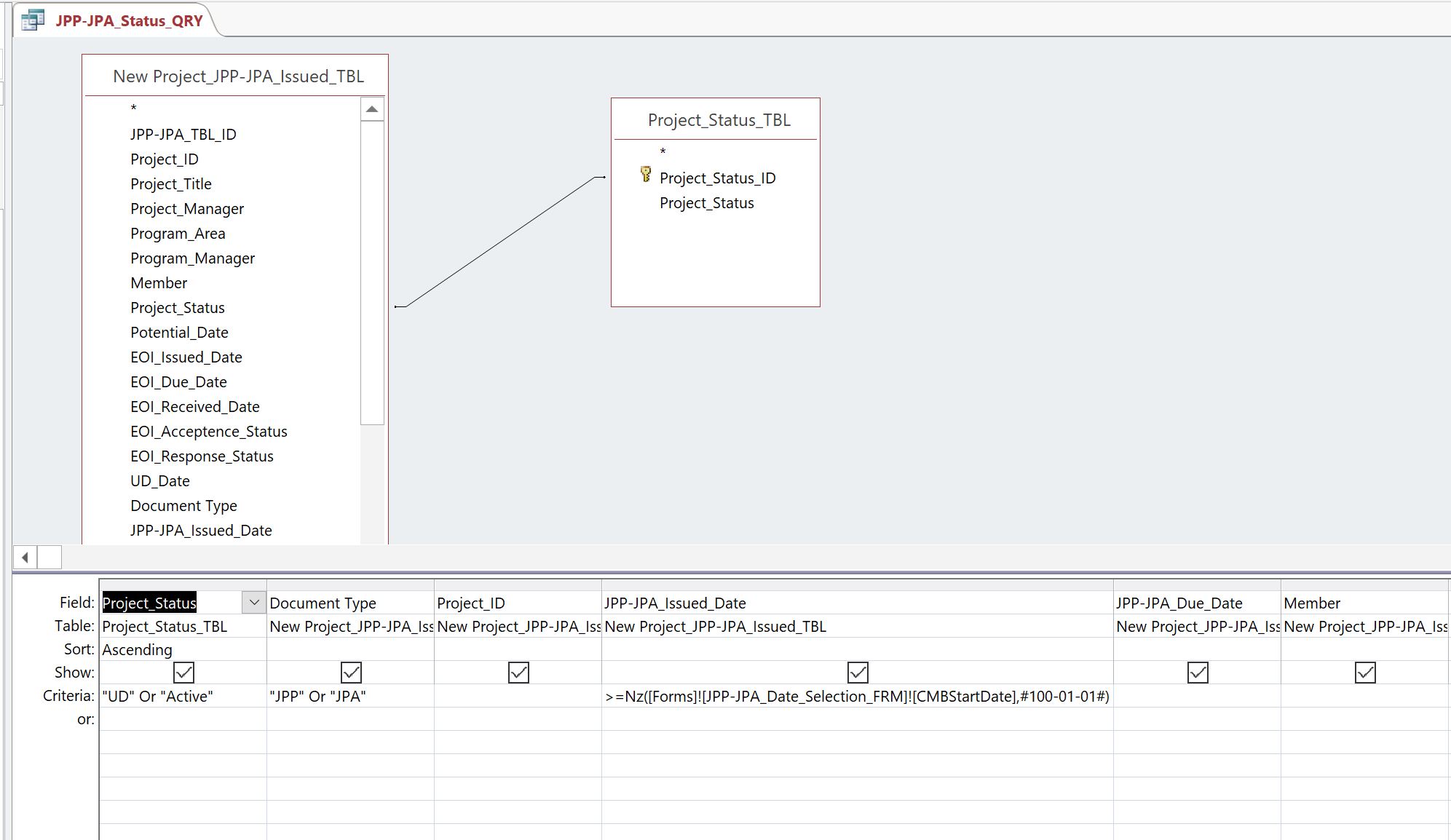
Can we see the first query? so we can see the parameter/criteria? Also are you entering your dates like that? 1/4/2021 and 31/7/2021? I'm wondering if it isn't factoring the 1/4 as the 4th of January instead of how you're entering it as April.
Taruna Matharu OP  @Reply  

5 years ago

Taruna Matharu OP  @Reply  

5 years ago
Hello Adam, Thanks for responding. I was entering the date as you mentioned as all my date fields have dd\-mmm\-yy. I have uploaded the previous query.
Taruna Matharu OP  @Reply  

5 years ago

Taruna Matharu OP  @Reply  

5 years ago
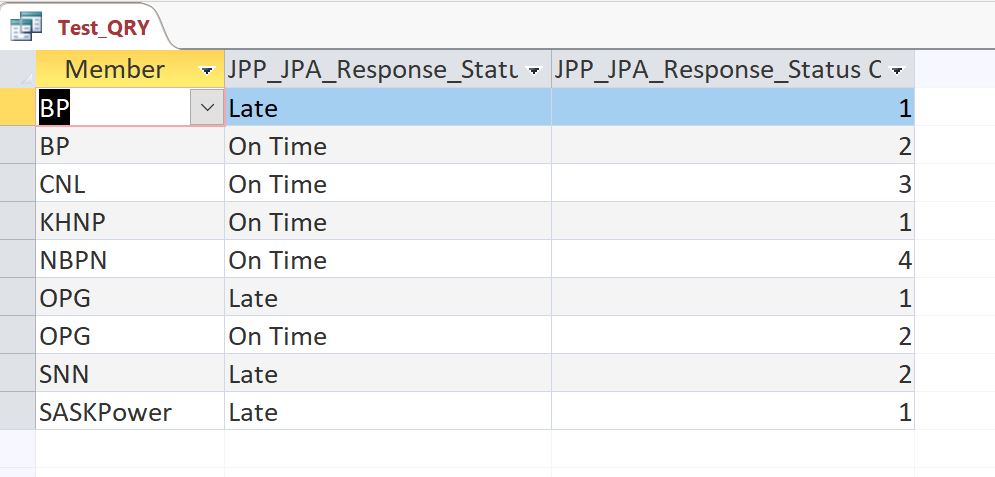
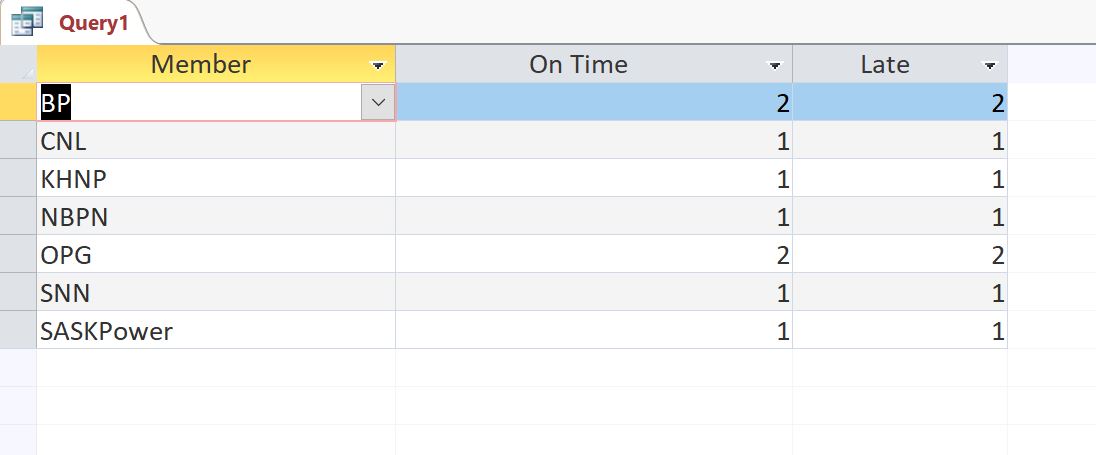
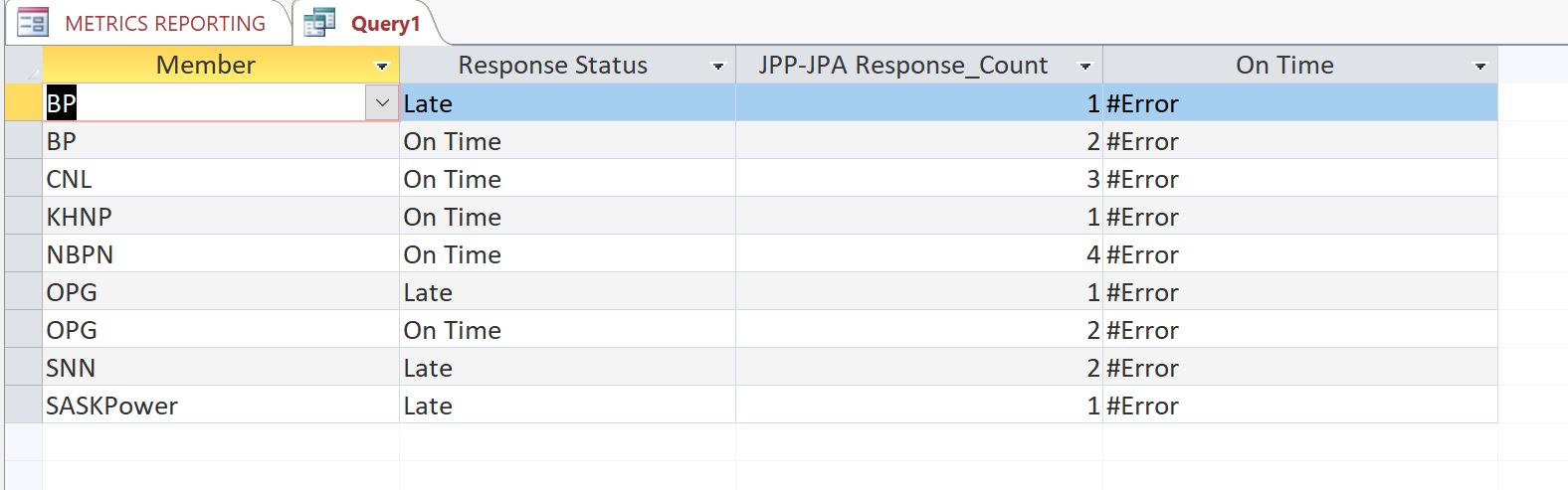
Hi Adam, Thanks Again. I did as you mentioned I entered date 4/1/2021 and 7/31/2021 and it did give the desired results. Also the previous query was using in form  JPP-JPA_Issued_Date ,so I corrected  it to use JPP-JPA_Due_Date and now  in the Form range it picks due date. Please can you help me with one more thing, I need for each member total On Time divide by Total Due to get answer in % in the above snapshot BP is
Late                       1
On Time                 2
Total                      3
On Time Total is      2    and 2/3  = 67%
Richard Rost  @Reply  
           
5 years ago
Use an Aggregate query with the COUNT function.
Taruna Matharu OP  @Reply  

5 years ago

Taruna Matharu OP  @Reply  

5 years ago

Taruna Matharu OP  @Reply  

5 years ago
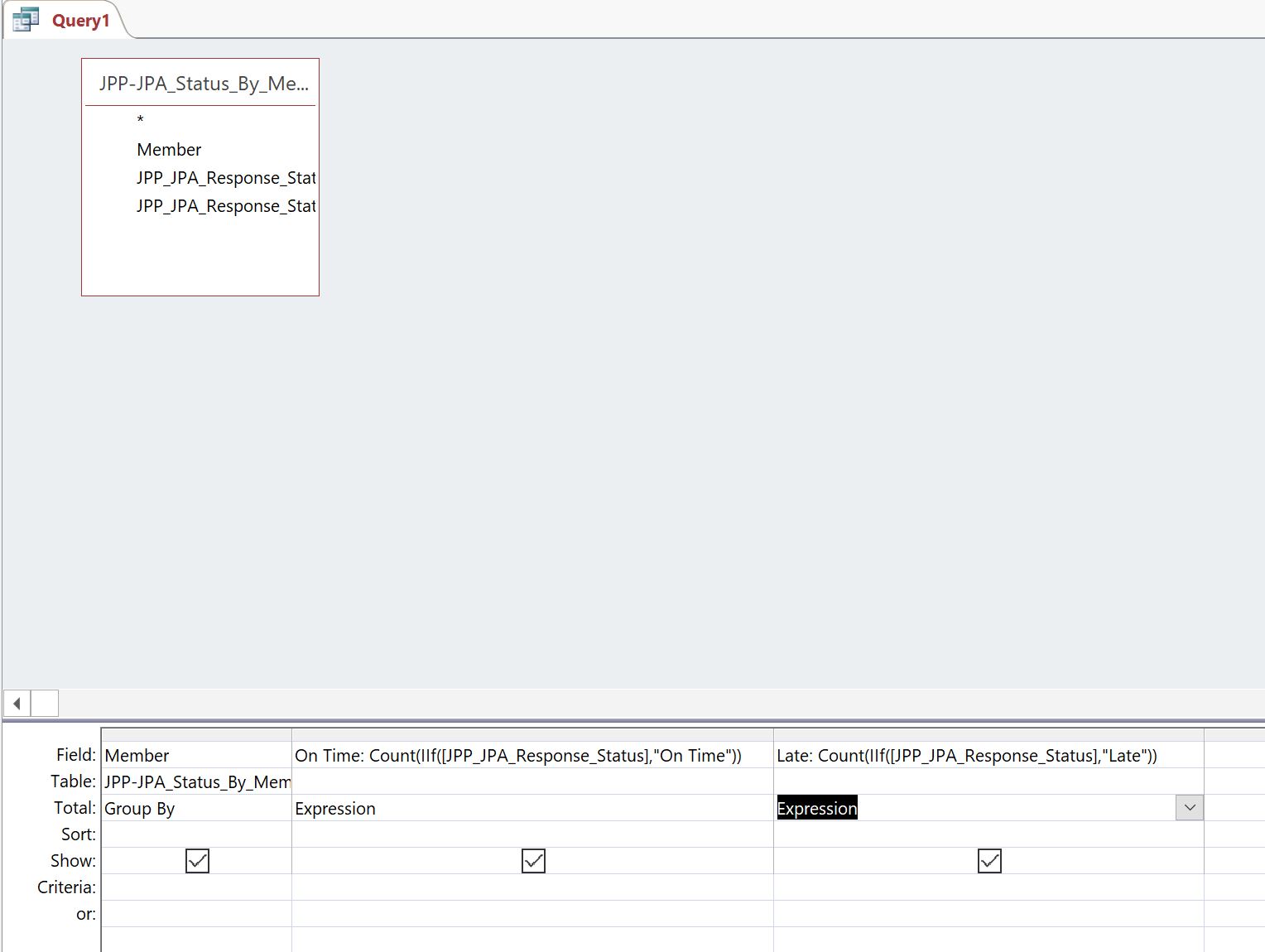
Hi Richard, With Count under Aggregate I cannot use the text in criteria, so I added it as expression but its not giving the correct numbers. The results should be beside
Members   On Time Late  Total    Average                      Can the The Total and average be part of the report?
BP             2           1       3      On Time/Total  (%)
CNL           3           0
Adam Schwanz  @Reply  
           
5 years ago

Adam Schwanz  @Reply  
           
5 years ago
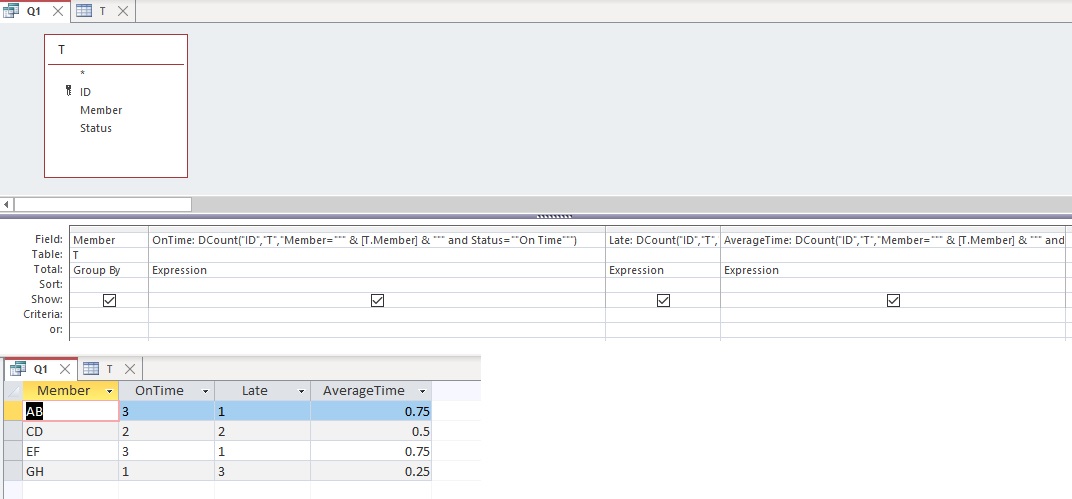
That's how I would do it, AverageTime is

AverageTime: DCount("ID","T","Member=""" & [T.Member] & """ and Status=""On Time""")/DCount("ID","T","Member=""" & [Member] & """")

You'll need to replace your field/table names as necessary.
Adam Schwanz  @Reply  
           
5 years ago
Don't need that Tablename.Member (T.Member), it can just be Member. Not sure why access threw that in there LOL. Works either way
Adam Schwanz  @Reply  
           
5 years ago
Also if you want to visually display "Total" I would just make another expression with
DCount("ID","T","Member=""" & [Member] & """")
Taruna Matharu OP  @Reply  

5 years ago
Hi Adam, Your example has a table whereas I am using a query results in a query. I do not have ID field. How do I use it in query?
Adam Schwanz  @Reply  
           
5 years ago
Bring in an ID field into the original query. You don't need to use it for anything in the first query. Then you can use it in the second.
Taruna Matharu OP  @Reply  

5 years ago
I directly tried with table
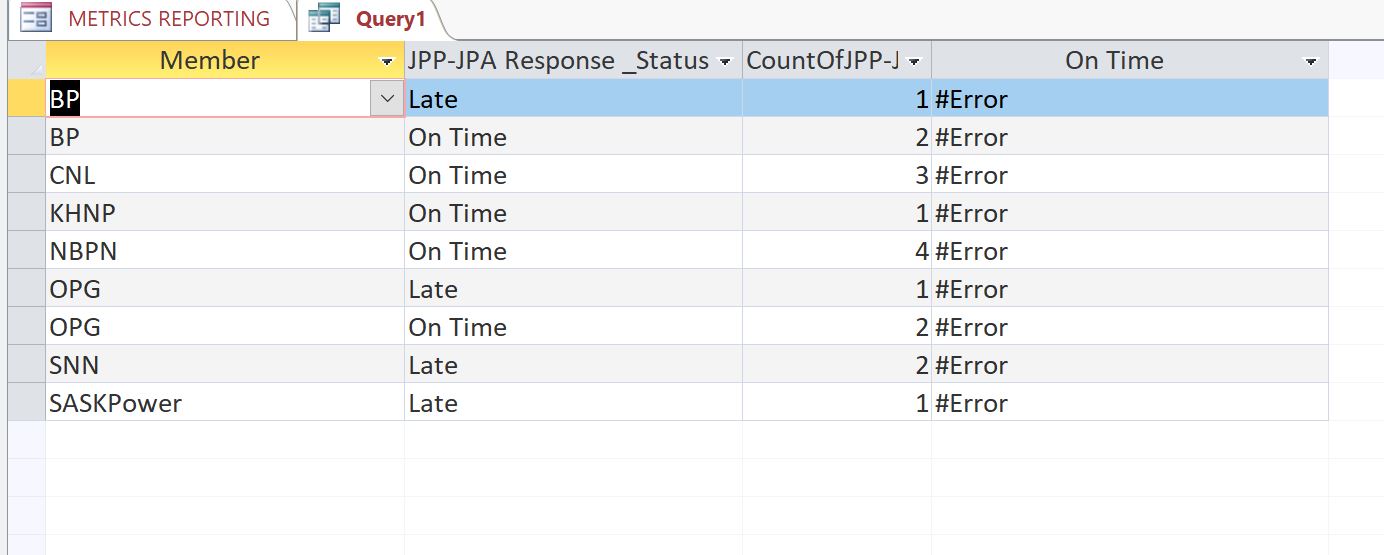
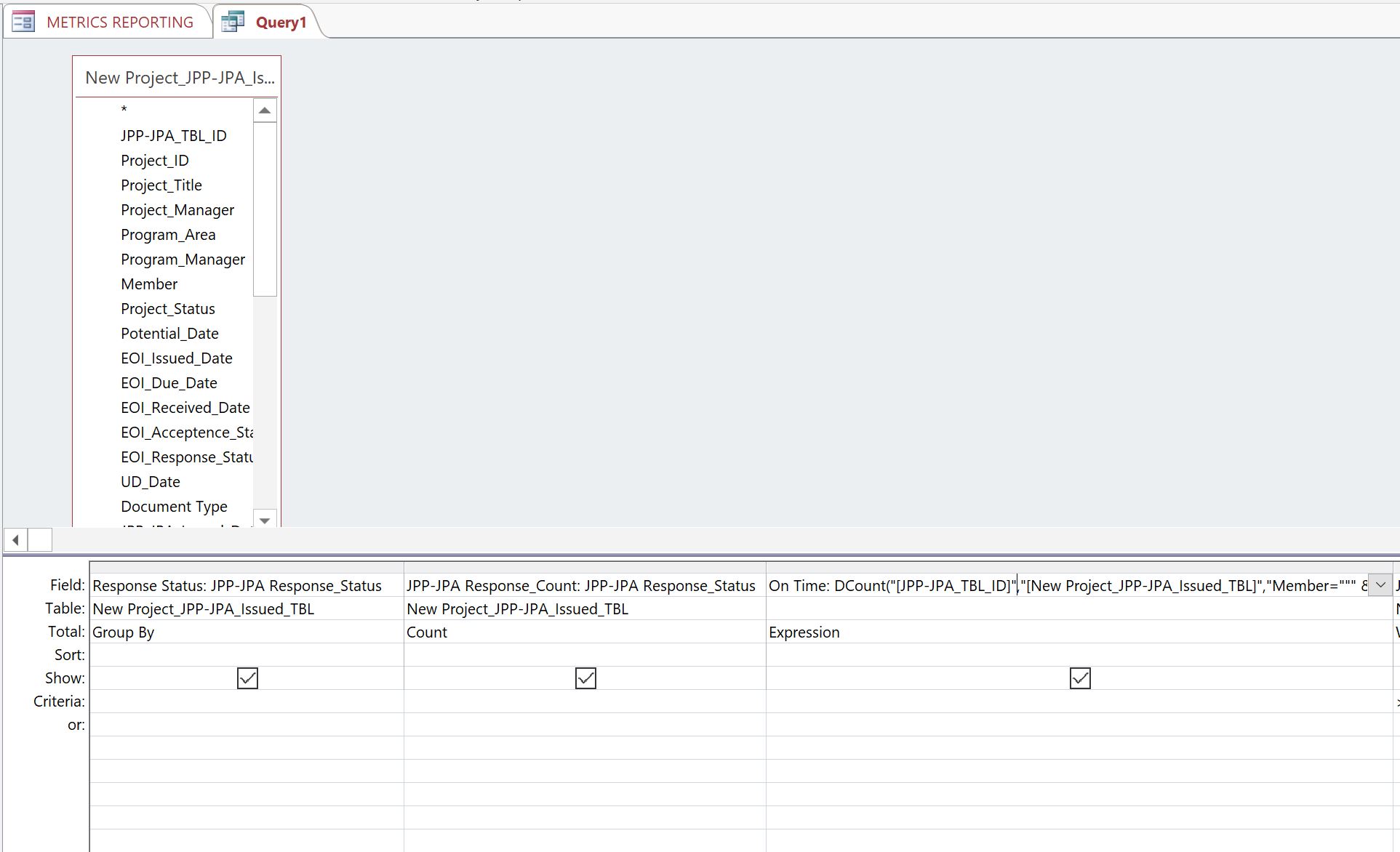
On Time: DCount("JPP-JPA_TBL_ID","New Project_JPP-JPA_Issued_TBL","Member=""" & [Member] & """ and JPP_JPA_Response_Status=""On Time""") and its giving Error in col Time
Adam Schwanz  @Reply  
           
5 years ago
Depending how your stuff is setup, you might need to play with it a little, might need to make a new first query that has the fields like mine to get it to look the same, then you can just use "ID","QueryName","Criteria" instead of "ID","TableName","Criteria" in the DCOUNT
Taruna Matharu OP  @Reply  

5 years ago

Taruna Matharu OP  @Reply  

5 years ago

Adam Schwanz  @Reply  
           
5 years ago
Word of caution/advice, you should really try to make your field/table names a lot simpler. As fresh eyes looking at your field names I have no idea what they're supposed to be, I just see a bunch of letters. Don't be afraid to reuse field names, Member in this table can still be Member in the next table, it's short and easily understandable what it should be. When you want to refer to a certain member field you can use the table/query to specify which one so no concern there, as long as you're not using reserved words.

They're also going to bite you in the butt in some cases. Spaces cause a TON of headaches. I've seen dashes try to apply subtraction to 2 seperate fields as well instead of just being a field name. I'm having a hard time seeing what all you have in those fields. Try wrapping them ALL in brackets [ ] and see what it does.

OnTime: DCount("[JPP-JPA_TBL_ID]","[New Project_JPP-JPA_Issued_TBL]","Member=""" & [Member] & """ and [JPP_JPA_Response_Status]=""On Time""")
Adam Schwanz  @Reply  
           
5 years ago
I also notice in the query results it looks like there's a space between response and _Status? that could be your problem too, make sure the field names are correct and wrap them in brackets, then we can troubleshoot from there if there is still issues.
Taruna Matharu OP  @Reply  

5 years ago
Hi Adam, I did as you mentioned, fixed space in the field.
On Time: DCount("[JPP-JPA_TBL_ID]","[New Project_JPP-JPA_Issued_TBL]","Member=""" & [Member] & """ and [JPP-JPA Response_Status]=""On Time""") still Error. Initially I was using a query later I was directly using table. The Table does not have Primary ID do you think that would be the problem ?
Taruna Matharu OP  @Reply  

5 years ago

Taruna Matharu OP  @Reply  

5 years ago

Adam Schwanz  @Reply  
           
5 years ago
You should have a primary key in all of your tables, usually just a simple ID autonumber field that you don't ever worry about. That might give you other headaches down the road.

In this case, you should be able to DCOUNT any valid field name regardless of if it's a primary key or not.

Now that I see a dropdown Arrow on your member field though... Is that using a Lookup field in your table? It appears to be, see Evil Access Stuff. That could be another problem, the bound field there might be a number rather than a string.

Try this instead "Member=" & [Member] & " and

Taruna Matharu OP  @Reply  

5 years ago
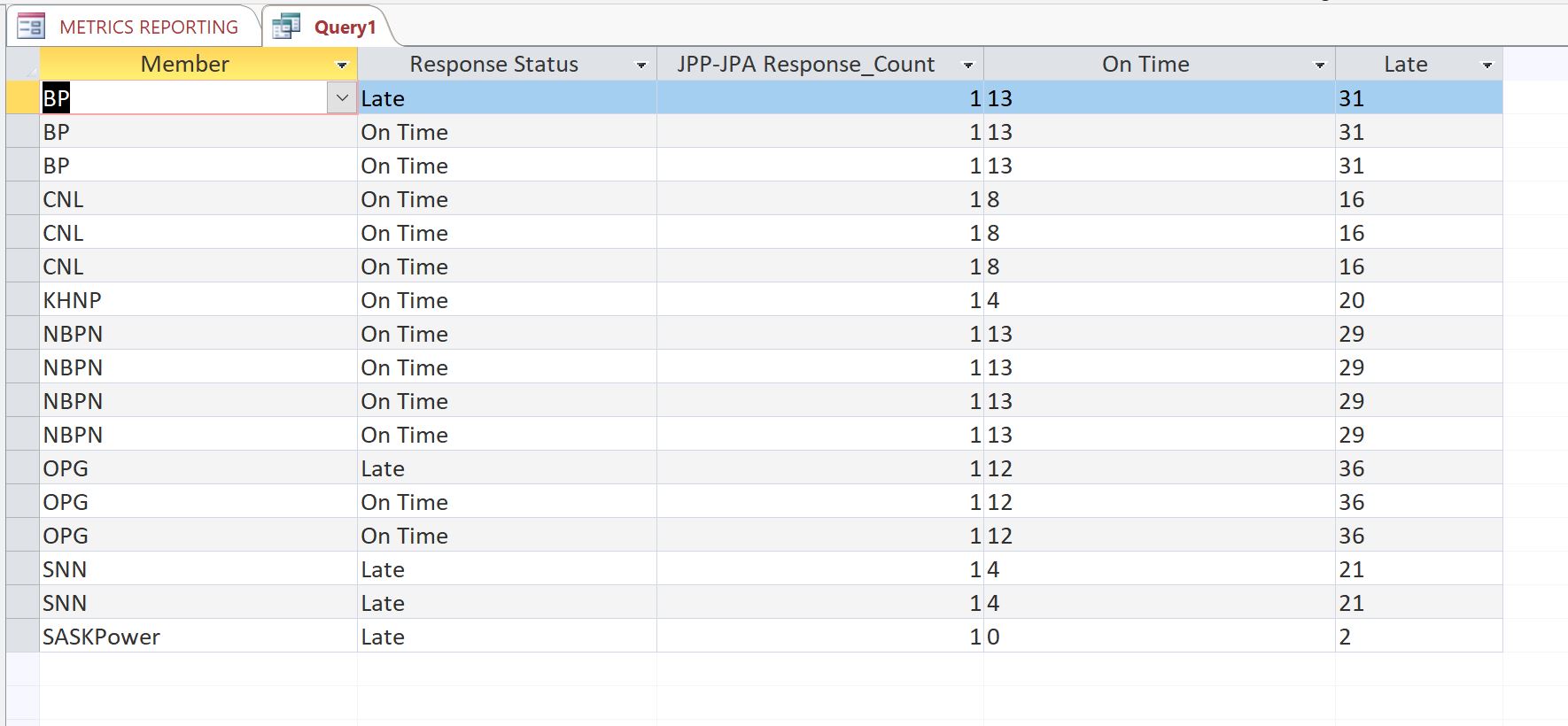
Hi Adam, Yes it worked with table directly but when the date prompts come it is not using the date range I provide i.e. Apr -Jun 2021 and generates all On Time and Late in the database even the ones that have no date as late. Previously I was using the QRY result  so I tried the same via query but it did not work. I also had issues for Average and Total.
Total: DCount("[JPP-JPA_TBL_ID]","[New Project_JPP-JPA_Issued_TBL]","Member=" & [Member] & ")
Average Time: DCount("[JPP-JPA_TBL_ID]","[New Project_JPP-JPA_Issued_TBL]","Member=" & [Member] & " and [JPP-JPA Response_Status]=""On Time""")
Taruna Matharu OP  @Reply  

5 years ago

Adam Schwanz  @Reply  
           
5 years ago
Do you have a date field? You need to add it to the DLOOKUP then. On phone so hopefully dont mess the code up LOL. Something like this.

DCount("[JPP-JPA_TBL_ID]","[New Project_JPP-JPA_Issued_TBL]","Member=" & [Member] & " and [JPP-JPA Response_Status]=""On Time"" and [InsertYourDateFieldHere]>=#" & [Enter Start Date] & "# and [InsertYourDateFieldHere]<=#" & [Enter End Date] & "#"")
Richard Rost  @Reply  
           
5 years ago
Yeah, I'll be honest, when someone sends me a question with field names that are all crazy like that, I barely even read them. It hurts my eye. ;)
Taruna Matharu OP  @Reply  

5 years ago
Richard and Adam,
Apologies for all the trouble, Thanks for all your help. I am a fresher with Access just completed Access level 1 and 2  training last month and found your video's very clear and helpful. Adam all the advice that you have given I have noted and will definitely bring it to practice.
Adam- Just confirming in your last response you mention DLOOKUP but the formula is DCOUNT ?
Richard Rost  @Reply  
           
5 years ago
DLookup and DCount are two similar functions. Learn DLookup first. Then move on to DCount. Watch those videos first PLEASE before attempting what Adam showed you.
Adam Schwanz  @Reply  
           
5 years ago
Yea I meant DCOUNT sorry, both those videos are great that Richard linked in teaching you about them though, watch those first.

This thread is now CLOSED. If you wish to comment, start a NEW discussion in Access Forum.
 

Next Unseen

 
New Feature: Comment Live View


The following is a paid advertisement
Computer Learning Zone is not responsible for any content shown or offers made by these ads.
 

Learn
 
Access - index
Excel - index
Word - index
Windows - index
PowerPoint - index
Photoshop - index
Visual Basic - index
ASP - index
Seminars
More...
Customers
 
Login
My Account
My Courses
Lost Password
Memberships
Student Databases
Change Email
Info
 
Latest News
New Releases
User Forums
Topic Glossary
Tips & Tricks
Search The Site
Code Vault
Collapse Menus
Help
 
Customer Support
Web Site Tour
FAQs
TechHelp
Consulting Services
About
 
Background
Testimonials
Jobs
Affiliate Program
Richard Rost
Free Lessons
Mailing List
PCResale.NET
Order
 
Video Tutorials
Handbooks
Memberships
Learning Connection
Idiot's Guide to Excel
Volume Discounts
Payment Info
Shipping
Terms of Sale
Contact
 
Contact Info
Support Policy
Mailing Address
Phone Number
Fax Number
Course Survey
Email Richard
[email protected]
Blog RSS Feed    YouTube Channel

LinkedIn
Copyright 2026 by Computer Learning Zone, Amicron, and Richard Rost. All Rights Reserved. Current Time: 4/30/2026 11:50:24 AM. PLT: 0s