Free Lessons
Courses
Seminars
TechHelp
Fast Tips
Templates
Topic Index
Forum
ABCD
 
Home   Courses   TechHelp   Forums   Help   Contact   Merch   Join   Order   Logon  
 
Back to Access Forum    Comments List
Upload Images   @Reply   Bookmark    Link   Email   Next Unseen 
Calendar in Subform
Jon Nelson 
     
13 months ago
I have a calendar in a subform that is based off of Richard's calendar seminar. When I change the date on the datetime field on the parent form, it recalculates the startdate field in order to format the calendar correctly. However, the calendar subform loads before the startdate is calculated and doesn't format properly. I've tried several variations of on timer events in both the parent and original calendar form to no avail. Yet when I click to design view and then click back, the subform calendar is then formatted correctly. I've been racking my head over this one. Any help is most appreciated.
Richard Rost  @Reply  
          
13 months ago
That's a weird one. Form/subform timing can be difficult like that. Is this something that I covered in the seminar? Did I put that in a subform? I don't remember offhand. Because if you're running in a subform, you may need to move the event that kicks it off into the parent form. Can I see some screenshots?
Jon Nelson OP  @Reply  
     
13 months ago
It is an adaptation of what you did in your seminar. I am trying to combine what you have done with the calendar seminar with something similar as having a tab which can click on a view like you have done with your ABCD and Association videos. Instead of opening a separate monthly, weekly and daily table, to have them as a subform which is changed based on the control source. So I took the DatePickerF and now am calling it CalendarF and added the MonthlyCalendarF as a subform. The subform is called SubformControl which points to MonthlyCalendarF.
Jon Nelson OP  @Reply  
     
13 months ago

Jon Nelson OP  @Reply  
     
13 months ago

Jon Nelson OP  @Reply  
     
13 months ago

Jon Nelson OP  @Reply  
     
13 months ago

Jon Nelson OP  @Reply  
     
13 months ago
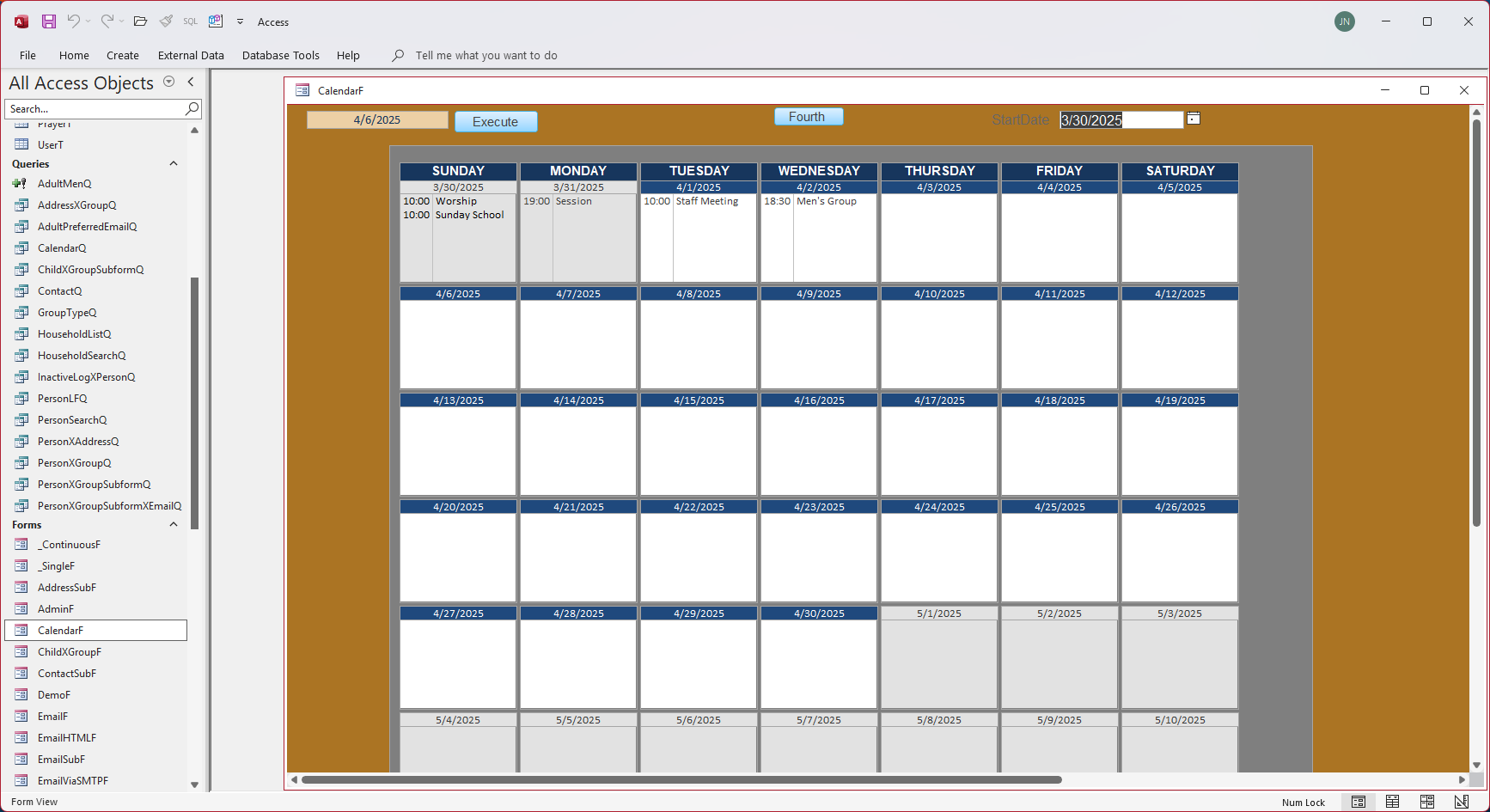
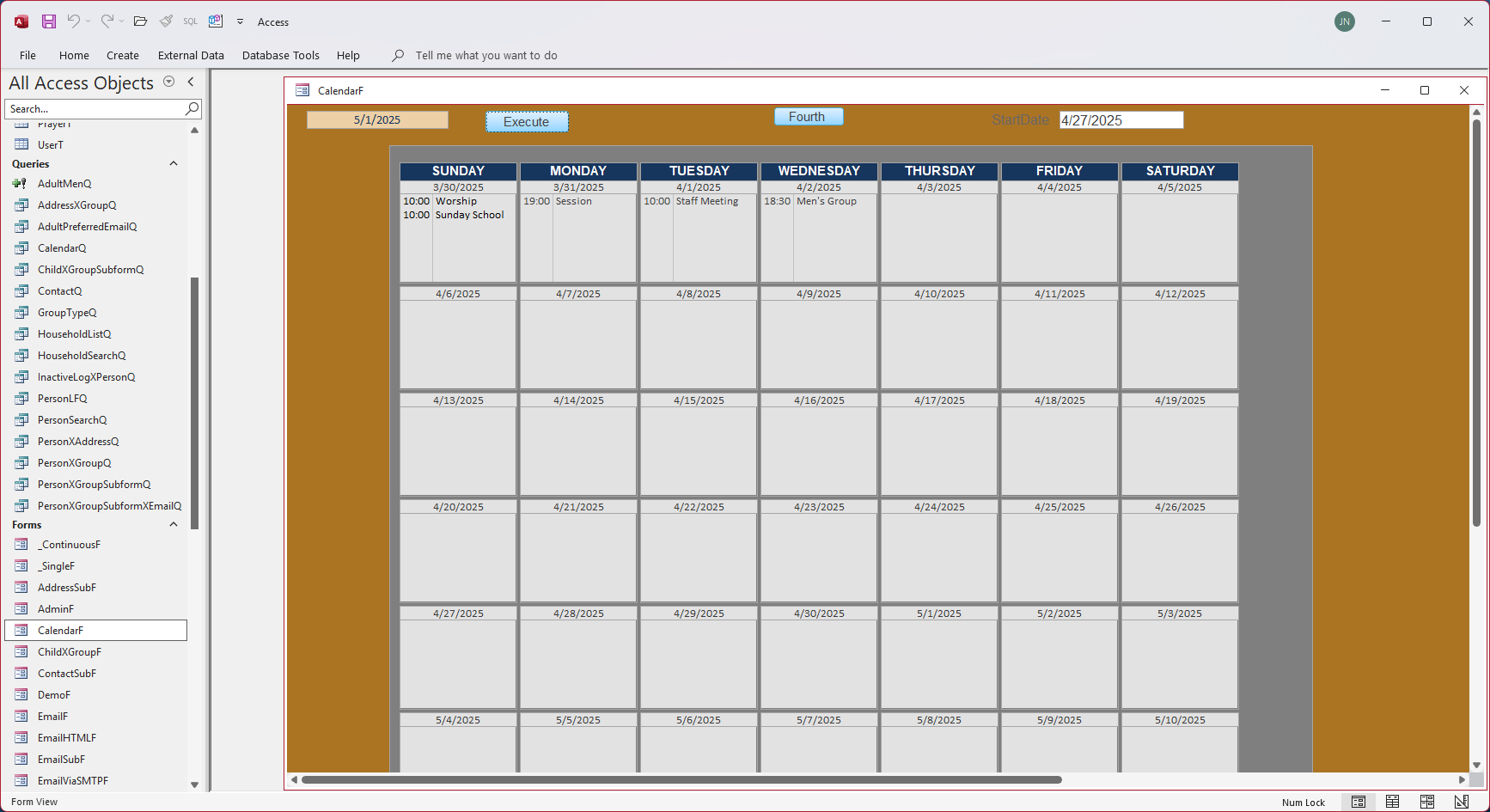
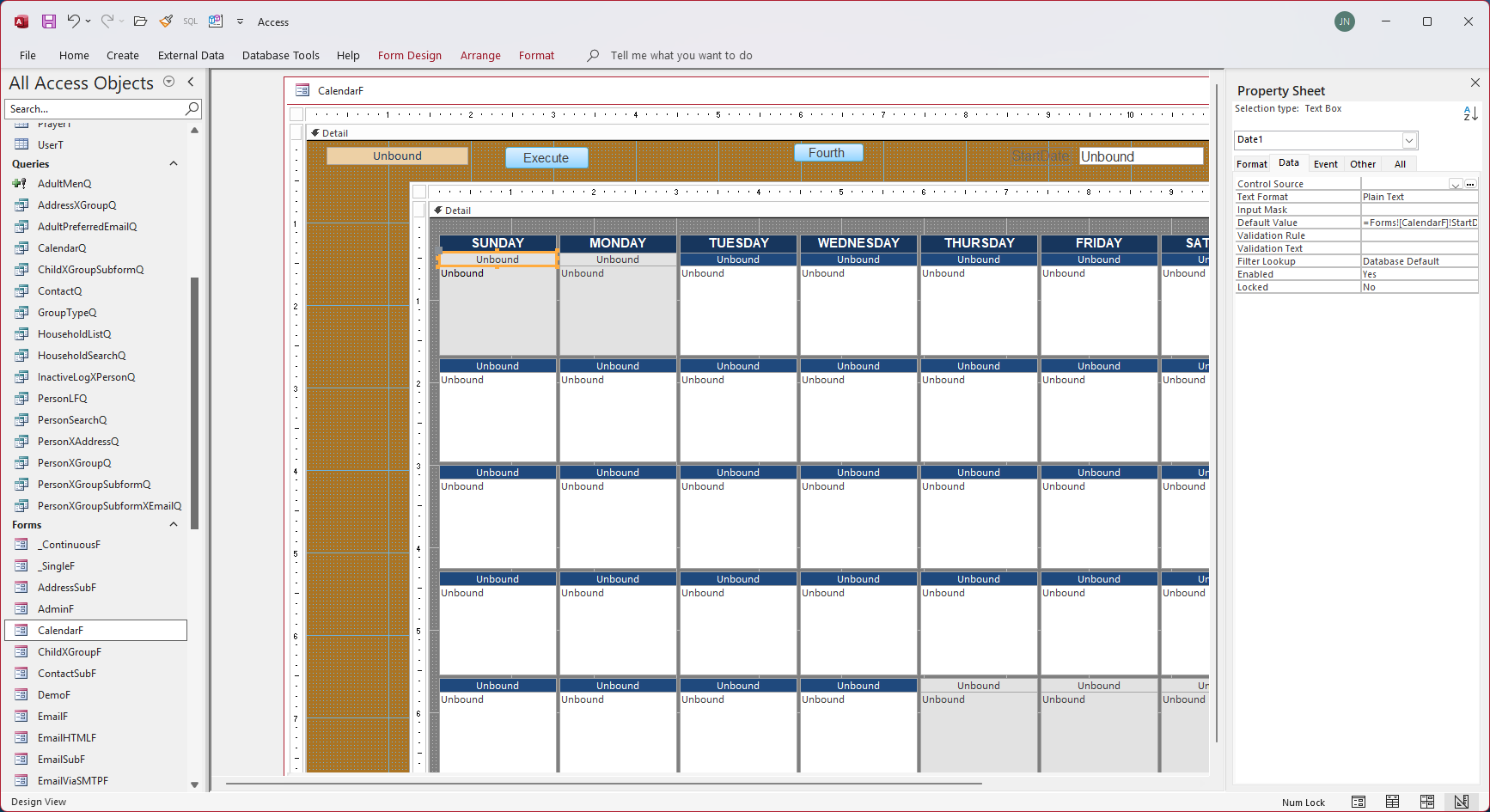
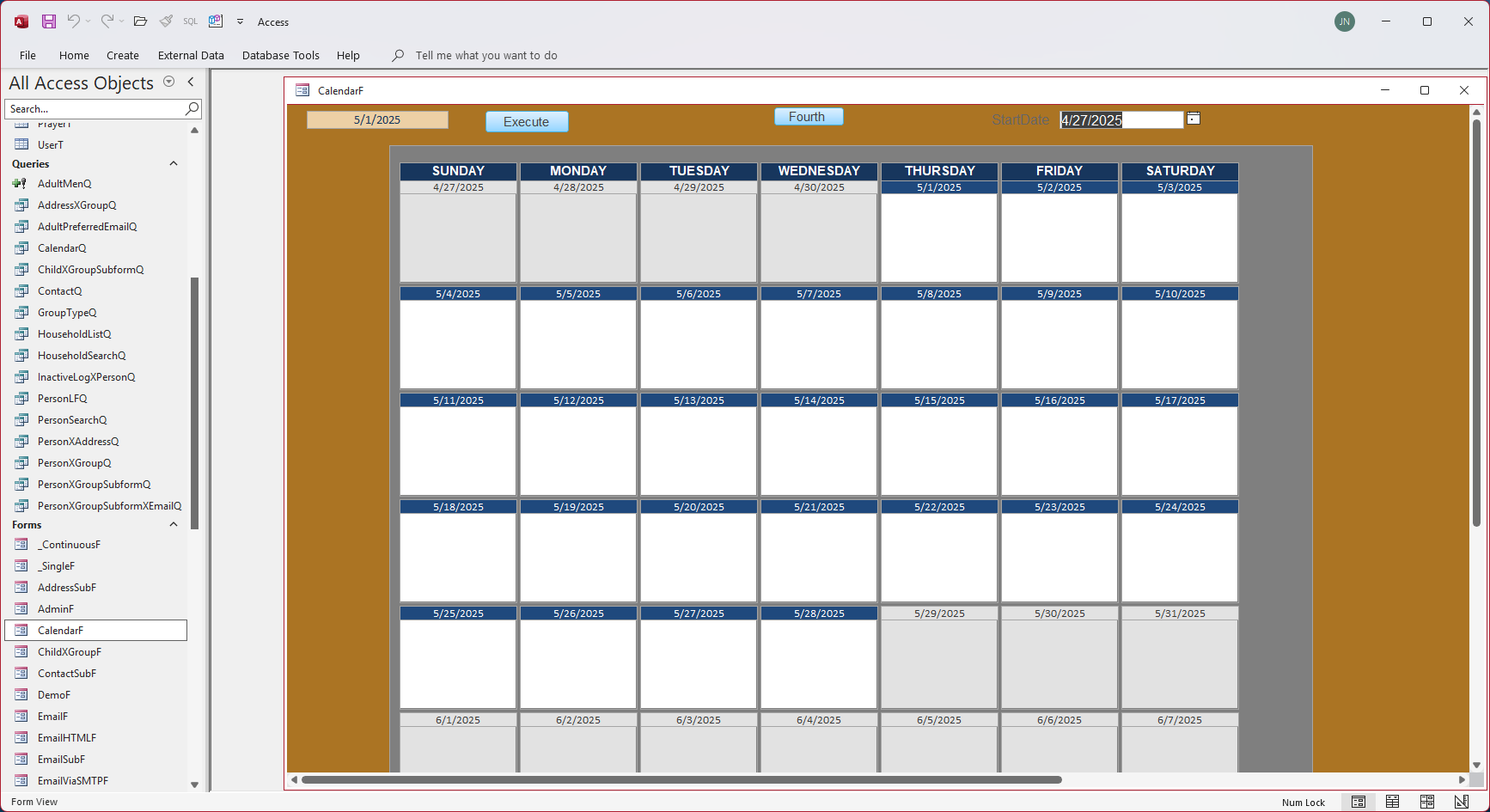
These snapshots refer to the sequence: 1: Original load of CalendarF, 2: After changing the date by one month and pressing the Execute button, 3: Going to design view, 4: Going back to Form View and the table is correct.
Richard Rost  @Reply  
          
13 months ago
OK. Good idea. I don't say this often but, can you send me a copy of the database? Strip out any sensitive data, ZIP it up, and email it to me at [email protected]. I don't usually look at databases for people, but since this is basically one of mine, I'll take a peek at it. That would be easier than having to have you post screen shots of all of your code. Include a link to this thread in your email please. Thanks. https://599cd.com/a?104175
Richard Rost  @Reply  
          
13 months ago
Figured it out. Watch Addendum 3. Calendar Seminar Lessons.

This thread is now CLOSED. If you wish to comment, start a NEW discussion in Access Forum.
 

Next Unseen

 
New Feature: Comment Live View


The following is a paid advertisement
Computer Learning Zone is not responsible for any content shown or offers made by these ads.
 

Learn
 
Access - index
Excel - index
Word - index
Windows - index
PowerPoint - index
Photoshop - index
Visual Basic - index
ASP - index
Seminars
More...
Customers
 
Login
My Account
My Courses
Lost Password
Memberships
Student Databases
Change Email
Info
 
Latest News
New Releases
User Forums
Topic Glossary
Tips & Tricks
Search The Site
Code Vault
Collapse Menus
Help
 
Customer Support
Web Site Tour
FAQs
TechHelp
Consulting Services
About
 
Background
Testimonials
Jobs
Affiliate Program
Richard Rost
Free Lessons
Mailing List
PCResale.NET
Order
 
Video Tutorials
Handbooks
Memberships
Learning Connection
Idiot's Guide to Excel
Volume Discounts
Payment Info
Shipping
Terms of Sale
Contact
 
Contact Info
Support Policy
Mailing Address
Phone Number
Fax Number
Course Survey
Email Richard
[email protected]
Blog RSS Feed    YouTube Channel

LinkedIn
Copyright 2026 by Computer Learning Zone, Amicron, and Richard Rost. All Rights Reserved. Current Time: 5/2/2026 3:44:48 AM. PLT: 1s