Free Lessons
Courses
Seminars
TechHelp
Fast Tips
Templates
Topic Index
Forum
ABCD
 
Home   Courses   TechHelp   Forums   Help   Contact   Merch   Join   Order   Logon  
 
Back to Access Forum    Comments List
Upload Images   @Reply   Bookmark    Link   Email   Next Unseen 
Cannot Get a Checkbox to Update a Field
Bill Carver 
      
12 months ago
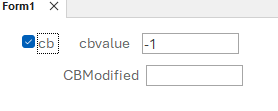
I plan to have a subform with a bunch of checkboxes.  Each time a checkbox goes true (-1) I'd like to have a counter field incremented +1.  Then if the prior value is less than the new value trigger an email to be sent

the problem is that the checkbox changing wont update the value in the other field..
the db I've created has a table named "table"   (so creative and a form name named just as creatively.

here's the vba

Private Sub cb_AfterUpdate()
  If cb.Value = -1 Then
    cbmodified = cbmodified + 1
    Refresh
  End If
End Sub


What is going wrong?
Bill Carver OP  @Reply  
      
12 months ago

Kevin Robertson  @Reply  
          
12 months ago
It's because the Text Box is Null.

    If CB Then
        cbModified = Nz(cbModified, 0) + 1
        Me.Refresh
    End If


Null
NZ Function
Joe Holland  @Reply  
      
12 months ago
You also may want to change your naming convention to avoid reserved words. See https://599cd.com/glossary/access/reserved/
Bryan Enbey  @Reply  
     
12 months ago
You may also need to subtract 1 if the box is unchecked, or if the box is unchecked and rechecked, the value would have risen by 2, and furthermore if it was clicked more times.  Utilizing Kevin's Nz idea, perhaps:
cbmodified = Nz(cbmodified, 0) + IIf(CB=True,1,-1)
Bill Carver OP  @Reply  
      
12 months ago
Thanks Kevin for your swift and accurate answer.   I had thought of that but I didn't formulate the nz correctly   I placed it on both sides of the = and that caused vba to gag.   Your solution worked fantastically.   Many thanks.
Bill Carver OP  @Reply  
      
12 months ago
Thanks Brian.  That's why the table was table and the form was form1.

However the real script as applied is as follows:

In my global module

Public Sub updatetotalcb() 'increment counter field  prev value is TempVars!currenttotalcb.Value
If Screen.ActiveControl = -1 Then
    Forms!onboard!OnboardingStepsSubf.Form!totalcb = Nz(Forms!onboard!OnboardingStepsSubf.Form!totalcb, 0) + 1
End If
If Forms!onboard!OnboardingStepsSubf.Form!totalcb > TempVars!currenttotalcb.Value Then MsgBox "meow" & vbNewLine & "email trigger."

End Sub


Then on my checkboxes:

Private Sub SentToDrugScreen_AfterUpdate()
updatetotalcb
Me.Refresh
End Sub

Private Sub SentToDrugScreen_BeforeUpdate(Cancel As Integer)
TempVars!currenttotalcb.Value = totalcb.Value

End Sub

Thanks for having a good eye on my naming laziness.  you'll keep me disciplined  :)
Bill Carver OP  @Reply  
      
12 months ago
fortunately I don't need to subtract from the total on this when a checkbox is unchecked.   the email trigger will go off simply if the totalcb field is > the previous button.
Bill Carver OP  @Reply  
      
12 months ago

This thread is now CLOSED. If you wish to comment, start a NEW discussion in Access Forum.
 

Next Unseen

 
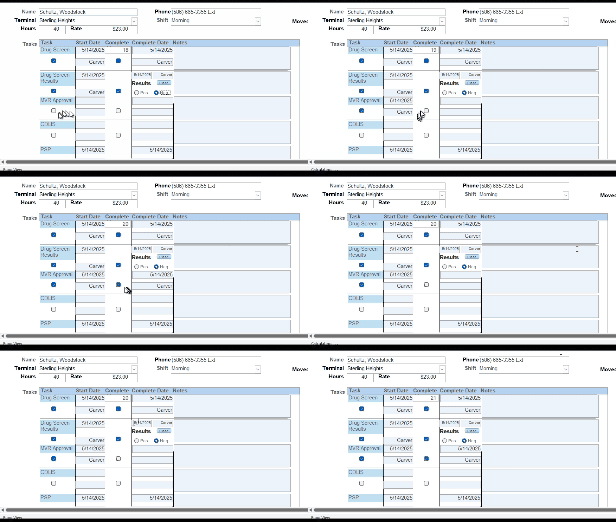
New Feature: Comment Live View


The following is a paid advertisement
Computer Learning Zone is not responsible for any content shown or offers made by these ads.
 

Learn
 
Access - index
Excel - index
Word - index
Windows - index
PowerPoint - index
Photoshop - index
Visual Basic - index
ASP - index
Seminars
More...
Customers
 
Login
My Account
My Courses
Lost Password
Memberships
Student Databases
Change Email
Info
 
Latest News
New Releases
User Forums
Topic Glossary
Tips & Tricks
Search The Site
Code Vault
Collapse Menus
Help
 
Customer Support
Web Site Tour
FAQs
TechHelp
Consulting Services
About
 
Background
Testimonials
Jobs
Affiliate Program
Richard Rost
Free Lessons
Mailing List
PCResale.NET
Order
 
Video Tutorials
Handbooks
Memberships
Learning Connection
Idiot's Guide to Excel
Volume Discounts
Payment Info
Shipping
Terms of Sale
Contact
 
Contact Info
Support Policy
Mailing Address
Phone Number
Fax Number
Course Survey
Email Richard
[email protected]
Blog RSS Feed    YouTube Channel

LinkedIn
Copyright 2026 by Computer Learning Zone, Amicron, and Richard Rost. All Rights Reserved. Current Time: 5/8/2026 10:44:14 PM. PLT: 0s