Free Lessons
Courses
Seminars
TechHelp
Fast Tips
Templates
Topic Index
Forum
ABCD
 
Home   Courses   TechHelp   Forums   Help   Contact   Merch   Join   Order   Logon  
 
Back to Access Forum    Comments List
Upload Images   @Reply   Bookmark    Link   Email   Next Unseen 
Cannot Go to Specified Record
James Chessher 
        
13 months ago
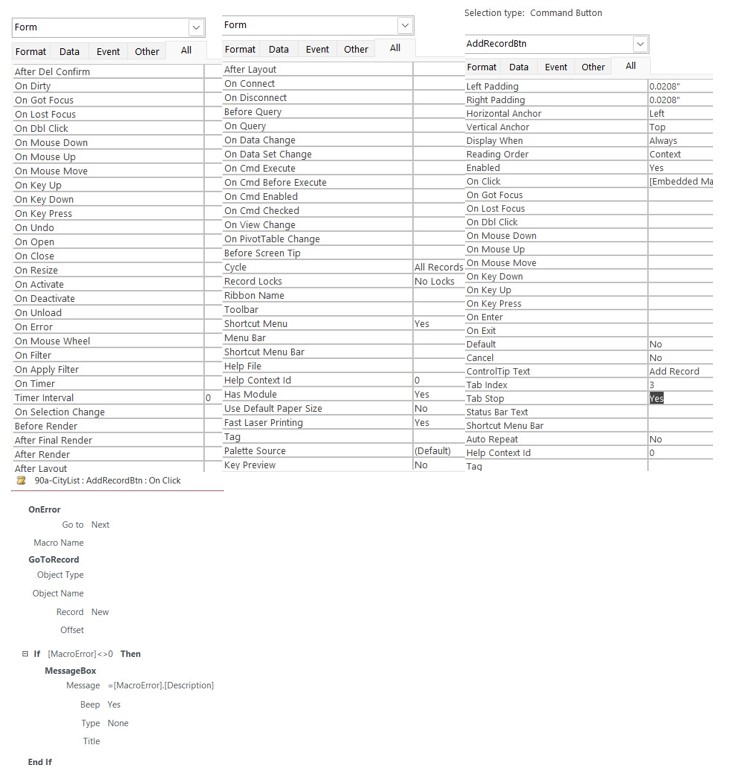
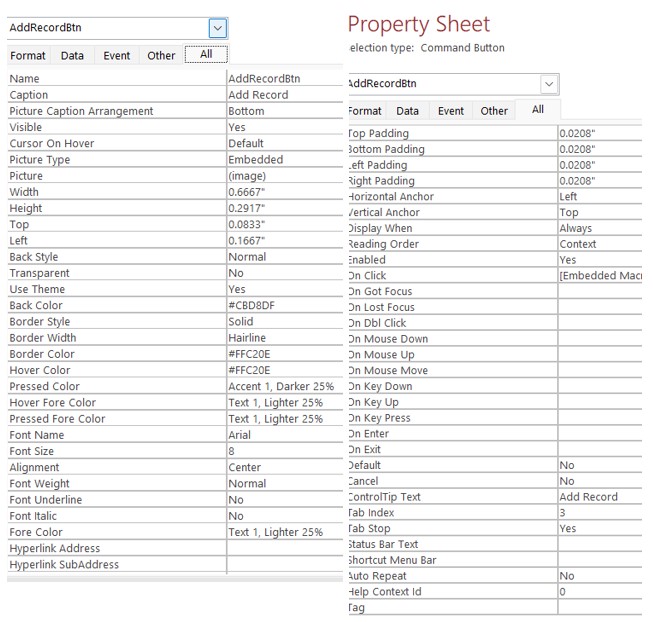
On Form, Add Record, Cannot Go to Specified Record.  I know this has got to be simple. Either I need more Caffeine or less.
James Chessher OP  @Reply  
        
13 months ago

James Chessher OP  @Reply  
        
13 months ago

James Chessher OP  @Reply  
        
13 months ago

Sami Shamma  @Reply  
             
13 months ago
James, I don't understand. Are you trying to add a record, or are you trying to go to a specific record?
You can't be doing both at the same time.
James Chessher OP  @Reply  
        
13 months ago
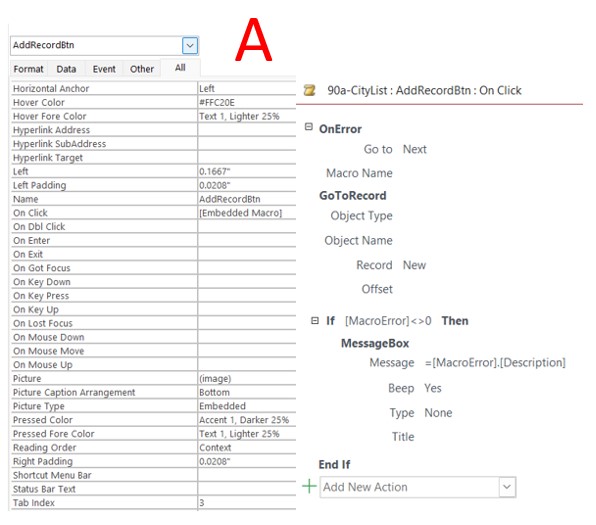
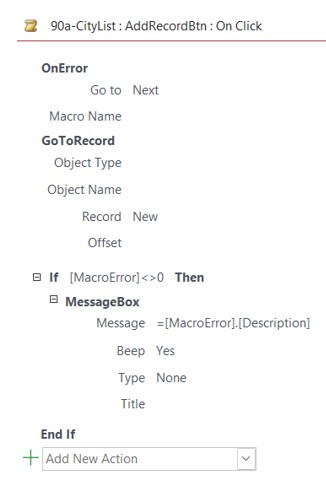
I am trying to Add a Record. I made the button through the Wizard.  Macro image on the last screenshot. I have rebooted, recompiled, and remade the form as well.
Donald Blackwell  @Reply  
       
13 months ago
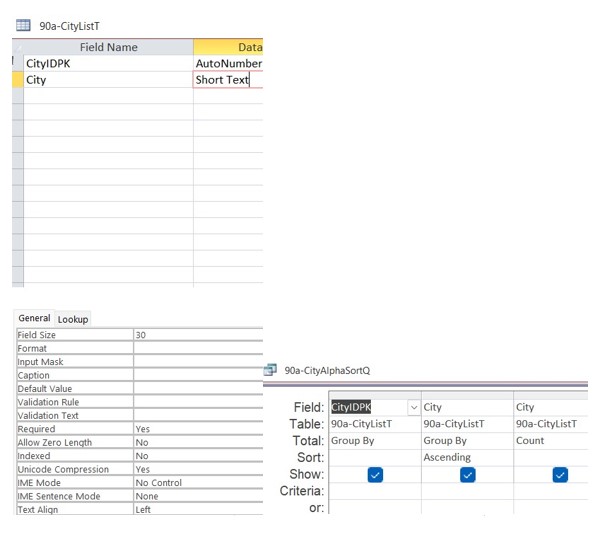
If you open your query "90a-CitySortAlphaQ", are the records there editable - are you able to add or edit records in the query datasheet?
James Chessher OP  @Reply  
        
13 months ago
Query - all grey and not editable. However you can add directly via the table.
Donald Blackwell  @Reply  
       
13 months ago
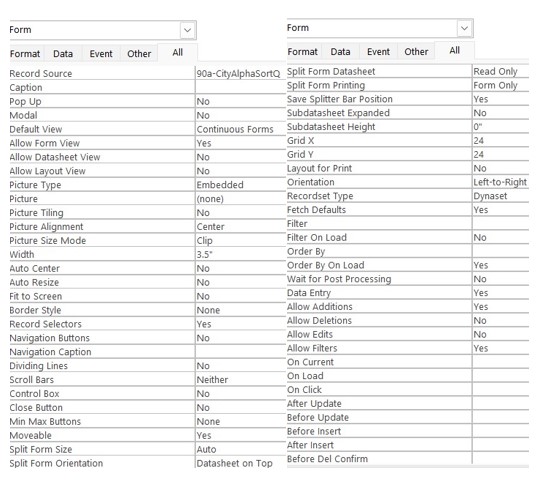
You have your form set to that query as the record source. Since it is not editable, you can't add records. It means the query is likely too complex and/or is drawing data from too many tables.
James Chessher OP  @Reply  
        
13 months ago
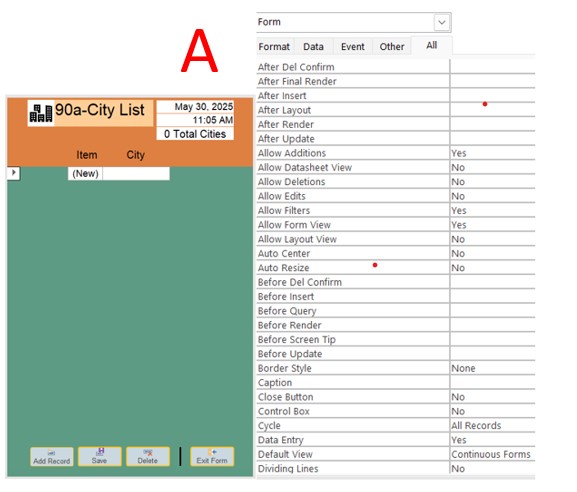
Well, that would be frightening if the query is too complex. All it is doing is alphabetizing the records. I tried setting the record source to the data table itself, and my data fields displayed zero records, and the error Cannot go to the Specified Record appeared when trying to add.
Donald Blackwell  @Reply  
       
13 months ago
Ahh, sorry, just looked closer at the image of your query... Aggregate queries (also called Totals queries, with group by, etc) aren't editable.

As for nothing showing with the table as recordsource, would need to see the form in design view with the fields, etc. to be able to diagnose.
James Chessher OP  @Reply  
        
13 months ago
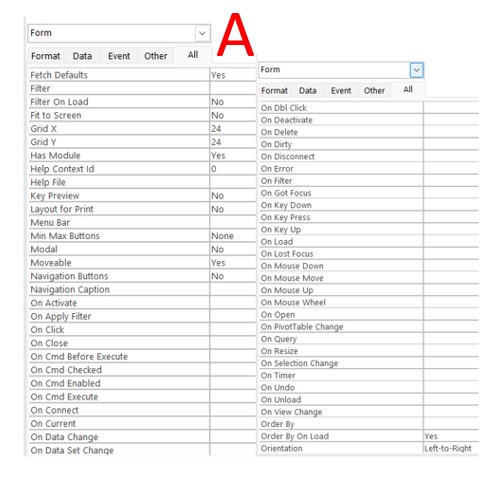
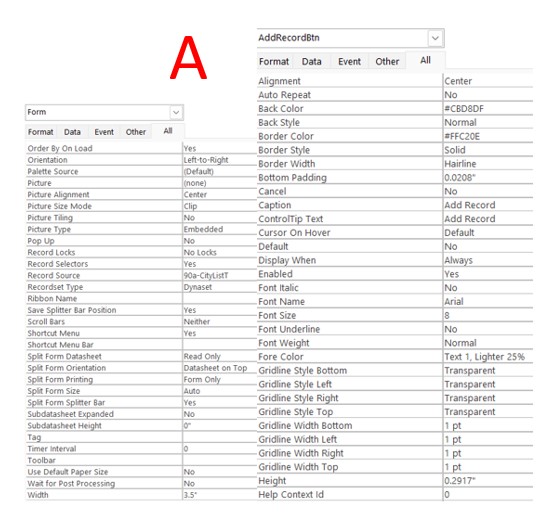
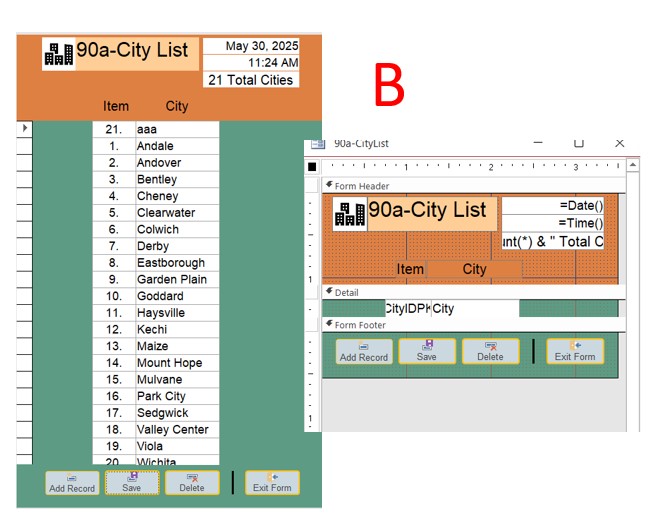
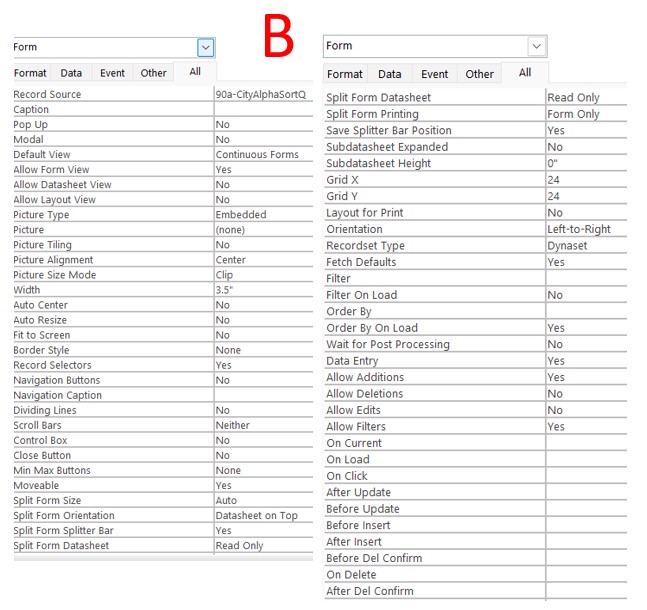
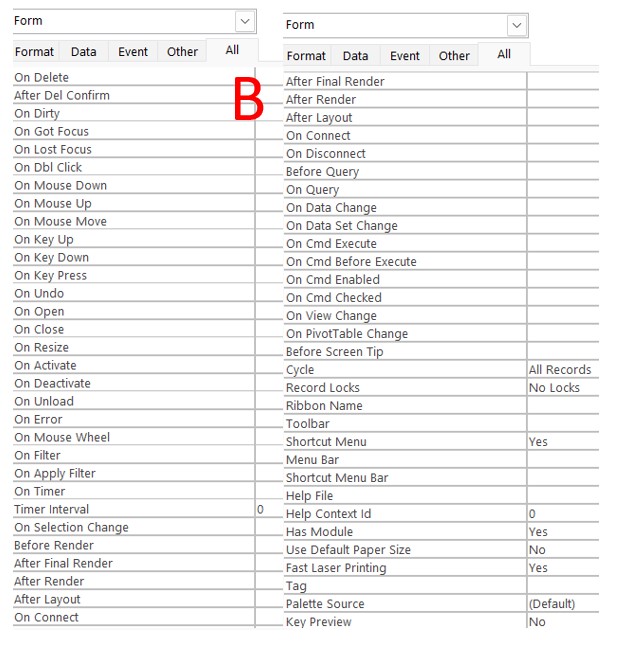
Images with the Letter A -  Are all with Record Source set to the Table.    Images with the Letter B - Are all with the Record Source set to the Query.
James Chessher OP  @Reply  
        
13 months ago

James Chessher OP  @Reply  
        
13 months ago

James Chessher OP  @Reply  
        
13 months ago

James Chessher OP  @Reply  
        
13 months ago

James Chessher OP  @Reply  
        
13 months ago

James Chessher OP  @Reply  
        
13 months ago

James Chessher OP  @Reply  
        
13 months ago

James Chessher OP  @Reply  
        
13 months ago

James Chessher OP  @Reply  
        
13 months ago

Donald Blackwell  @Reply  
       
13 months ago
Only setting I see that could cause that is "Data Entry". With it set to "Yes" that means you can only ADD records so it won't let you see anything but the new record row initially.

Since you are in a continuous form, as you move to the new, new record line after entering one, then you'll still be able to see the one you previously added. But as soon as you close and re-open the form, everything but the new record line will be hidden (or if you press F5).

Try setting "Data Entry" to "No" and see if you see your data.
Richard Rost  @Reply  
          
13 months ago
Turn the navigation buttons on for your form. That will show if it's editable or not.
James Chessher OP  @Reply  
        
13 months ago
SOLVED !   I have inadvertently been using a FORBIDDEN Character and subsequently creating and using FORBIDDEN Words.  The character in question is the dash  -   .  Tables, Queries etc.  Examples:  Contacts-AlphaSortQ  and SiteLocations-CityT or even Field Names  EquipmentID-FK  for Foreign Key.   Forbidden words are -A -B  etc.  
This has been a painful and frustrating learning situation.
"Sakath, his eyes uncovered"
Richard Rost  @Reply  
          
13 months ago
You can use them but then you have to put [brackets] around them everywhere, so better to not use them.

This thread is now CLOSED. If you wish to comment, start a NEW discussion in Access Forum.
 

Next Unseen

 
New Feature: Comment Live View


The following is a paid advertisement
Computer Learning Zone is not responsible for any content shown or offers made by these ads.
 

Learn
 
Access - index
Excel - index
Word - index
Windows - index
PowerPoint - index
Photoshop - index
Visual Basic - index
ASP - index
Seminars
More...
Customers
 
Login
My Account
My Courses
Lost Password
Memberships
Student Databases
Change Email
Info
 
Latest News
New Releases
User Forums
Topic Glossary
Tips & Tricks
Search The Site
Code Vault
Collapse Menus
Help
 
Customer Support
Web Site Tour
FAQs
TechHelp
Consulting Services
About
 
Background
Testimonials
Jobs
Affiliate Program
Richard Rost
Free Lessons
Mailing List
PCResale.NET
Order
 
Video Tutorials
Handbooks
Memberships
Learning Connection
Idiot's Guide to Excel
Volume Discounts
Payment Info
Shipping
Terms of Sale
Contact
 
Contact Info
Support Policy
Mailing Address
Phone Number
Fax Number
Course Survey
Email Richard
[email protected]
Blog RSS Feed    YouTube Channel

LinkedIn
Copyright 2026 by Computer Learning Zone, Amicron, and Richard Rost. All Rights Reserved. Current Time: 6/17/2026 10:44:52 AM. PLT: 0s