Classes with user-defined events... Yep... Coming up soon.
Gary JamesOP
@Reply 14 months ago
Richard, this might be a good time to revisit the topic I brought up last year, shortly after your recovery. I’ve since discovered a powerful technique that Access developers can use to simplify inter-module communication: a singleton class module with events.
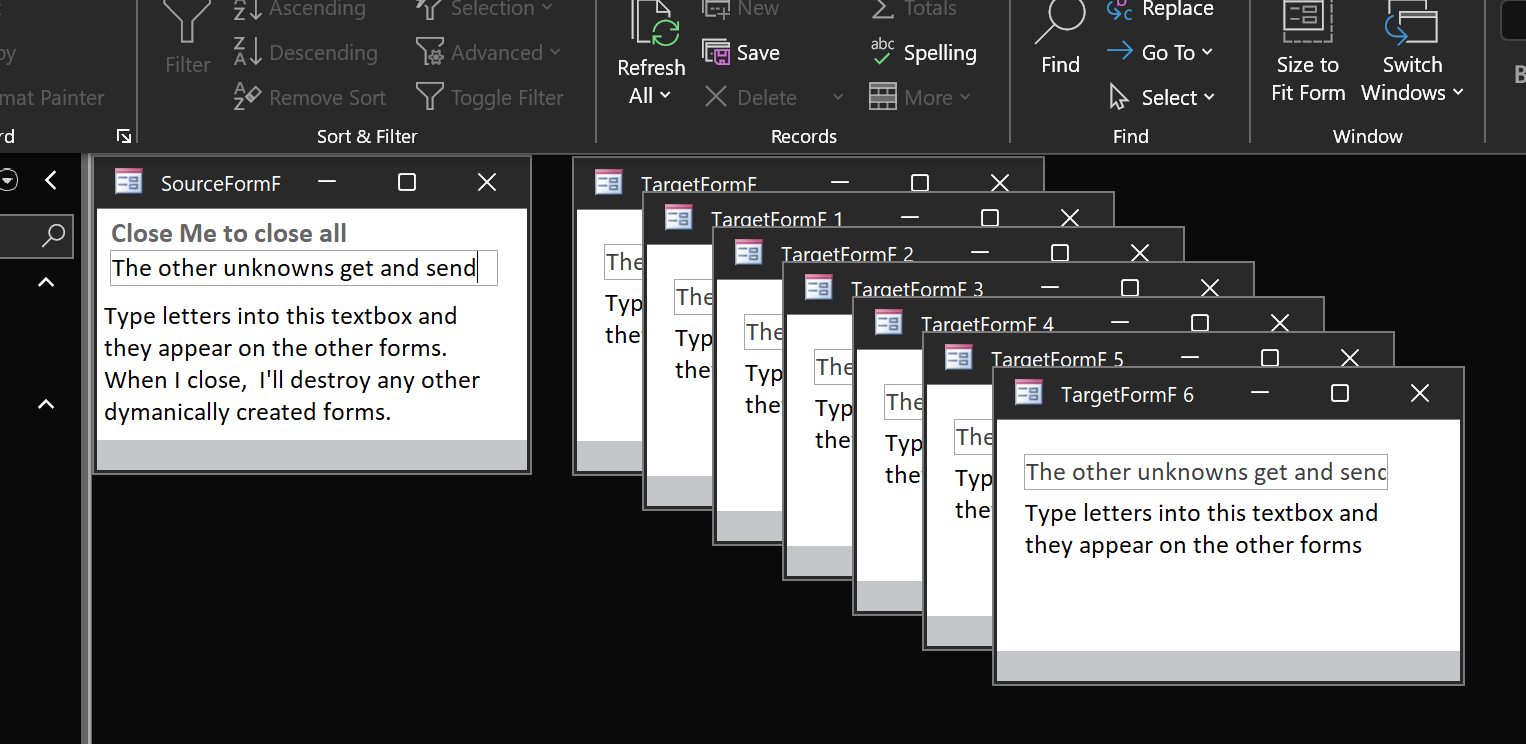
This approach reduces system design complexity by allowing forms to communicate changes to shared tables through events. When a form modifies data, it can trigger an event tailored to the type of change. Other forms listening for that event can then update their displays automatically—without the initiating form needing to know anything about which modeless forms are currently open.
This technique is also useful in designs where a main application form includes a status bar that displays context-sensitive Help for any popup forms or controls that gain focus.
The mechanism works because a public singleton class object is instantiated when the application loads. Then, whenever a form opens, a few lines of VBA in its Open event assign a local WithEvents variable to the public class object. This hooks the form into the event chain, effectively making it a listener for any events raised by the singleton.
The developer defines the number, type, and parameters of these events. Any form can trigger an event by calling a public method on the singleton, and all other hooked forms will receive it. Events with custom arguments can instruct listeners to refresh or reload their displays—especially useful when multiple forms share a table referenced in the event parameters.
An example of this can be seen in the small Access program on GitHub:
https://github.com/NfaToys/Global-Messaging-Events-Class/blob/main/Event%20tests.accdb
Gary JamesOP
@Reply 14 months ago
Gary JamesOP
@Reply 14 months ago
Here's a new GitHub source files path. This was created using the Version Control Add-In for Access.
https://github.com/NfaToys/Global-Messaging-Events-Class/tree/main/Event%20tests.accdb.src
Sorry, only students may add comments.
Click here for more
information on how you can set up an account.
If you are a Visitor, go ahead and post your reply as a
new comment, and we'll move it here for you
once it's approved. Be sure to use the same name and email address.
This thread is now CLOSED. If you wish to comment, start a NEW discussion in
Access Developer 50.