4 hours
ago: Doing some maintenance on the server today. If you've placed an order and it hasn't processed yet, hang in there. Should be ready soon. I've got the car up on the jack and the tires are off...
Dismiss
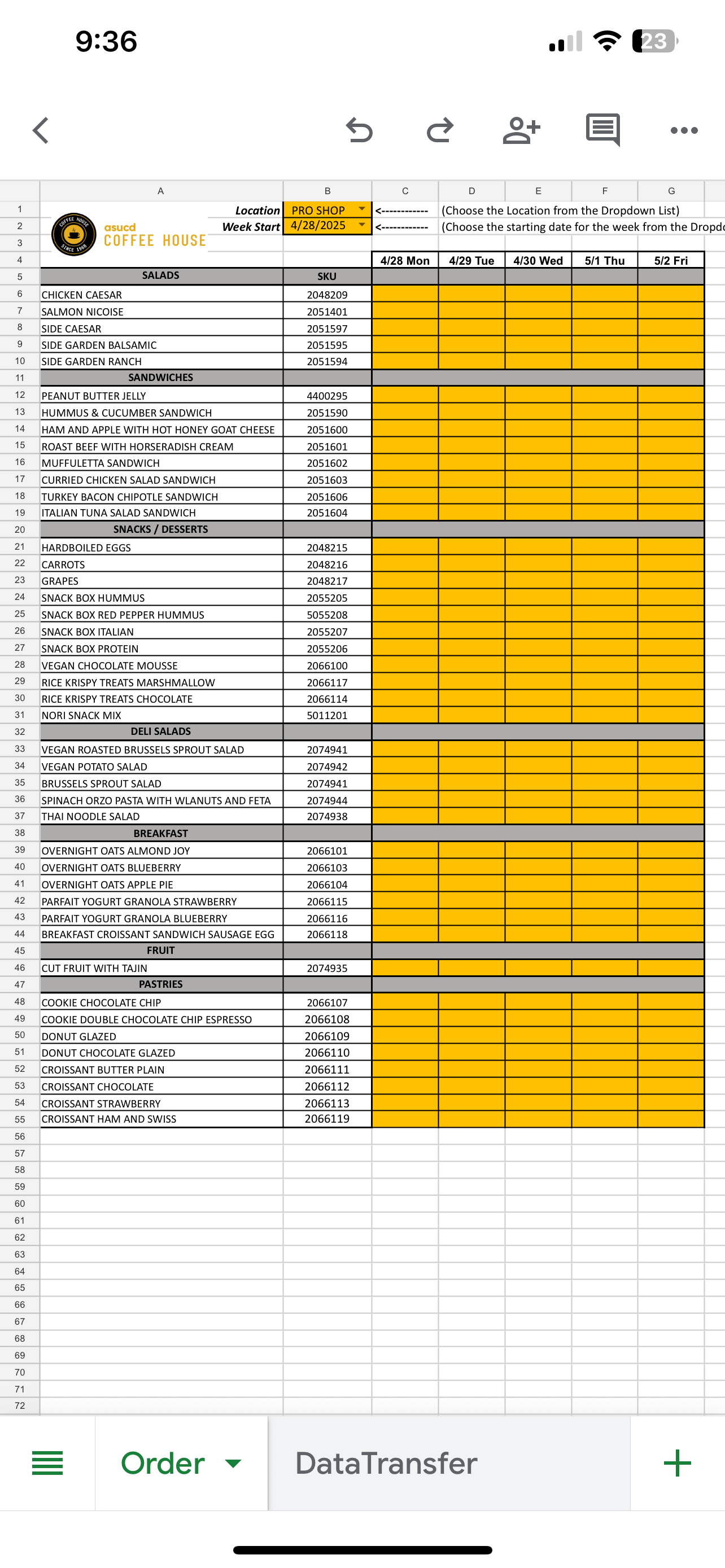
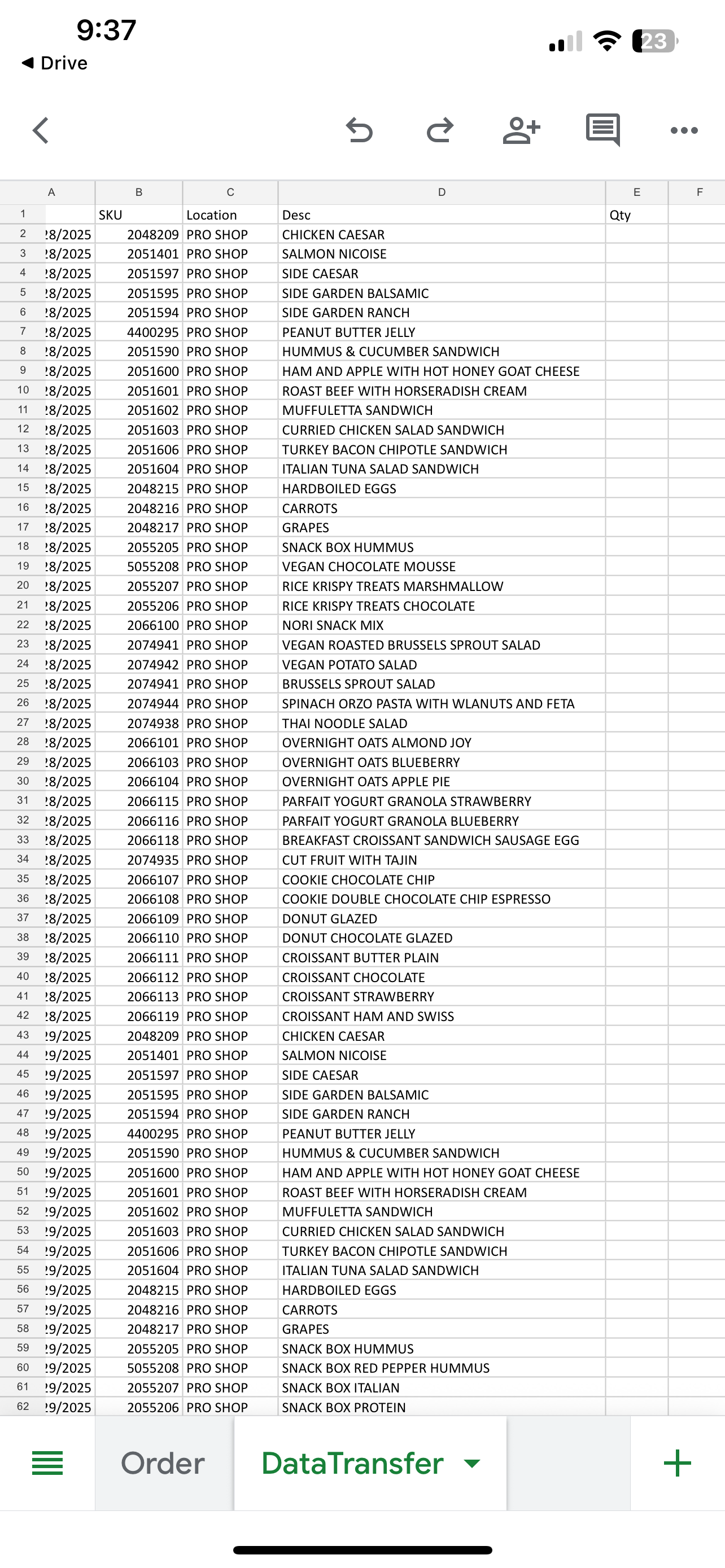
I have an Order Form I email some of my customers is on an XLS workbook. On the first sheet, I have the interface where the customer actually places the order. The second sheet is the order placed that links to an Access Database where I actually run production reports.
Every time I change or add to my menu, I have to update not only the first sheet, but manually have to update/add to the second sheet. Is there a way to have Access update or create an excel sheet for my customers to use? The caveat is that it needs to link to the Access database.
I’m just wishing that I don’t have to update the excel form manually every time.
Any help would be appreciated!
Ryan deGuzmanOP
@Reply
14 months ago
Ryan deGuzmanOP
@Reply
14 months ago
Ryan deGuzmanOP
@Reply
14 months ago
Sorry for the duplicates. And I apologize for useing my phone. I’ll post a full pic when I get to work tomorrow.
Donald Blackwell
@Reply 14 months ago
Hi Ryan, Below I'll link several videos related to importing from and exporting to Excel as well as linking an Excel workbook as a table and being able to edit/manage data that way. Following the techniques in these videos, you'd be able to create and manage both of your excel sheets. If you save the newly received/returned excel files from your customer to a designated folder, it is also possible to set up your database to just look in that folder for all new sheets in the folder and import the information with a click from Access.
Since you cannot control input on an excel spreadsheet I would consider creating an accdb file that is not split. You can code it to them by using a simple text file in the folder with their customer number in the file. They can then export and send you the information.
Alternatively take a look at a web forms solution that you can use to to import from. You can export your menu there as well. If you're using excel for anything other than a caluclator app you're using the wrong tool for the job
Sorry, only students may add comments.
Click here for more
information on how you can set up an account.
If you are a Visitor, go ahead and post your reply as a
new comment, and we'll move it here for you
once it's approved. Be sure to use the same name and email address.
This thread is now CLOSED. If you wish to comment, start a NEW discussion in
Access Forum.