76 minutes
ago: Doing some maintenance on the server today. If you've placed an order and it hasn't processed yet, hang in there. Should be ready soon. I've got the car up on the jack and the tires are off...
Dismiss
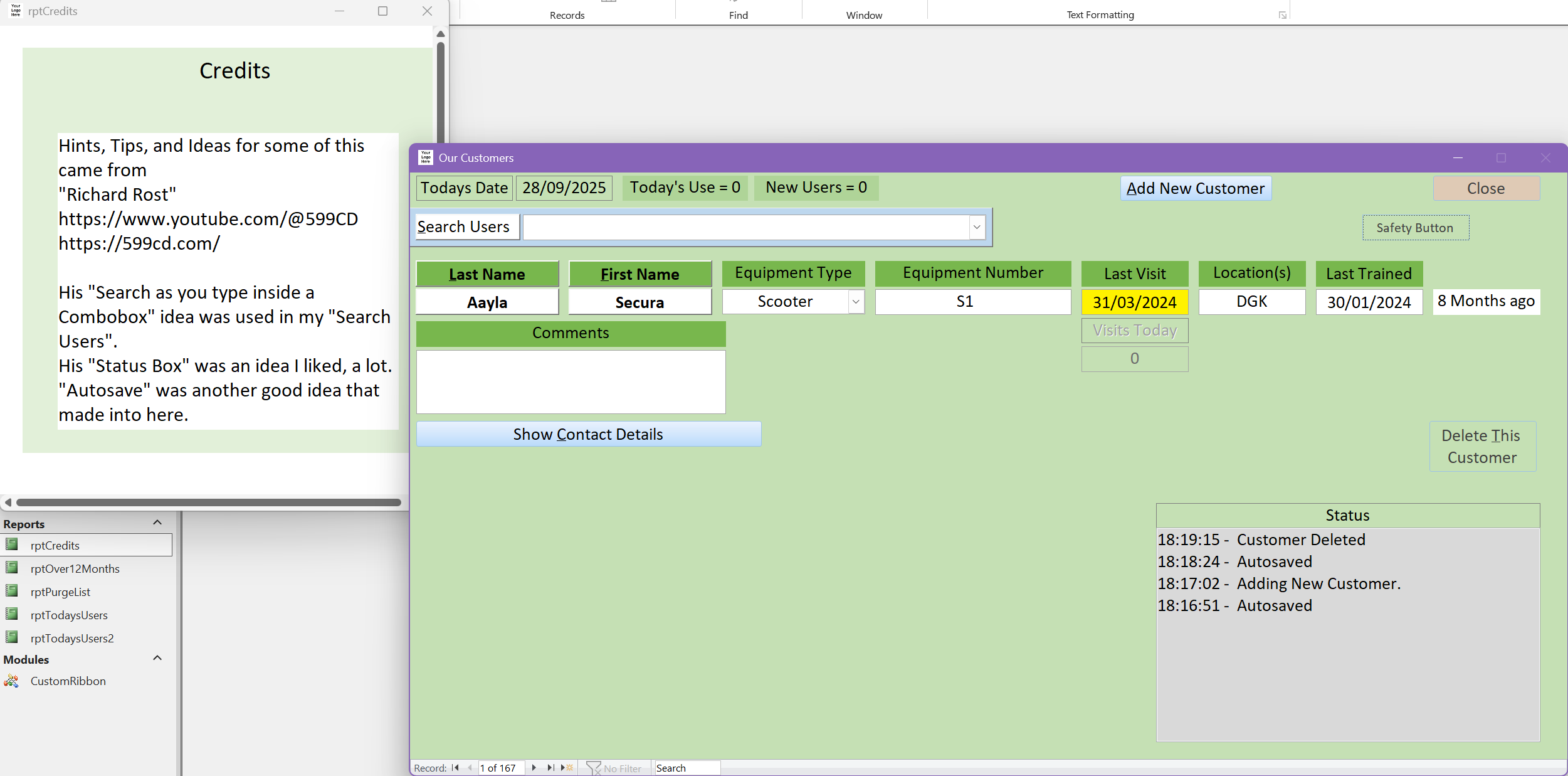
Thought I would share one of my databases. I thought a video might be better than just typed words and a few screenshots so I've done a short video that quickly (maybe too quick?) explains why I made it and how it works.
I am just a tinkerer, I just play around with MS Access, and Excel, purely for fun. I do not expect any of my work to actually be used, I never thought they would even see the light day. The result is they are a mess. They don't work properly, they look amateurish. This is a brave step for me showing something i thought would never be seen, and I know doesn't work 100%.
Head on over to YouTube for the video: https://youtu.be/enyT6y1Nt0A
Debbie that was really cool to see. I love how you took something you didn't like in a spreadsheet at work and said, "I can make this better in a database." That's exactly the kind of thinking that makes Access fun. Thanks for sharing the video - it was great to watch, and I'm impressed with what you've put together.
Debbie HeaneyOP
@Reply 13 months ago
I haven't seen the QR Code Tech Help Video. Not yet anyway.
We are a really small team at work. age ranges from about 24 years old to about 72 years. The 72 year old is faster and fitter than I am. You wouldn't believe his age if you saw him in action.
But the skills range with technology is massive. Some people really struggle, and lack confidence, with using computers.
And sudden changes on how things are done would see them seriously struggle to adapt.
Then there is things like database maintenance, repairs and upgrades to think about.
I would be the only one that could do it.
At the quickest I'm still an hour away from my nearest office, two hours away from the furthest away office.
What about if I'm away on vacation? there would be nobody to fix it.
It just isn't practical to change away from the current spreadsheets.
Debbie HeaneyOP
@Reply 13 months ago
Debbie HeaneyOP
@Reply 13 months ago
Oops. I got that wrong.
Just showing some changes I made recently to the database.
If you are a Visitor, go ahead and post your reply as a
new comment, and we'll move it here for you
once it's approved. Be sure to use the same name and email address.
This thread is now CLOSED. If you wish to comment, start a NEW discussion in
Access Forum.