Free Lessons
Courses
Seminars
TechHelp
Fast Tips
Templates
Topic Index
Forum
ABCD
 
Home   Courses   TechHelp   Forums   Help   Contact   Merch   Join   Order   Logon  
 
Back to Access Forum    Comments List
Upload Images   @Reply   Bookmark    Link   Email   Next Unseen 
Thoughts Please...
Lisa Snider 
       
5 months ago
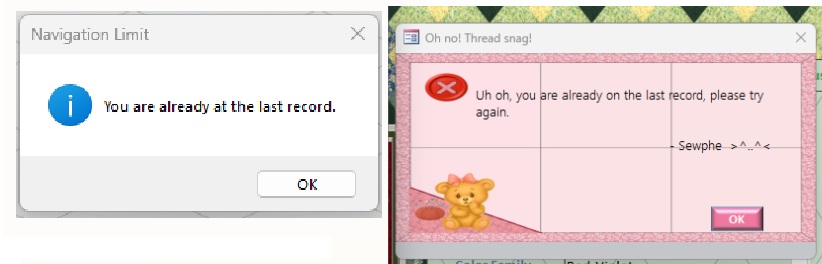
I have methodically replacing message boxes in my DB.  This is just one I've replaced.  Thoughts anyone?
Lisa Snider OP  @Reply  
       
5 months ago

Lisa Snider OP  @Reply  
       
5 months ago
Okay, that should have said, "I am...", not "I have".  Blame the lack of caffeine this morning.  LOL
Alex Hedley  @Reply  
           
5 months ago
Adds a personal touch :-)
Donald Blackwell  @Reply  
        
5 months ago
Nice
Juan Rivera  @Reply  
            
5 months ago
I like it
Monica Jones  @Reply  
       
5 months ago
Very cute! How are you getting an image on the window?
Lisa Snider OP  @Reply  
       
5 months ago
Monica I wrote a function which sets the background images of all of my forms, then all I need do is add the call to any form for which I've designed a background image.
Lisa Snider OP  @Reply  
       
5 months ago

Lisa Snider OP  @Reply  
       
5 months ago
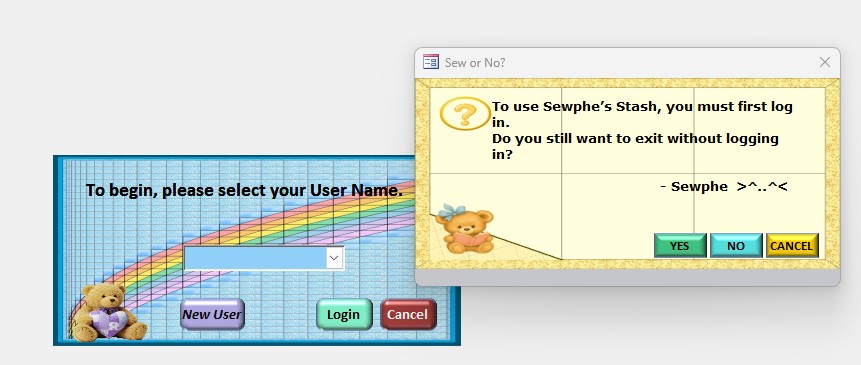
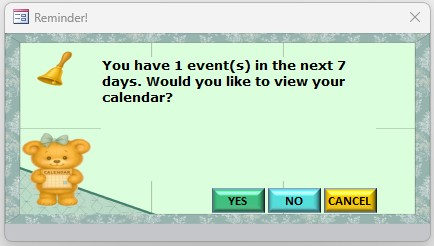
Just a couple of examples.
Lisa Snider OP  @Reply  
       
5 months ago

Lisa Snider OP  @Reply  
       
5 months ago
No embedded graphics, and if I choose, I can change the background of the form for special occasions, although I'm still working on that code.
Juan Rivera  @Reply  
            
5 months ago
https://www.youtube.com/watch?v=-M4xLgYt75k

TRy this link I think he did a very good job on this and you may like to mod this to your project.
Bryan Enbey  @Reply  
     
5 months ago
Awwww, that's so cool Lisa!  Although I have used forms for switchboards that navigate around a database and opening objects, I never thought to use them as a means of custom Msgboxes.
   One thing you can additionally do, is in the Property Sheet of the "msgbox" forms, set the Control Box option to No.  That will keep you from seeing the Access forms logo and closing × in the header bar, only the text shown in Caption.  Because you're eliminating the button to close it, please be sure you have coded controls inside each form that will grant a way out of it, or a Cancel like the examples you showed us. This'll also keep users from getting out of the box without going through one of your buttons.  Have a great day!
Alex Hedley  @Reply  
           
5 months ago
Richard Rost  @Reply  
          
5 months ago
Super cute. I love it.
Lisa Snider OP  @Reply  
       
4 months ago

Lisa Snider OP  @Reply  
       
4 months ago
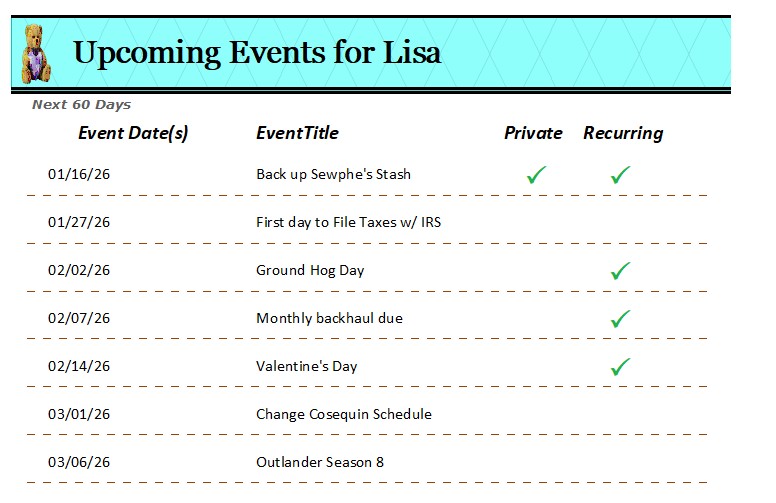
And now I have large checkboxes for my reports.  So much nicer than tiny checkboxes.

This thread is now CLOSED. If you wish to comment, start a NEW discussion in Access Forum.
 

Next Unseen

 
New Feature: Comment Live View


The following is a paid advertisement
Computer Learning Zone is not responsible for any content shown or offers made by these ads.
 

Learn
 
Access - index
Excel - index
Word - index
Windows - index
PowerPoint - index
Photoshop - index
Visual Basic - index
ASP - index
Seminars
More...
Customers
 
Login
My Account
My Courses
Lost Password
Memberships
Student Databases
Change Email
Info
 
Latest News
New Releases
User Forums
Topic Glossary
Tips & Tricks
Search The Site
Code Vault
Collapse Menus
Help
 
Customer Support
Web Site Tour
FAQs
TechHelp
Consulting Services
About
 
Background
Testimonials
Jobs
Affiliate Program
Richard Rost
Free Lessons
Mailing List
PCResale.NET
Order
 
Video Tutorials
Handbooks
Memberships
Learning Connection
Idiot's Guide to Excel
Volume Discounts
Payment Info
Shipping
Terms of Sale
Contact
 
Contact Info
Support Policy
Mailing Address
Phone Number
Fax Number
Course Survey
Email Richard
[email protected]
Blog RSS Feed    YouTube Channel

LinkedIn
Copyright 2026 by Computer Learning Zone, Amicron, and Richard Rost. All Rights Reserved. Current Time: 5/7/2026 10:33:45 AM. PLT: 1s