Free Lessons
Courses
Seminars
TechHelp
Fast Tips
Templates
Topic Index
Forum
ABCD
 
Home   Courses   TechHelp   Forums   Help   Contact   Merch   Join   Order   Logon  
 
Back to Access Forum    Comments List
Upload Images   @Reply   Bookmark    Link   Email   Next Unseen 
Combo Box Error: One or More Required Values...
David Conley 
    
5 days ago
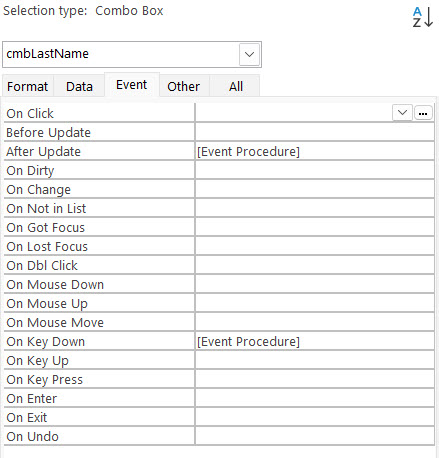
I have a form with combo boxes and in a specific instance I am getting the 'One or more required values are missing' error. I am trying to trap this error without success. The combo box Row Source is a query. The fields being selected from are NOT required. Limit To List is Yes. There are two Events calling VBA code: After Update and On Key Down. Everything about this field works as I want it to provided you always enter text that is in the list. However, if you enter a value that is not in the list, then back over and erase your entry and then tab out of the field or otherwise cause the field to lose focus, I get the error. There is no error code and I have not been able to use my conventional On Error methods to trap it because it is occurring prior to either of my current VBA events. I have found that I can use the Before Update event and place code there which will execute prior to generating the error, but it seems that the error is generated at the end of this event. Any suggestions?
Donald Blackwell  @Reply  
       
5 days ago
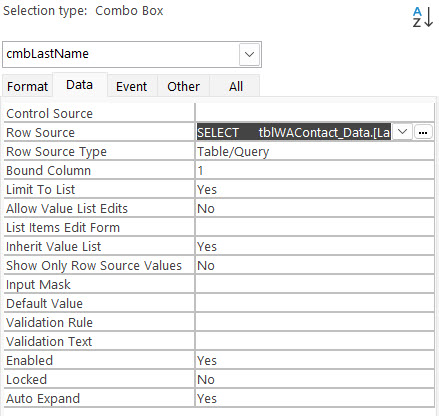
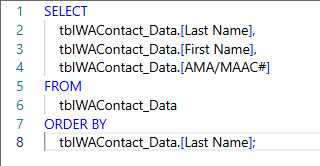
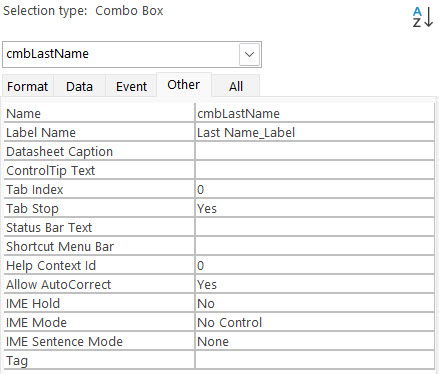
Without seeing your exact properties for your combo boxes, your queries or SQL and the actual VBA procedures, it's hard to suggest a possible issue. That looks like the type of error that comes up when a parameter is missing from an event handler function in the property dialog or, if somehow, part of the declaration of one of Access's native procedures somehow got deleted from the code.

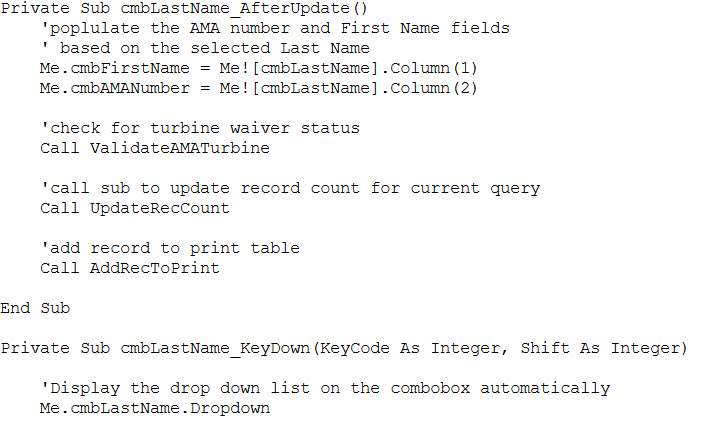
I've accidentally deleted part of a declaration when cleaning up my VBA and instead of just having Access recreate it for me, I tried typing it back in (big mistake) and missed part of the declaration - for example:

Private Sub MyCombo_KeyDown(KeyCode As Integer)

Instead of

Private Sub MyCombo_KeyDown(KeyCode As Integer, Shift As Integer)

If you give us screen shots of what you're working with, we can help you better.
David Conley OP  @Reply  
    
4 days ago
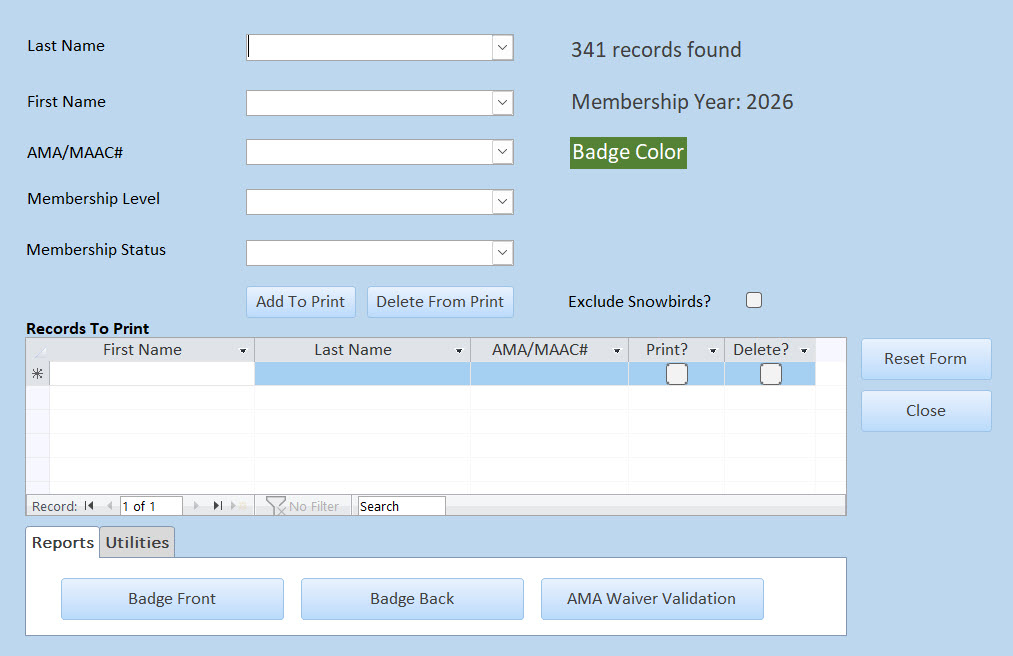
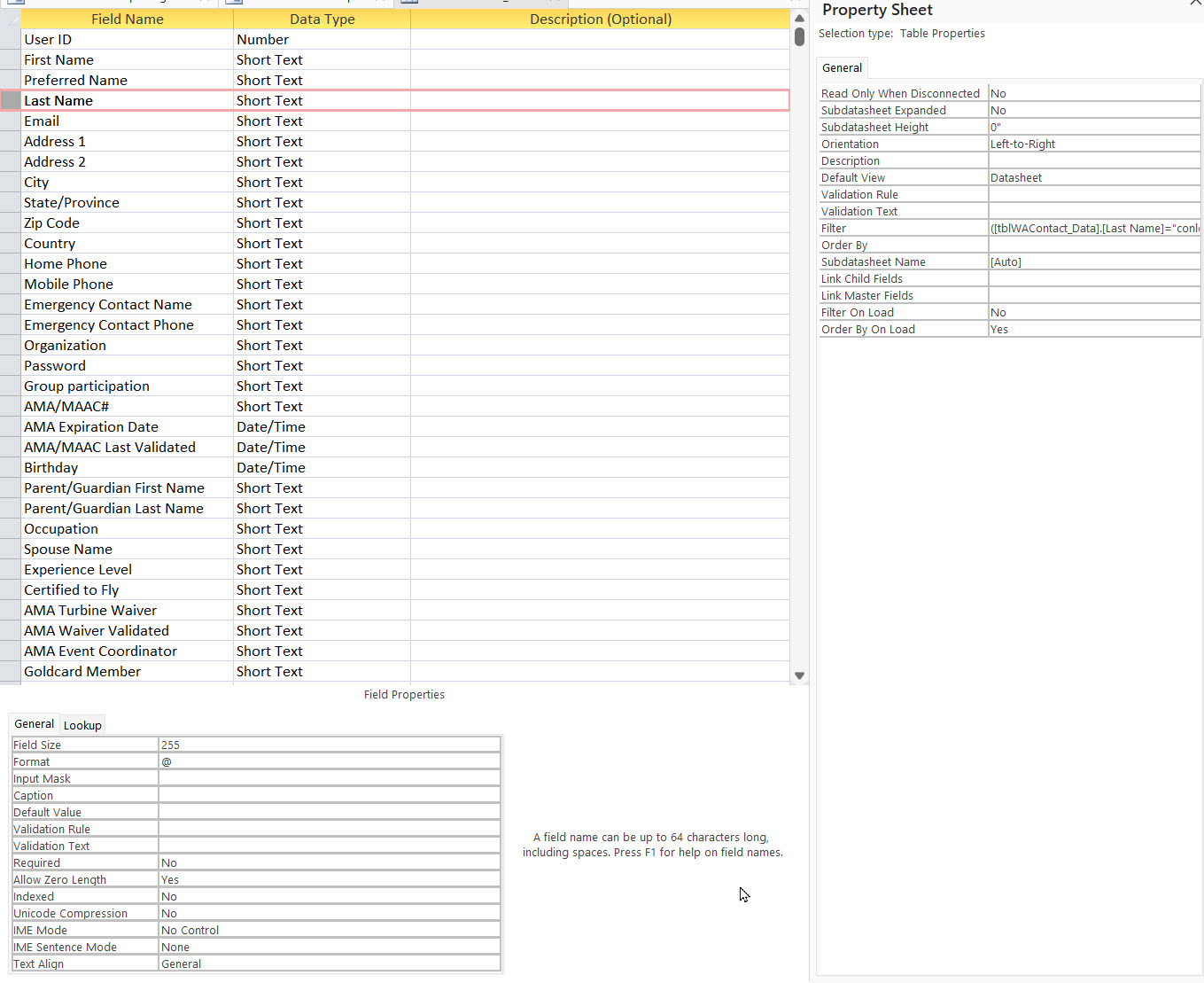
Donald, thank you for your response.  Please forgive me if I don't respond correctly as this is my first time using this forum.  I will post jpgs of my program and properties.  If you want to see additional information, just let me know.  I appreciate your time.
David Conley OP  @Reply  
    
4 days ago

David Conley OP  @Reply  
    
4 days ago

David Conley OP  @Reply  
    
4 days ago

David Conley OP  @Reply  
    
4 days ago

David Conley OP  @Reply  
    
4 days ago

David Conley OP  @Reply  
    
4 days ago

David Conley OP  @Reply  
    
4 days ago

Donald Blackwell  @Reply  
       
4 days ago
David I will continue to go through what you've given to see if I can find any other specific causes but the major red flag(s) I see are your table field names. Even though you wrap them with square brackets [], there are some things that can easily break code. You should never have field names with any characters except letters, numbers, or underscores.

If you eliminate the spaces and hashes and slashes, you wouldn't even need to use square brackets at all. While spaces and dashes can be used if you still use square brackets, they just create a lot more work for you in the long run.

So for example, changing "AMA/MAAC#" to something like "AMAMAACNum" and other field names with alt characters as well, might solve your problems. Keep in mind that you'll need to go through all of your queries, forms, reports, and code also to ensure that Access makes the change for everything.
Donald Blackwell  @Reply  
       
4 days ago
Another possibility, you may need to quote the values you're passing to set the other combo boxes in the After Update.

For example you have:

Me.cmbFirstName = Me![cmbLastName].Column(1)

What Access may be seeing is that you're looking for a value of a control whose name is null instead of a text value, so you may need:

cmbFirstName = """" & cmbLastName.Column(1) & """"
cmbAMANumber = """" & cmbLastName.Column(2) & """"


Here are some videos for escaping quotes and/or text:

Double Double Quotes
Escape Double Quotes
DDQ Not SQ
David Conley OP  @Reply  
    
2 days ago
Ok, so I created a backup (another!)  copy of my app and began to make changes per your suggestions to continue testing for the error.  In doing so I found that this error 'One or more required values' is one I created and not an Access error.  In continuing, I found that the way I was checking for that error was not valid, hence getting it when I didn't want it.  The correction required removing the error message box and instead, exiting the sub.  On Error didn't work because there wasn't any error to trap to begin with.  I really hate it when I prove myself to be somewhat human!  Thank you for your time on this issue.  I consider it resolved.  Don't beat me up too bad!
Add a Reply Upload an Image
Next Unseen

 
New Feature: Comment Live View


The following is a paid advertisement
Computer Learning Zone is not responsible for any content shown or offers made by these ads.
 

Learn
 
Access - index
Excel - index
Word - index
Windows - index
PowerPoint - index
Photoshop - index
Visual Basic - index
ASP - index
Seminars
More...
Customers
 
Login
My Account
My Courses
Lost Password
Memberships
Student Databases
Change Email
Info
 
Latest News
New Releases
User Forums
Topic Glossary
Tips & Tricks
Search The Site
Code Vault
Collapse Menus
Help
 
Customer Support
Web Site Tour
FAQs
TechHelp
Consulting Services
About
 
Background
Testimonials
Jobs
Affiliate Program
Richard Rost
Free Lessons
Mailing List
PCResale.NET
Order
 
Video Tutorials
Handbooks
Memberships
Learning Connection
Idiot's Guide to Excel
Volume Discounts
Payment Info
Shipping
Terms of Sale
Contact
 
Contact Info
Support Policy
Mailing Address
Phone Number
Fax Number
Course Survey
Email Richard
[email protected]
Blog RSS Feed    YouTube Channel

LinkedIn
Copyright 2026 by Computer Learning Zone, Amicron, and Richard Rost. All Rights Reserved. Current Time: 5/6/2026 6:57:04 AM. PLT: 1s