Free Lessons
Courses
Seminars
TechHelp
Fast Tips
Templates
Topic Index
Forum
ABCD
 
Home   Courses   TechHelp   Help   Contact   Merch   Join   Order   Logon   Forums   
 
Back to Images From Web    Comments List
Upload Images   @Reply   Bookmark    Link   Email   Next Unseen 
Set Focus After Image Loads
Dawnette Dryer 
     
3 months ago
Hello,
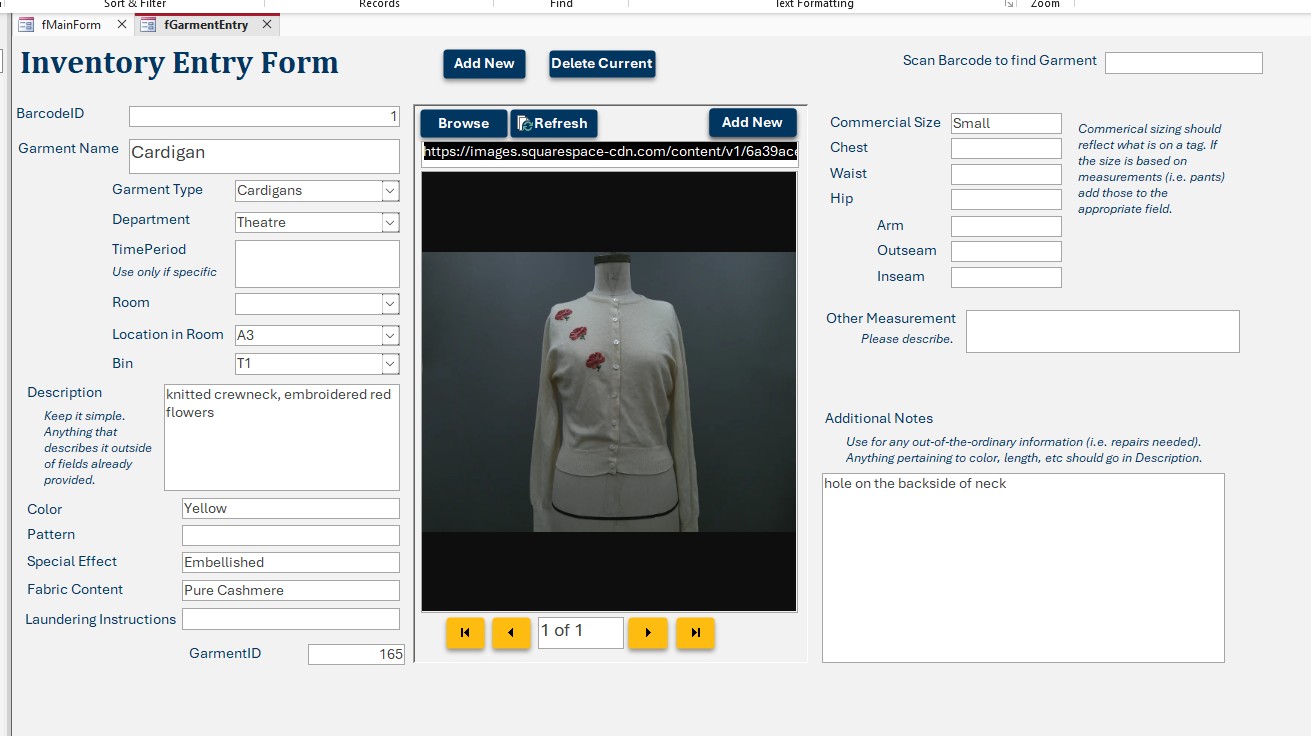
I have a subform with an Edge Browser Control that I use to view a photo related to the information in the main form.
When I open the main form, the focus sets to the PhotoAddress field of the subform.
I have set all my tab stops correctly and still the focus goes to the PhotoAddress field in the subform.
I have narrowed the problem down to the Edge Browser Control.
I think it's pulling the focus to the subform when the photo loads.
I have tried using SetFocus commands but it continues to start on that same subform field.
I see it flash on the correct field then it drops to the subform.
Any ideas of how to force it to bring focus back to the main form?
Raymond Spornhauer  @Reply  
          
3 months ago
Where are you using the SetFocus command?

You may need to look at VBA in your subform.

-Raymond
Dawnette Dryer OP  @Reply  
     
3 months ago
Raymond I set it in the AfterUpdate of the Subform.
Raymond Spornhauer  @Reply  
          
3 months ago
The Code for 'AfterUpdate' will not run until there is a change in the subform.  It sounds like this is not the right place for this code.

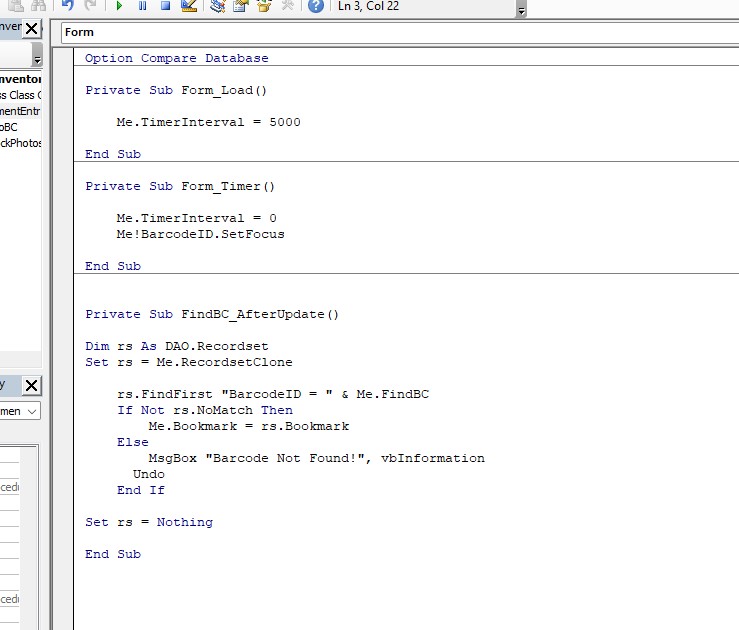
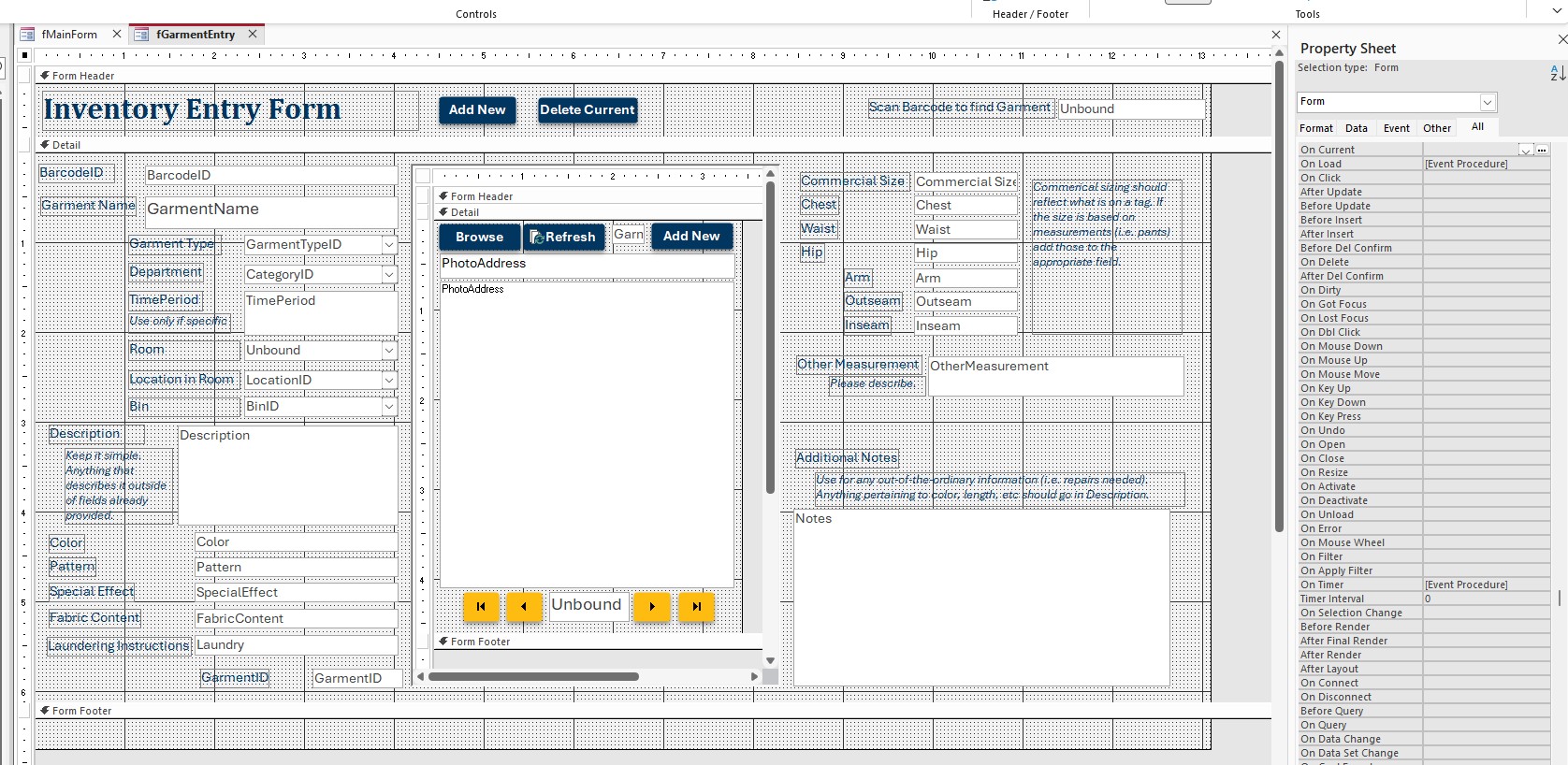
You will need to show pictures of your forms and the code.

-Raymond
Richard Rost  @Reply  
          
3 months ago
Raymond is right: AfterUpdate probably isn't the right place for this. That event won't fire just because the form opens or the image/browser loads.

The Edge Browser Control may be grabbing focus after Access has already set focus where you wanted it. Try using the main form's Timer event to set the focus back after a short delay.

In the main form's Load or Current event:

CodeMe.TimerInterval = 500


Then in the main form's Timer event:

CodePrivate Sub Form_Timer()

    Me.TimerInterval = 0
    Me!YourMainFormControlName.SetFocus

End Sub


Replace 'YourMainFormControlName' with the actual control you want focus to start on. The idea is: let the browser finish loading and stealing focus, then Access says, "Nope, my chair," and takes it back.

Richard Rost  @Reply  
          
3 months ago
See: Load Faster. Same trick.
Dawnette Dryer OP  @Reply  
     
3 months ago

Dawnette Dryer OP  @Reply  
     
3 months ago

Dawnette Dryer OP  @Reply  
     
3 months ago

Dawnette Dryer OP  @Reply  
     
3 months ago
Thank you for the information. However, I am still experiencing the same issue. I played around with the timer interval amount (as you can see) and it still insists on dropping down to the first field of the subform. While I was experimenting I did notice, at one point, it would pause on the BarcodeID field briefly, but then the picture would load and the focus would drop to the address field in the subform. Could it be pausing the browser load?
Donald Blackwell  @Reply  
       
3 months ago
As Richard says, the Edge Browser control is taking focus when it finishes loading regardless of your tab order. This is a known issue that's been reported on multiple sites.

If the solution Richard suggested doesn't work, other options include:

1) Set TabStop to "No" for the sub form - although this doesn't guarantee anything, it is the least impact on your form

2) Have the web browser control set to no target by default then AFTER the BarcodeID field has focus, use code to set the Navigate property of the browser control in the sub form.

3) In the subform, in the BROWSERCONTROL_DocumentComplete(URL As Variant) event, set the focus to the previous control:

On Error Resume Next
Screen.PreviousControl.SetFocus
On Error Goto 0

This method may work sporadically since the browser loads asynchronously. You could combine it with a timer event like Richard suggested but in the subform so that it has an xxxx millisecond delay then goes to previous control.

Also, the error handling just prevents errors if no other control had focus previously. You could explicitly set focus to the parent form as well, I just used previous control just in case you are working in the sub form.
Joe Holland  @Reply  
      
3 months ago
Just a thought: Do you need to use the browser control to display your images?

This thread is now CLOSED. If you wish to comment, start a NEW discussion in Images From Web.
 

Next Unseen


What's This?


The following is a paid advertisement
Computer Learning Zone is not responsible for any content shown or offers made by these ads.
 

Learn
 
Access - index
Excel - index
Word - index
Windows - index
PowerPoint - index
Photoshop - index
Visual Basic - index
ASP - index
Seminars
More...
Customers
 
Login
My Account
My Courses
Lost Password
Memberships
Student Databases
Change Email
Info
 
Latest News
New Releases
User Forums
Topic Glossary
Tips & Tricks
Search The Site
Code Vault
Collapse Menus
Help
 
Customer Support
Web Site Tour
FAQs
TechHelp
Consulting Services
About
 
Background
Testimonials
Jobs
Affiliate Program
Richard Rost
Free Lessons
Mailing List
PCResale.NET
Order
 
Video Tutorials
Handbooks
Memberships
Learning Connection
Idiot's Guide to Excel
Volume Discounts
Payment Info
Shipping
Terms of Sale
Contact
 
Contact Info
Support Policy
Mailing Address
Phone Number
Fax Number
Course Survey
Email Richard
[email protected]
Blog RSS Feed    YouTube Channel

LinkedIn
Copyright 2026 by Computer Learning Zone, Amicron, and Richard Rost. All Rights Reserved. Current Time: 9/5/2026 10:15:05 AM. PLT: 1s