Free Lessons
Courses
Seminars
TechHelp
Fast Tips
Templates
Topic Index
Forum
ABCD
 
Home   Courses   TechHelp   Forums   Help   Contact   Merch   Join   Order   Logon  
 
Back to Access Forum    Comments List
Upload Images   @Reply   Bookmark    Link   Email   Next Unseen 
Help with Report Layout
Debbie Heaney 
     
4 days ago
I working on a feature for a database that will actually be used at my work.
My manager has given me free rein on how things work but want me too keep documents looking as close as possible to current documents.
SO with how it looks a priority I'm trying to get a report to look how it needs to before setting up how get the data into the system to start with.
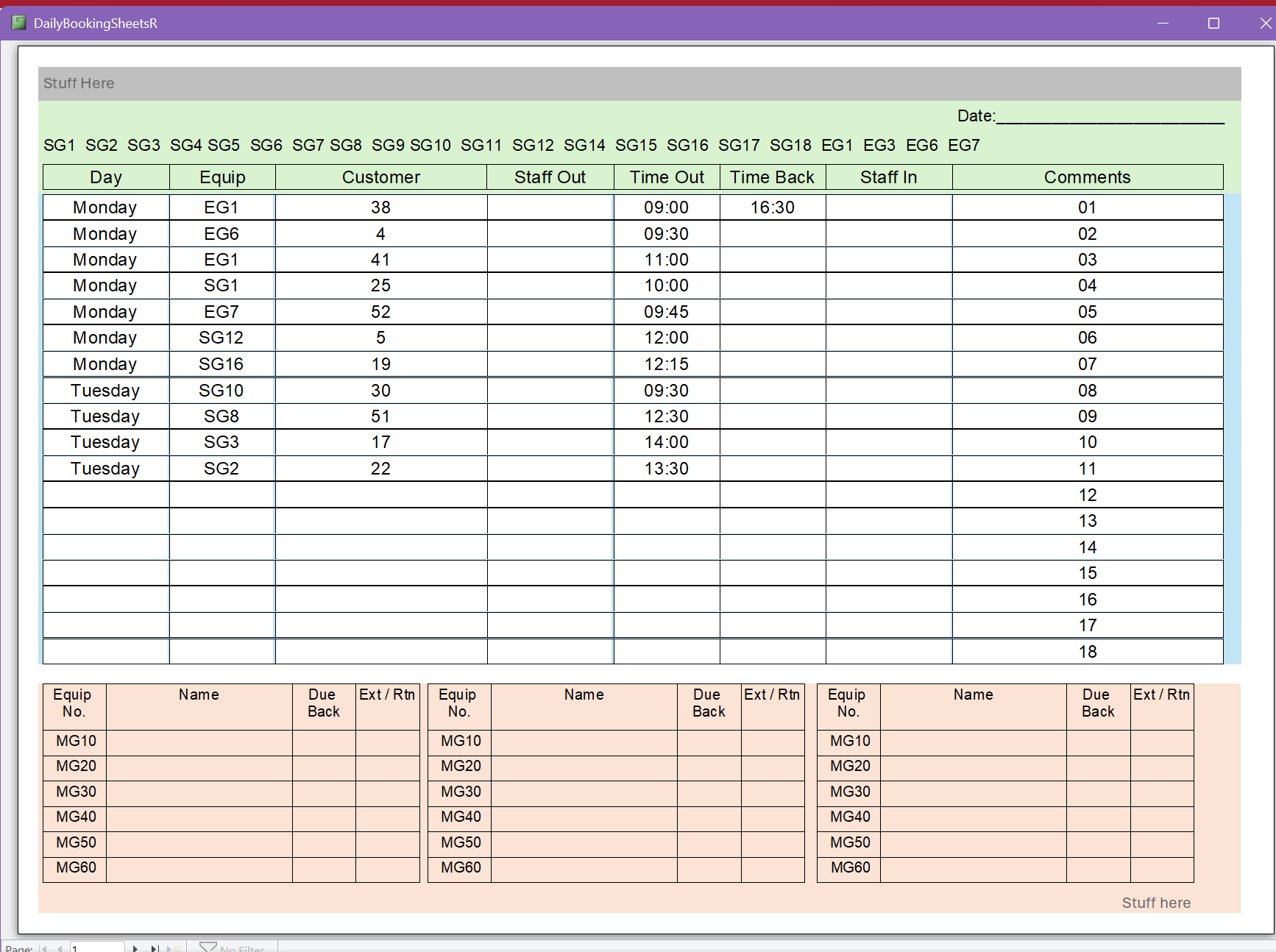
This first screenshot is how it needs to look. (apart from the color's, those are just to help my visualize things for now and will be removed later)
Debbie Heaney OP  @Reply  
     
4 days ago

Debbie Heaney OP  @Reply  
     
4 days ago
We need to see everything, including empty lines, I had put the numbers into the Comments column for now but that needs to be blank. I have half a plan for that. but from line 12 onwards needs to be blank.
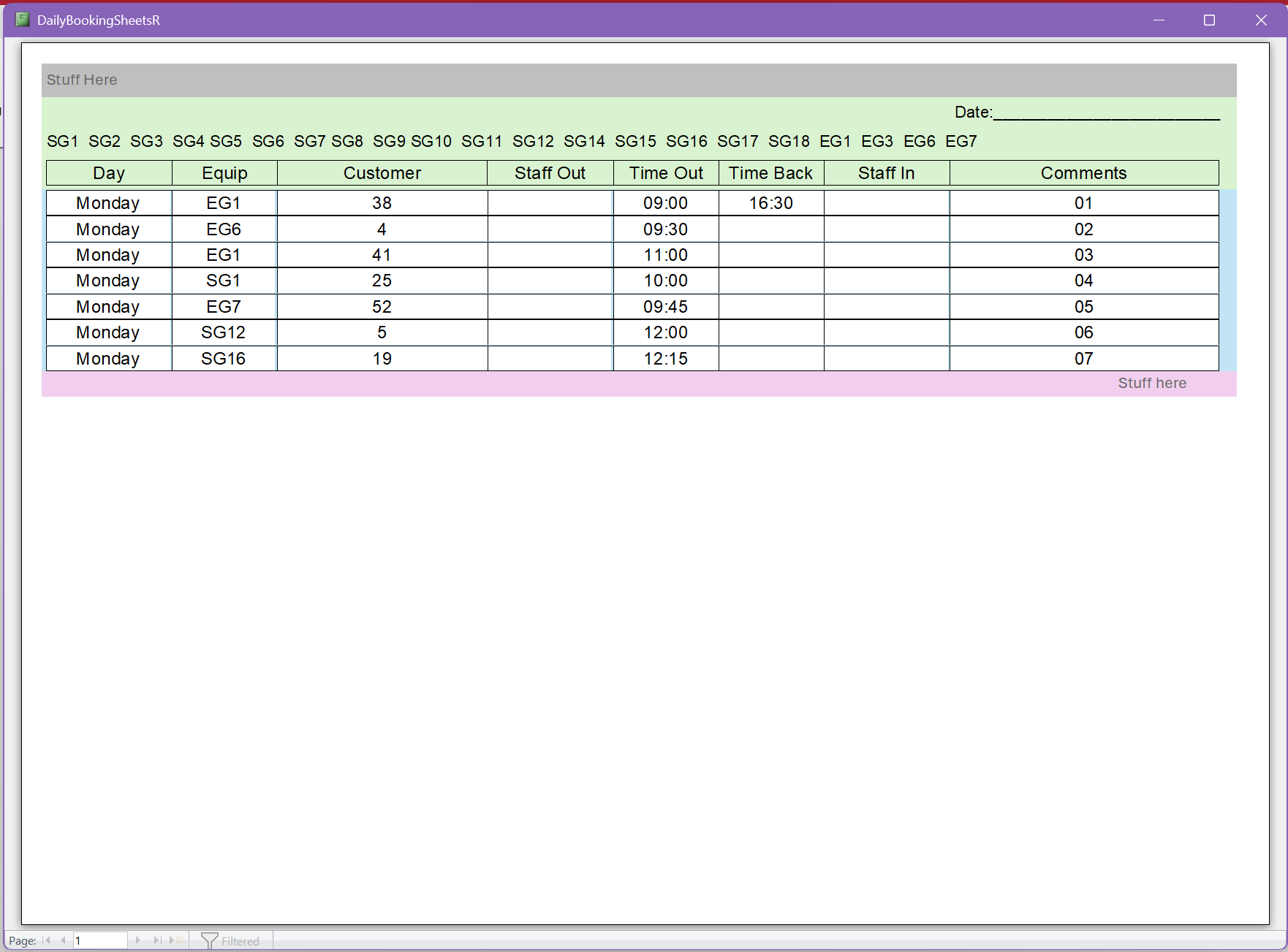
The problem is when I filter the report.
This report is view ""DailyBookingSheetsT" and is related to "DaysOfWeekT".
The idea is there will be buttons for each day of the week, show me just Monday, show me Just Tuesday an so on.
Debbie Heaney OP  @Reply  
     
4 days ago

Debbie Heaney OP  @Reply  
     
4 days ago
When filtered though I loose the extra blank lines and I loose the Page Footer.
How can I keep the blank lines?
How can I keep the page Footer?
Debbie Heaney OP  @Reply  
     
4 days ago
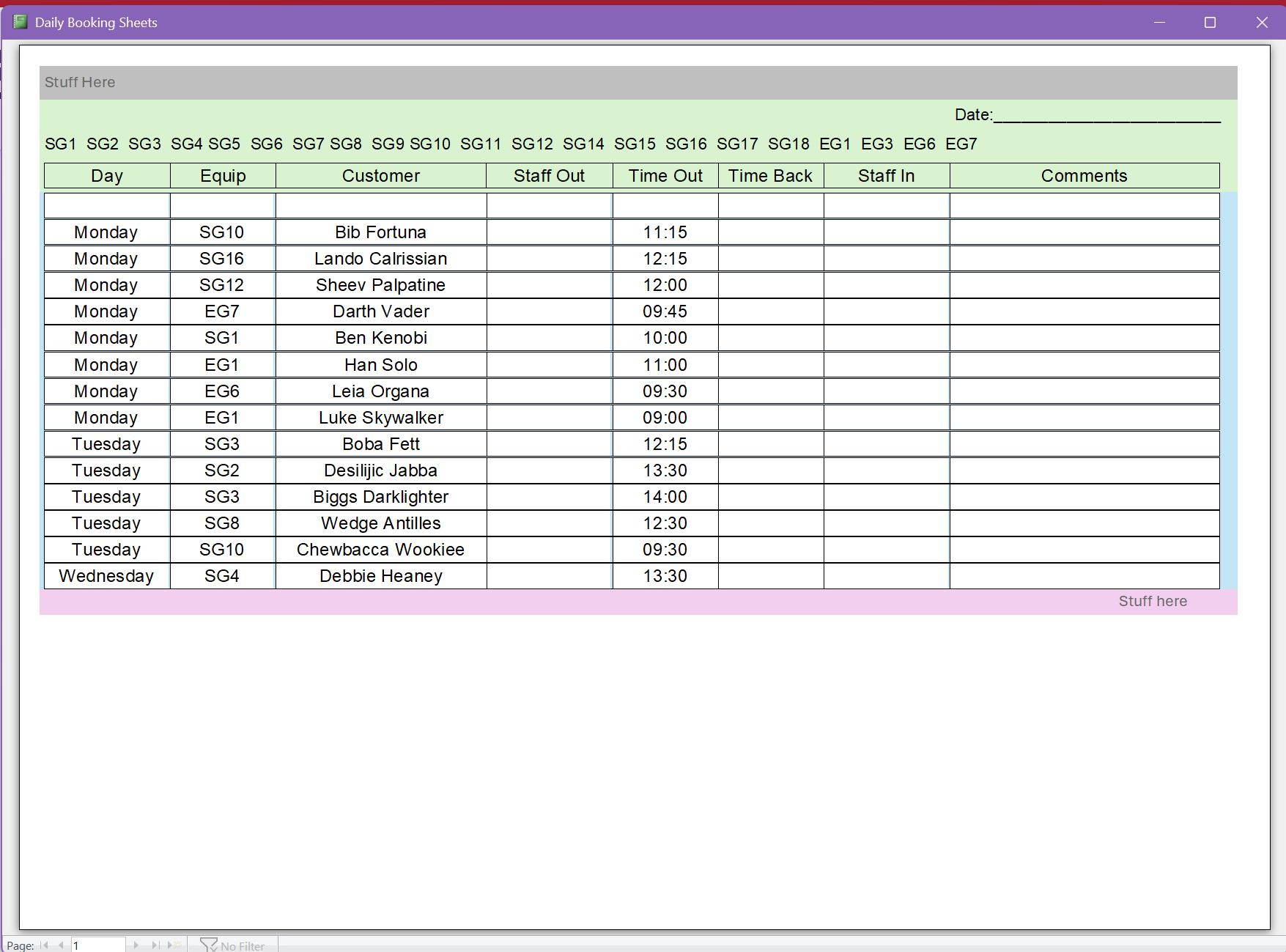
In trying to figure it out myself I've broken things.
I've lost the Page Footer.
My half plan to remove the numbers from the "Comments" failed.
Debbie Heaney OP  @Reply  
     
4 days ago

Debbie Heaney OP  @Reply  
     
4 days ago

Debbie Heaney OP  @Reply  
     
4 days ago
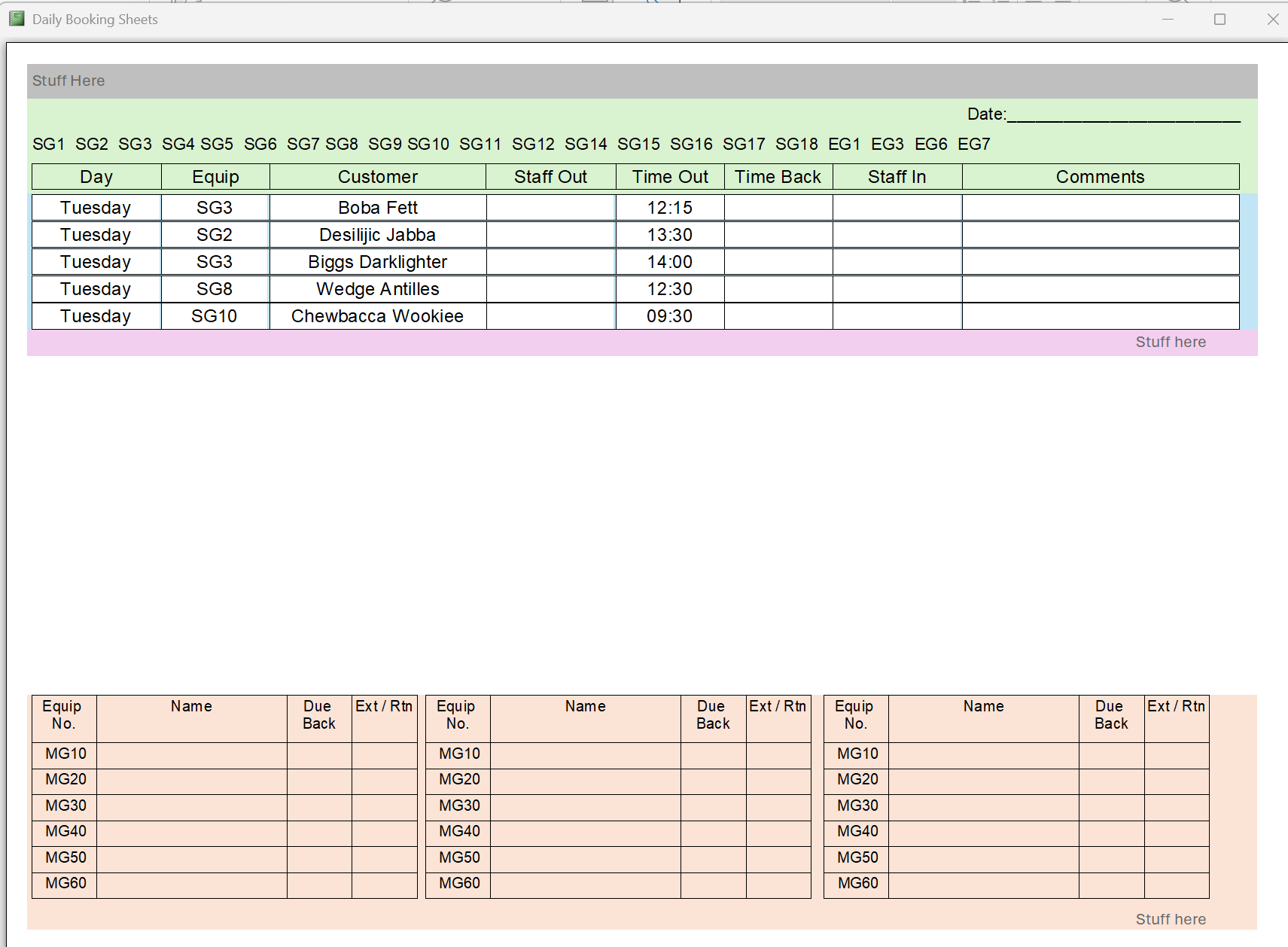
Thanks to color coding I got a the Page Footer back. The Pink bit told me i was looking at the Report Footer.
The Page Footer was set to "Not With Rpt Ftr" as the Page Footer is not needed on page 2 but the Report Footer is.
we do need the blank grid on Page though.
Joe Holland  @Reply  
      
4 days ago
You may get an idea of how to add the extra blank lines from this video: Label. This video talks about labels but it is just a report.
Debbie Heaney OP  @Reply  
     
4 days ago
Hmm? I'm not sure how to adapt that for my use? It's food for thought and it's something to chew on.
Thanks Joe.
Joe Holland  @Reply  
      
4 days ago
The idea is to fill the empty space with empty records so all of the lines print.
Raymond Spornhauer  @Reply  
          
4 days ago
Debbie

Why do you need these extra blank lines?  Do you always need the same number of lines?  What exactly are you filtering on?

We really need more detail on your setup to help better.

I'm assuming you're filtering on the Day of the Week... in that case, do you want the other days of the of the week to still be there and be blank?  Or is it just the bottom empty records you want?  How many empty records do you need?

Do the empty records have to immediately follow the records you do want?  Or do you just want some empty rows at the bottom?

==========================================================================
Potential Solution 1:

Put a bunch of empty text boxes in the footer section above the other fields so you'll always have a number of empty rows.

Potential Solution 2:

Add a Field to your table called 'AlwaysShow" as a Yes/No field.  (add notes to the table description explaining what these are for)

Then modify your filter to include the 'AlwaysShow'

You can also add a Sort Field, then make the numbers for the records you want to always show extremely large so they are always last.


There are other ways of accomplishing what you're probably trying to do, but we would need more info to help.

-Raymond
Debbie Heaney OP  @Reply  
     
3 days ago
Hello Raymond.
They are indeed filtered by day.
The extra lines are needed so we can print the report and write in details.

I'm part of a small company in my area that hires out mobility equipment for the day.
Some people are very regular and have a rolling booking, we then assume they are coming in unless they phone up and tell us they can't make it. The regulars get printed out.
Some people only come on Monday, some on Tuesdays and so on.

Then we need space on the sheets to write in the details of random walk ins.

We can be that busy that it's a lot quick and easier to just use pen and paper to note the essentials then we update the computer when we get the chance.

If the computers go down we can run solely on paper.

I don't have an original copy of the Word Document we use to show you all.

I've got things working though. Couldn't keep 100% the original layout but it's close enough for now.
I can show you the printout i have now...
Debbie Heaney OP  @Reply  
     
3 days ago
The photo is 4 times the upload limit.
To get the file size down the physical size is going to be a bit small.
Add a Reply Upload an Image
Next Unseen

 
New Feature: Comment Live View


The following is a paid advertisement
Computer Learning Zone is not responsible for any content shown or offers made by these ads.
 

Learn
 
Access - index
Excel - index
Word - index
Windows - index
PowerPoint - index
Photoshop - index
Visual Basic - index
ASP - index
Seminars
More...
Customers
 
Login
My Account
My Courses
Lost Password
Memberships
Student Databases
Change Email
Info
 
Latest News
New Releases
User Forums
Topic Glossary
Tips & Tricks
Search The Site
Code Vault
Collapse Menus
Help
 
Customer Support
Web Site Tour
FAQs
TechHelp
Consulting Services
About
 
Background
Testimonials
Jobs
Affiliate Program
Richard Rost
Free Lessons
Mailing List
PCResale.NET
Order
 
Video Tutorials
Handbooks
Memberships
Learning Connection
Idiot's Guide to Excel
Volume Discounts
Payment Info
Shipping
Terms of Sale
Contact
 
Contact Info
Support Policy
Mailing Address
Phone Number
Fax Number
Course Survey
Email Richard
[email protected]
Blog RSS Feed    YouTube Channel

LinkedIn
Copyright 2026 by Computer Learning Zone, Amicron, and Richard Rost. All Rights Reserved. Current Time: 7/5/2026 8:47:59 PM. PLT: 1s