Free Lessons
Courses
Seminars
TechHelp
Fast Tips
Templates
Topic Index
Forum
ABCD
 
Home   Courses   TechHelp   Help   Contact   Merch   Join   Order   Logon   Forums   
 
Back to Access Forum    Comments List
Upload Images   @Reply   Bookmark    Link   Email   Next Unseen 
TaskR Cleanup
Kenneth A Thomas 
       
30 days ago
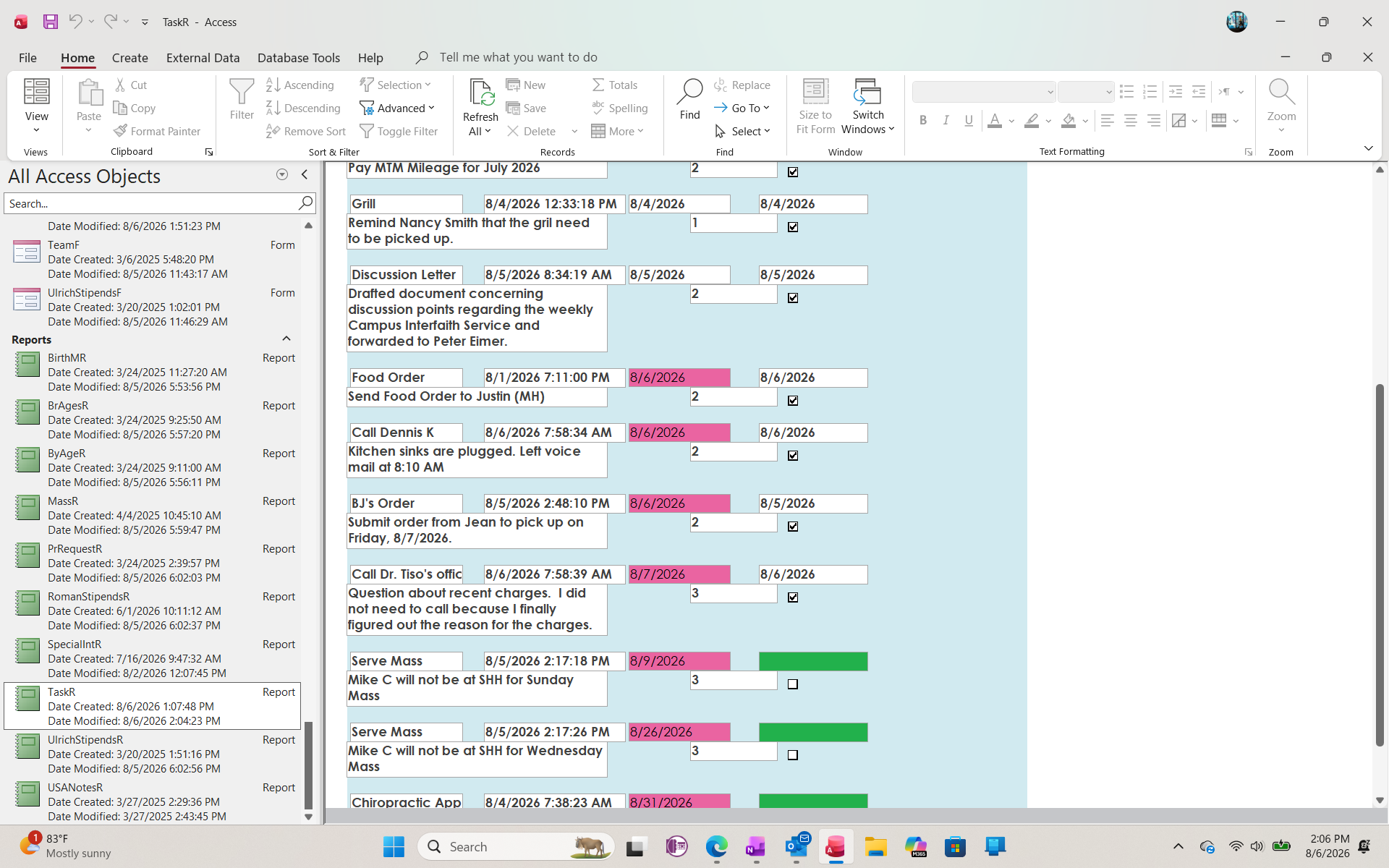
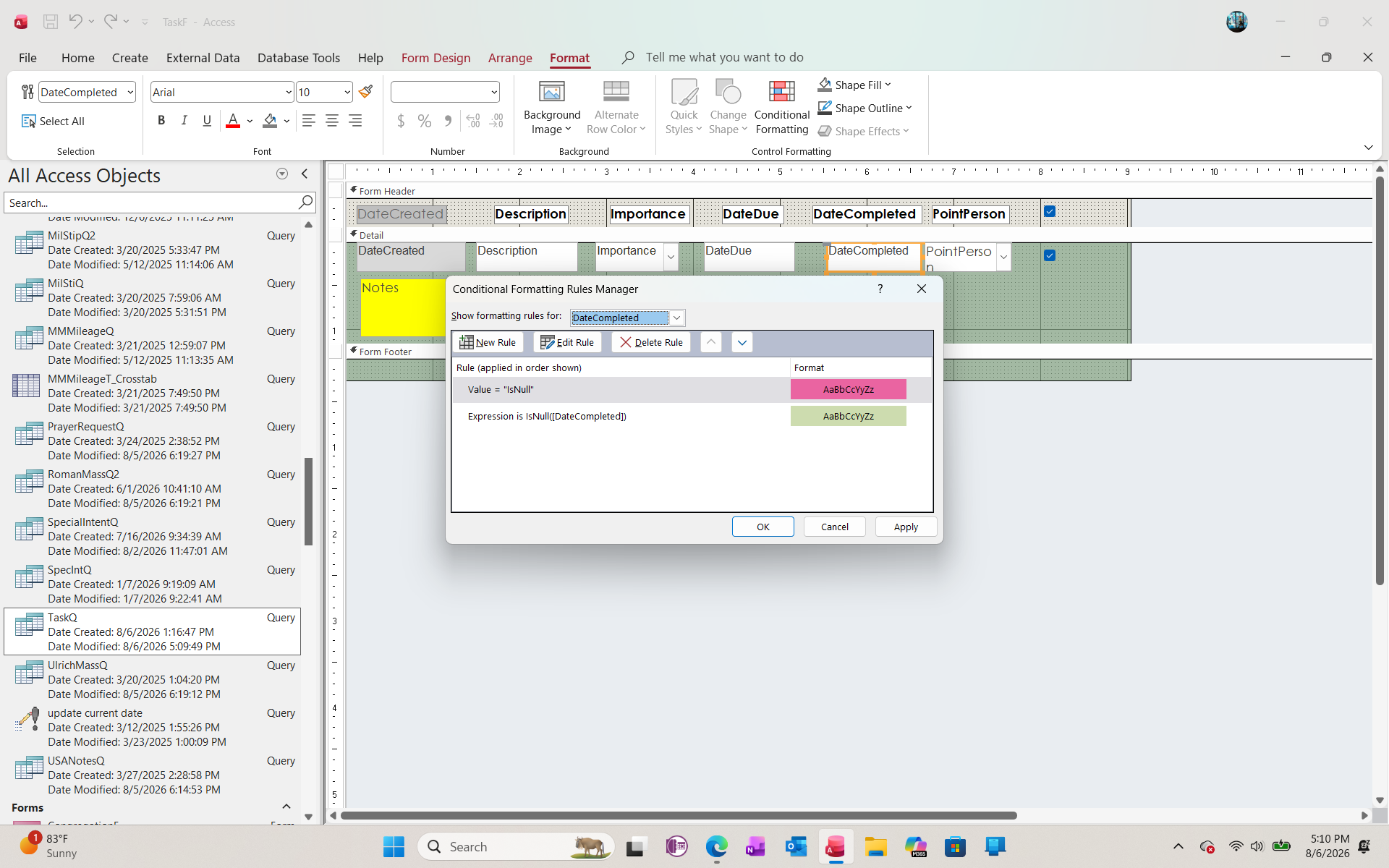
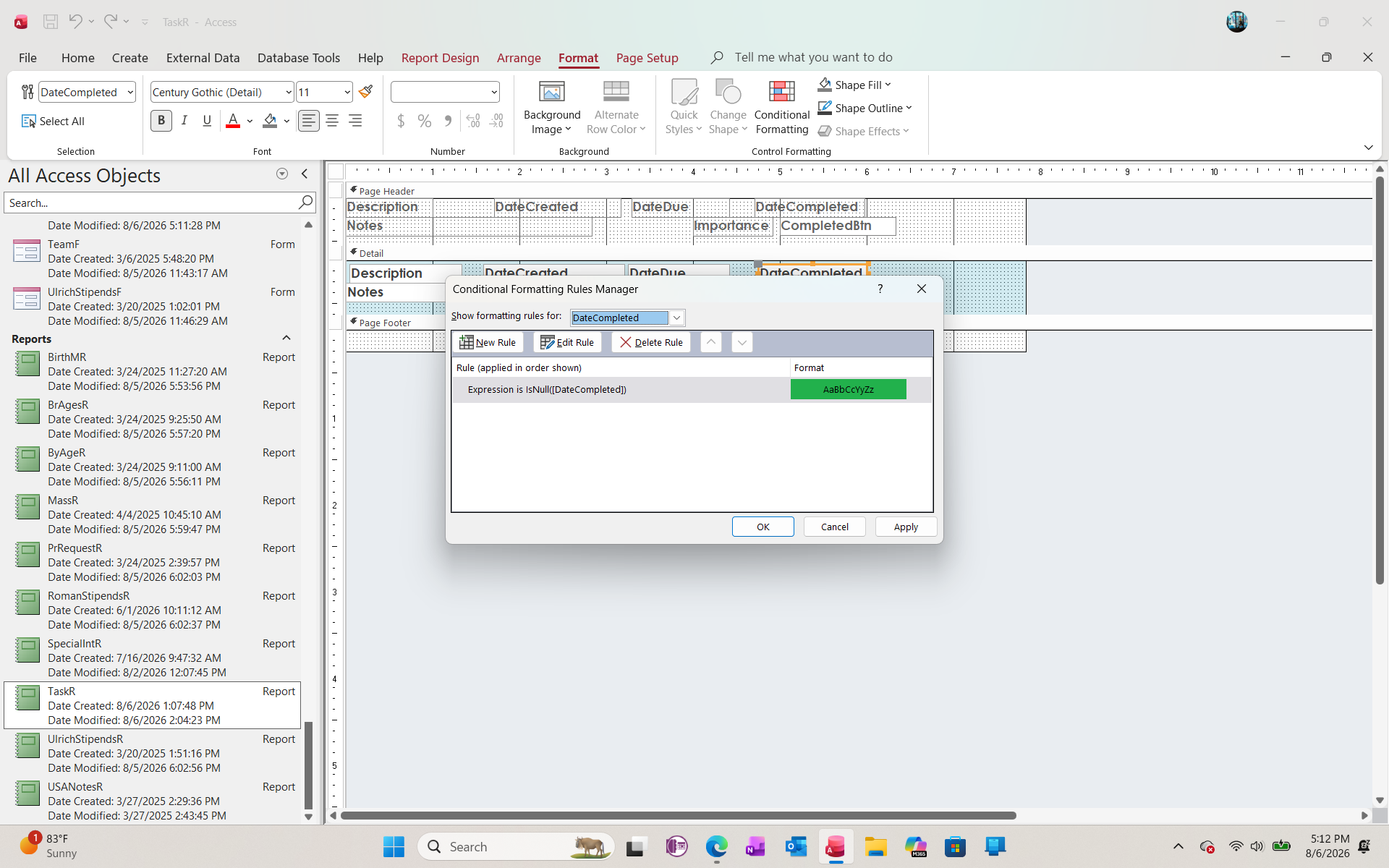
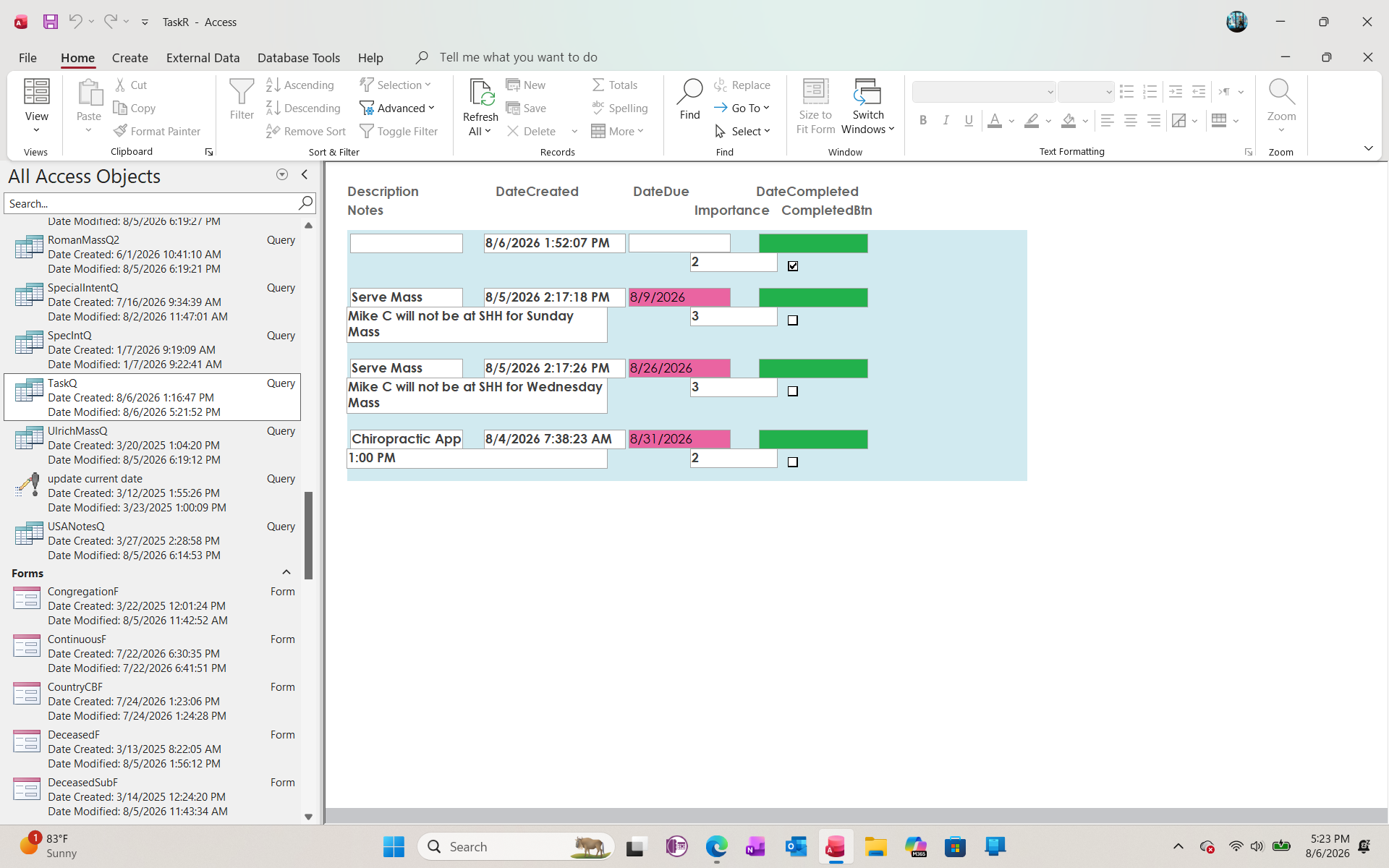
I have spent a couple of hours today attempting to format the TaskT and related items so that the TaskR only displays the "DateCompleted" field that is empty (IsNull).  I have set Conditional Formatting, but the report still shows all records.  Where do I go from here?
Kenneth A Thomas OP  @Reply  
       
30 days ago

John Davy  @Reply  
         
30 days ago
Hi Kenneth, If I said "My car doesn't start" Could you help me?  Please show us what is going on. Show us the underlying code or query that you are using.  John
Joe Holland  @Reply  
      
30 days ago
Open the form with a where clause (where DateCompleted field IsNull). Watch this: OpenForm
Joe Holland  @Reply  
      
30 days ago
Here is a newer version of the DoCmd video.
Kenneth A Thomas OP  @Reply  
       
30 days ago
I have only taken Richard's courses through Expert 14, so I am somewhat new to Conditional formatting.
Richard Rost  @Reply  
           
30 days ago
Conditional Formatting has nothing to do with which records display. It only changes the appearance of records that are already in the report.

To show only tasks where DateCompleted is empty, you need to filter the report's Record Source query, or open the report with a WhereCondition such as:

DateCompleted Is Null

If the report is always supposed to show only incomplete tasks, put that criterion in its underlying query. If you sometimes want all tasks and sometimes only incomplete ones, then opening it with a WhereCondition is the better approach.
Kenneth A Thomas OP  @Reply  
       
30 days ago

Kenneth A Thomas OP  @Reply  
       
30 days ago

Kenneth A Thomas OP  @Reply  
       
30 days ago

Richard Rost  @Reply  
           
30 days ago
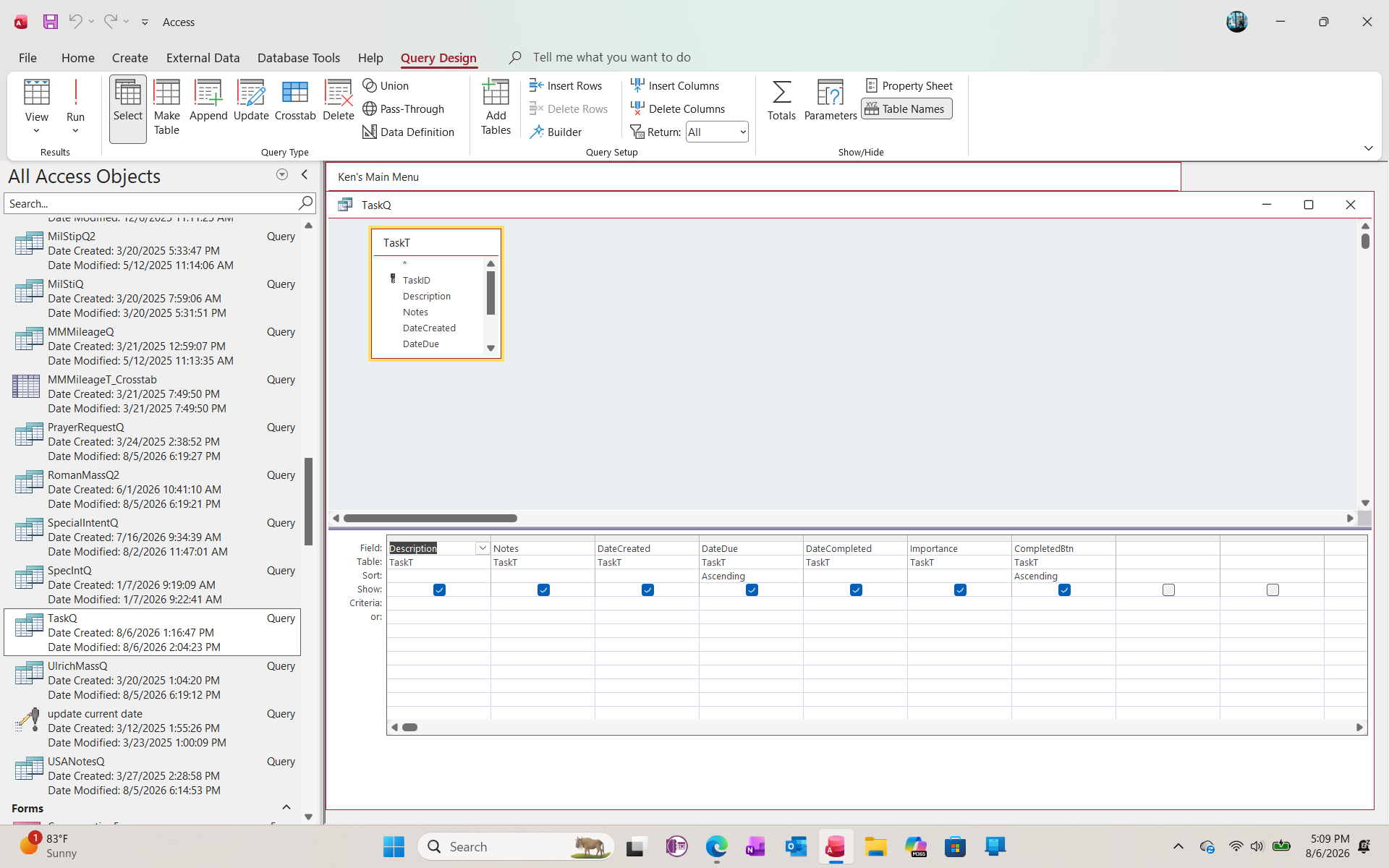
There you go. Now you can add some criteria to show only the records you want. Then you'll base your report off of this query.
Richard Rost  @Reply  
           
30 days ago
Forget about the conditional formatting for now. All that does is add pretty colors to the records that you've already got on the form or the report. Focus on getting the right records first, then go back later and put your conditional formatting in.
Kenneth A Thomas OP  @Reply  
       
30 days ago
Thank you for the information and more importantly, you patience.  I how have what I want.
Kenneth A Thomas OP  @Reply  
       
30 days ago

Kenneth A Thomas OP  @Reply  
       
30 days ago
Success!
Richard Rost  @Reply  
           
30 days ago
You're very welcome, Kenneth. Glad you got it working. And don't worry about asking questions. That's what the Forums are for.

Getting the query to return exactly the records you want is the important part. Conditional formatting is just the paint job after the engine is running.
Kenneth A Thomas OP  @Reply  
       
29 days ago
Additional Question: do you have a video that would show me how to program recurring tasks in my Task List?  Some tasks are one time, but many are recurring either Daily, Weekly or Monthly.
Donald Blackwell  @Reply  
       
29 days ago
Kenneth, in his Expense Tracker video, Richard shows how to manage recurring expenses.

It might give you some idea for tasks as well.

He also has recurring transactions in his Access Payables Seminar.
Donald Blackwell  @Reply  
       
29 days ago
Expense Tracker
Sorry forgot the link
Richard Rost  @Reply  
           
29 days ago
https://599cd.com/search/?q=recurring

Some other options for ya.
Kenneth A Thomas OP  @Reply  
       
29 days ago
Thank you, gents!
Add a Reply Upload an Image
Next Unseen


What's This?


The following is a paid advertisement
Computer Learning Zone is not responsible for any content shown or offers made by these ads.
 

Learn
 
Access - index
Excel - index
Word - index
Windows - index
PowerPoint - index
Photoshop - index
Visual Basic - index
ASP - index
Seminars
More...
Customers
 
Login
My Account
My Courses
Lost Password
Memberships
Student Databases
Change Email
Info
 
Latest News
New Releases
User Forums
Topic Glossary
Tips & Tricks
Search The Site
Code Vault
Collapse Menus
Help
 
Customer Support
Web Site Tour
FAQs
TechHelp
Consulting Services
About
 
Background
Testimonials
Jobs
Affiliate Program
Richard Rost
Free Lessons
Mailing List
PCResale.NET
Order
 
Video Tutorials
Handbooks
Memberships
Learning Connection
Idiot's Guide to Excel
Volume Discounts
Payment Info
Shipping
Terms of Sale
Contact
 
Contact Info
Support Policy
Mailing Address
Phone Number
Fax Number
Course Survey
Email Richard
[email protected]
Blog RSS Feed    YouTube Channel

LinkedIn
Copyright 2026 by Computer Learning Zone, Amicron, and Richard Rost. All Rights Reserved. Current Time: 9/5/2026 2:21:33 PM. PLT: 1s