Free Lessons
Courses
Seminars
TechHelp
Fast Tips
Templates
Topic Index
Forum
ABCD
 
Home   Courses   TechHelp   Forums   Help   Contact   Merch   Join   Order   Logon  
 
Back to Access Forum    Comments List
Upload Images   @Reply   Bookmark    Link   Email   Next Unseen 
Incomplete Date Age
Beau Tanner 
    
5 years ago
I work in an architecture firm that specializes in the design of technical education buildings; I am building a database that will be used by local colleges to keep track of all of the existing buildings on their campus.  One of our key pieces of information is the age of the existing buildings.  We use this number to determine which buildings should be renovated and which should be replaced.

One of the problems that I have is that when it comes to the age of a building, generally speaking, only the year a building was completed is recorded.  Which is fine: if I want to know how old a building is, I just subtract the year it was built from this year.  Unfortunately, Access needs a little more information than what is typically available.

The end user will be filling out this database.  As such, for the "YearBuilt" and "YearDemod" fields, I have created them as short text with a field size of 4.  Because construction projects tend to take an extended period of time, "1958" is an acceptable answer for when a building was built.  The problem I am running into, though, is when I build my query, the "Age: Int((Date()-[YearBuilt])/365.2425)" formula does not work.

I had considered changing the "YearBuilt" field to a Date/Time value with a YYYY format, but again, all of the information will be incomplete.  I suppose that the way around this is to just tell the end user to enter the date as 1/1/YYYY, but I am trying to keep this as simple as possible for the end user.

So, my question: with only the year known, is there way to calculate the age of the building without having to overcomplicate the input data that the end user needs to supply?
Kevin Robertson  @Reply  
          
5 years ago
I would store the YearBuilt as a number.
Age: Int((Year(Date())-[YearBuilt])/365.2425)
Kevin Robertson  @Reply  
          
5 years ago
Correction to formula:

Age: Year(Date())-[YearBuilt]
Beau Tanner OP  @Reply  
    
5 years ago
Awesome!  Thank you.
Beau Tanner OP  @Reply  
    
5 years ago
I am getting confused and frustrated.  The query works great to pop out the year.  But, I cannot figure out how to take that calculated number and store it back in the table.  I thought that I could build a form and the BuildingID would relate back to the table, but I cannot get it to work.  Thoughts?  Direction?
Adam Schwanz  @Reply  
           
5 years ago
Aren't you just using a calculated query expression? That wouldn't go into your table. Are you wanting the store the age in years somewhere in your table?
Adam Schwanz  @Reply  
           
5 years ago
If so you just need a field in the your table, and then to fire an event with that formula on it.

So say you make a field in your table called AgeYears

You could make it so that on the OnCurrent event of the form you fire the command
AgeYears = Year(Date())-[YearBuilt]

That would set the field called AgeYears to that value and save it to your table. Alternatively you could use an update query to put the value from your Age expression that you made into the AgeYears field in the table. You have a few options here.
Beau Tanner OP  @Reply  
    
5 years ago
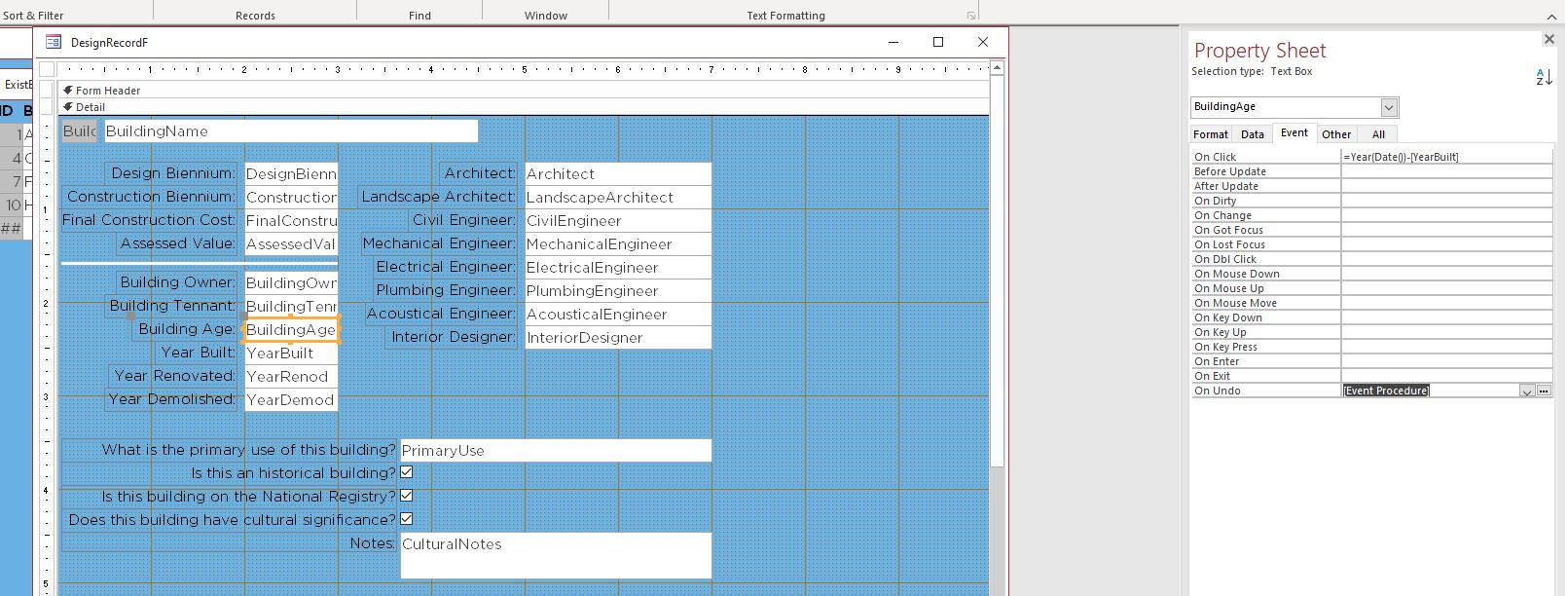
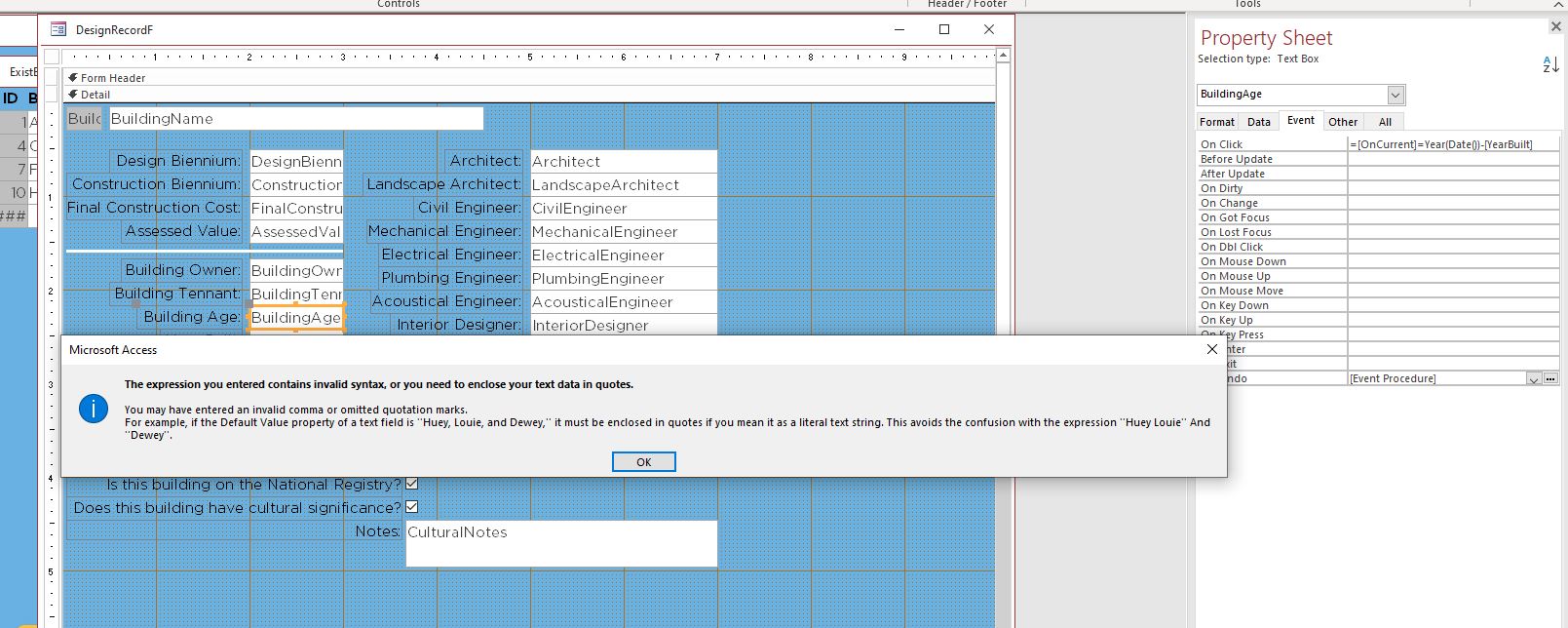
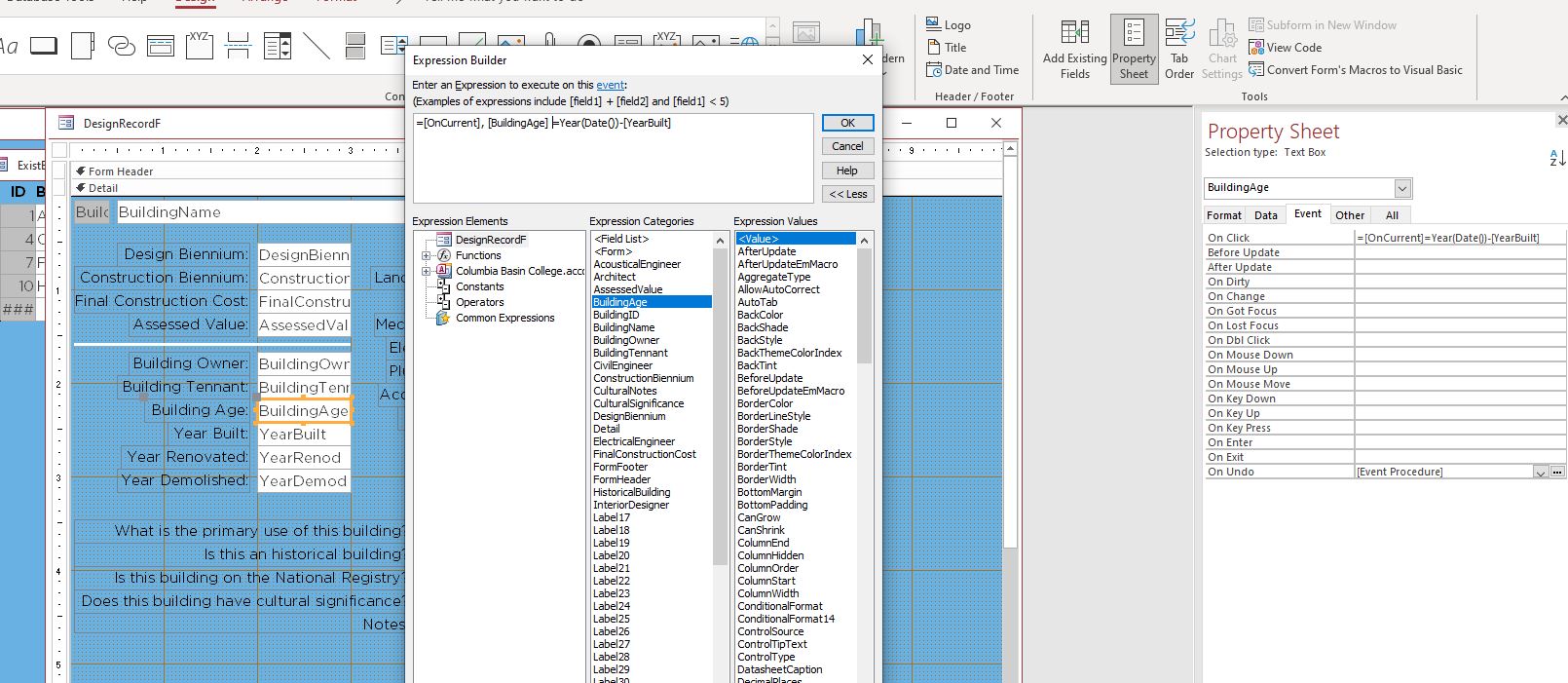
Adam, thank you for your help, but I am still confused and frustrated.  I cannot seem to get this to work at all.  What am I missing?
Beau Tanner OP  @Reply  
    
5 years ago

Beau Tanner OP  @Reply  
    
5 years ago

Beau Tanner OP  @Reply  
    
5 years ago

Beau Tanner OP  @Reply  
    
5 years ago

Kevin Robertson  @Reply  
          
5 years ago
Beau,

You'll find the OnCurrent Event in the properties for the form. Click on thee builder button [...] and choose Code Builder.
Enter the Following:

BuildingAge = Year(Date())-YearBuilt
Adam Schwanz  @Reply  
           
5 years ago

Adam Schwanz  @Reply  
           
5 years ago
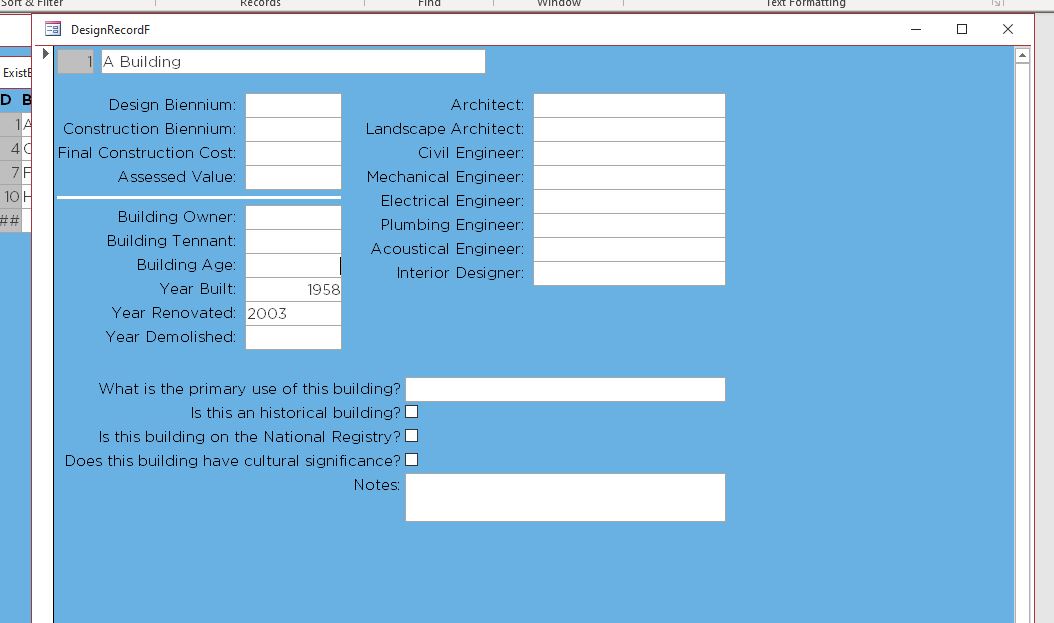
Double clicking that on the top left of your form in design view opens FORM properties. Like Kevin said just push the ... next to on current and paste that code in there. Then every time you view a record the on current event will fire, and set the building age
Adam Schwanz  @Reply  
           
5 years ago
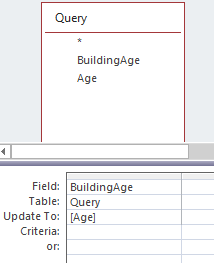
Alternatively, you could use an update query to set the value of the field based on your query results, probably best to use the on current event but maybe run this query once up-front to get values in
Adam Schwanz  @Reply  
           
5 years ago

Adam Schwanz  @Reply  
           
5 years ago
That's the most basic example of how you could do that.
Beau Tanner OP  @Reply  
    
5 years ago
Oh, my goodness.  Thank you, so much.

This thread is now CLOSED. If you wish to comment, start a NEW discussion in Access Forum.
 

Next Unseen

 
New Feature: Comment Live View


The following is a paid advertisement
Computer Learning Zone is not responsible for any content shown or offers made by these ads.
 

Learn
 
Access - index
Excel - index
Word - index
Windows - index
PowerPoint - index
Photoshop - index
Visual Basic - index
ASP - index
Seminars
More...
Customers
 
Login
My Account
My Courses
Lost Password
Memberships
Student Databases
Change Email
Info
 
Latest News
New Releases
User Forums
Topic Glossary
Tips & Tricks
Search The Site
Code Vault
Collapse Menus
Help
 
Customer Support
Web Site Tour
FAQs
TechHelp
Consulting Services
About
 
Background
Testimonials
Jobs
Affiliate Program
Richard Rost
Free Lessons
Mailing List
PCResale.NET
Order
 
Video Tutorials
Handbooks
Memberships
Learning Connection
Idiot's Guide to Excel
Volume Discounts
Payment Info
Shipping
Terms of Sale
Contact
 
Contact Info
Support Policy
Mailing Address
Phone Number
Fax Number
Course Survey
Email Richard
[email protected]
Blog RSS Feed    YouTube Channel

LinkedIn
Copyright 2026 by Computer Learning Zone, Amicron, and Richard Rost. All Rights Reserved. Current Time: 5/6/2026 6:57:24 AM. PLT: 1s