Free Lessons
Courses
Seminars
TechHelp
Fast Tips
Templates
Topic Index
Forum
ABCD
 
Home   Courses   TechHelp   Forums   Help   Contact   Merch   Join   Order   Logon  
 
Back to Access Forum    Comments List
Upload Images   @Reply   Bookmark    Link   Email   Next Unseen 
Deselect form selected boxes
Kevin Standley 
    
5 years ago
In form design view I selected numerous text boxes by left clicking and touching those boxes. Now when I try to format (change width) only one of those text boxes all are selected.  Even if I go to the one specific text box properties and change width, all change.

Moreover, there is a + sign on the top left when selecting one of those text boxes.  I've looked through the properties boxes but can't seem to identify a setting to cut this feature on/off.

How can I "deselect" those boxes previously chosen?

Thank you in advance for your support!
Adam Schwanz  @Reply  
           
5 years ago
The + sign I'm assuming is the symbol to move only that box.

Have you tried clicking off to the side where there is nothing? You can also press ctrl + click and add/remove things to the pile of items you have selected currently.
Kevin Standley OP  @Reply  
    
5 years ago
Thank you for your reply, Adam.  Unfortunately clicking to the side or trying ctrl+click did not change the condition.  The small x on the left (after selecting a text box), when pressed, selects all of the boxes that were at one time chosen.  Even right clicking the x does not appear to offer an option to turn off this feature.
Scott Axton  @Reply  
        
5 years ago
When you say clicking  the + sign that is raising flags for me.
Are you working with a Datasheet view?  
OR Is it a continuous form or single form?

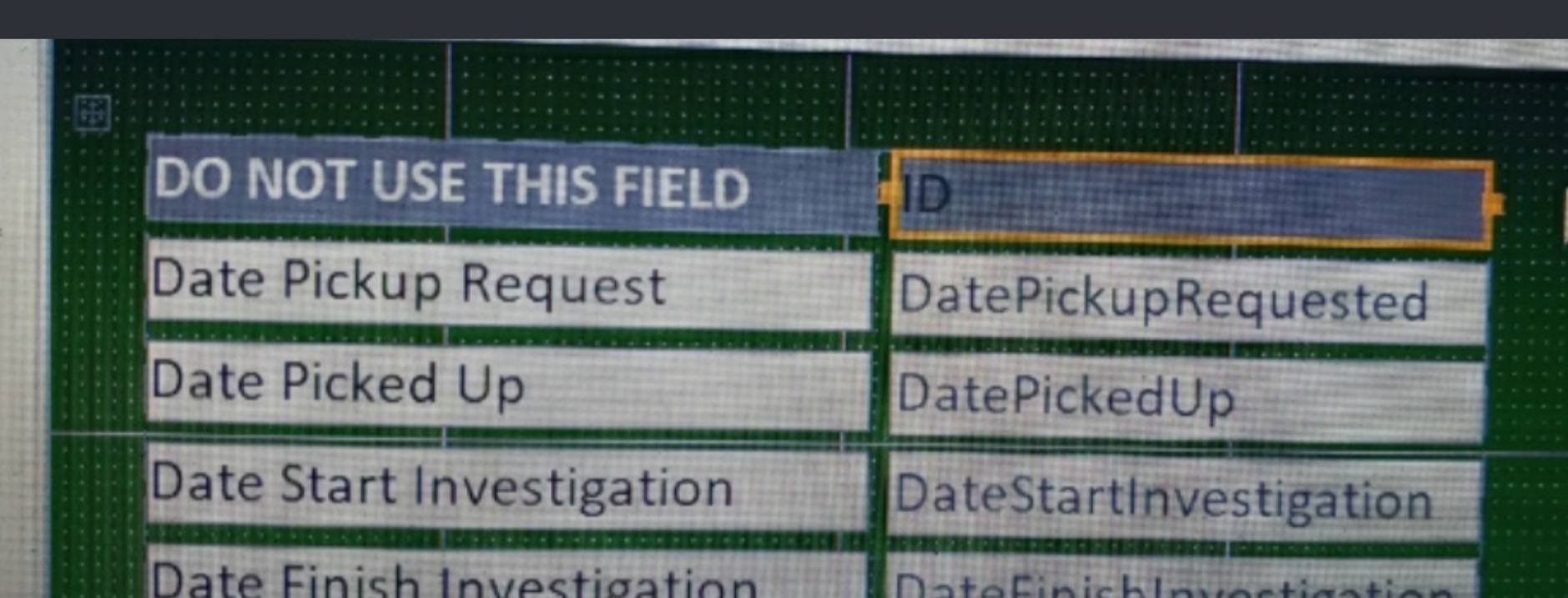
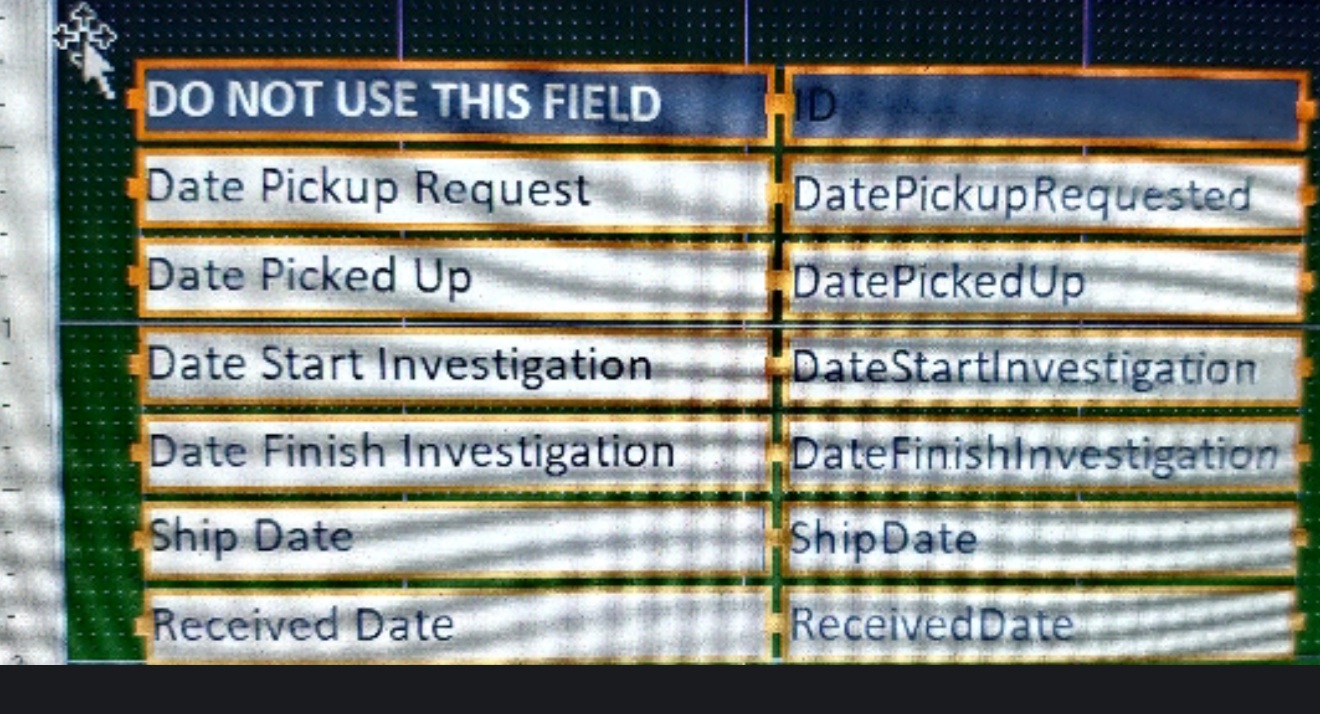
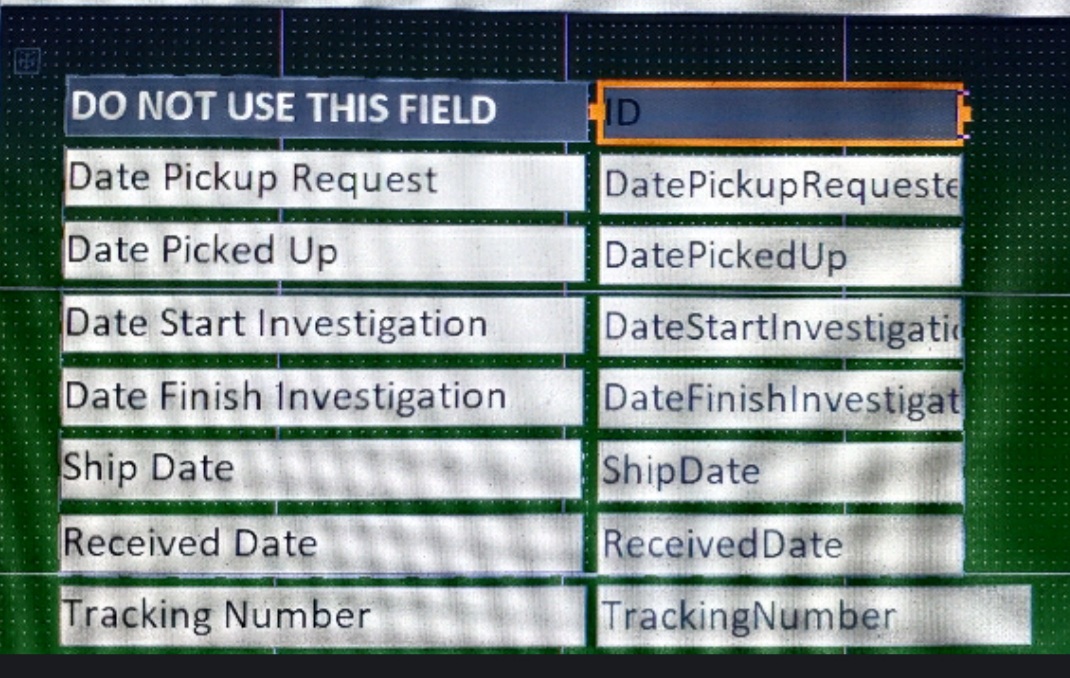
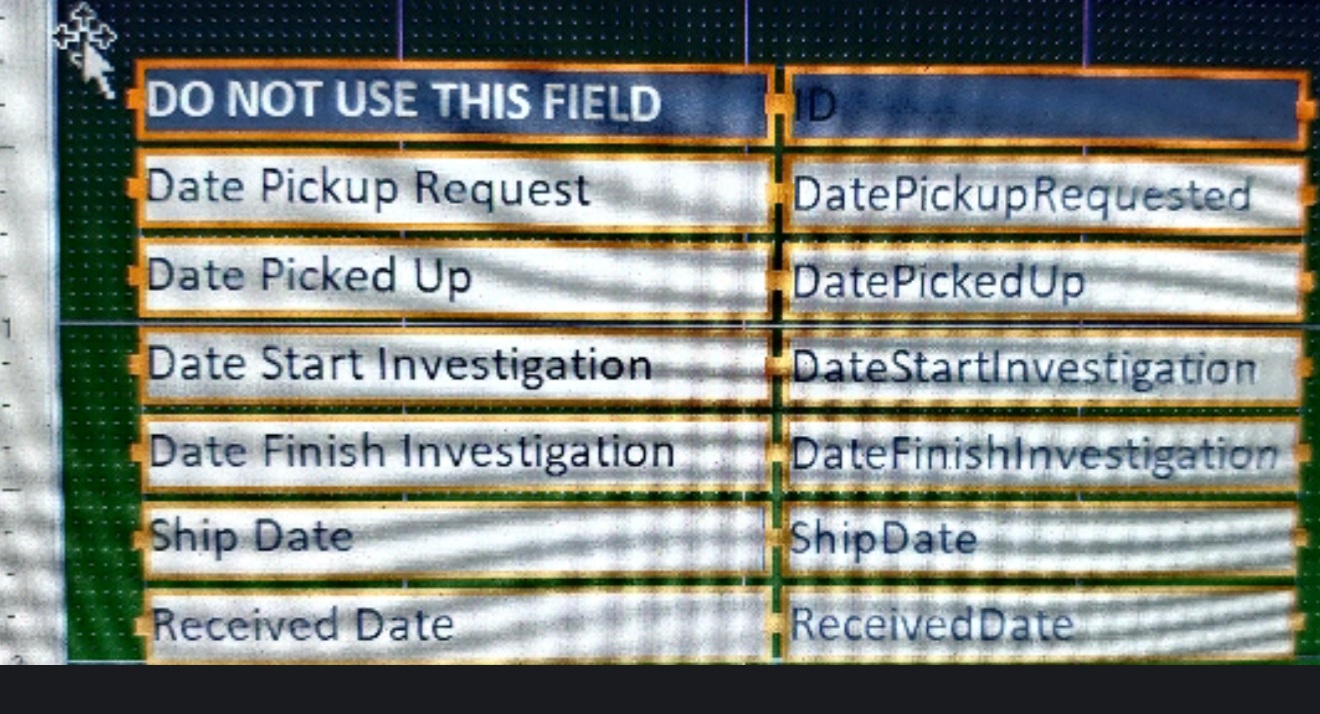
Please post a screenshot in design mode so we can see the same thing you are seeing.

Kevin Standley OP  @Reply  
    
5 years ago

Kevin Standley OP  @Reply  
    
5 years ago

Kevin Standley OP  @Reply  
    
5 years ago

Kevin Standley OP  @Reply  
    
5 years ago

Kevin Standley OP  @Reply  
    
5 years ago
Top pic is clicking top text box. Notice + on top left
2nd pic is what happens if + is left clicked
3rd pic is showing multiple boxes resizing concurrently
4th pic is right click +

Thanks!
Adam Schwanz  @Reply  
           
5 years ago
Interesting, yea if you could Image Uploads a screenshot of what you're dealing with

I'm sure it's something really simple that we just can't picture
Alex Hedley  @Reply  
           
5 years ago
They are grouped
Ungroup them
Scott Axton  @Reply  
        
5 years ago
You are using Layout mode.  Layout mode is a pain in the butt.  You are very limited on where you can move things and how you can select and move fields because Access places them in a grid.

I HATE lay out mode in general.  It even causes issues if you have VBA code behind them sometimes.

Click the Plus symbol. Then Right Click and choose Layout -> Remove Layout.
Click some where on the background to de-select all the boxes.  Now you should be able to Shift-Click individual fields and move them as a group.  Or resize / move individual fields.
Now ONLY choose Design View and Form View from here on out.  The only time I ever choose Layout View is to just see real data in there.  Then I get right back out to design mode to make any changes.

Did I mention I HATE Layout View?


Scott Axton  @Reply  
        
5 years ago
Go back to your classes and re-watch the sections in Beginner 2.  I think now that you have this under your belt you can appreciate what is being taught better.
Kevin Standley OP  @Reply  
    
5 years ago
@Scott - THANK YOU!  

While I was working in design mode your input actually took me to the correct steps.  Those steps, while in design mode, are to highlight the boxes in question and then go to "arrange" -> "remove layout".

I honestly can't recall ever working in layout mode but as a noob anything's possible ;)  Agree with your recommendation about going to Beginner 2 and watching again.
Scott Axton  @Reply  
        
5 years ago
Glad it helped!  Onward and upward!

This thread is now CLOSED. If you wish to comment, start a NEW discussion in Access Forum.
 

Next Unseen

 
New Feature: Comment Live View


The following is a paid advertisement
Computer Learning Zone is not responsible for any content shown or offers made by these ads.
 

Learn
 
Access - index
Excel - index
Word - index
Windows - index
PowerPoint - index
Photoshop - index
Visual Basic - index
ASP - index
Seminars
More...
Customers
 
Login
My Account
My Courses
Lost Password
Memberships
Student Databases
Change Email
Info
 
Latest News
New Releases
User Forums
Topic Glossary
Tips & Tricks
Search The Site
Code Vault
Collapse Menus
Help
 
Customer Support
Web Site Tour
FAQs
TechHelp
Consulting Services
About
 
Background
Testimonials
Jobs
Affiliate Program
Richard Rost
Free Lessons
Mailing List
PCResale.NET
Order
 
Video Tutorials
Handbooks
Memberships
Learning Connection
Idiot's Guide to Excel
Volume Discounts
Payment Info
Shipping
Terms of Sale
Contact
 
Contact Info
Support Policy
Mailing Address
Phone Number
Fax Number
Course Survey
Email Richard
[email protected]
Blog RSS Feed    YouTube Channel

LinkedIn
Copyright 2026 by Computer Learning Zone, Amicron, and Richard Rost. All Rights Reserved. Current Time: 4/30/2026 4:35:19 PM. PLT: 1s