Free Lessons
Courses
Seminars
TechHelp
Fast Tips
Templates
Topic Index
Forum
ABCD
 
Home   Courses   TechHelp   Forums   Help   Contact   Merch   Join   Order   Logon  
 
Back to Access Forum    Comments List
Upload Images   @Reply   Bookmark    Link   Email   Next Unseen 
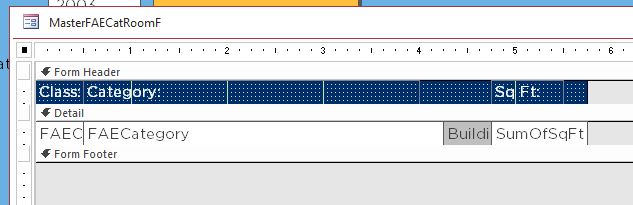
Subreport Print Preview
Beau Tanner 
    
5 years ago
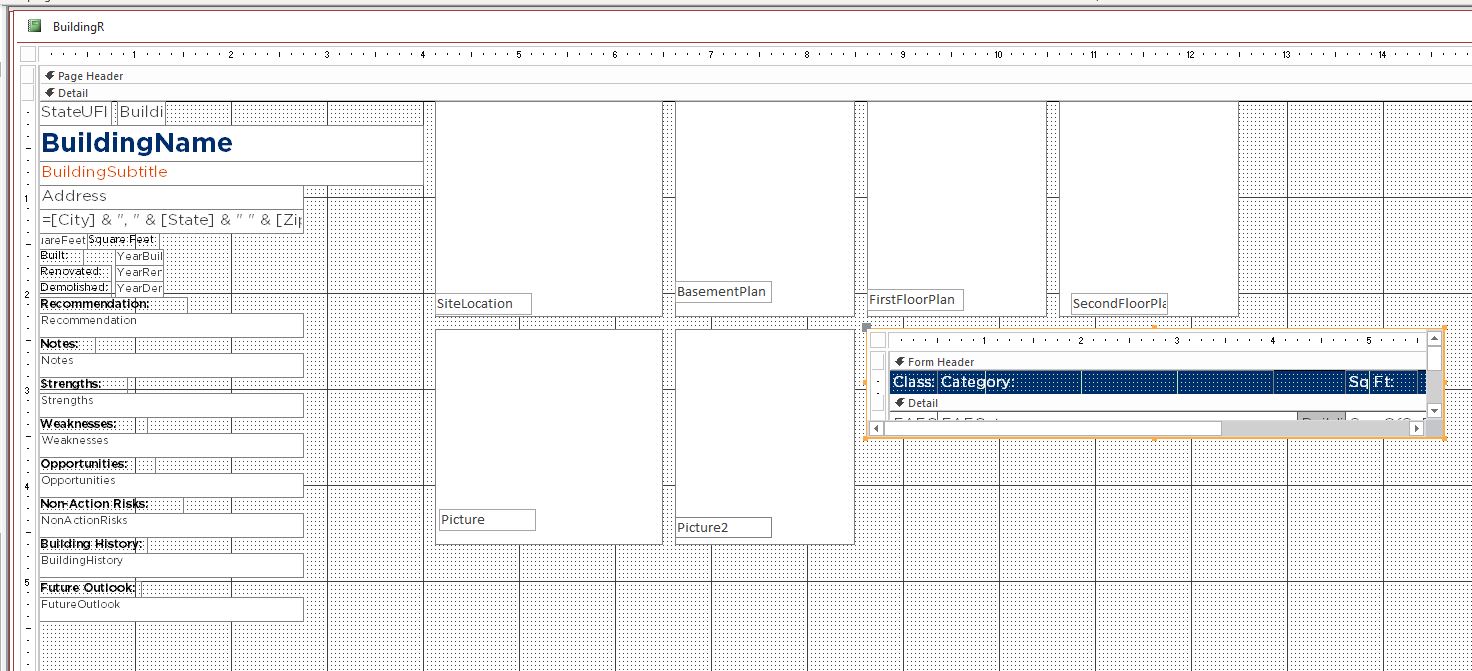
I don't understand what is happening. I don't know if the issue is with my subreport or with my text boxes.

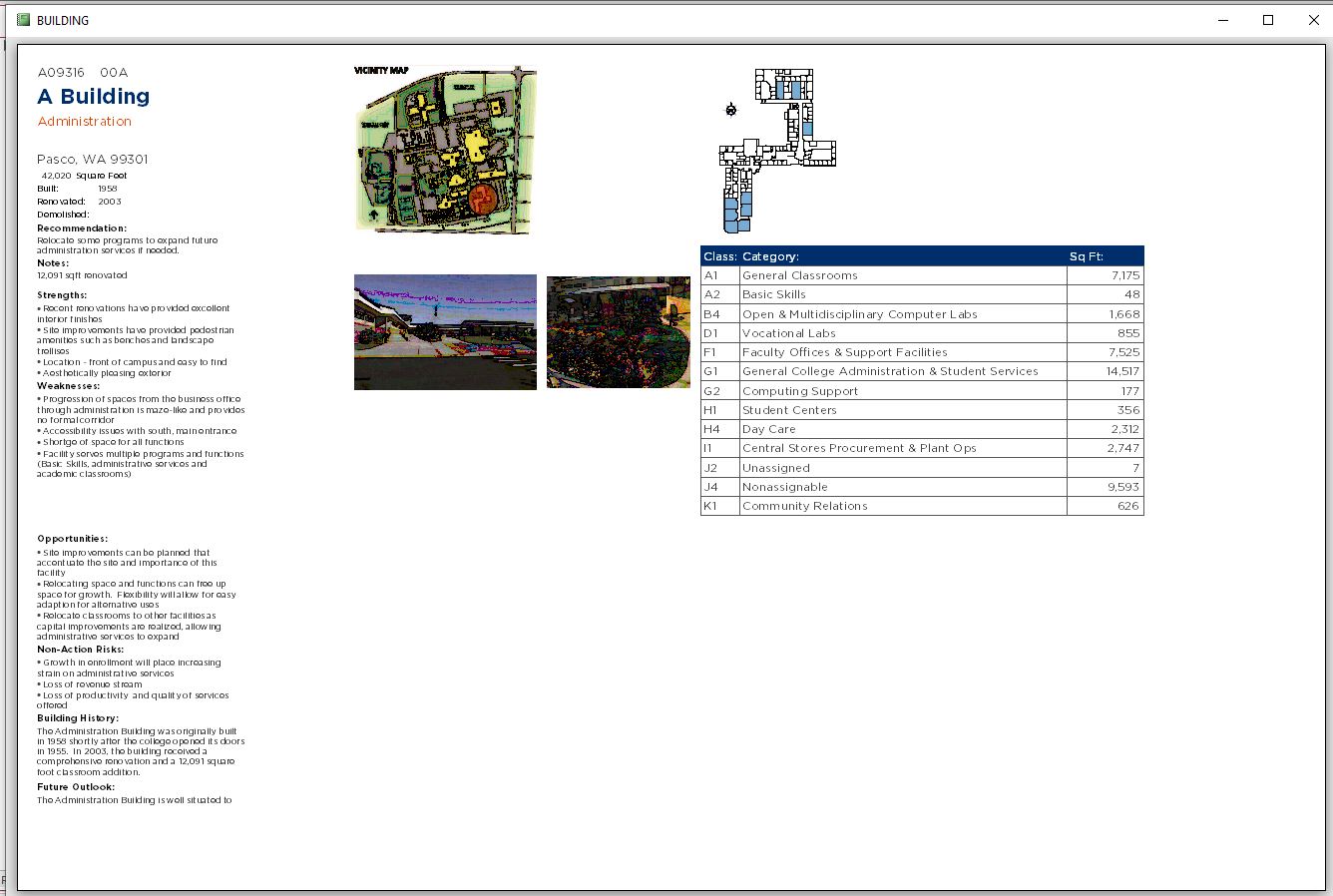
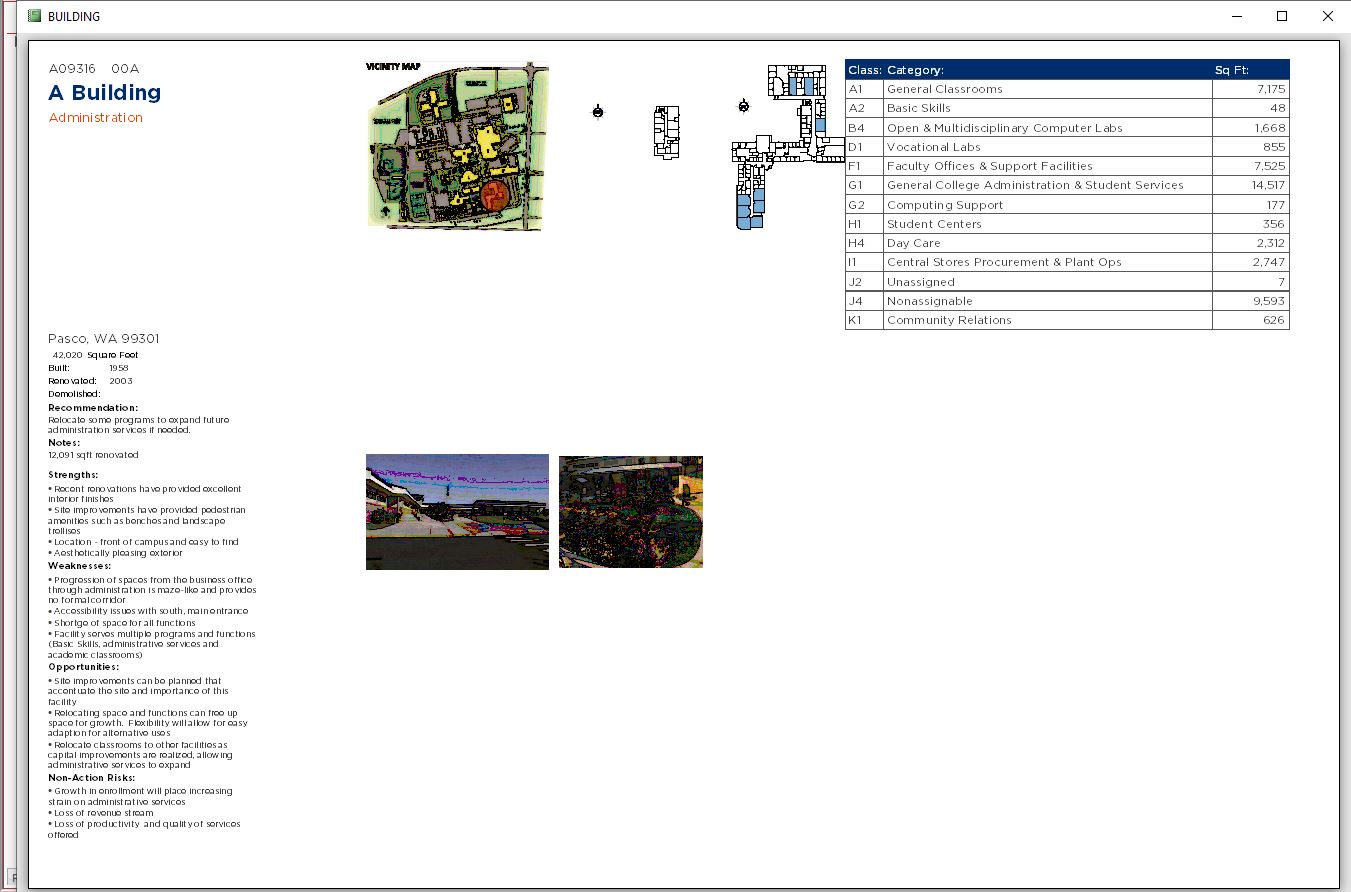
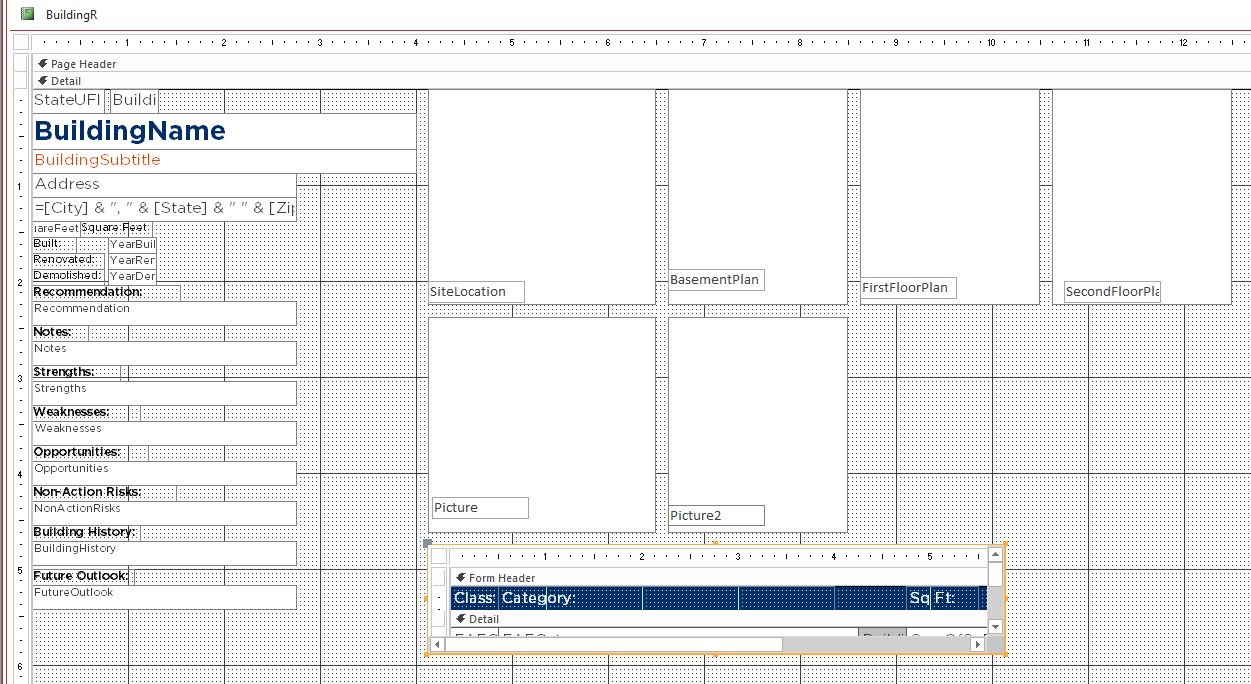
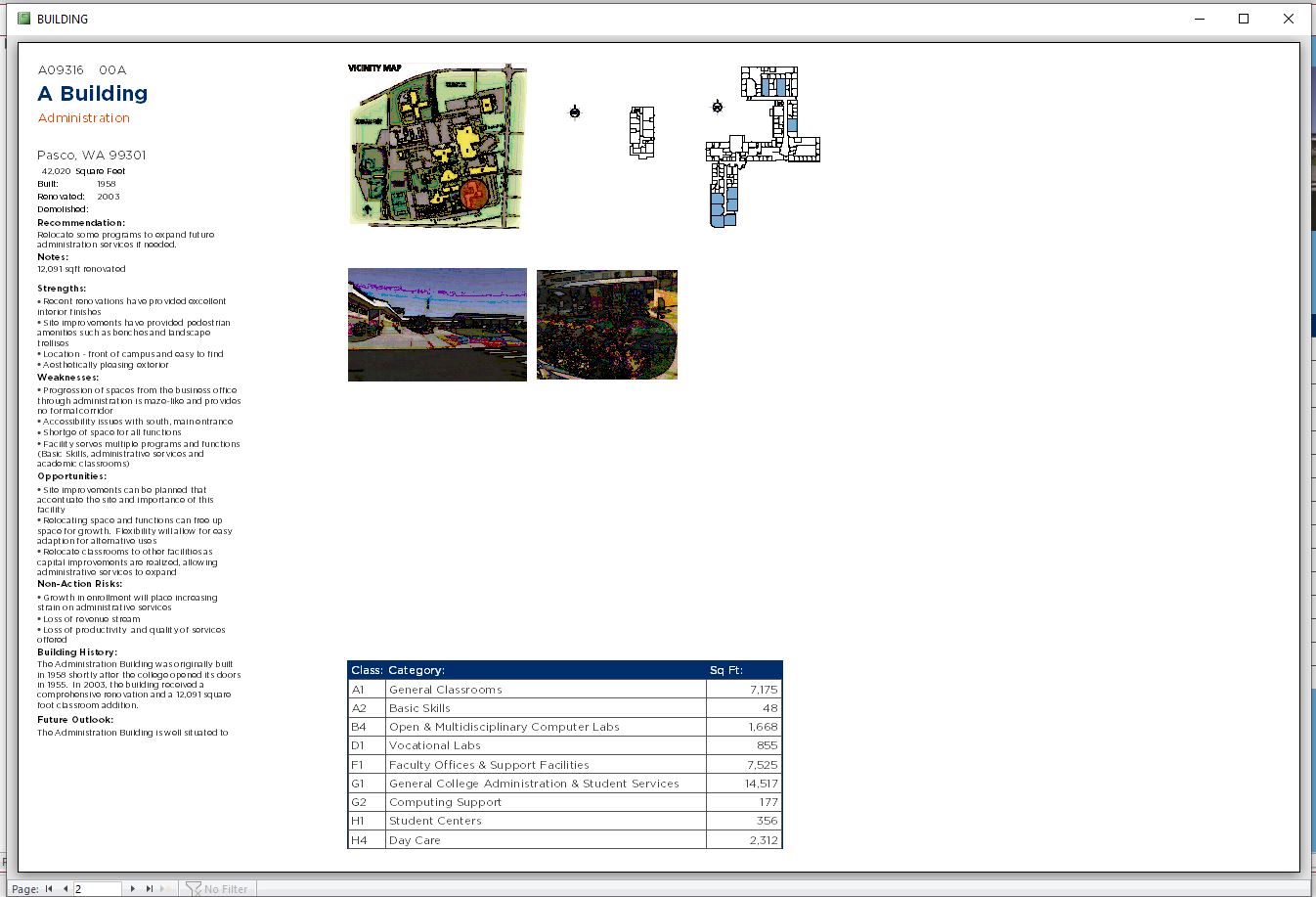
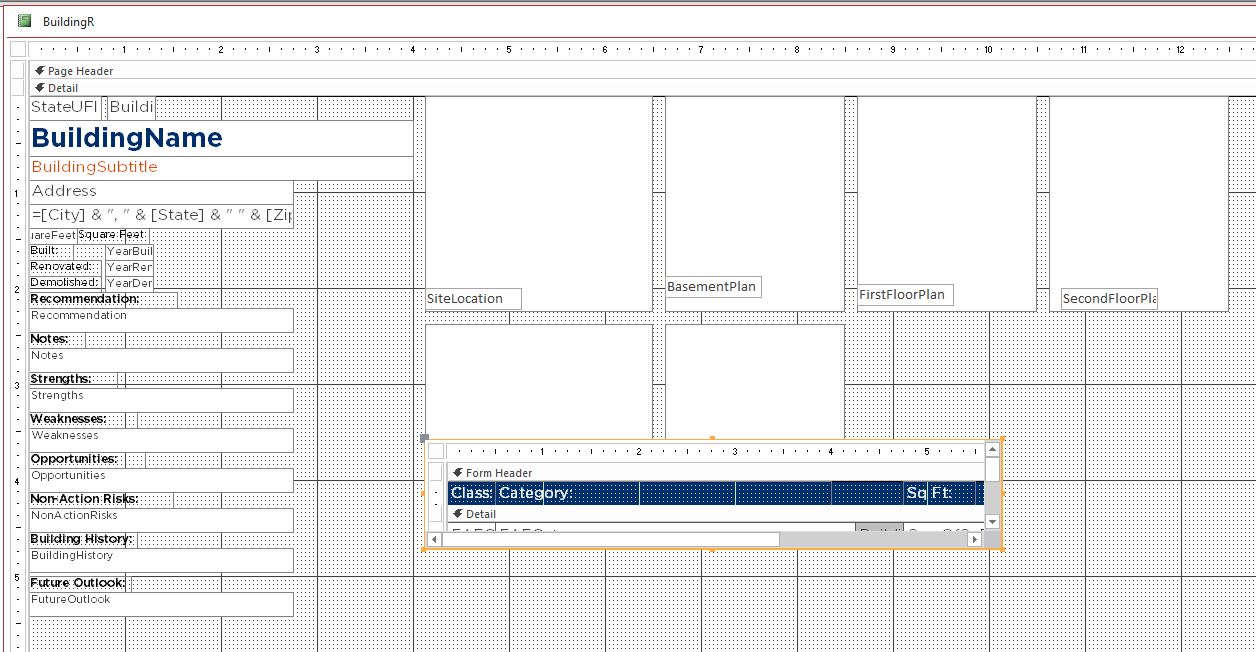
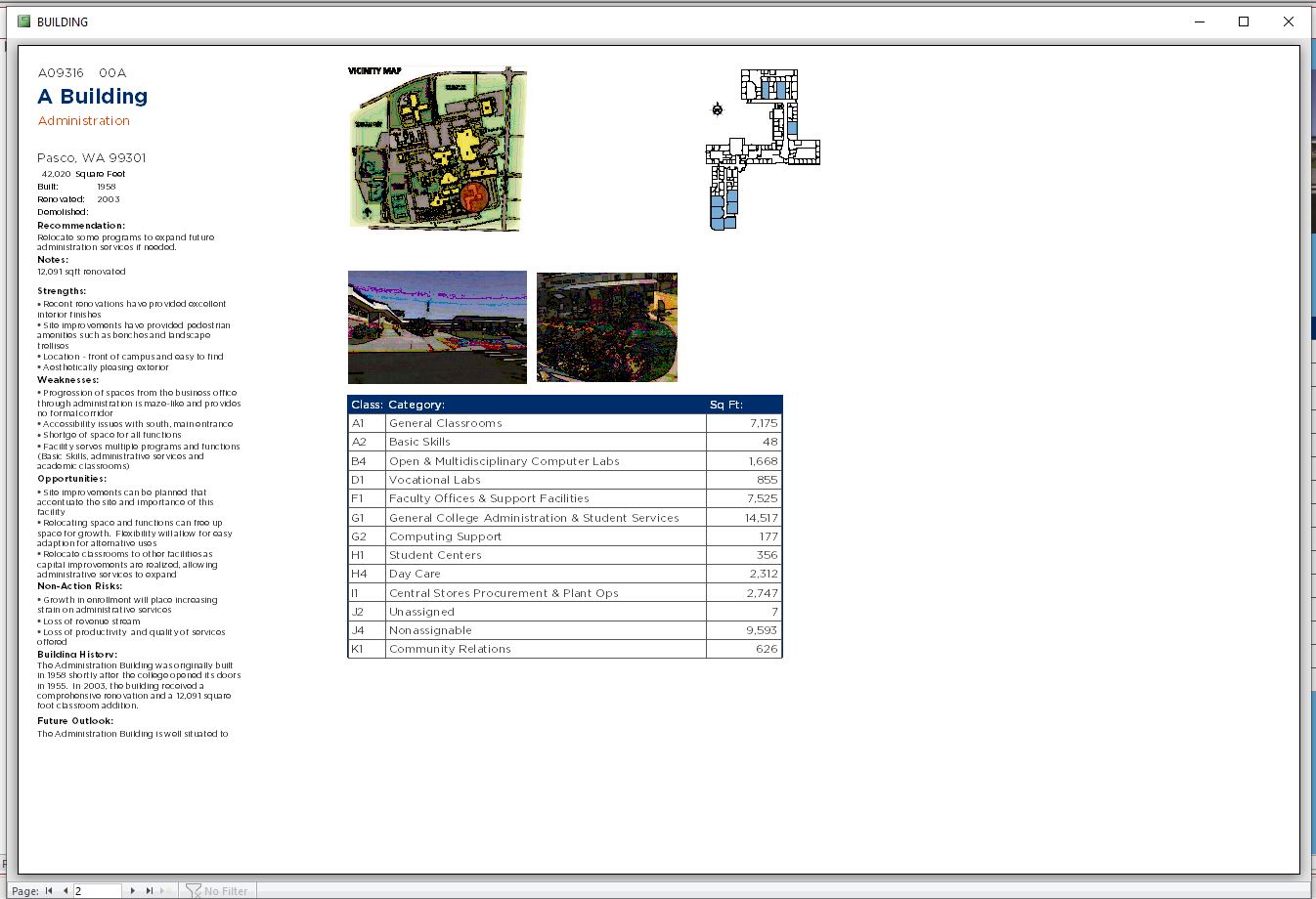
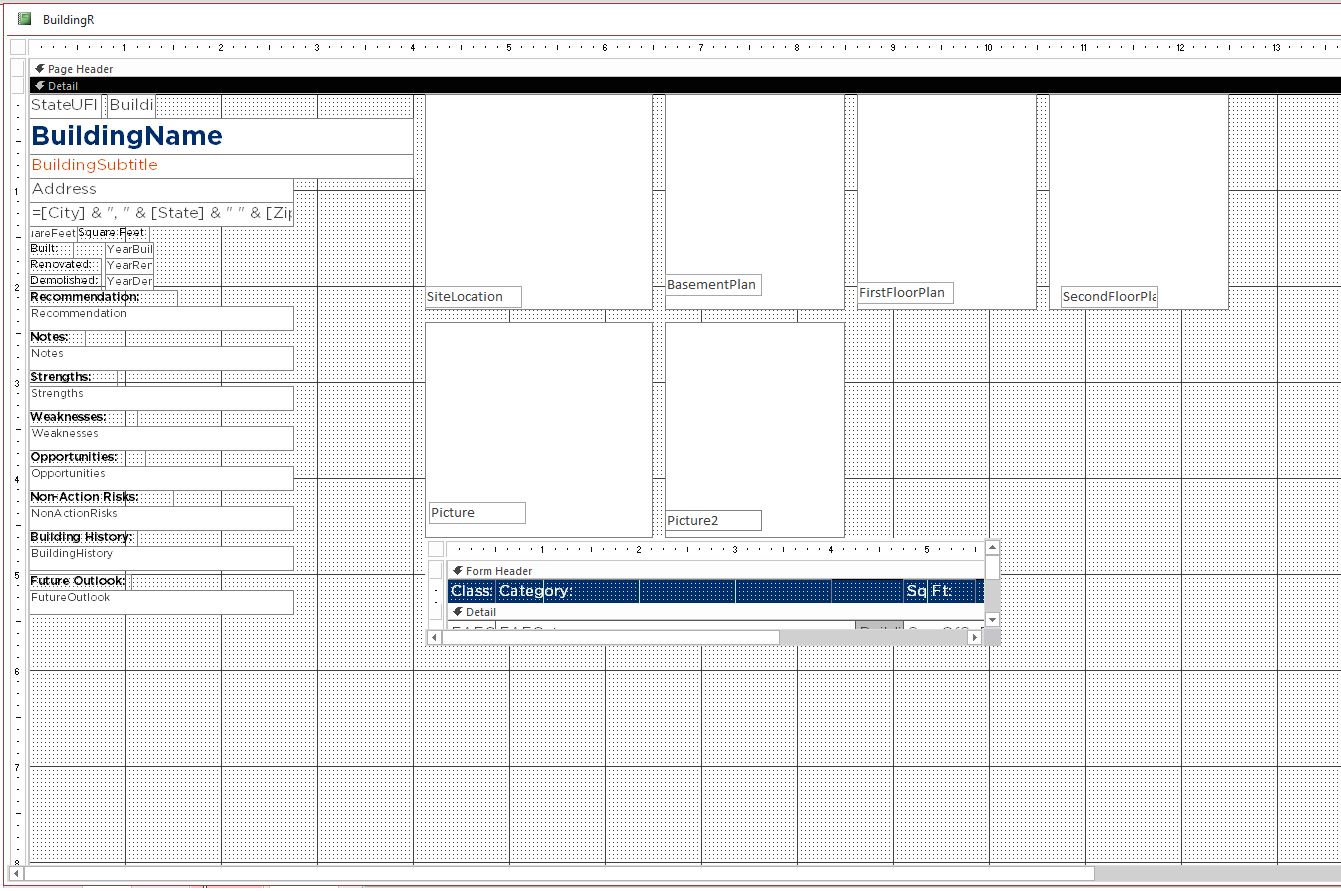
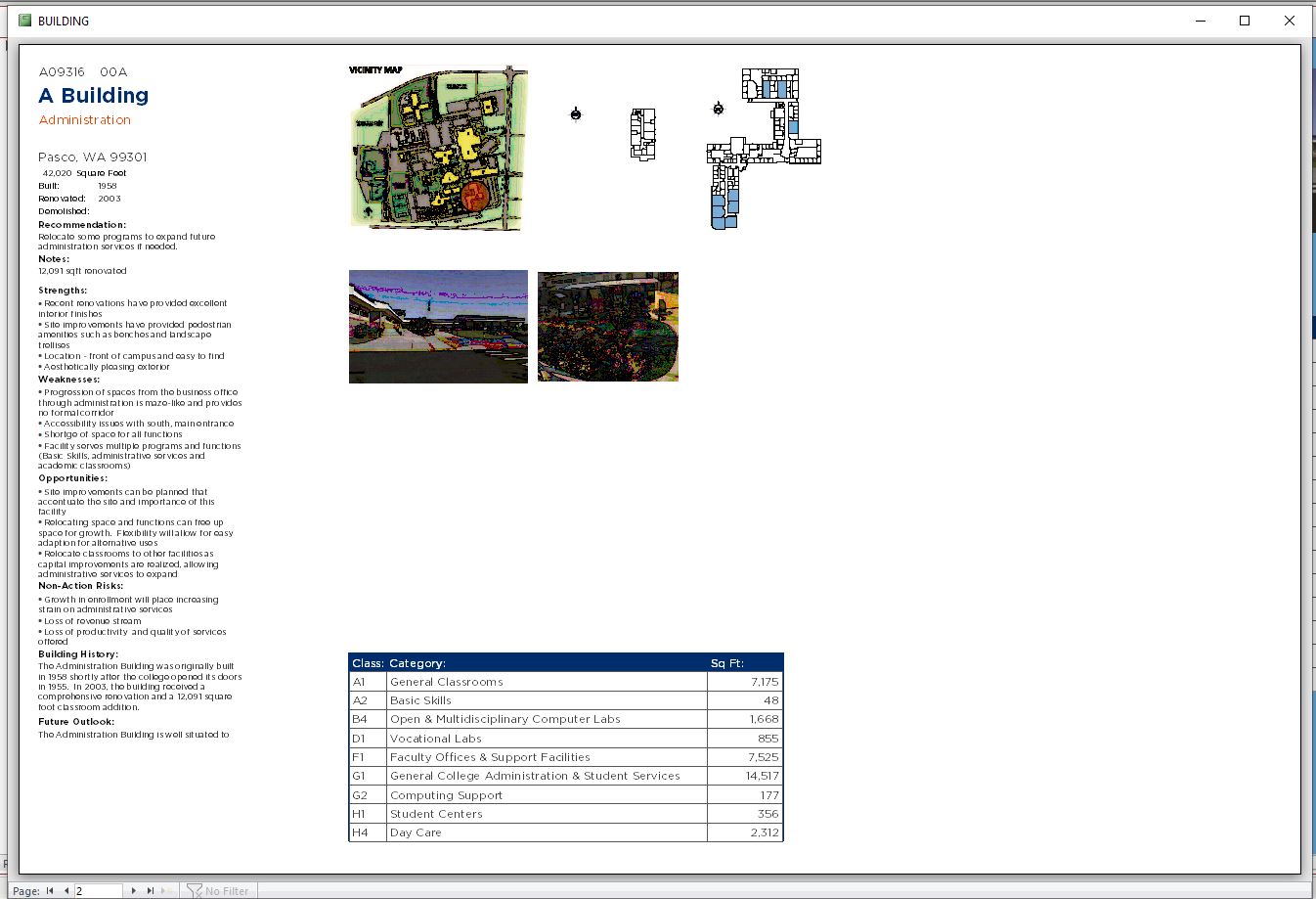
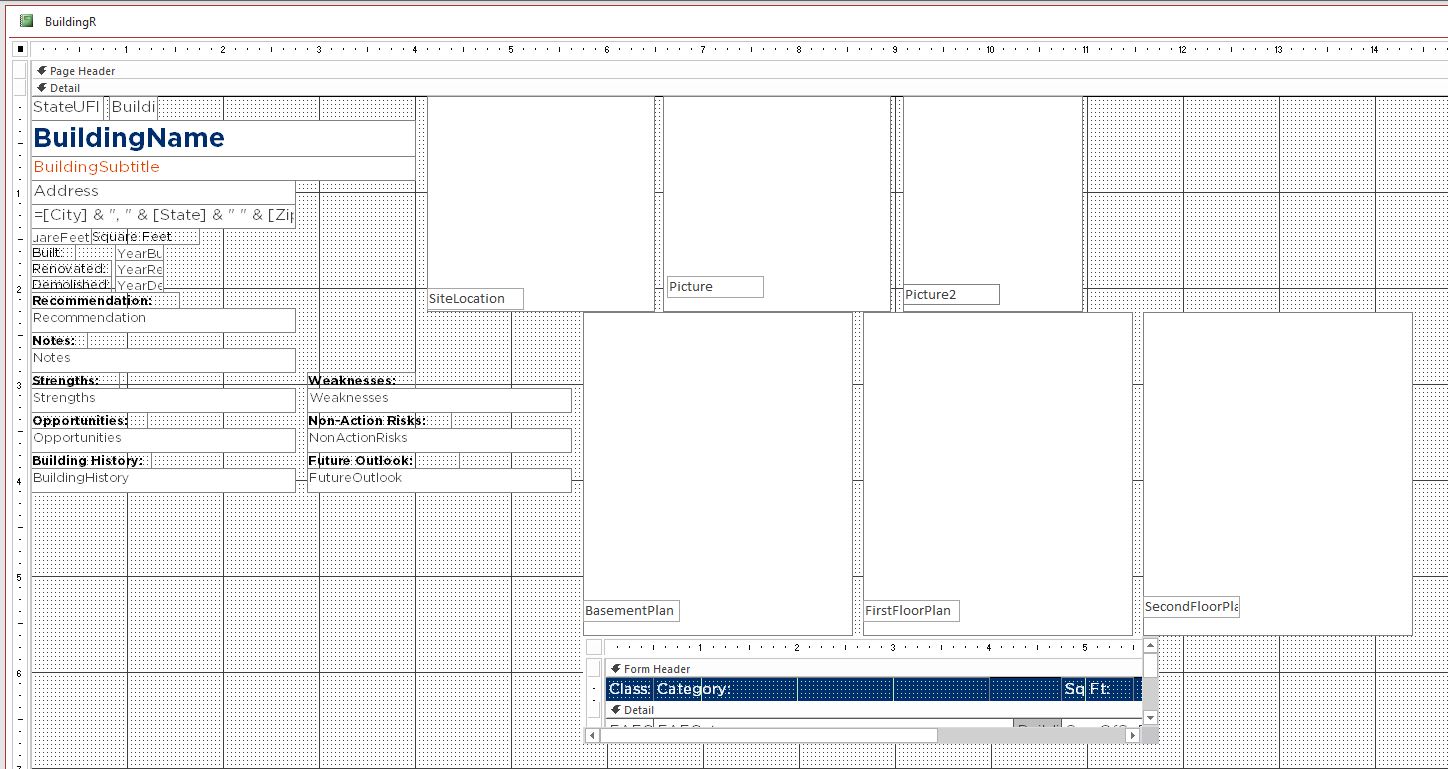
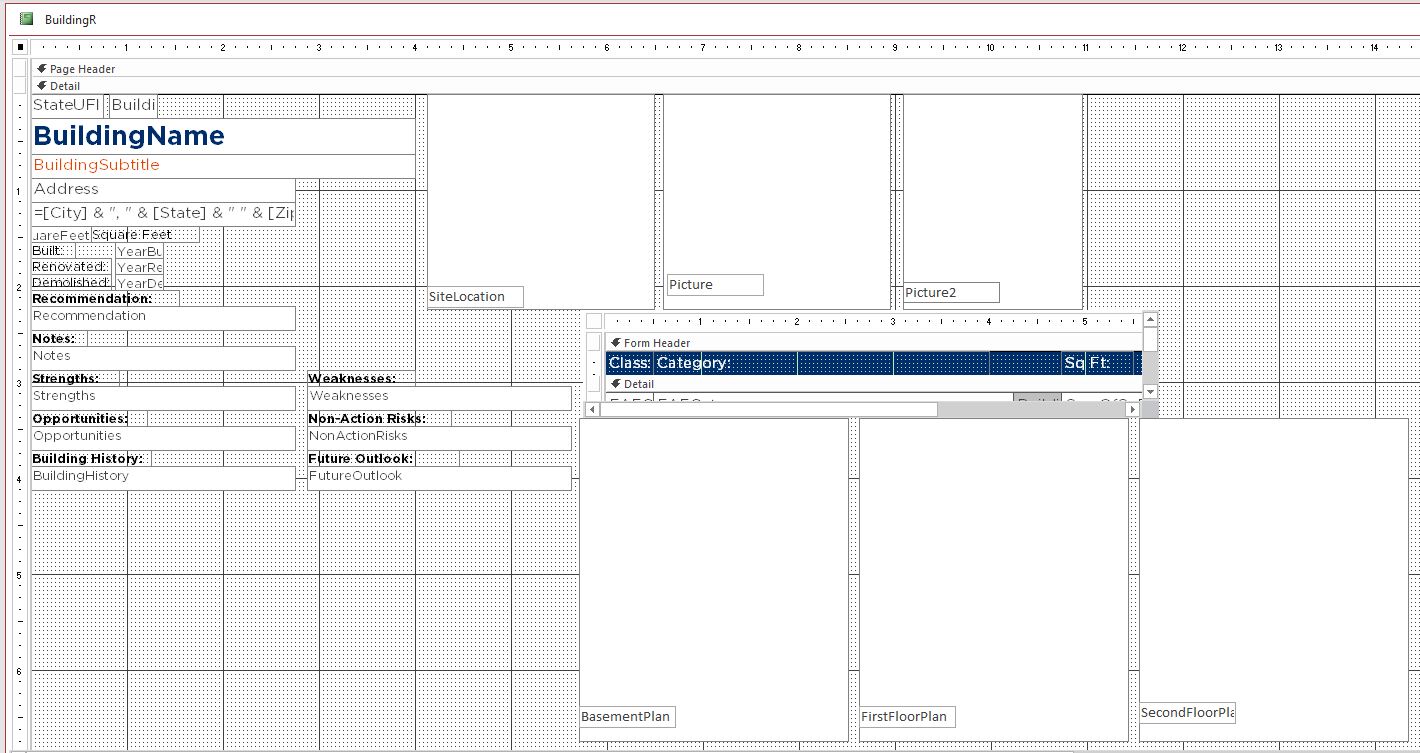
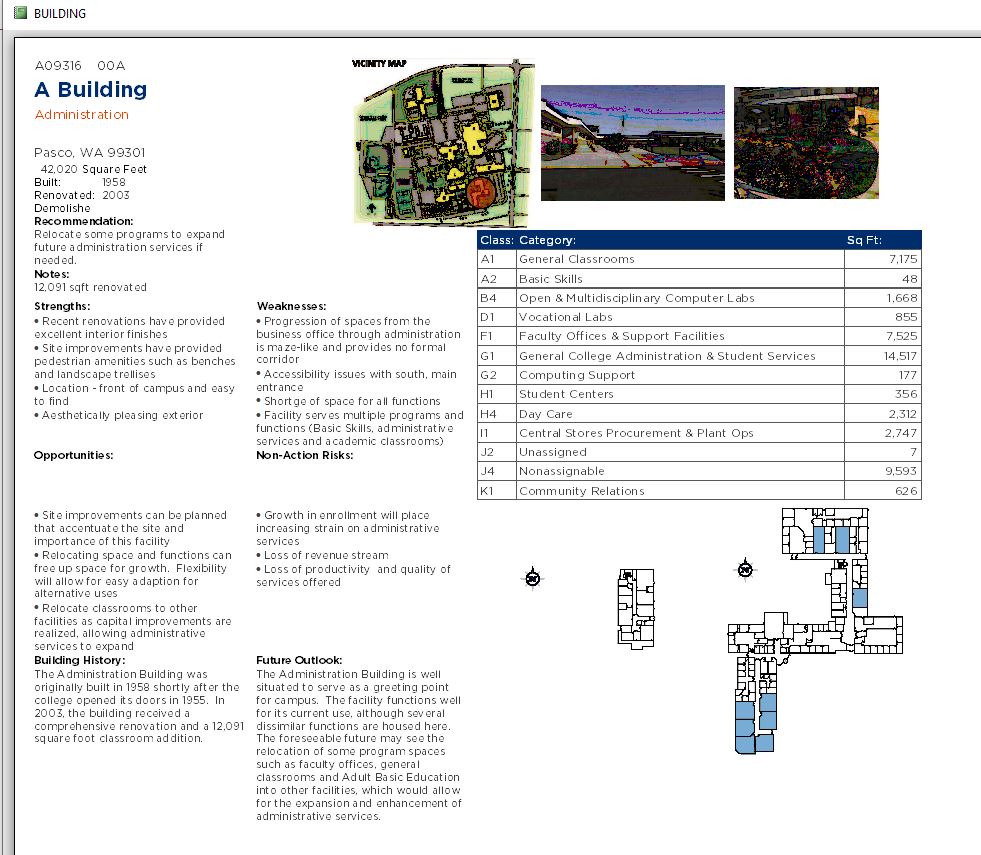
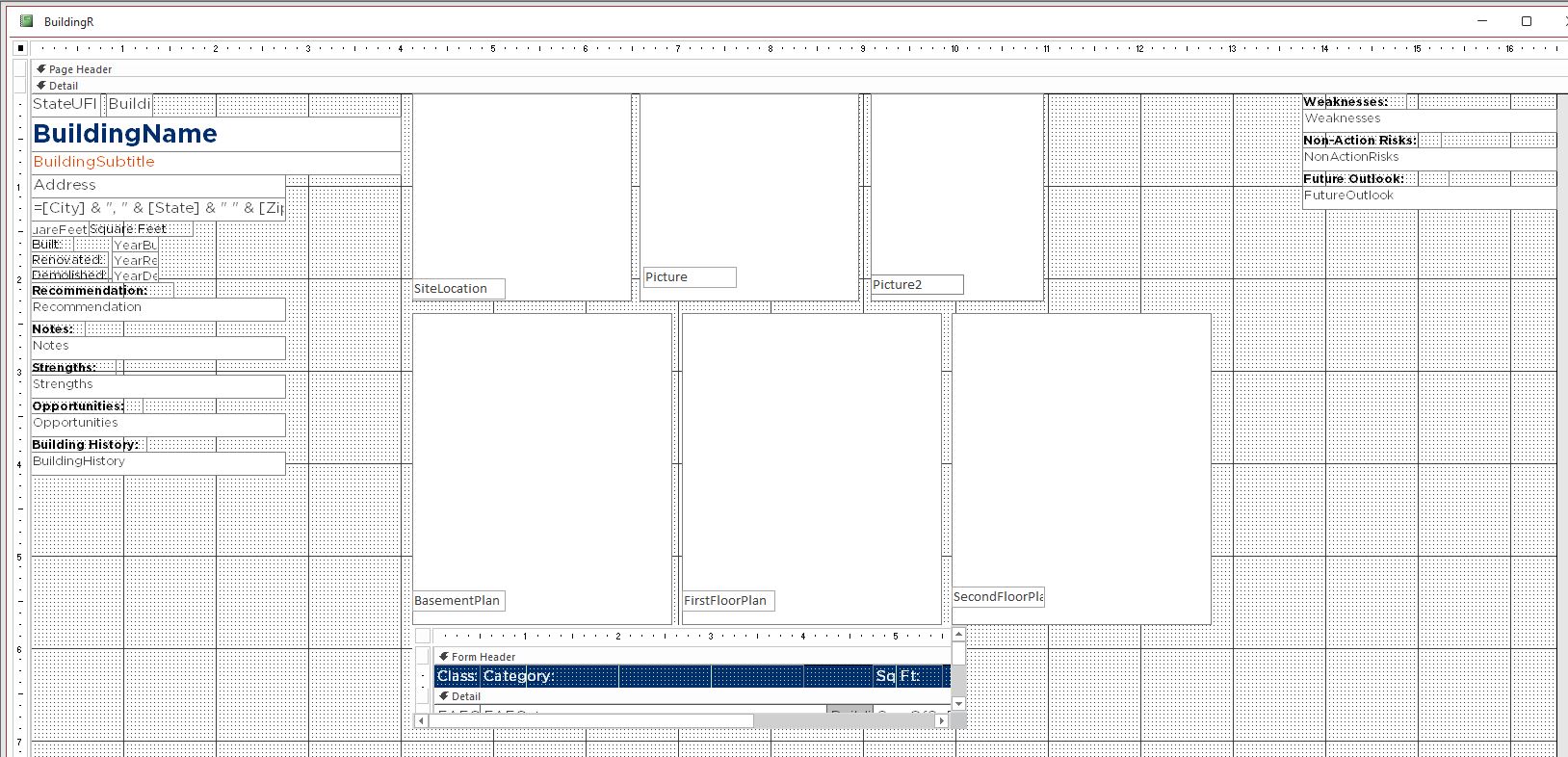
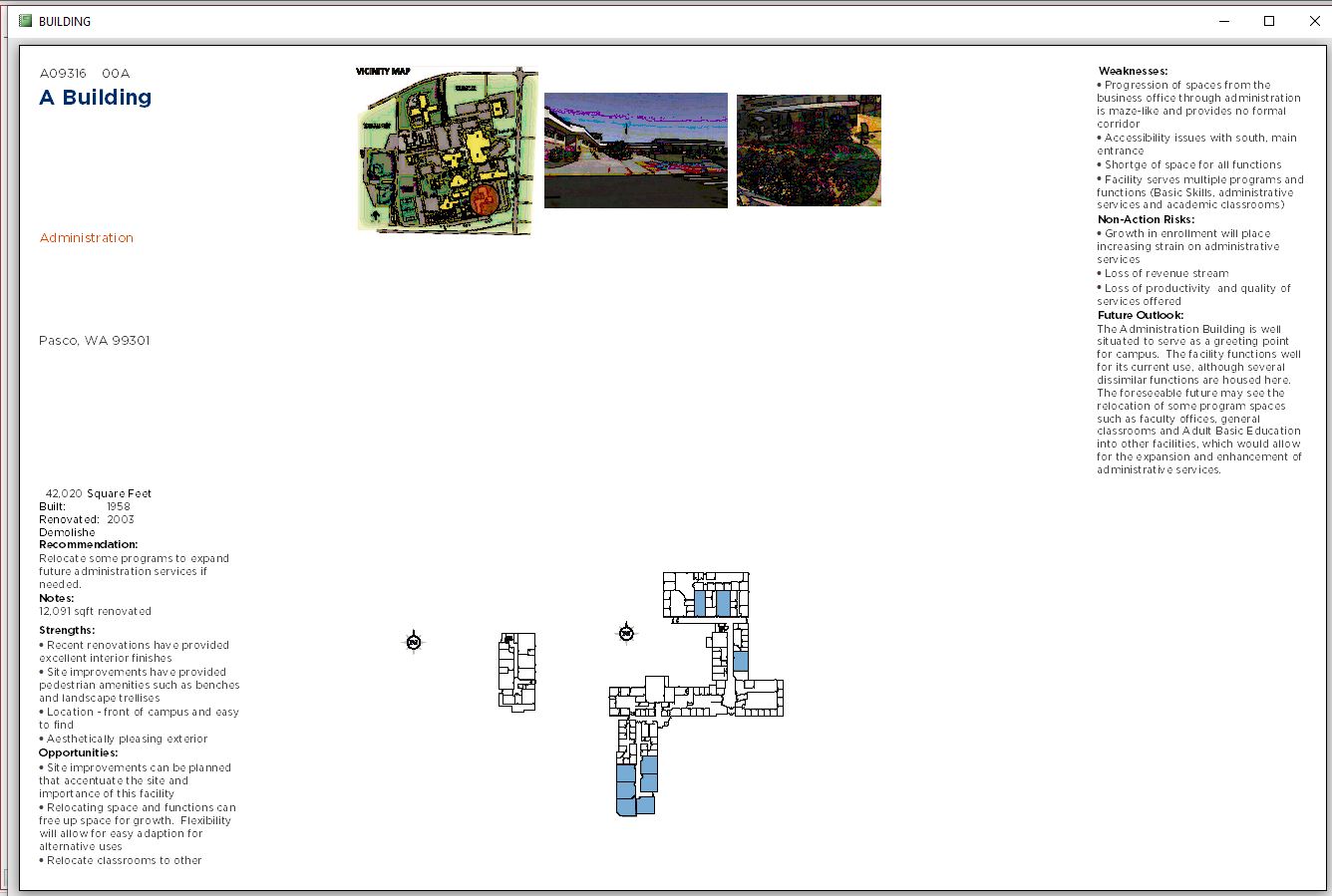
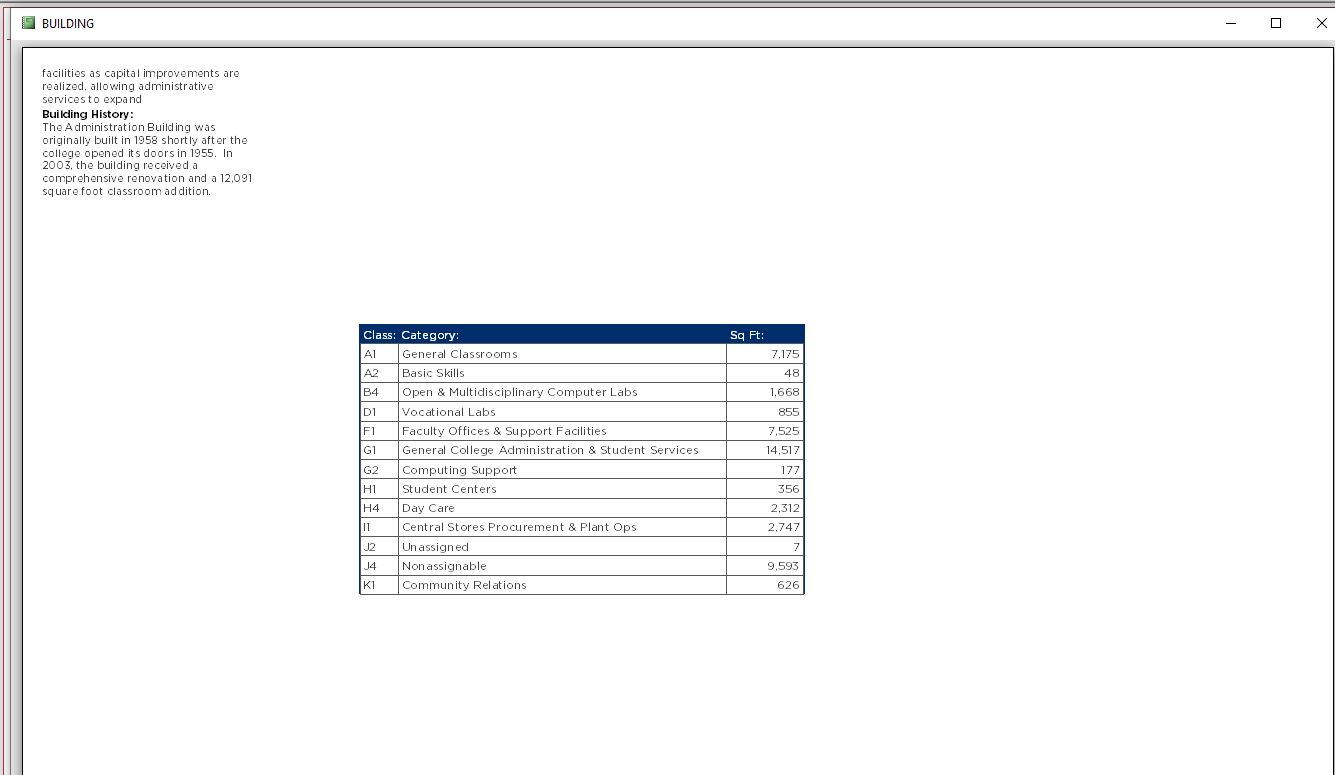
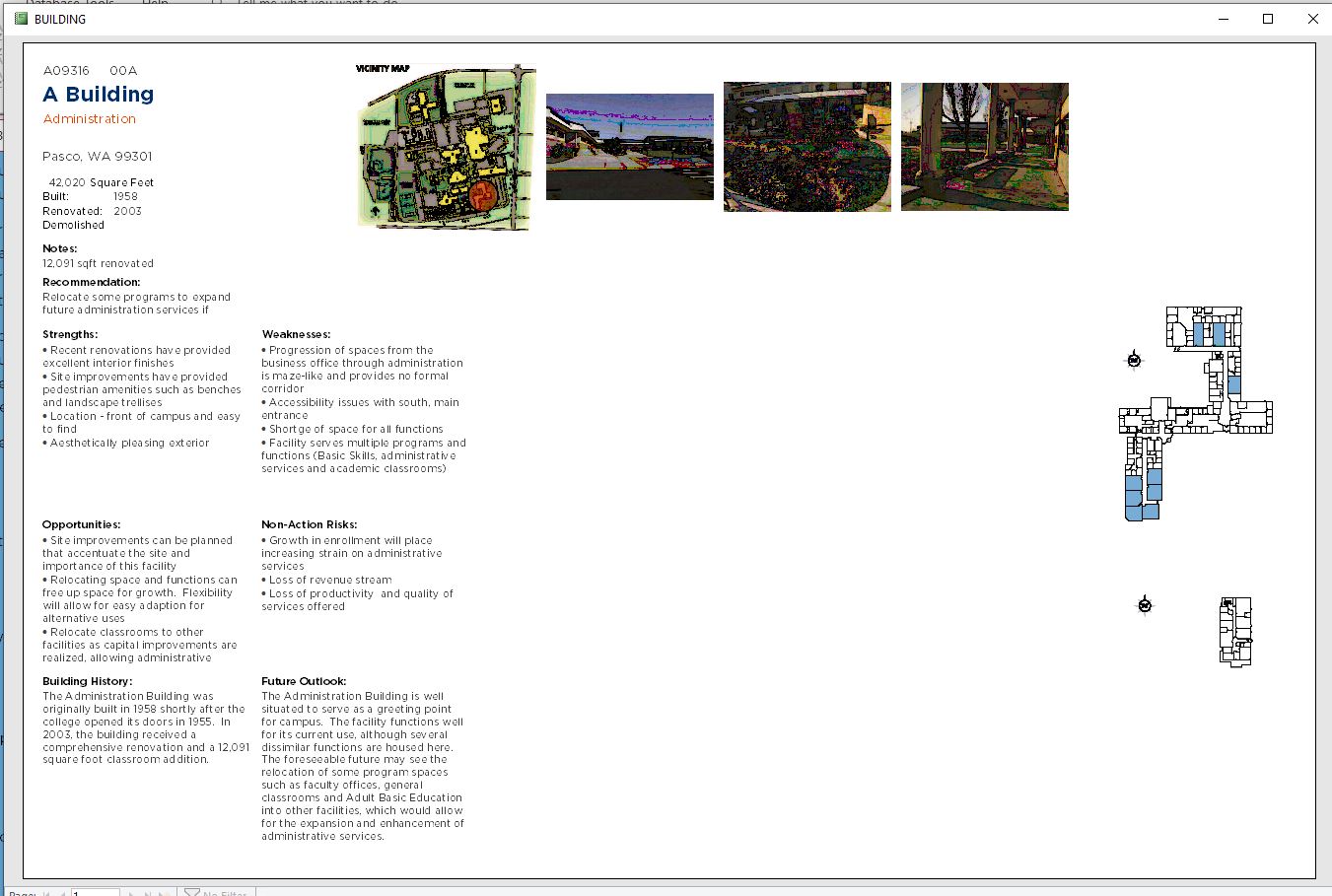
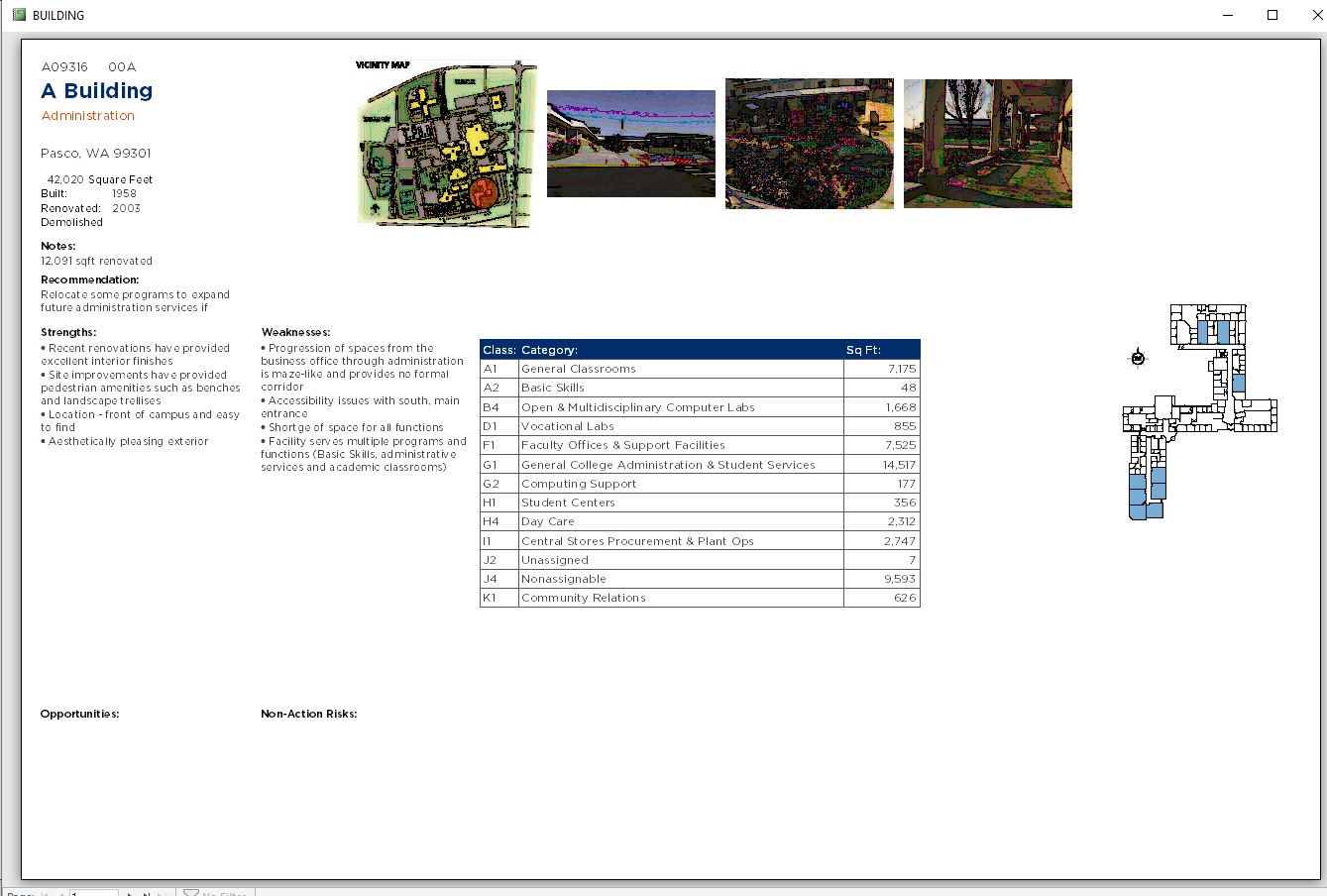
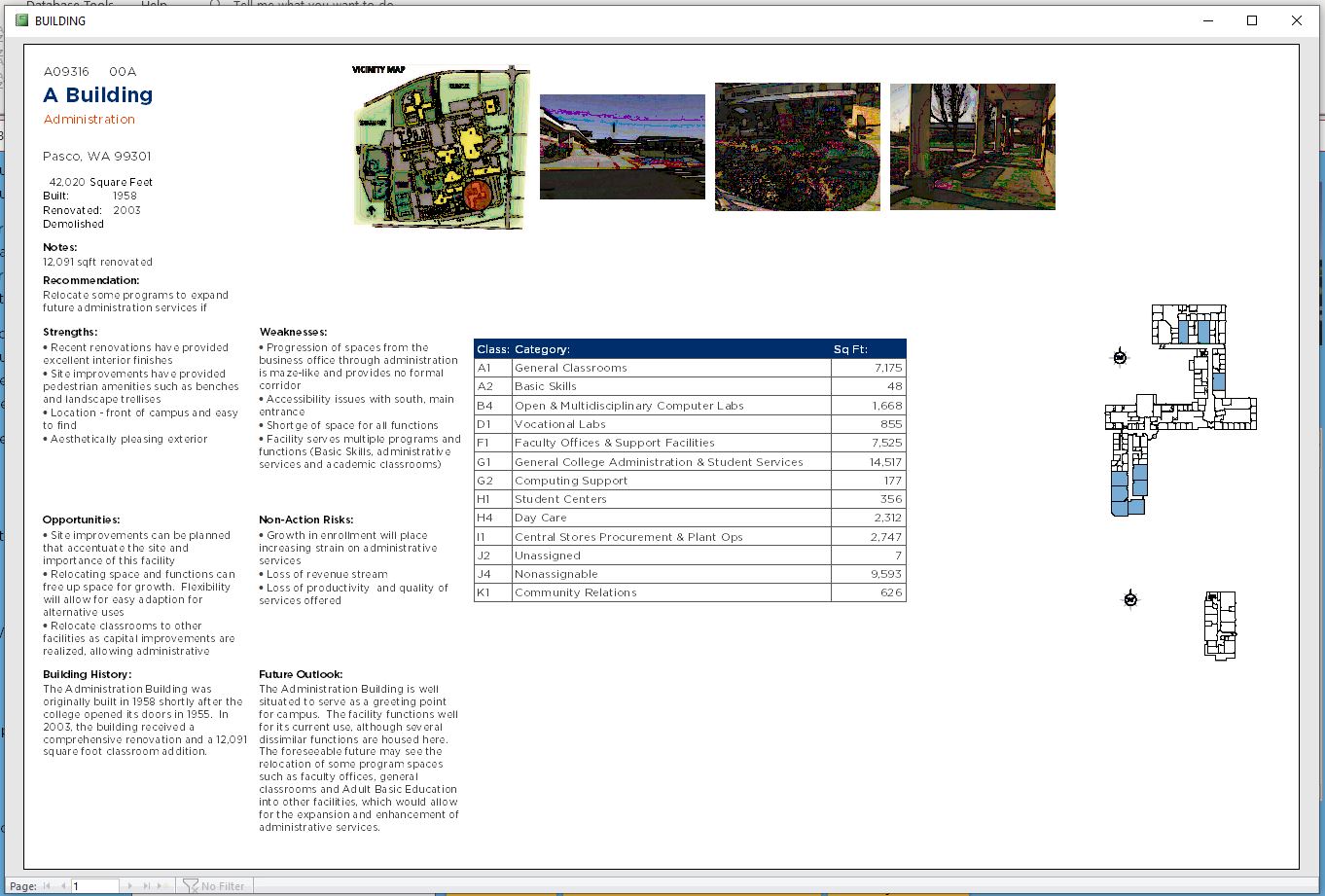
I want each building form to print out on 11x17 landscaped.  I have more than enough room.  Every object in my Report Design View layout has more than enough room for its own position.  Yet, when I go to print preview, the subreport is either shifted to the bottom of the page, flowing onto the next; or the text in the left hand column has a sizeable gap in it.  The only time the layout actually works, is when I have the subreport half way overlapping the second row of pictures! What is going on here?  How do I fix this?  Is there a property or something that I am overlooking?  Please, any advice is appreciated.
Beau Tanner OP  @Reply  
    
5 years ago

Beau Tanner OP  @Reply  
    
5 years ago

Beau Tanner OP  @Reply  
    
5 years ago

Beau Tanner OP  @Reply  
    
5 years ago

Beau Tanner OP  @Reply  
    
5 years ago

Beau Tanner OP  @Reply  
    
5 years ago

Beau Tanner OP  @Reply  
    
5 years ago

Beau Tanner OP  @Reply  
    
5 years ago

Beau Tanner OP  @Reply  
    
5 years ago

Richard Rost  @Reply  
          
5 years ago
Looks like you're running out of horizontal space. It doesn't matter how wide you make the subreport on the parent report. If it's too wide, it will spill over. Make your subreport (the report itself, not the object) smaller.
Beau Tanner OP  @Reply  
    
5 years ago
I'm sorry, but I'm just frustrated and starting to get upset with the program.  WTH is the point of design view, if it's just going to do whatever it wants in print view?!?!  For instance, if all of my text boxes are set to can grow & can shrink, why do I have gaps above "Opportunities" and "Future Outlook"?  Also, for the love of everything that is good, why can I not get my subreport to print on one sheet?  As for the size of my subreport, it's already as a small as I can possibly make it.
Beau Tanner OP  @Reply  
    
5 years ago

Beau Tanner OP  @Reply  
    
5 years ago

Beau Tanner OP  @Reply  
    
5 years ago

Beau Tanner OP  @Reply  
    
5 years ago

Beau Tanner OP  @Reply  
    
5 years ago
This is really bothering me.  It seems for every work around I come up with, it causes three more problems.  If I move the subreport above the floorplans, now I have even more gaps in my text boxes.  I do not understand what is going on.  All of these objects are independent of each other; why does Access not recognize that?
Beau Tanner OP  @Reply  
    
5 years ago

Beau Tanner OP  @Reply  
    
5 years ago

Adam Schwanz  @Reply  
           
5 years ago
Looks like your problem is your still way too wide. Look at the ruler on top going past 14". If you're printing on letter paper you get 8.5" width, you ned to shrink that down from 14+ to probably 8 to be safe with your margins (or change margins to get a tiny bit more). If in design view the entire report isnt less than 8.5x11 with margins on letter paper, who knows what you're actually going to get when you print.

As for the blank space, is that the can grow can shrink function?
Kevin Robertson  @Reply  
          
5 years ago
Looks like the fields on the right are pushing the SubReport down when they grow and that is why it's on the next page..
Kevin Robertson  @Reply  
          
5 years ago
Sorry, meant fields on the left. lol
Beau Tanner OP  @Reply  
    
5 years ago
Width isn't the issue.  The report is setup to print 11X17 landscape.  As for the gaps, I don't think it's a grow/shrink issue.  The bold titles are labels, and the text is text boxes.  They're all individual fields as well.  It's almost like Access is trying to do some autoformatting: forcing like objects to line-up where I don't want them to align.  As for the subreport, it is also an independent object that has nothing to do with the text fields, so why is it affected?
Beau Tanner OP  @Reply  
    
5 years ago
It's almost like Access wants each object (regardless of type) to align with vertically with each object (regardless of type) to the left or right.  Access is forcing alignments and relationships where there should be none.
Beau Tanner OP  @Reply  
    
5 years ago
That's exactly what's happening: Access is forcing layout alignments when and where I don't want them.  How do I stop that?
Beau Tanner OP  @Reply  
    
5 years ago

Beau Tanner OP  @Reply  
    
5 years ago

Beau Tanner OP  @Reply  
    
5 years ago

Scott Axton  @Reply  
        
5 years ago
Adam - OP states 11x17 landscaped.
Adam Schwanz  @Reply  
           
5 years ago
Maybe I should wear my glasses instead of just looking at pictures... LOL
Scott Axton  @Reply  
        
5 years ago
At least I know I'm in good company when I goof like that!  LOL
Beau Tanner OP  @Reply  
    
5 years ago
Would the tab order have any effect on how the objects align during print preview?
Beau Tanner OP  @Reply  
    
5 years ago
So... apparently, I have found a problem with Access that nobody knows how to answer.  Great.
Adam Schwanz  @Reply  
           
5 years ago
It shouldn't, I would be more interested in the Format properties, maybe play with some of those like Auto Size, or GrpBy
Beau Tanner OP  @Reply  
    
5 years ago
I don't know, and I'm running out of hair to pull.  The page set up is 11x17 landscape.  I have room for everything to fit on one sheet.  That's not even in question.  Along the right hand side of the page, are three stacked images, each 3" tall (again, fits within my page).  These images are for the basement, first floor, and second floor plan.  Some buildings will have all three, some only one or two. But the place holder is there.

Along the left hand side of my page is all of my text fields.  They are set at can grow/can shrink.  Again, though, I have all of the room in the world to fit them on one single page.

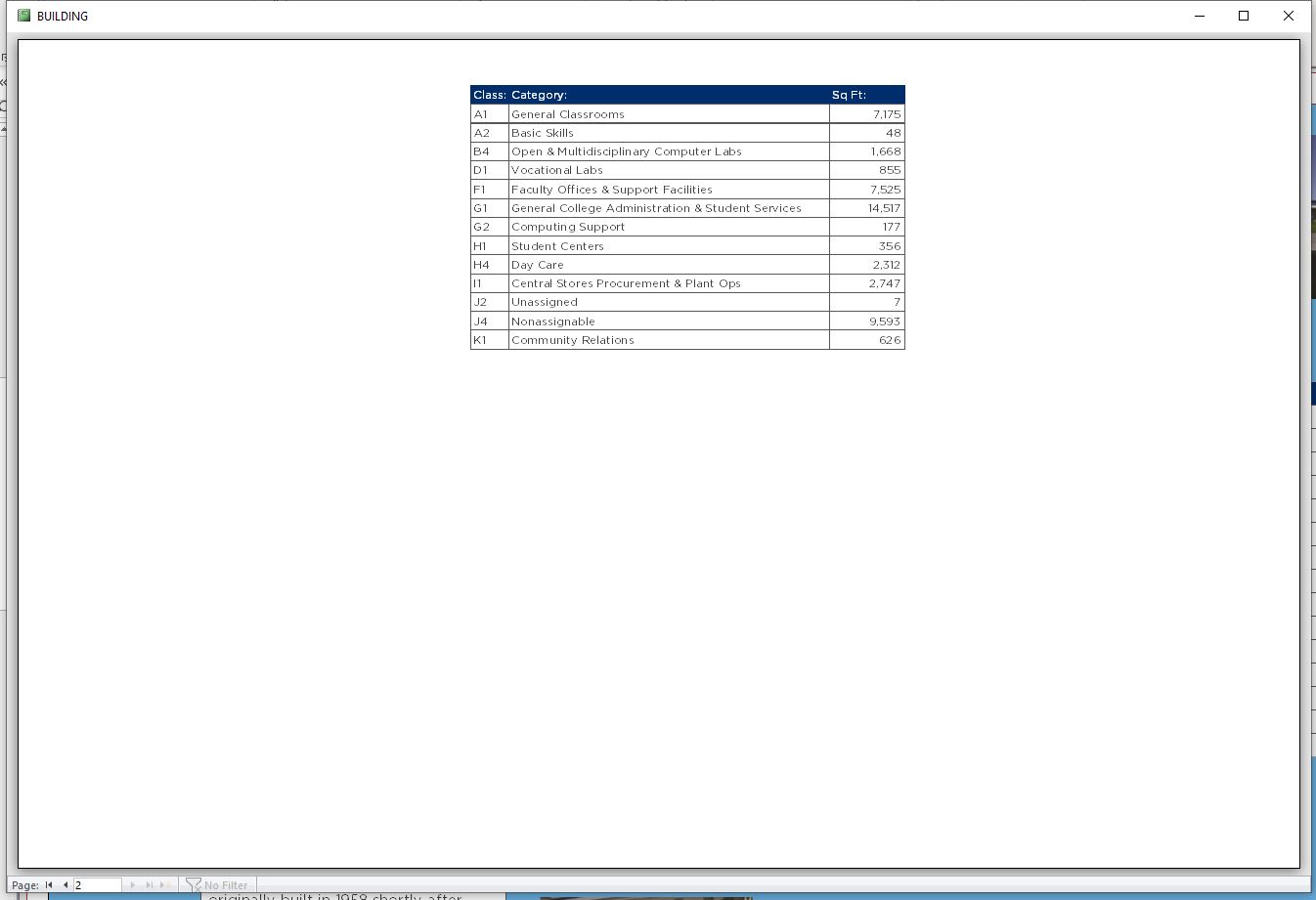
In the middle of the report is the subreport which puts a sq ft summation of all of the room types in the building.  The size of this subreport will change with every building.

All three of these sections (texts subreport, images) are independent of each other.  There is no overlap.  And my design is well within the limitations of a 10.5x16.5 print area.  So, I am frustrat
Beau Tanner OP  @Reply  
    
5 years ago
ed beyond belief why I can't get everything to print on one page.  It is like there is some kind of invisible barrier or control that wants to line up all of my objects whether they need to be or not (they don't!  Cover and alignment is not required for this project).

Visually, there is a hard line at the bottom of my subreport, so even though I have can shrink set on my text boxes, they won't shrink up.  Likewise, because (I am guessing) my image is a different size than the text box, the bottom right image falls over onto the next page, even though I have more than enough room for it to fit on the first page!  All of my images are set to zoom, so there is no reason for it not to fit onto this page.

I have been trying to google an answer all day and I keep coming up with crickets.  What am I doing wrong?  Why can't I figure this out?
Beau Tanner OP  @Reply  
    
5 years ago
Even the two columns of text on the left hand side are troubling me.  Even though can grow/can shrink is set as yes, it's not shrinking up the texts because it want's to keep text in the left hand column aligned with the text in the right hand column.  Which is fine, I can overlook that because it actually makes sense.  The problem, however, is that it shouldn't be doing that; I don't know why it is or how to fix/change it.
Scott Axton  @Reply  
        
5 years ago
Some trouble shooting suggestions.  
From a COPY:
Remove individual elements one at a time to determine who is causing the problem.
Only make one change and test. Then put it back.

Try making the text boxes as big as you will ever need.  Turn off can grow and only allow can shrink (Not sure if you can do this I didn't try.)

I seem to recall that can shrink only works correctly if another element is not directly to the left of or right of it.  Sorry no reference I can give you.

I know it's not what you want to hear but you might need to have a "Discussion page" and an "Exhibits" page with the images.

Unfortunately the Access report designer isn't a graphics design program like where you are laying out a brochure. You can't adjust individual elements very easily and still have them be dynamic like you are trying to achieve.  
(Like i needed to tell you that.  LOL)
Beau Tanner OP  @Reply  
    
5 years ago
So, the subreport is the culprit.  If put fixed sizes and positions on all of my text boxes with all text boxes set to no grow/no shrink (and, likewise, the image on the right hand side is in a fixed position), the subreport still wants to shove everyone downward.  Is there any to correct for this?  A property control I might be missing or have overlooked perhaps?
Beau Tanner OP  @Reply  
    
5 years ago

Beau Tanner OP  @Reply  
    
5 years ago

Beau Tanner OP  @Reply  
    
5 years ago
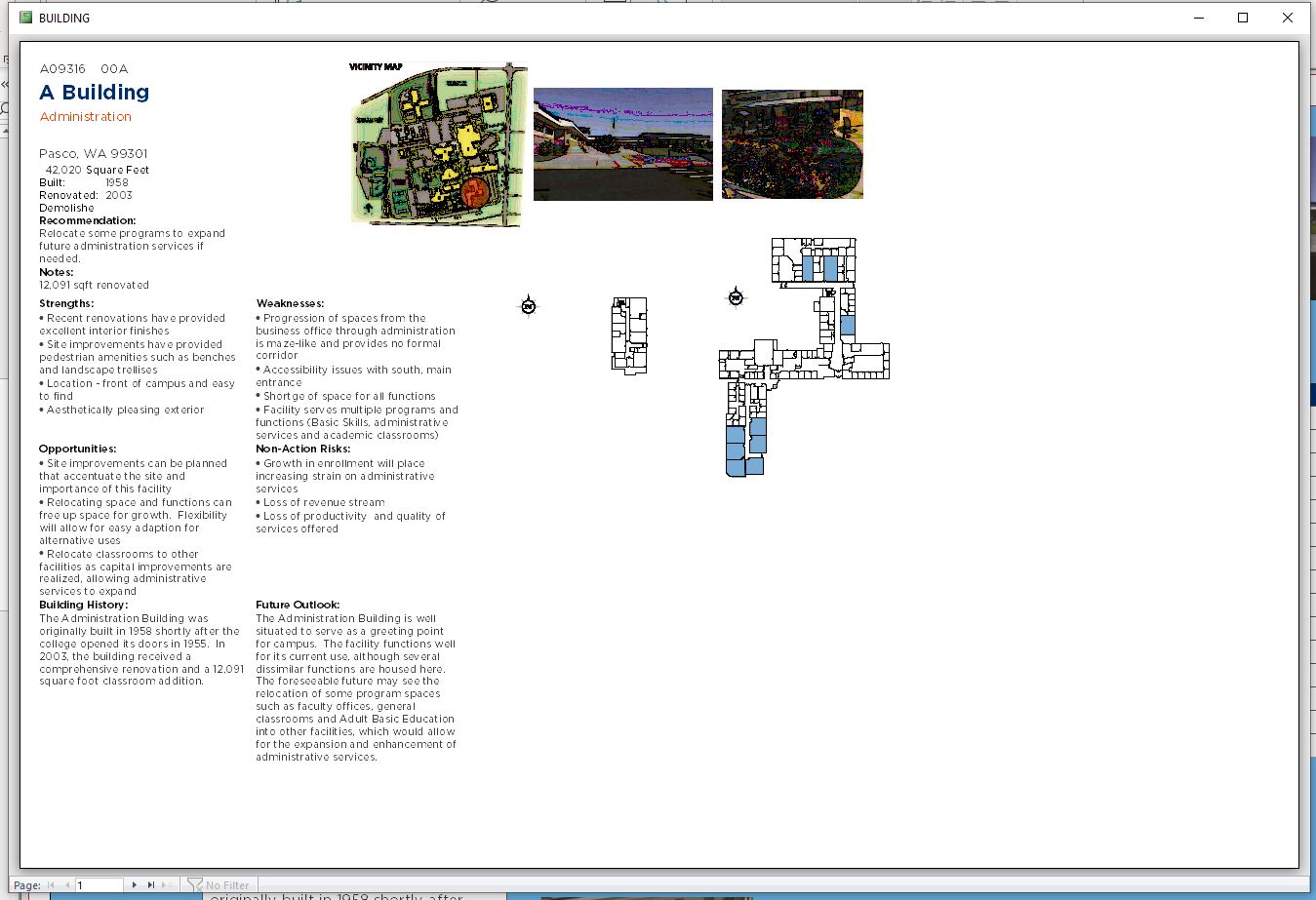
SOLVED!! I ran through all of the properties for the subreport: I gave it a fixed position on the report layout AND turned off can grow.  Report prints beautifully now.

Thank you everyone for your help and encouragement.  It is much appreciated!
Beau Tanner OP  @Reply  
    
5 years ago

Scott Axton  @Reply  
        
5 years ago
Whooo Hooo!  Hot damn!
That's great.  Yours was a tough one for sure.  The combination of landscape printing, images, subreports, and some pretty complex data that you are reporting on makes this one of the most difficult reports I've seen.

All that and you produced a final product that is visually appealing.

That "WIN" has too feel good for you.  This is one you won't soon forget I'm sure.
Sure glad you pushed through and didn't give up.
Beau Tanner OP  @Reply  
    
5 years ago
Thank you for you help, advice, encouragement, and not giving up on me.  This is as much your victory, too!  It is exciting working in Access, but sometimes it can really try you.  Totally worth it, though, I think.
Richard Rost  @Reply  
          
5 years ago
Definitely! Reports aren't easy. You can do pretty much anything you want in them, but it can be a challenge sometimes. It took me a whole day to figure out how to print in Booklet format and get the page numbering right. That was my challenge. :)

This thread is now CLOSED. If you wish to comment, start a NEW discussion in Access Forum.
 

Next Unseen

 
New Feature: Comment Live View


The following is a paid advertisement
Computer Learning Zone is not responsible for any content shown or offers made by these ads.
 

Learn
 
Access - index
Excel - index
Word - index
Windows - index
PowerPoint - index
Photoshop - index
Visual Basic - index
ASP - index
Seminars
More...
Customers
 
Login
My Account
My Courses
Lost Password
Memberships
Student Databases
Change Email
Info
 
Latest News
New Releases
User Forums
Topic Glossary
Tips & Tricks
Search The Site
Code Vault
Collapse Menus
Help
 
Customer Support
Web Site Tour
FAQs
TechHelp
Consulting Services
About
 
Background
Testimonials
Jobs
Affiliate Program
Richard Rost
Free Lessons
Mailing List
PCResale.NET
Order
 
Video Tutorials
Handbooks
Memberships
Learning Connection
Idiot's Guide to Excel
Volume Discounts
Payment Info
Shipping
Terms of Sale
Contact
 
Contact Info
Support Policy
Mailing Address
Phone Number
Fax Number
Course Survey
Email Richard
[email protected]
Blog RSS Feed    YouTube Channel

LinkedIn
Copyright 2026 by Computer Learning Zone, Amicron, and Richard Rost. All Rights Reserved. Current Time: 5/2/2026 10:07:13 AM. PLT: 0s