Free Lessons
Courses
Seminars
TechHelp
Fast Tips
Templates
Topic Index
Forum
ABCD
 
Home   Courses   TechHelp   Forums   Help   Contact   Merch   Join   Order   Logon  
 
Back to Access Forum    Comments List
Upload Images   @Reply   Bookmark    Link   Email   Next Unseen 
Reporting Option Button Values
Beau Tanner 
    
5 years ago
I thought that I had seen a video on how to do this, but for the life of me, I can't remember where.

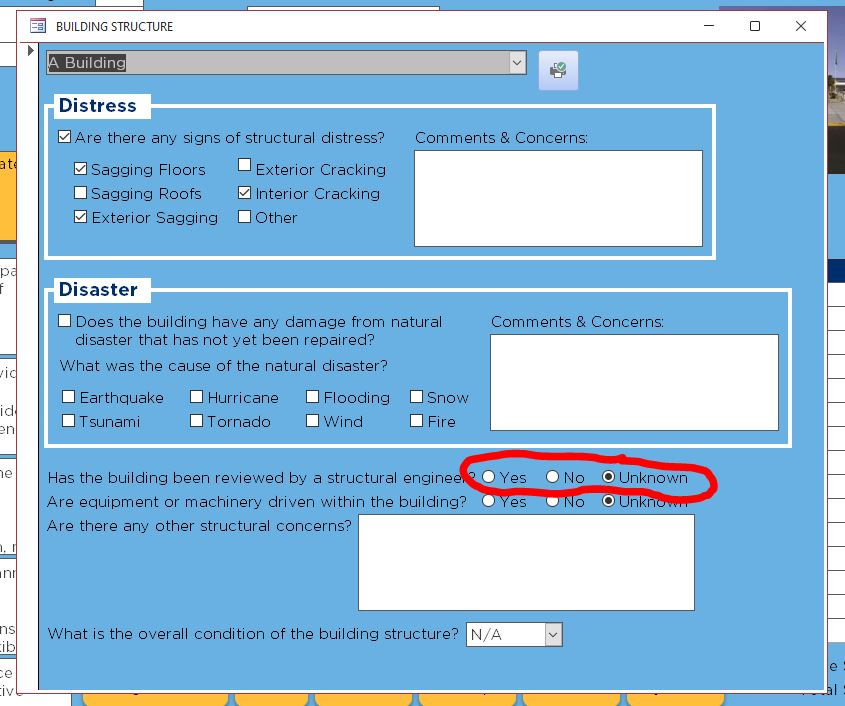
On one of my forms, I ask whether or not the building has been inspected by a structural engineer.  The Form uses option buttons giving the end user three choices: Yes, No, Unknown.  That value is then stored as a numeric value in the Table.

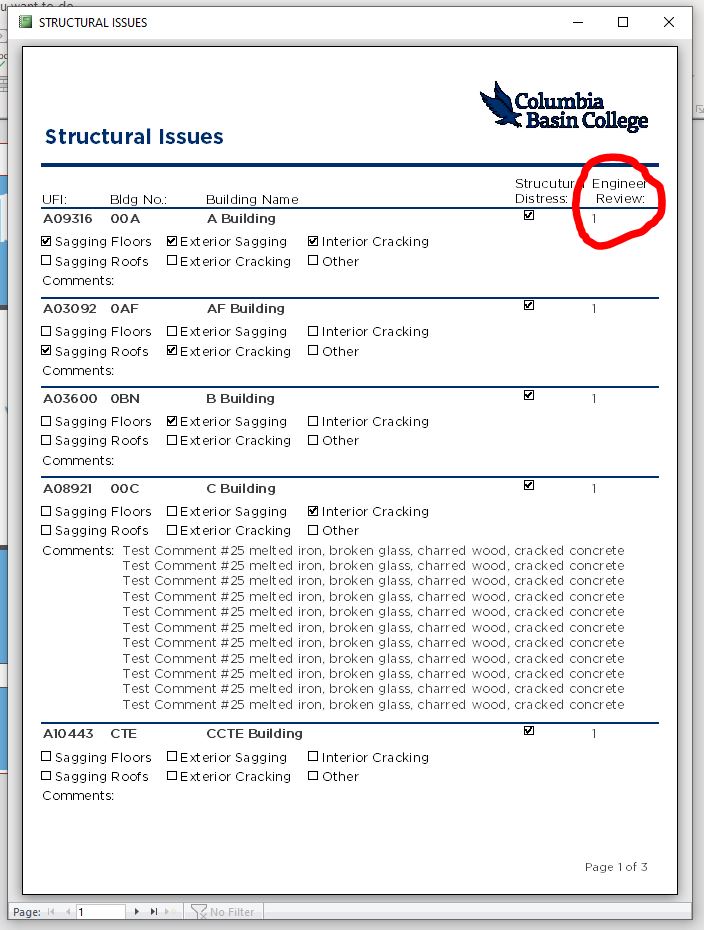
On my Reports, I want to include this information.  How do I get Access to change the numeric value back to Yes/No/Unknown?
Beau Tanner OP  @Reply  
    
5 years ago

Beau Tanner OP  @Reply  
    
5 years ago

Richard Rost  @Reply  
          
5 years ago
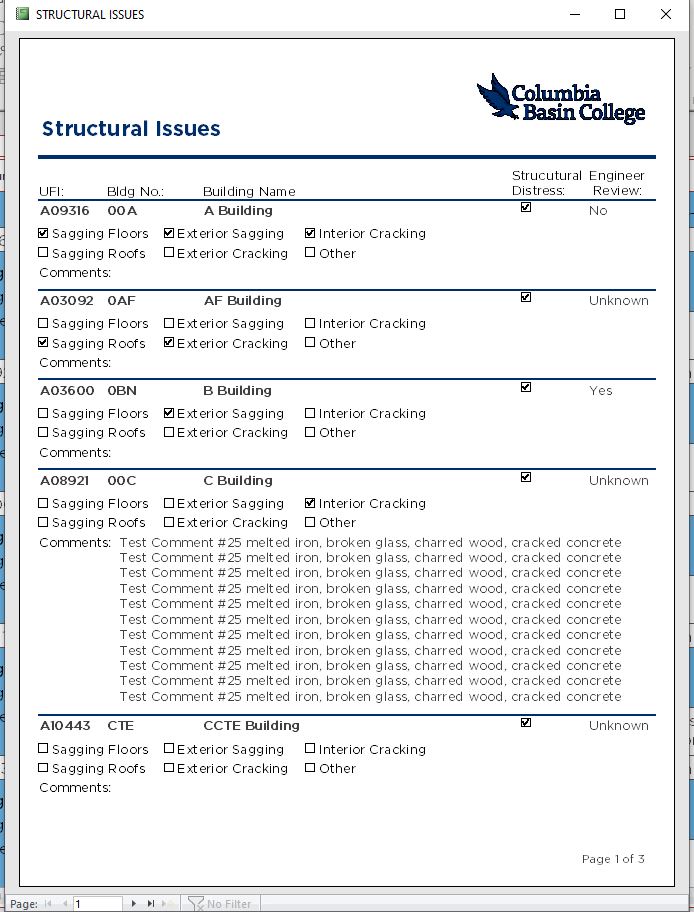
I'd use an IIF function:

=IIF(X=1,"Yes",IIF(X=2,"No","Unknown")
Richard Rost  @Reply  
          
5 years ago
Beau Tanner OP  @Reply  
    
5 years ago
Thank you, sir.  That helped very much.

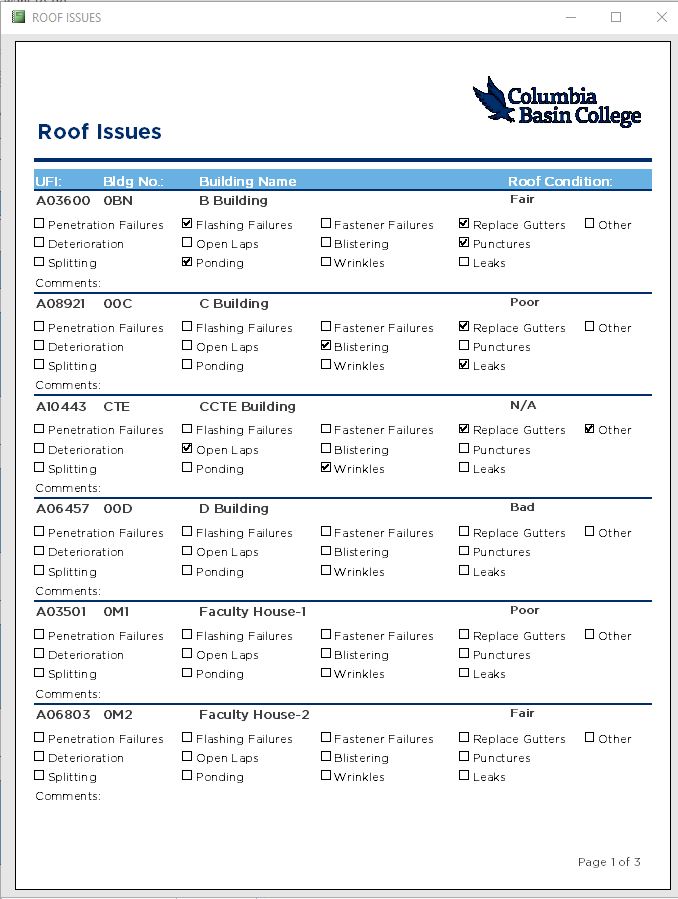
I know that we're not supposed to assume, but can I presume that this would work for translating a combo box to a report?  I have a combo box on my form that the user can rate the overall condition (Excellent, Good, Fair, Poor, Bad, N/A).  It stores as a number in my table, yada yada as above.

Can I use a nested IIF to translate that number back to (Fair, Poor, Bad, N/A)?  So, if I do this right, my coding would be:
=IIF(X=3,"Fair",IFF(X=2,"Poor",IFF(X=1,"Bad","N/A")))
Richard Rost  @Reply  
          
5 years ago
Sure... but if it's something where you think you might add choices in the future, make it a related table.
Beau Tanner OP  @Reply  
    
5 years ago
YES!  It did work.  As Mr. Spock would say, "Fascinating."
Beau Tanner OP  @Reply  
    
5 years ago

Beau Tanner OP  @Reply  
    
5 years ago

Beau Tanner OP  @Reply  
    
5 years ago
My Finish Condition for the various elements is a table: 5=Excellent, 4=Good, 3=Fair, 2=Poor, 1=Bad, 0=N/A.  Then I used that table to create a combo box on each form, and store the selected value as an "X"Condition on each other table (Finish Condition of the roof, walls, doors, foundation, etc).  The hangup I had was converting that number value back to something useful to be included in the reports.

I feel like this database, this project, is building an onion.  There are so many layers to it.  I have about a 3/4" thick notepad where I have sketched out and detailed how all of the elements relate to each other, which forms generate which subforms, and so on.  It has had some frustrating moments, but this is fun!!
Richard Rost  @Reply  
          
5 years ago
Yep. That's one way to look at it. :)
Scott Axton  @Reply  
        
5 years ago
Beau another option / thought is to put the "5=Excellent, 4=Good, 3=Fair, 2=Poor, 1=Bad, 0=N/A" key on the report. Then just print the rating value to the side or underneath
I personally don't like to use nested IIF if there are more than 3 choices.  (personal choice)
If there are more than 3 I tend to use a Select Case.
Alex Hedley  @Reply  
           
5 years ago
Switch Tip
Alex Hedley  @Reply  
           
5 years ago

This thread is now CLOSED. If you wish to comment, start a NEW discussion in Access Forum.
 

Next Unseen

 
New Feature: Comment Live View


The following is a paid advertisement
Computer Learning Zone is not responsible for any content shown or offers made by these ads.
 

Learn
 
Access - index
Excel - index
Word - index
Windows - index
PowerPoint - index
Photoshop - index
Visual Basic - index
ASP - index
Seminars
More...
Customers
 
Login
My Account
My Courses
Lost Password
Memberships
Student Databases
Change Email
Info
 
Latest News
New Releases
User Forums
Topic Glossary
Tips & Tricks
Search The Site
Code Vault
Collapse Menus
Help
 
Customer Support
Web Site Tour
FAQs
TechHelp
Consulting Services
About
 
Background
Testimonials
Jobs
Affiliate Program
Richard Rost
Free Lessons
Mailing List
PCResale.NET
Order
 
Video Tutorials
Handbooks
Memberships
Learning Connection
Idiot's Guide to Excel
Volume Discounts
Payment Info
Shipping
Terms of Sale
Contact
 
Contact Info
Support Policy
Mailing Address
Phone Number
Fax Number
Course Survey
Email Richard
[email protected]
Blog RSS Feed    YouTube Channel

LinkedIn
Copyright 2026 by Computer Learning Zone, Amicron, and Richard Rost. All Rights Reserved. Current Time: 5/7/2026 1:11:04 AM. PLT: 1s