Free Lessons
Courses
Seminars
TechHelp
Fast Tips
Templates
Topic Index
Forum
ABCD
 
Home   Courses   TechHelp   Forums   Help   Contact   Merch   Join   Order   Logon  
 
Back to Access Forum    Comments List
Upload Images   @Reply   Bookmark    Link   Email   Next Unseen 
How Would Richard Do It
David Clement 
      
5 years ago
I am still trying to build a Database which needs to be a Return Goods Form. My original form has 10 fields each for,
Quantity, Part Number and Description, using my company's paper Return Goods Memo as a template. It also has fields for Date, Invoice Number, Type of Return (Part, Core or Warranty) and Other Information. This form will always have 1 Record as a minimum, but could have as many as 10, or more in some cases. I have been corrected by Richard for having built it this way, but in my mind, 1 paper Return Goods Form equals 1 Record in Access, reguardless of how many items are on the paper form. This current form is a single form format.
I have also built a Continous Form format but using Single Line Items for All entries mentioned above. I know doing it this way makes it easier to search the table if you need to, but it seems to me that using this method is adding a lot more entries for what should only be a single record of returned item or items. There has to be a better way to do this. I DO NOT NEED ANY kind of pricing or putting back into inventory quantities. All I am trying to do is to NOT have to search through 100's of paper Return Goods Memos that come in each month, to find if one specific memo has actually been returned or not. Hence the question, How Would Richard Do It?
Thank you,
David
Scott Axton  @Reply  
        
5 years ago
Asking the same question multiple times isn't going to get you different answers.  See the replies to your previous question.

What makes each return memo different from the next, other than what is being returned?
Specific customer, Business, vendor, ???  Start out there.  That is your "1" side of your 1-to-many relationship.
The Many table is the thing that is being returned.

Type of Return (Part, Core or Warranty) is "supporting" info.  Put that in a 3rd table and use a lookup to fill in the data.
Take a look at the Invoicing video.  Just substitute the thought of selling something to bringing it back in as a return.

You have started the Expert Series.  Go back and re-watch those videos too.  Very important concepts there. Relationships, Normalization, etc.

Perhaps if you scan and upload one of your paper forms we can get a better idea of what you are trying to do.

You tell us you don't need stuff but more important is what YOU DO NEED.  What are you trying to accomplish?
David Clement OP  @Reply  
      
5 years ago

David Clement OP  @Reply  
      
5 years ago
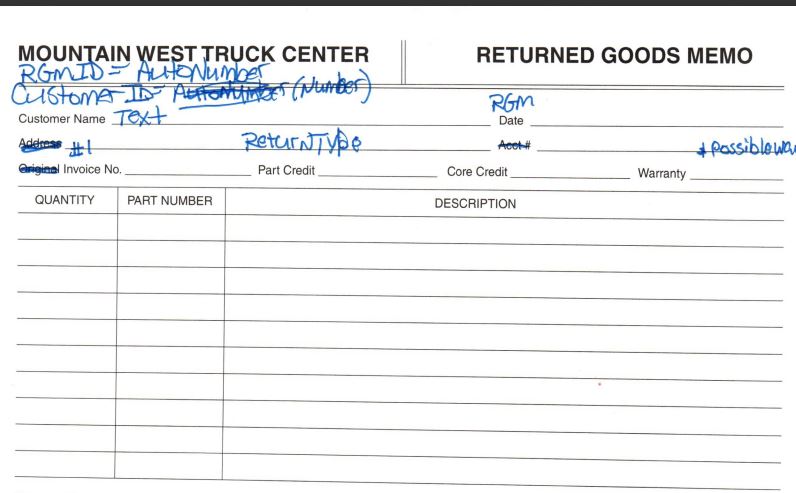
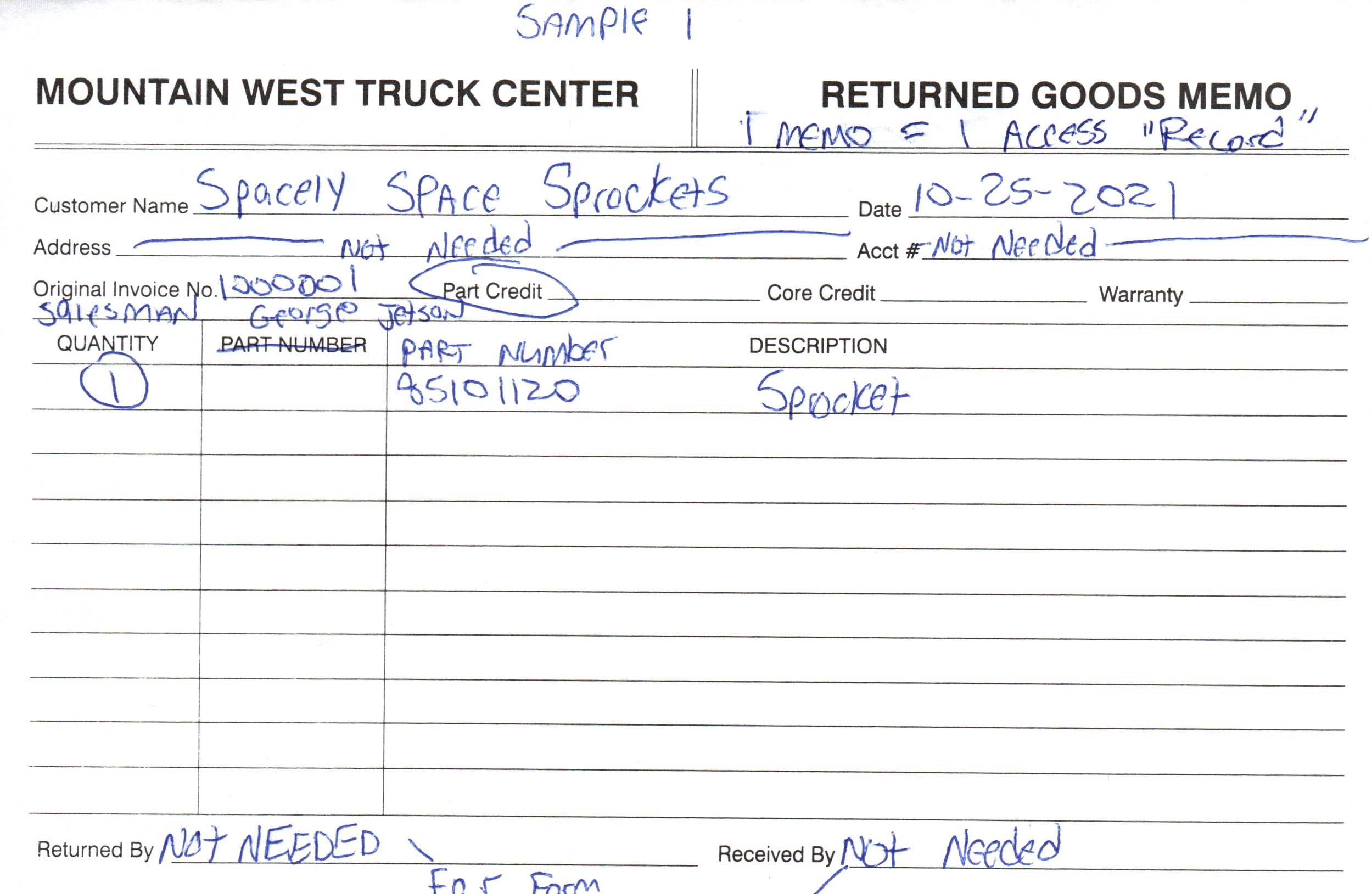
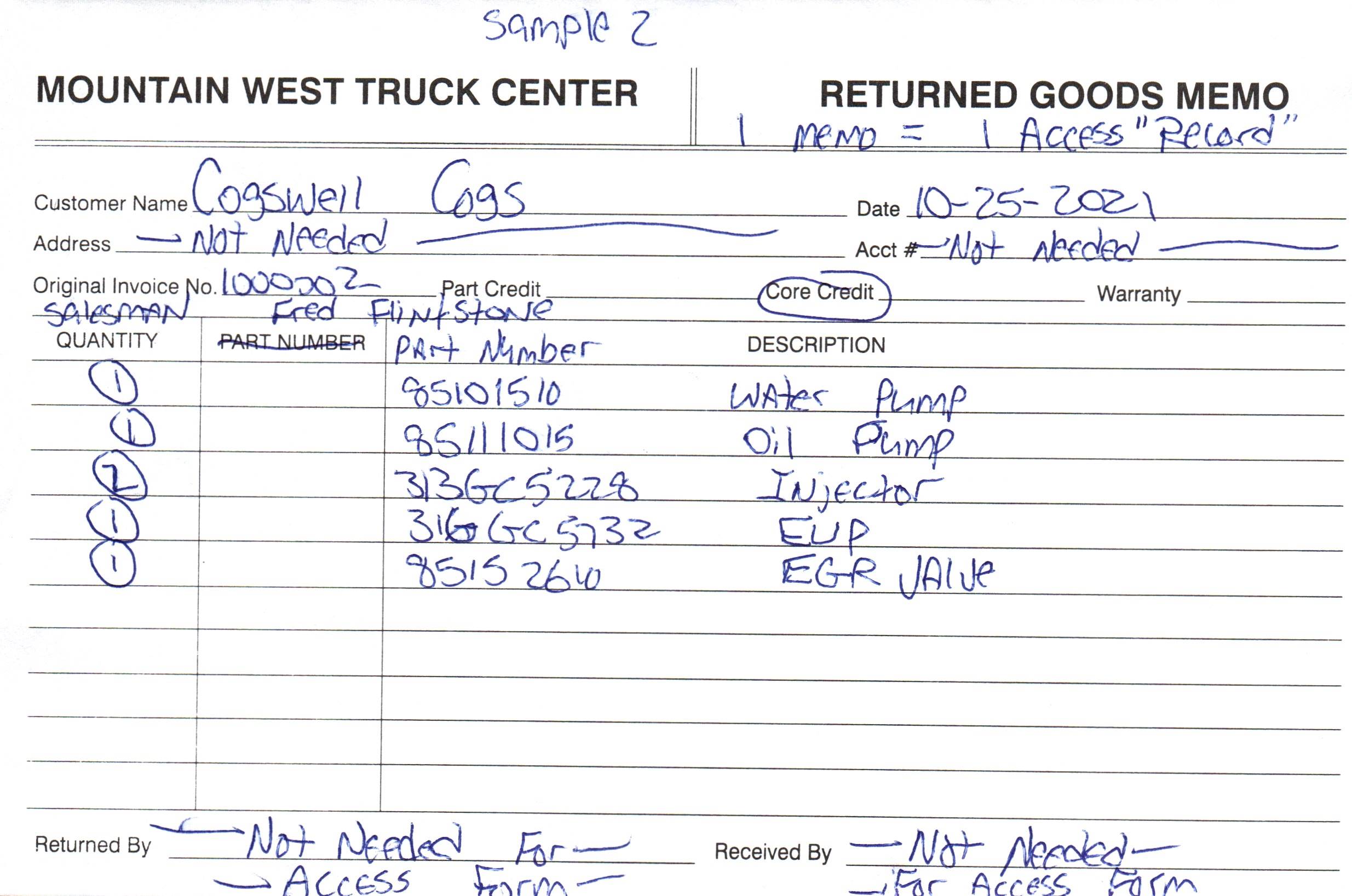
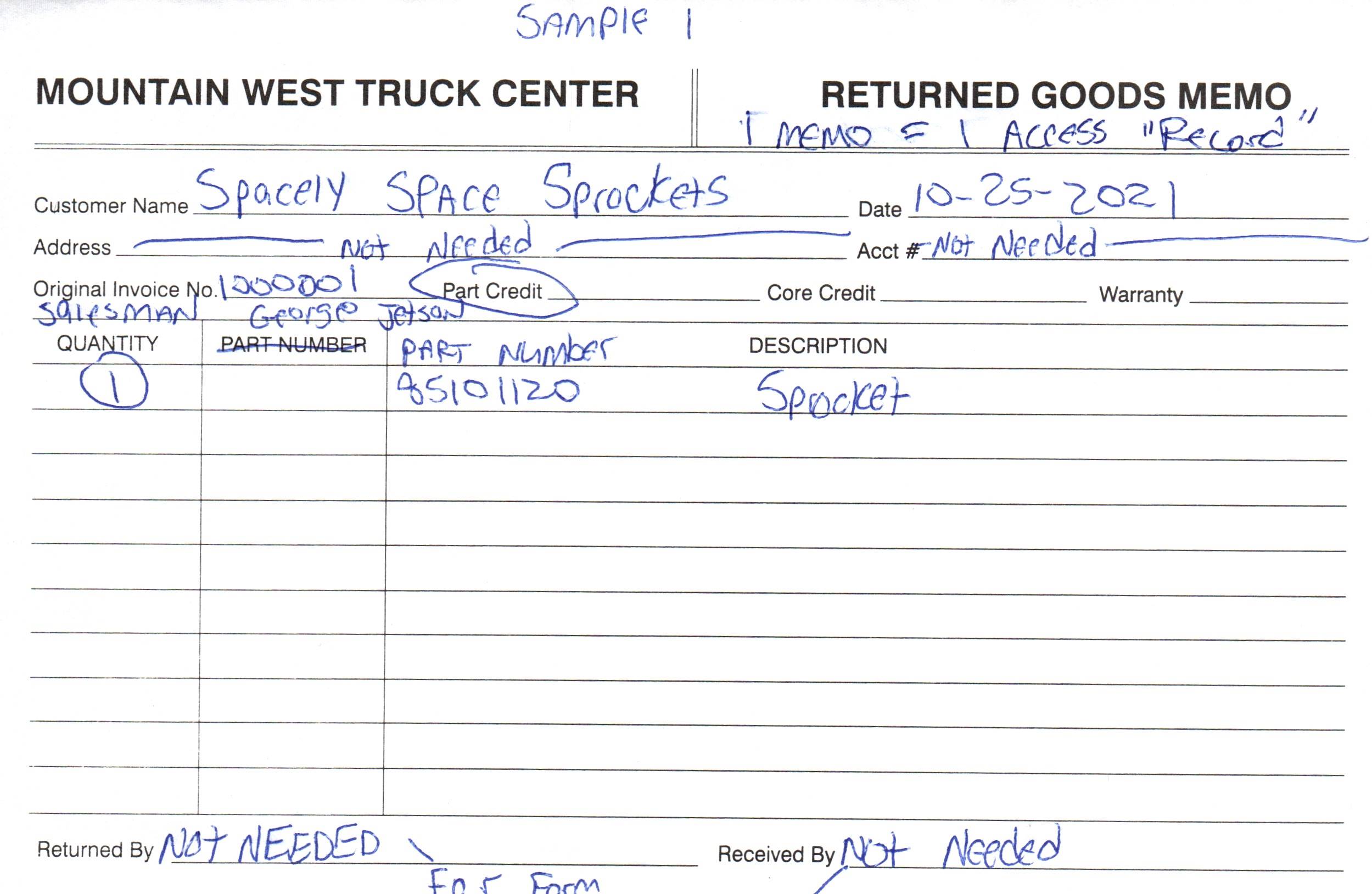
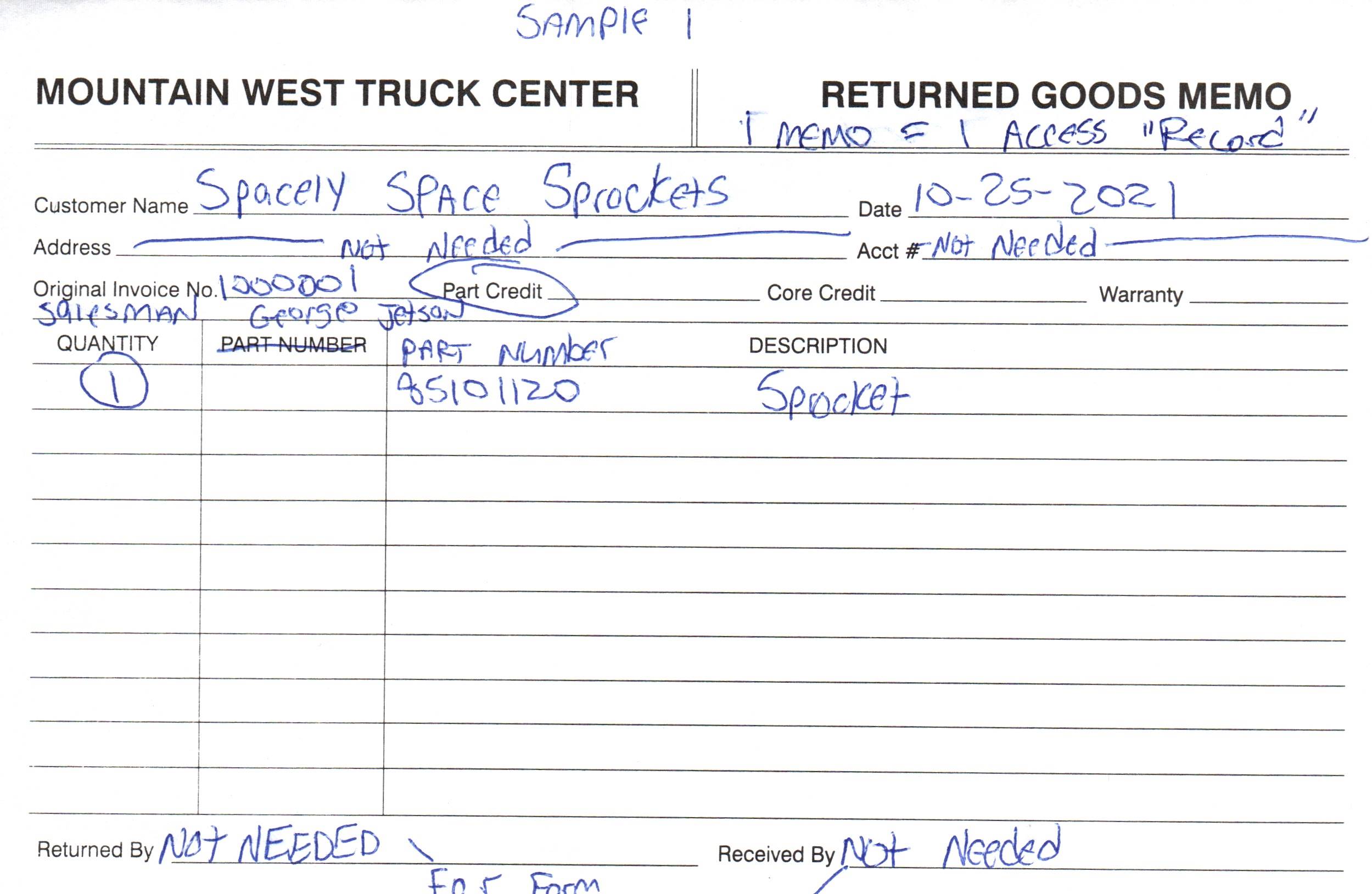
I have uploaded my paper Return Goods Memo. I my mind, 1 paper Return Good Memo equals 1 Access Record, if it has 1 entry on the form or 10 or more. The main thing I and my co workers are trying to avoid is going through 100's of those paper memos that come in each month looking for a specfic record or form enrty or what ever the proper term is to verify that it has been returned. It is VERY time time consuming doing it that way. So I built my 1st database patterned after the form as mentioned before, but was told that isn't the proper way to do it. Then I tried doing the same thing in a continuous form, but when I have multiple items being return s, doing 1 line at a time when I sometimes have MANY itmes to add the Form, Record or what ever, that just seems to me adding extra entiries for what in my mind should be a single record.
I AM SORRY, if it seems I ask the same questions in different ways, but I have A.D.D. and it sometimes difficult to grasp some of Richard's methods.
David Clement OP  @Reply  
      
5 years ago
And yes, I have taken courses and watched thos videos mutliple times, but it seems there should be an easier way to do what i need to do.
I probably won't bother you with this any more.
I apparently just am not getting it.
By the way, the different tables I have built all work just fine. Just looking for better way.
Thank you,
David
Scott Axton  @Reply  
        
5 years ago
No, no, don't give up!  I'm trying to get you to unravel the ball of twine.

No matter what you do there is going to be some work "gathering the data".  Manual or via Access. Agreed?
So... you say, "there should be an easier way to do what i need to do."  And, "Just looking for better way."

My question to you is / was:
What is it you need to do?  
Looking for a better way --  than what?

I understand your frustration.  In order to receive good answers and help you out, for me personally any way, I need you to ask more specific questions. Both to yourself and of us.

Once you have this information in the database, what do you want to do with it?
       Q: How many XYZ widgets were returned last month?
       Q: Acme suppliers seems to be unusually high in returning items.  How much did they return?
       Q: How many customers didn't bring in their Core?


Scott Axton  @Reply  
        
5 years ago
The beauty of the Relational part of Relational Database is that it reduces redundancy.
In your post above you state that you always have at least one item - That makes sense.  Why would you create a blank return right?

On your paper form you have 10 lines - what happens if you get 12 items returned? Fill out another form?
If your average number of items is 2 per return then you are 'wasting' 8 lines of paper.  
That's where the related table comes in.
Let's call it ReturnItemDetails (RDI) contain the information about the RETURNED Item.  It's linked via an ID to the customer.  That way you can have 1, 5, or 50 items returned.  You only put the customer in one time. You can have as many as you want or need for the returned items.

The info is stored in different tables sure but Forms and Reports are what brings the information back together in a meaningful way for humans.
Your Queries are what you use to ask those questions of your data (like above)


David Clement OP  @Reply  
      
5 years ago
Hello,
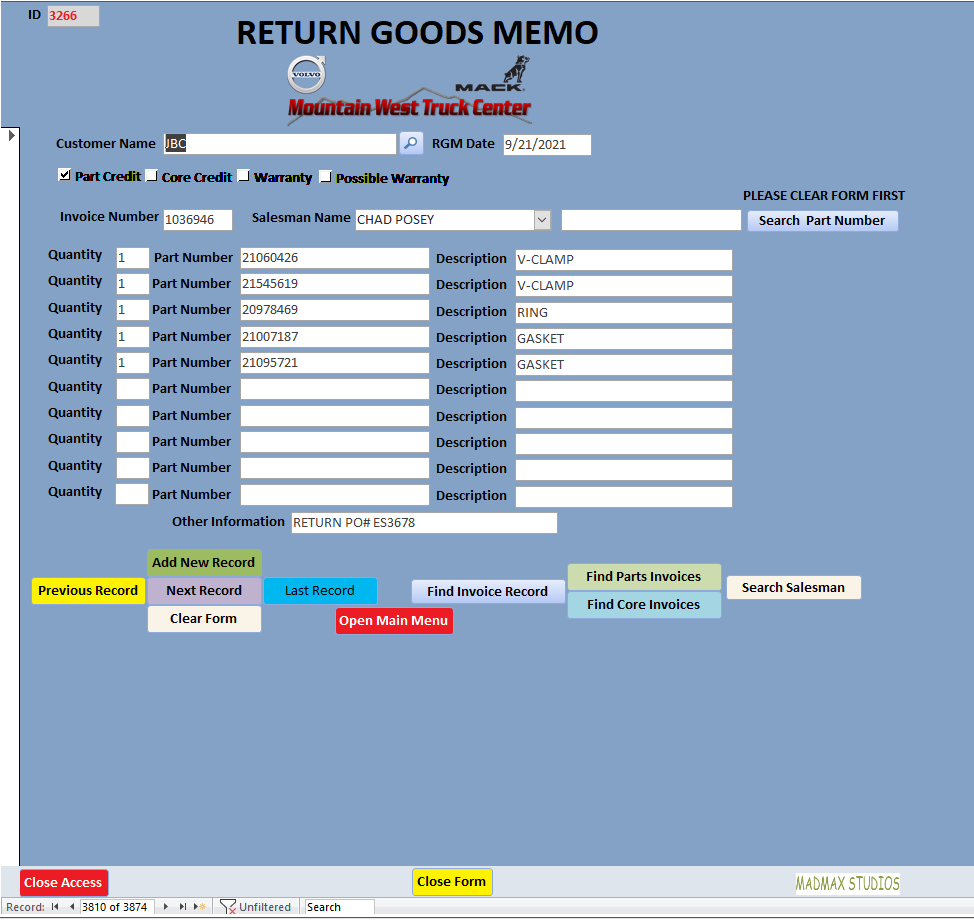
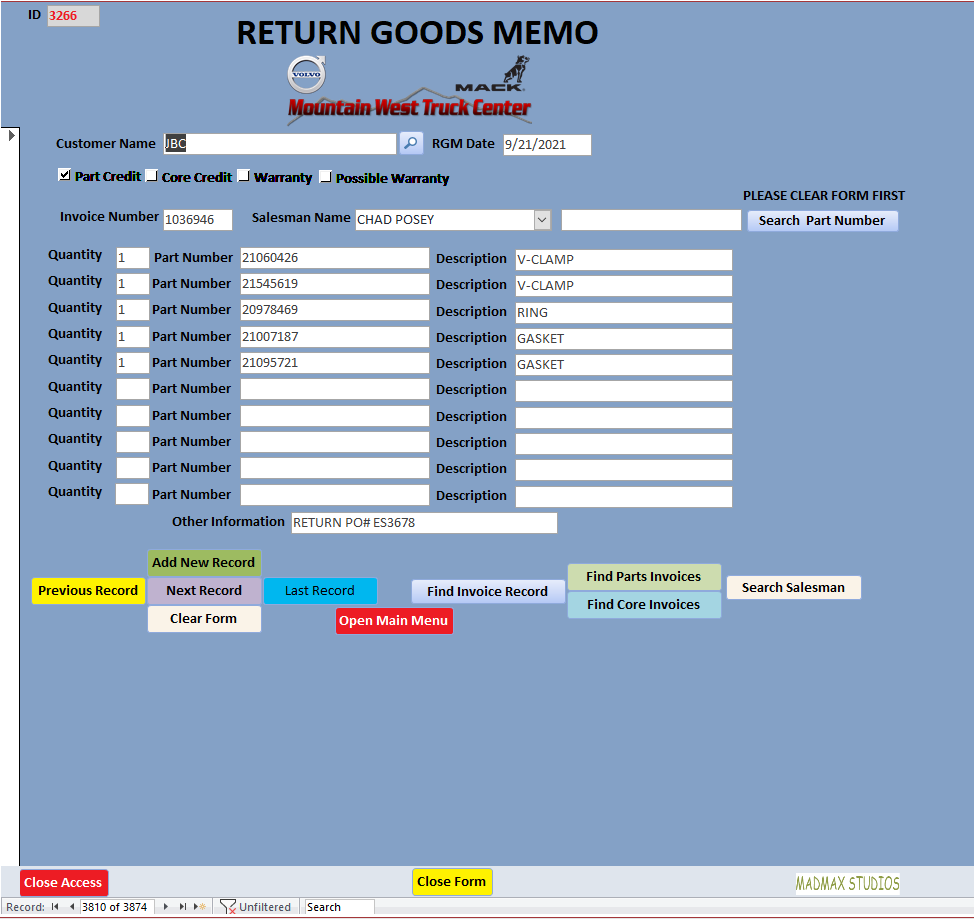
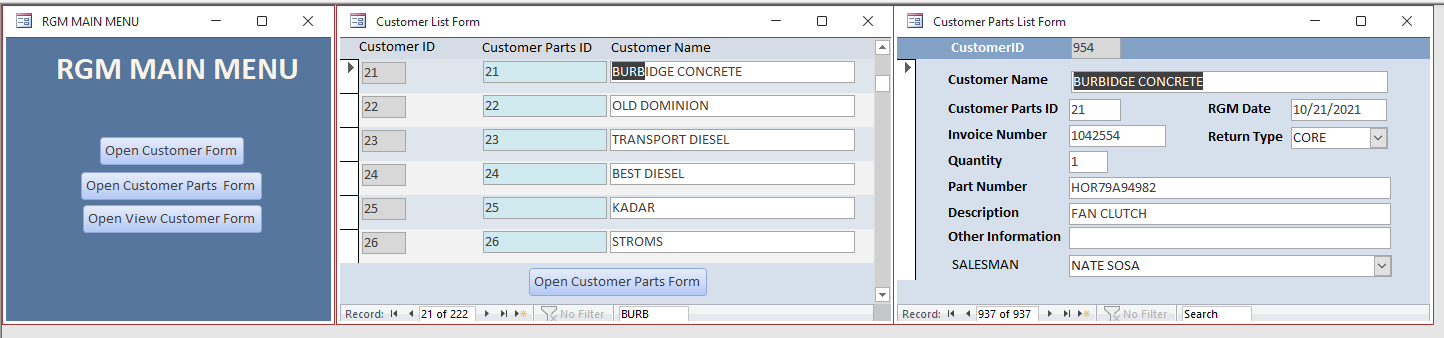
In this forum I have been asked what I need or want my database to do. The newest screenshots I hope will explain what I am attempting to do. I want my Access Database to look as much like my company's Return Goods Memo as possible. I think I have done that. My fellow co workers are not as computer savy as I am, and I am not an expert by any means, just trying to make it as easy them as possible.  With our paper Return Goods Memo's, 1 memo =1 customer=1 Access Record, should that not be the to do this?
2 of the screenshots are my actual working databases. 1 is the main one we use, my first one, and the second one is the way I think Richard Suggested to do. My co workers do  not like that one because there are more entries to be made, from a Memo that has multiple lines.
Anyway, here goes.
Thank you,
David
David Clement OP  @Reply  
      
5 years ago

David Clement OP  @Reply  
      
5 years ago

David Clement OP  @Reply  
      
5 years ago

David Clement OP  @Reply  
      
5 years ago

David Clement OP  @Reply  
      
5 years ago

David Clement OP  @Reply  
      
5 years ago

David Clement OP  @Reply  
      
5 years ago

Adam Schwanz  @Reply  
           
5 years ago
Are those preset fields? As in Item1 Item2 Item3 Item4 inside of the table?
Adam Schwanz  @Reply  
           
5 years ago
If so, strongly recommend making a relationship and just using a continuous form so you can only have one or have a million, not limited to how many fields you make.
Scott Axton  @Reply  
        
5 years ago
David -
Yes it did make it.  I apologize I haven't been able to follow up.  
Work is kicking my butt at the moment. No sense in duplicating the other thread -   How Would Richard Do It  

I'll respond there as soon as I can...  meanwhile - did you watch the
Invoicing video that I suggested? **Watch both it AND the extended cut.    This shows exactly how you need to structure your tables.  You'll just need to substitute the word "Return" for the word "Order" while watching it.
Trust me - It will all be worth it in the end.
Richard Rost  @Reply  
          
5 years ago
David, doing it your way is actually going to be MORE difficult than doing it my way (i.e. the Right Way). You've got 10 fields for each of quantity, part number, and description. So now if you want to search for a part number, you have to essentially search 10 fields, whereas if you built this properly, you'd only be searching ONE.

ReturnGoodsMemoT: ReturnGoodsMemoID (AutoNumber PK), CustomerID, Date, Invoice Number, Salesman, etc.

ReturnGoodsItemT: ReturnGoodsItemID (AutoNumber, PK), ReturnGoodsMemoID (Number, FK), Part Number, Description

That's how it SHOULD be built. And if you don't want to take my advice, that's fine... it's your database... but I'm gonna tell you "I told you so" a month from now when you come back to me for help.

It's like Orders and Line Items (Order Details). You don't duplicate fields like that. There are a MILLION reasons why, and I explain most of them in my videos.

This thread is now CLOSED. If you wish to comment, start a NEW discussion in Access Forum.
 

Next Unseen

 
New Feature: Comment Live View


The following is a paid advertisement
Computer Learning Zone is not responsible for any content shown or offers made by these ads.
 

Learn
 
Access - index
Excel - index
Word - index
Windows - index
PowerPoint - index
Photoshop - index
Visual Basic - index
ASP - index
Seminars
More...
Customers
 
Login
My Account
My Courses
Lost Password
Memberships
Student Databases
Change Email
Info
 
Latest News
New Releases
User Forums
Topic Glossary
Tips & Tricks
Search The Site
Code Vault
Collapse Menus
Help
 
Customer Support
Web Site Tour
FAQs
TechHelp
Consulting Services
About
 
Background
Testimonials
Jobs
Affiliate Program
Richard Rost
Free Lessons
Mailing List
PCResale.NET
Order
 
Video Tutorials
Handbooks
Memberships
Learning Connection
Idiot's Guide to Excel
Volume Discounts
Payment Info
Shipping
Terms of Sale
Contact
 
Contact Info
Support Policy
Mailing Address
Phone Number
Fax Number
Course Survey
Email Richard
[email protected]
Blog RSS Feed    YouTube Channel

LinkedIn
Copyright 2026 by Computer Learning Zone, Amicron, and Richard Rost. All Rights Reserved. Current Time: 6/22/2026 9:51:28 PM. PLT: 0s