Free Lessons
Courses
Seminars
TechHelp
Fast Tips
Templates
Topic Index
Forum
ABCD
 
Home   Courses   TechHelp   Help   Contact   Merch   Join   Order   Logon   Forums   
 
Back to Access Forum    Comments List
Upload Images   @Reply   Bookmark    Link   Email   Next Unseen 
SpellCheck
Harold Laski 
    
4 years ago
I understand that there is no spellcheck in Access. However, I am in the process of creating a database based on multiple reports where there are variables, constants and free flow writing into fields.  Is there any suggestion for spell checking outside of access that can be done with the least effort, that is exporting, spellchecking and importing back into the report for saving and printing.
Dan Jackson  @Reply  
        
4 years ago
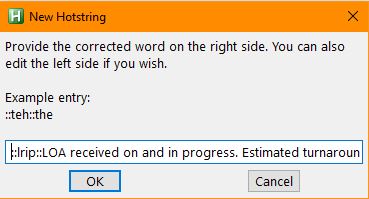
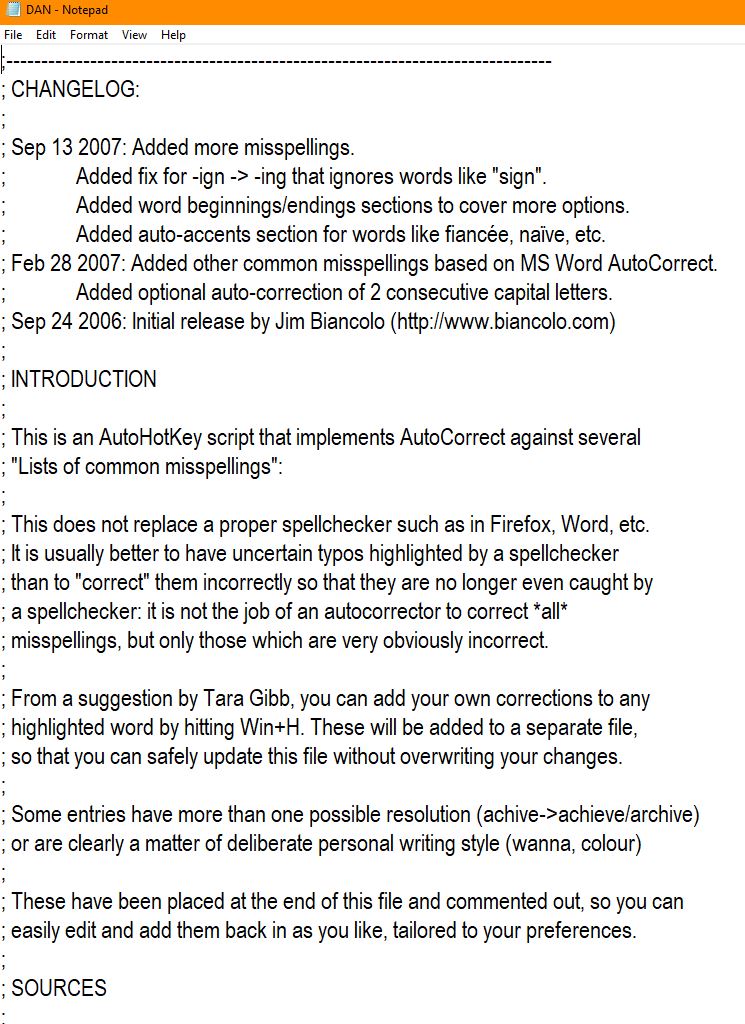
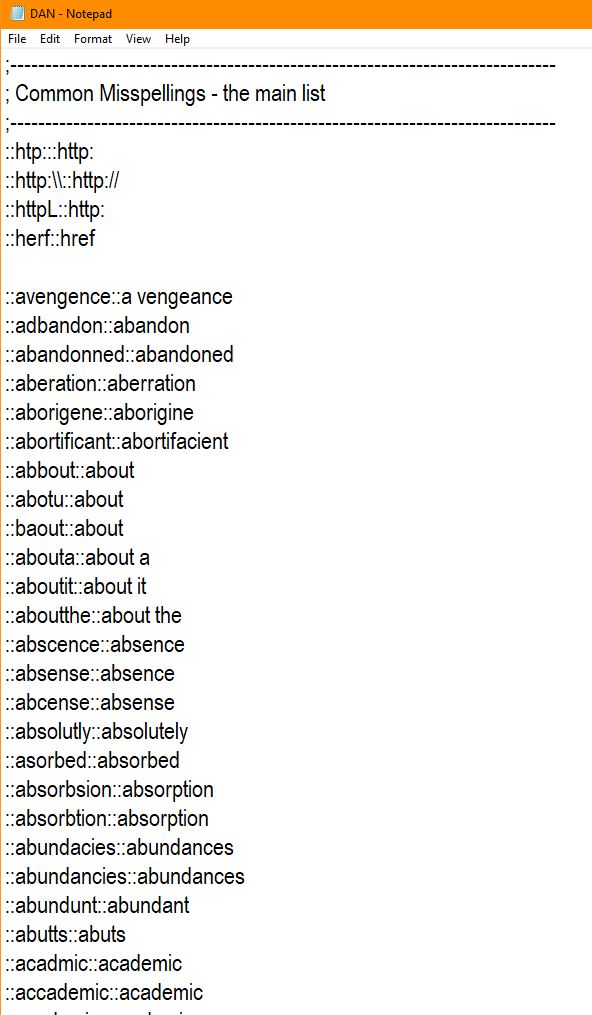
I use Auto Hot Key in the office to handle common spelling errors but also short hand typing. I can't remember if the program comes with the list, but essentially run the script in start up and it'll check your keystrokes and adjust accordingly. Been using for a few years now

One thing i like is being able to substitute entries. For example, i type lrip into a notes field and it auto changes to
LOA received on XXX and in progress. Estimated turnaround is XXX working days

Its not a perfect solution, but its 90% there
Dan Jackson  @Reply  
        
4 years ago

Dan Jackson  @Reply  
        
4 years ago

Dan Jackson  @Reply  
        
4 years ago

Harold Laski OP  @Reply  
    
4 years ago
I have tried to load the beta and the current versions of Auto Hot Key and I get the following error and the program ceases to load. ▶198: Throw OSError()         Any suggestions?   Actually the beta gives me that error. The current version just says this program contains malicious code and stops running.
Richard Rost  @Reply  
          
4 years ago
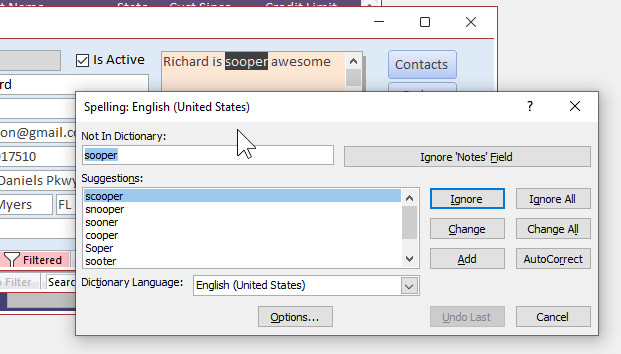
Uhm... yeah... there is a spell checker in Access as long as you have the rest of Office installed. Access will use Word's spell checker if you press F7.
Richard Rost  @Reply  
          
4 years ago

Dan Jackson  @Reply  
        
4 years ago
Sounds like ricks idea might be better. you could add a spell check button the sends F7 via the keyboard.

Your issue sounds like a problem with windows or security, i have 20 pc's in the office running Auto Keys no problem. Windows 10. Its definitely safe but see if Ricks works better first, since you wont have to install or configure anything extra
Scott Axton  @Reply  
      
4 years ago

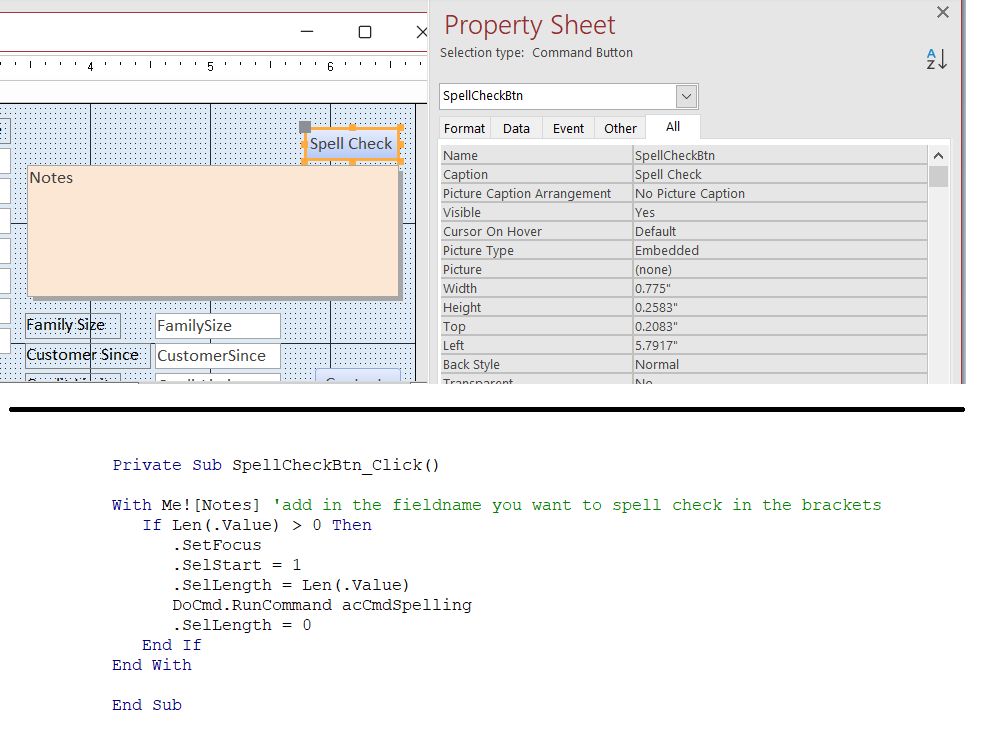
This isn't my code.  It is from a database that I took over.  
It basically does what Richard just suggested if you don't want your users to have to press the F7 key.

Richard Rost  @Reply  
          
4 years ago
Yeah, this has actually been on my list to make a video out of for the longest time... Almost the exact same code too. LOL. I was looking for something easy to do for today's video since I got some hurricane prep to do later. :)
Dan Jackson  @Reply  
        
4 years ago
That's cool Scott, i'm adding it to my collection 😜
A Glenn Yesner  @Reply  
     
4 years ago
Looking at what Scott has you could probably make it a function and use some variables and fire it by clicking on different labels of fields or double clicking in different fields to fire it off. That's cool, I'll play with it. I use "F7" to spell check my forms but it doesn't seem to want to check the subforms.
Richard Rost  @Reply  
          
4 years ago
I've got a solution coming for ya... it'll be tomorrow's TechHelp.
Dan Jackson  @Reply  
        
4 years ago
Ah, finally'
Dan Jackson  @Reply  
        
4 years ago
Hey Rick, how come you can do three dots and not me? Is it good enough for god but not us peasants? I also noticed the (Not so) Great British Pound symbol is unavailable ' but the almighty dollar is $. What gives?
Scott Axton  @Reply  
      
4 years ago
I can post...

Looks like you didn't hold your mouth correctly.
BTW quit hijacking posts w non-relevant dribble.  Whiner.

LOL LOL LOL

This thread is now CLOSED. If you wish to comment, start a NEW discussion in Access Forum.
 

Next Unseen

 
New Feature: Comment Live View


The following is a paid advertisement
Computer Learning Zone is not responsible for any content shown or offers made by these ads.
 

Learn
 
Access - index
Excel - index
Word - index
Windows - index
PowerPoint - index
Photoshop - index
Visual Basic - index
ASP - index
Seminars
More...
Customers
 
Login
My Account
My Courses
Lost Password
Memberships
Student Databases
Change Email
Info
 
Latest News
New Releases
User Forums
Topic Glossary
Tips & Tricks
Search The Site
Code Vault
Collapse Menus
Help
 
Customer Support
Web Site Tour
FAQs
TechHelp
Consulting Services
About
 
Background
Testimonials
Jobs
Affiliate Program
Richard Rost
Free Lessons
Mailing List
PCResale.NET
Order
 
Video Tutorials
Handbooks
Memberships
Learning Connection
Idiot's Guide to Excel
Volume Discounts
Payment Info
Shipping
Terms of Sale
Contact
 
Contact Info
Support Policy
Mailing Address
Phone Number
Fax Number
Course Survey
Email Richard
[email protected]
Blog RSS Feed    YouTube Channel

LinkedIn
Copyright 2026 by Computer Learning Zone, Amicron, and Richard Rost. All Rights Reserved. Current Time: 8/17/2026 10:55:53 PM. PLT: 0s