Free Lessons
Courses
Seminars
TechHelp
Fast Tips
Templates
Topic Index
Forum
ABCD
 
Home   Courses   TechHelp   Forums   Help   Contact   Merch   Join   Order   Logon  
 
Back to Access Forum    Comments List
Upload Images   @Reply   Bookmark    Link   Email   Next Unseen 
Identify Minimized Window
Teeka Leone 
     
4 years ago
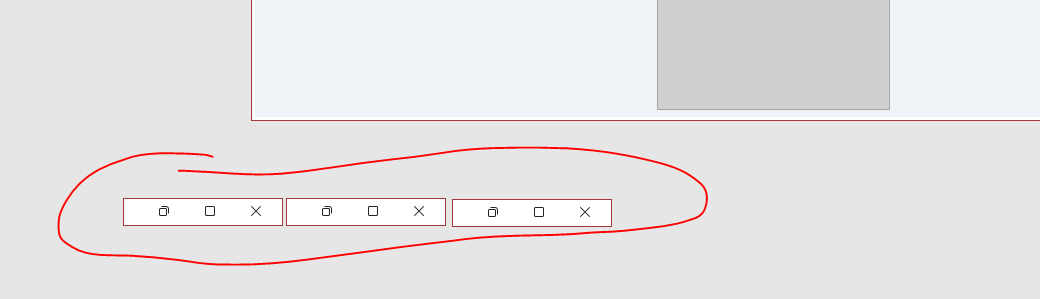
Hello.  Is there a way to identify (Label) a minimized window?  When our team has many windows opened and minimized there is no native way to identify which window is which.  You have to maximize each one to see which form / object it is.
Teeka Leone OP  @Reply  
     
4 years ago

Adam Schwanz  @Reply  
           
4 years ago
Not that I know of, what you could do instead is resize the form small instead of minimizing, then it should be a little wider and the caption might fit in there. (you'd have to turn off the minimize button and add your own to the form). Or just close the forms all togethor when they move and then add buttons to reopen them to where they were.
Kevin Yip  @Reply  
     
4 years ago
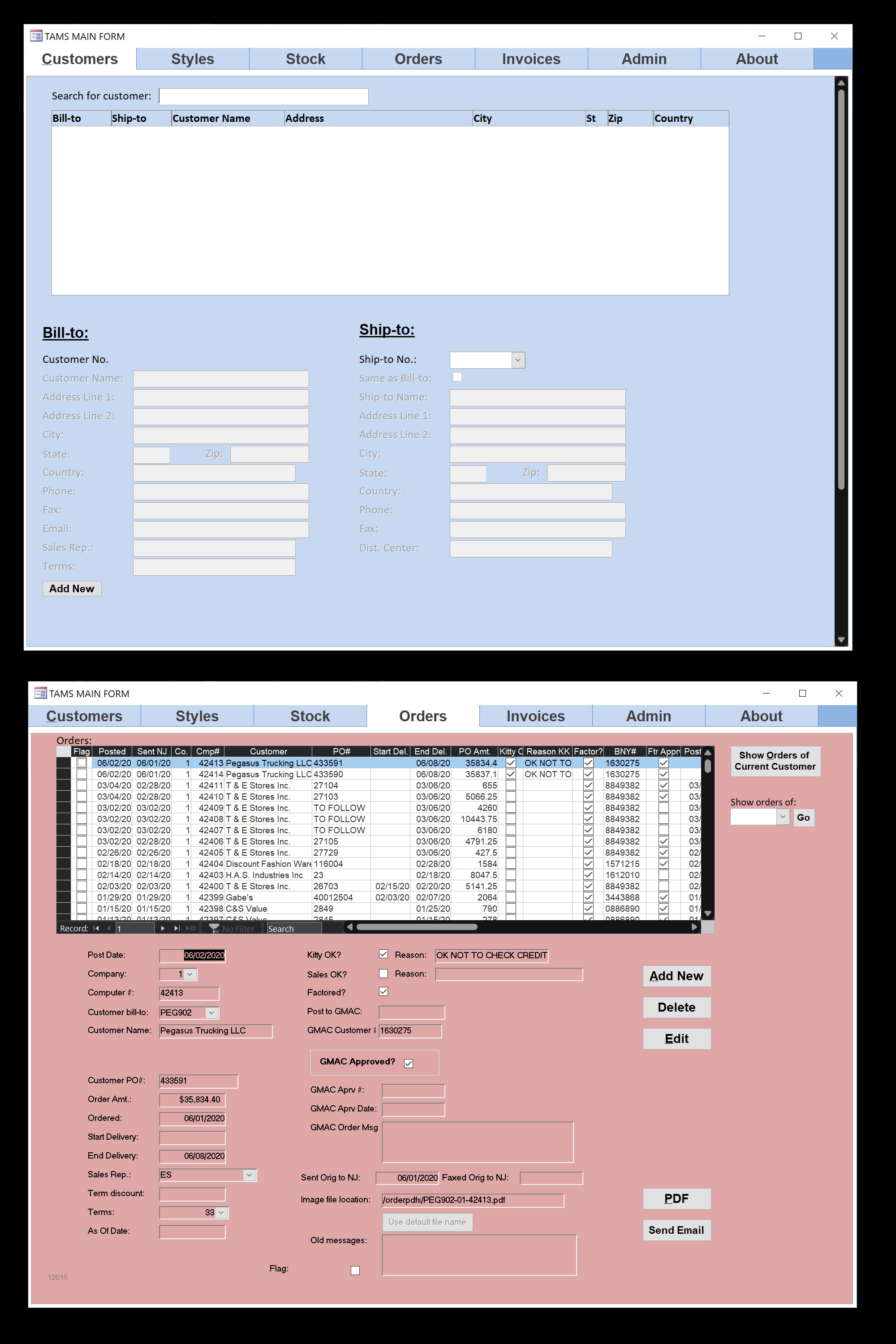
Like Adam says, you have to create custom minimize/restore buttons to resize and move forms accordingly, all with VBA.  If that's too much trouble, consider other means to help you juggle several forms on the screen, such as tab controls (which Richard hates and puts on his Evil Access Stuff list).  I actually used tabbed forms a lot in my old job (see pics below).

P.S. There are always better ways to be had to juggle different screens.  Notice how the concept of resizing/max/minimizing forms doesn't really exist on a smartphone?  Yet we have no trouble switching between apps on it.  Sometimes it takes a paradigm shift in thinking to create a better user interface.
Kevin Yip  @Reply  
     
4 years ago

Teeka Leone OP  @Reply  
     
4 years ago
Thank you both Adam and Kevin!  I simply disabled the minimize option, shrunk them all down to a size where you could read the caption and saved.  I will put this in my user guide as well. so now they can maximize, close or drag the form size the way they want but they will always be able to identify it. I love this forum!

This thread is now CLOSED. If you wish to comment, start a NEW discussion in Access Forum.
 

Next Unseen

 
New Feature: Comment Live View


The following is a paid advertisement
Computer Learning Zone is not responsible for any content shown or offers made by these ads.
 

Learn
 
Access - index
Excel - index
Word - index
Windows - index
PowerPoint - index
Photoshop - index
Visual Basic - index
ASP - index
Seminars
More...
Customers
 
Login
My Account
My Courses
Lost Password
Memberships
Student Databases
Change Email
Info
 
Latest News
New Releases
User Forums
Topic Glossary
Tips & Tricks
Search The Site
Code Vault
Collapse Menus
Help
 
Customer Support
Web Site Tour
FAQs
TechHelp
Consulting Services
About
 
Background
Testimonials
Jobs
Affiliate Program
Richard Rost
Free Lessons
Mailing List
PCResale.NET
Order
 
Video Tutorials
Handbooks
Memberships
Learning Connection
Idiot's Guide to Excel
Volume Discounts
Payment Info
Shipping
Terms of Sale
Contact
 
Contact Info
Support Policy
Mailing Address
Phone Number
Fax Number
Course Survey
Email Richard
[email protected]
Blog RSS Feed    YouTube Channel

LinkedIn
Copyright 2026 by Computer Learning Zone, Amicron, and Richard Rost. All Rights Reserved. Current Time: 5/9/2026 4:23:04 PM. PLT: 0s