Free Lessons
Courses
Seminars
TechHelp
Fast Tips
Templates
Topic Index
Forum
ABCD
 
Home   Courses   TechHelp   Forums   Help   Contact   Merch   Join   Order   Logon  
 
Back to Access Forum    Comments List
Upload Images   @Reply   Bookmark    Link   Email   Next Unseen 
Basic Customer Table
Jennifer Cruikshank 
   
4 years ago
I am struggling setting up my customer table and form. I am sure that I am overthinking it. We work with Buyers/Sellers. They can be categorized by last name as well as company. I currently have these fields: CustomerCode, FirstName1, LastName1, FirstName2, LastName2, CompanyName. This covers all the options of 2 parties or a company making a purchase.

Now when creating the form and using a combo box, do I use ALL of these options for the customer lookup? If I just use 1, how would I differentiate between John Smith and Jane Smith vs John Smith and Julie Smith? What about Company?
Alex Hedley  @Reply  
           
4 years ago
Lots of ORs
Alex Hedley  @Reply  
           
4 years ago
Make a calculated field that creates a new column with all of the combinations, shown in ABCD.
Jennifer Cruikshank OP  @Reply  
   
4 years ago
I'm sorry Alex, I have no clue what you are referencing with ORs and making a calculated field. Still new here. :)
John Davy  @Reply  
         
4 years ago
Hi Jennifer,
Rick has several great Tech Help videos that most likely make you task easier. take a look at this link after you login .
https://www.599cd.com/search/?Q=invoicing&SearchSubmit=Search.

John
Kevin Yip  @Reply  
     
4 years ago
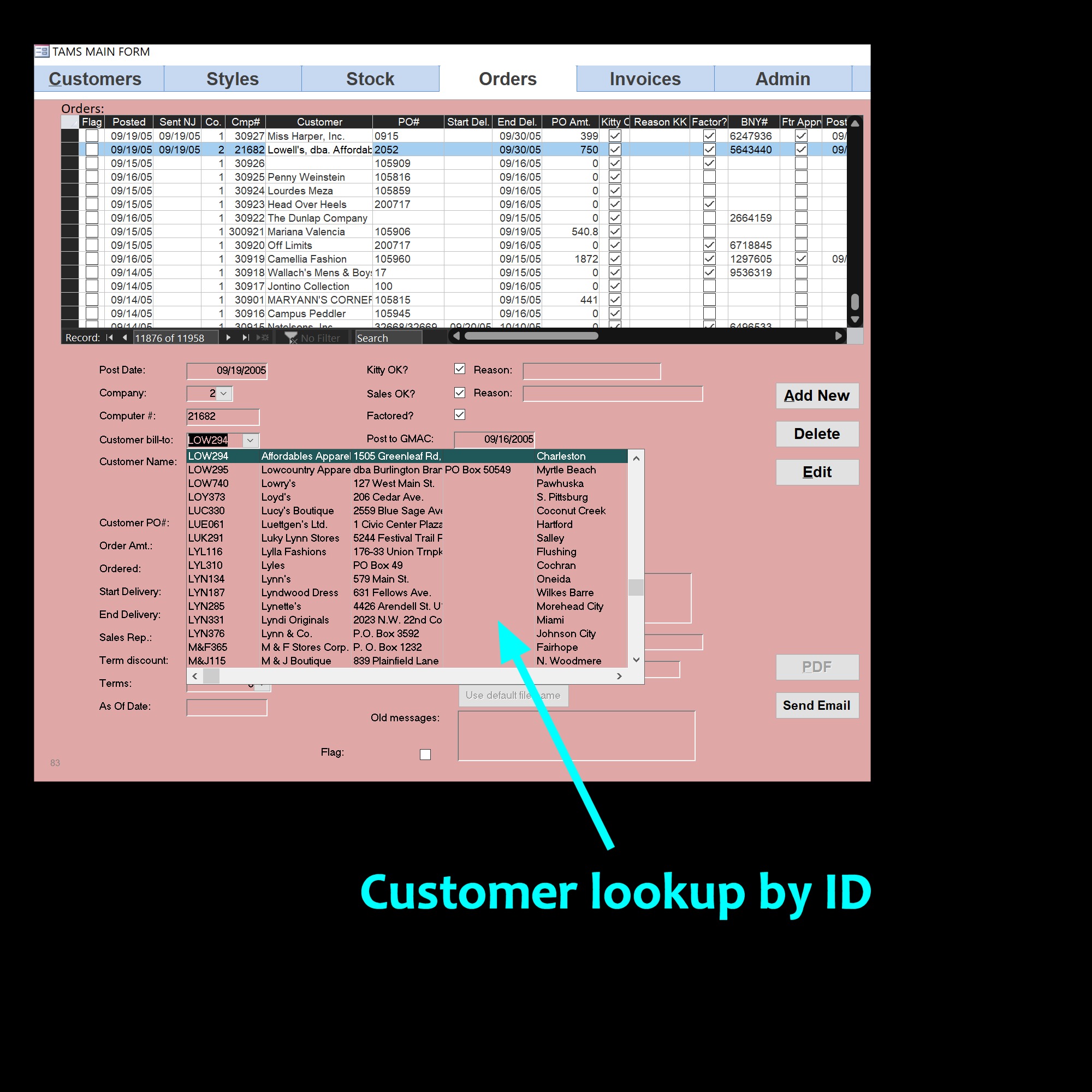
HI Jennifer, in my old job, we looked up each customer with their IDs which we custom-made for them.  The ID was the first 3 letters of the customer's company name plus the first 3 digits of its zip code.  This was done so we didn't have to remember a ton of info about the customers in order to look them up (oh, let's look them up by company name, address, contact name, phone number... that would be madness).  The first picture below was how we did it.  My point is you may have to device your own method to simplify lookups.

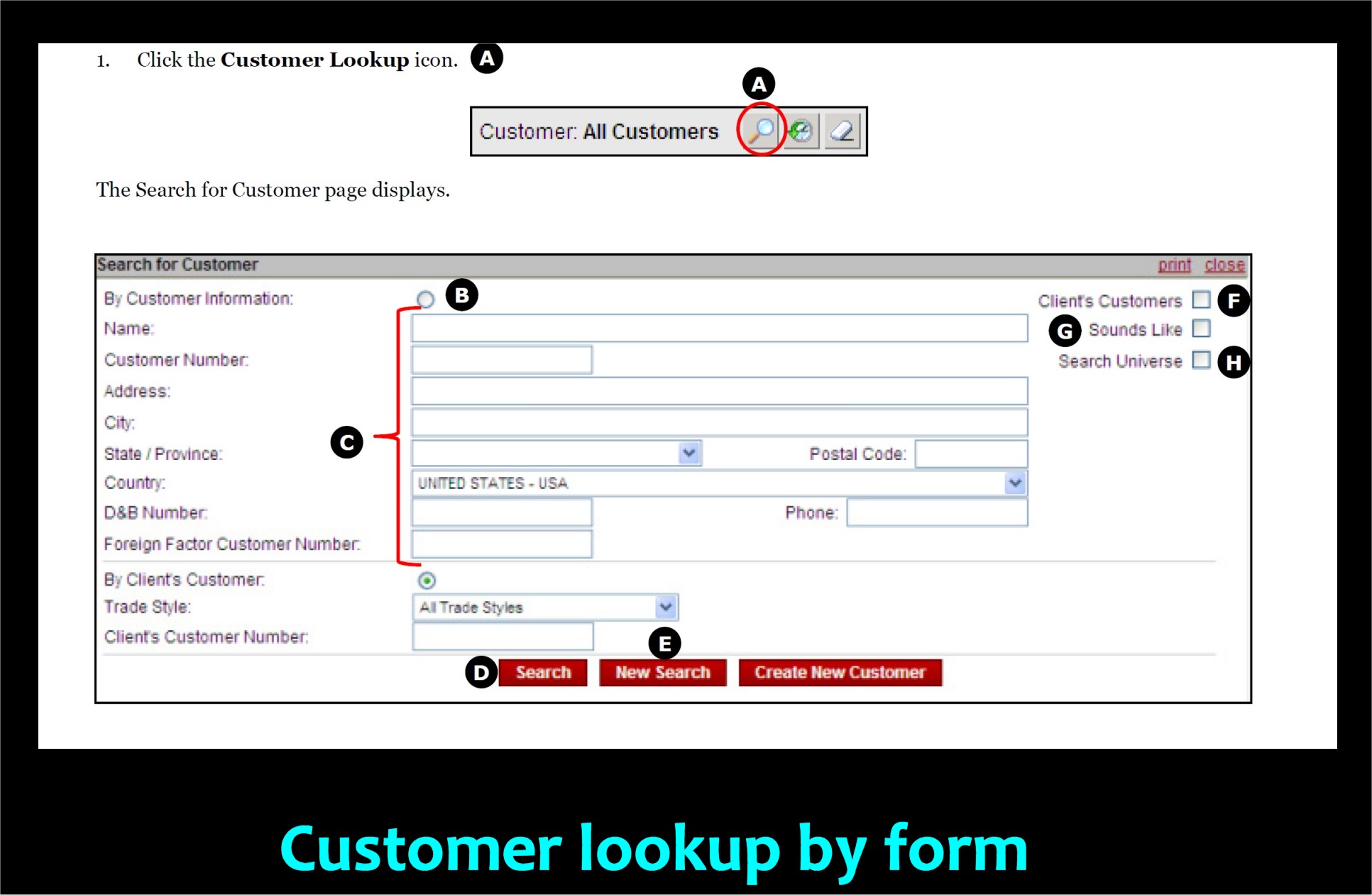
If you have complex customer info, you may have to create a sophisticated search form just to look them up.  The second picture below is the customer lookup form (once) used by GMAC's website.  And that was only part of the form.  We basically had to do a tax return just to look up a company in their database.
Kevin Yip  @Reply  
     
4 years ago

Kevin Yip  @Reply  
     
4 years ago

This thread is now CLOSED. If you wish to comment, start a NEW discussion in Access Forum.
 

Next Unseen

 
New Feature: Comment Live View


The following is a paid advertisement
Computer Learning Zone is not responsible for any content shown or offers made by these ads.
 

Learn
 
Access - index
Excel - index
Word - index
Windows - index
PowerPoint - index
Photoshop - index
Visual Basic - index
ASP - index
Seminars
More...
Customers
 
Login
My Account
My Courses
Lost Password
Memberships
Student Databases
Change Email
Info
 
Latest News
New Releases
User Forums
Topic Glossary
Tips & Tricks
Search The Site
Code Vault
Collapse Menus
Help
 
Customer Support
Web Site Tour
FAQs
TechHelp
Consulting Services
About
 
Background
Testimonials
Jobs
Affiliate Program
Richard Rost
Free Lessons
Mailing List
PCResale.NET
Order
 
Video Tutorials
Handbooks
Memberships
Learning Connection
Idiot's Guide to Excel
Volume Discounts
Payment Info
Shipping
Terms of Sale
Contact
 
Contact Info
Support Policy
Mailing Address
Phone Number
Fax Number
Course Survey
Email Richard
[email protected]
Blog RSS Feed    YouTube Channel

LinkedIn
Copyright 2026 by Computer Learning Zone, Amicron, and Richard Rost. All Rights Reserved. Current Time: 5/7/2026 3:34:36 AM. PLT: 0s