Free Lessons
Courses
Seminars
TechHelp
Fast Tips
Templates
Topic Index
Forum
ABCD
 
Home   Courses   TechHelp   Forums   Help   Contact   Merch   Join   Order   Logon  
 
Back to Access Forum    Comments List
Upload Images   @Reply   Bookmark    Link   Email   Next Unseen 
Counting Unique Records
Matthew Elder 
   
4 years ago
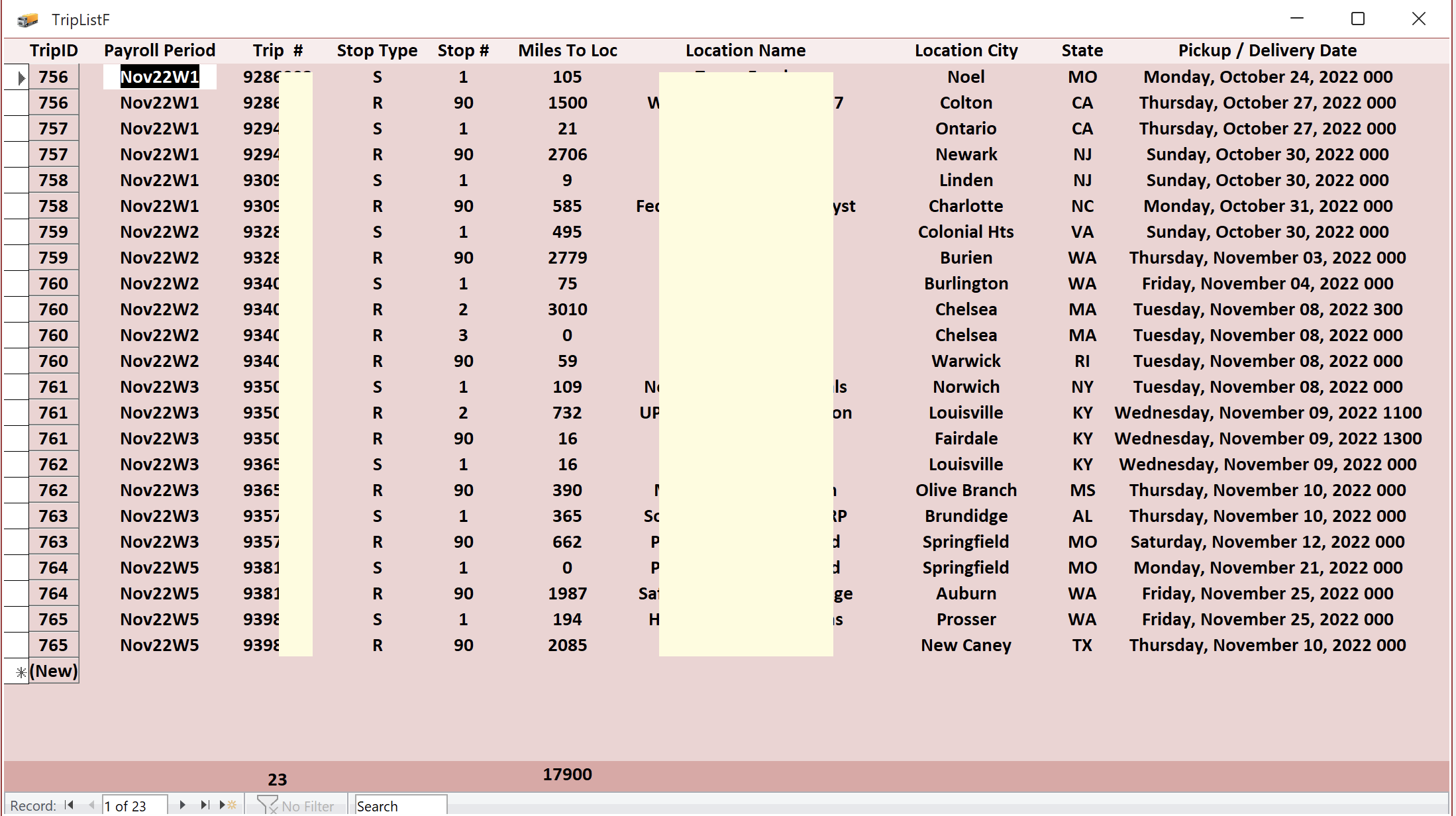
I am a truck driver and I want to have my trip history list form count the number of trips I've done for a particular period of time (i.e week, month, year or total). All of my trips have at least 2 stops (1 shipper, 1 receiver), but there are some that have multiple shippers and/or receivers. I've had as many as 7 stops on one trip. Multiple stops, same TripID/TripNumber and this causes the form (based on a query) to count them multiple times. Basically I want to count the number of trips, not the number of stop for a given time frame. I tried using DCount using the source table, but that counts up all records, not just the criteria of the query the form is based on.
Matthew Elder OP  @Reply  
   
4 years ago

Kevin Robertson  @Reply  
           
4 years ago
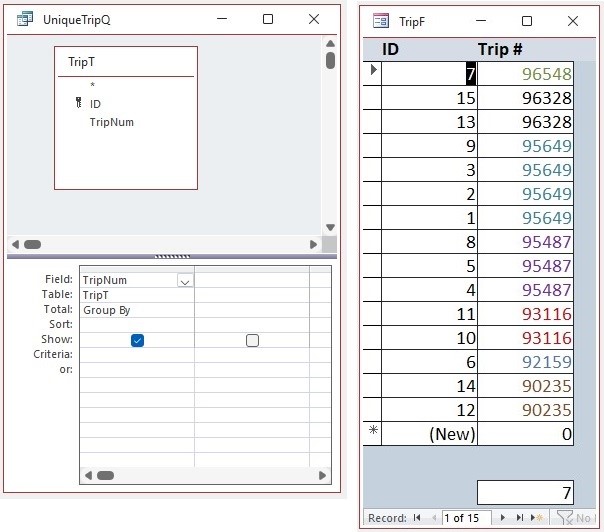
Build an Aggregate Query and use that in your DCount.
Kevin Robertson  @Reply  
           
4 years ago

Kevin Yip  @Reply  
     
4 years ago
This can be done with one single SQL statement:

    SELECT Count(*) AS CountOfUniqueTrips
    FROM (SELECT DISTINCT TripID FROM TripT)

Run it, and the first row will return the number of unique trips.

This type of query can't be designed in the graphical query designer.  You must type the SQL statement manually.

Matthew Elder OP  @Reply  
   
4 years ago
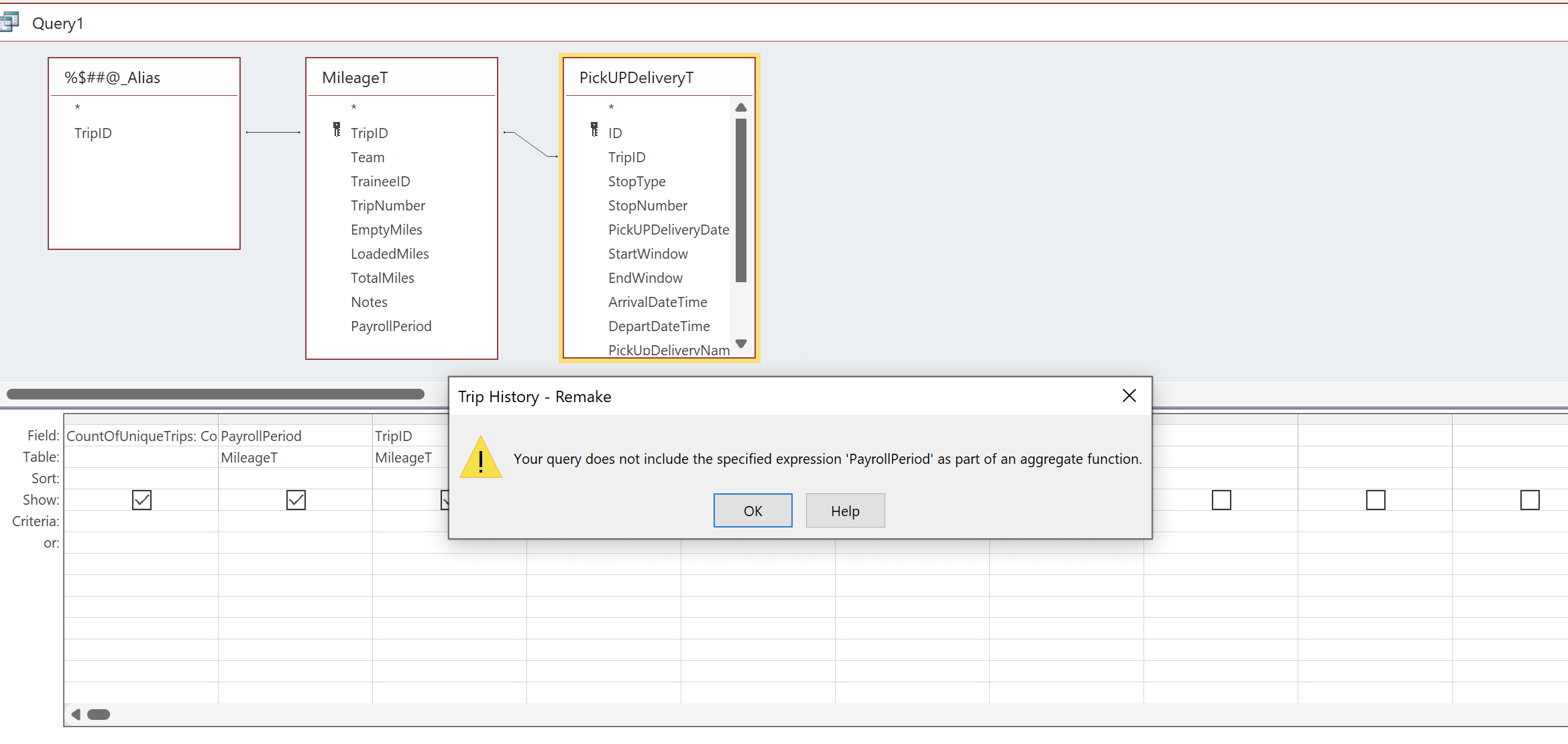
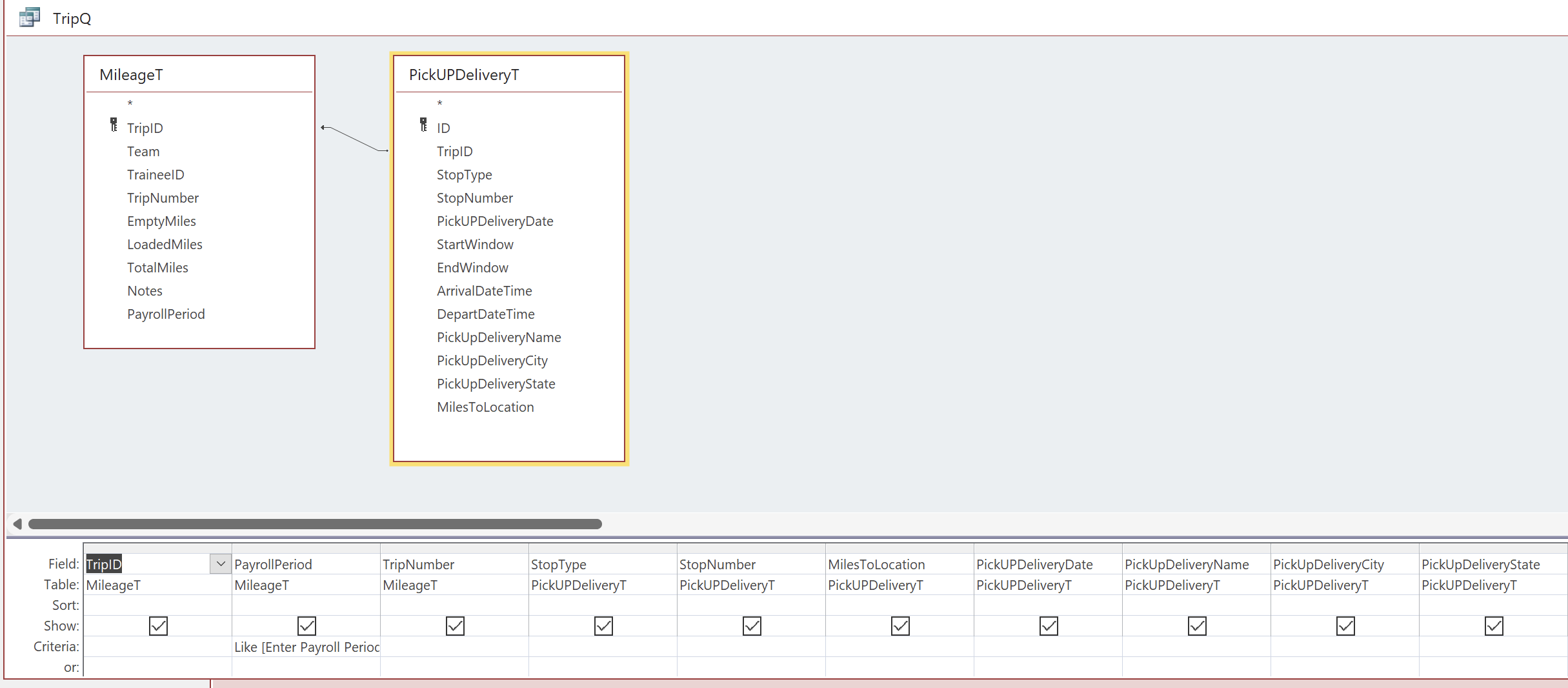
Thank you for your responses. If I do the Aggregate Query and use it with a DCount that will just return a total of all my trips, right? Even if I have criteria "Like [Enter PayrollPeriod]. As for the SQL statement. I'm pretty new to that and don't really understand how to add that to an existing query. I put the statement in a new query, but once again I just got the total of all my trips. When I tried to add fields to attempt a criteria to limit it to just what I wanted to see I got error messages. So I am not sure how to go about doing that I guess.
Matthew Elder OP  @Reply  
   
4 years ago

Matthew Elder OP  @Reply  
   
4 years ago

Kevin Yip  @Reply  
     
4 years ago
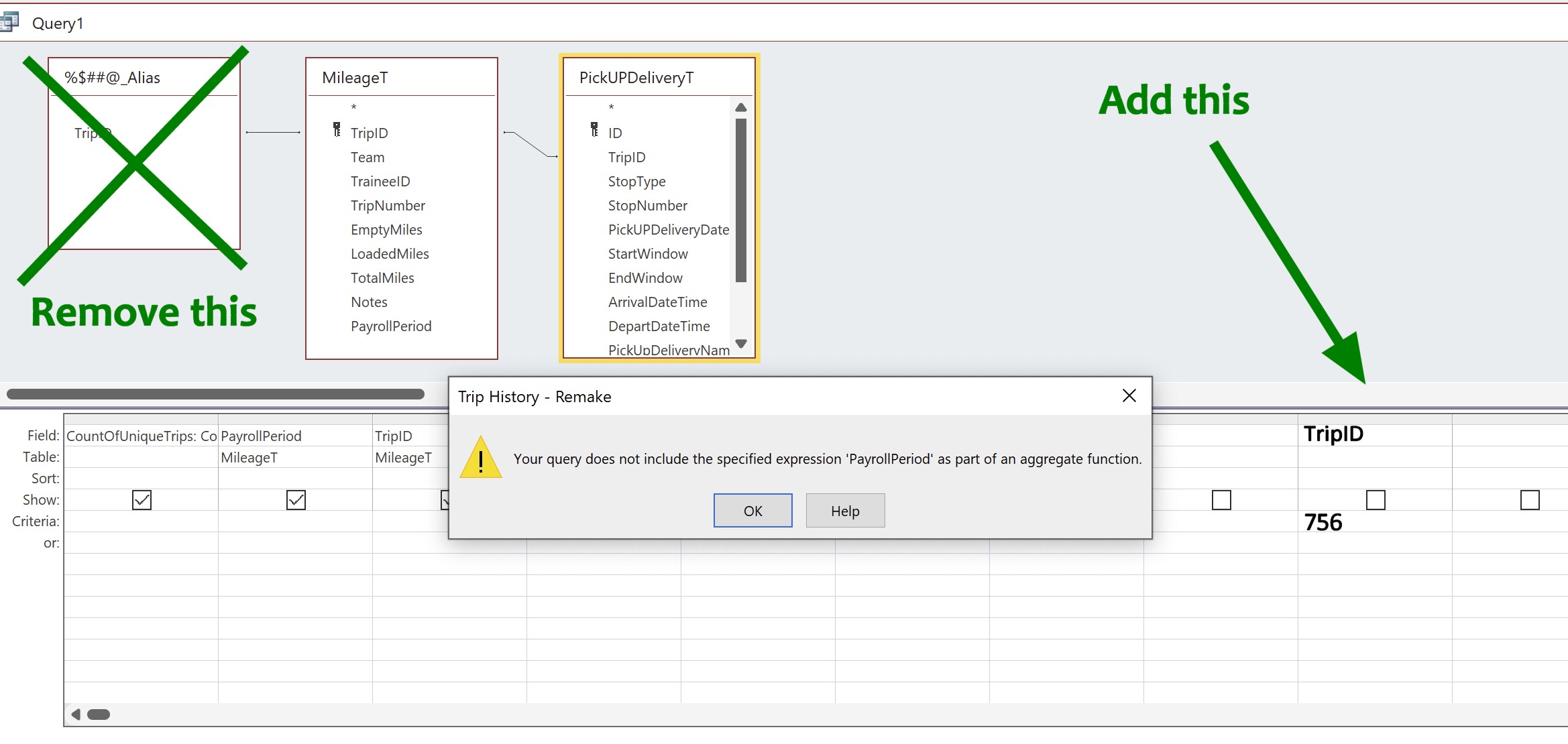
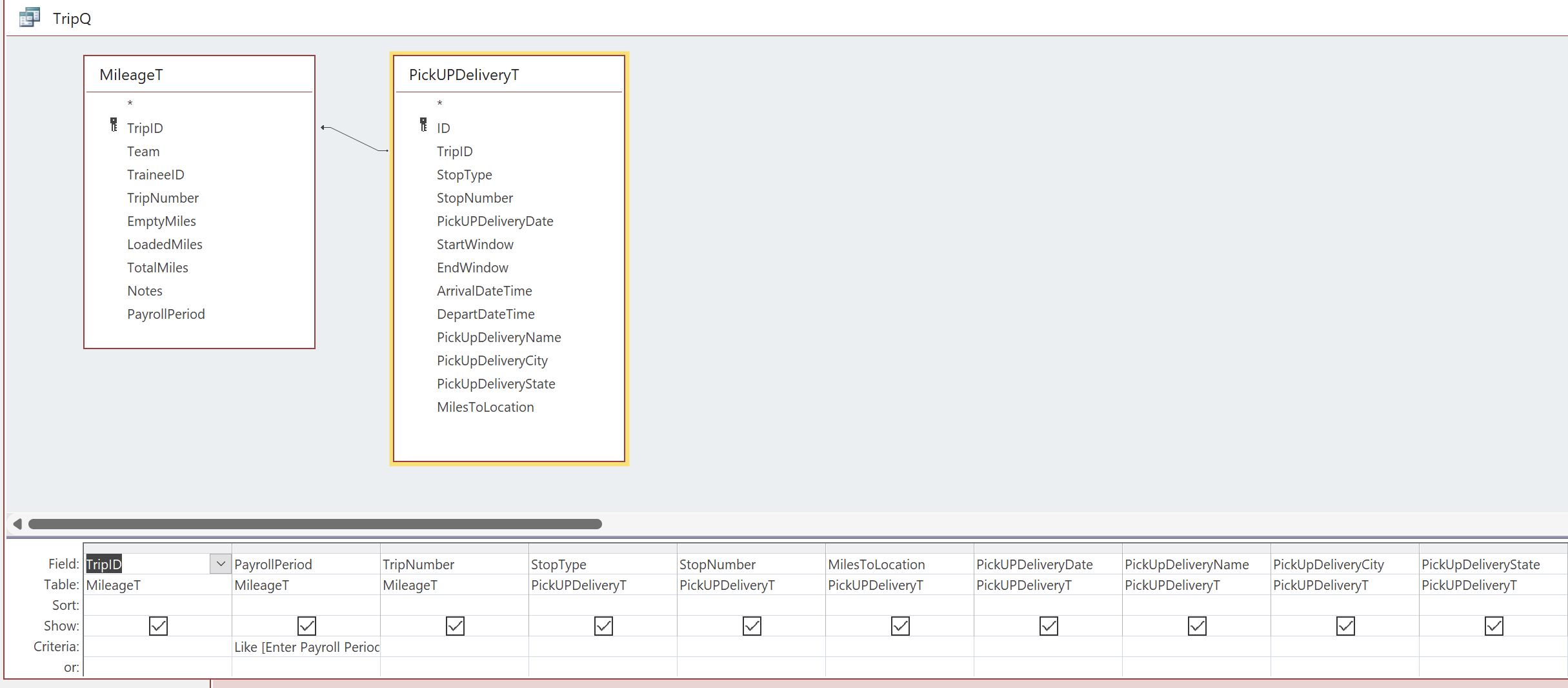
Hi Matthew, Kevin's method and mine only give you a count of unique trips, that's it.  It doesn't do anything else, and won't help you to do the kind of thing shown in your last picture.  To see info of a particular trip, remove that box on the left, then add a condition to show only the specified trip, or trips. See my picture below.  My example will show only info for trip 756.  To show info for trips 756 and 757, type "756 or 757" in the criteria box.  (That's right: "and" means "or" in this instance, long story.)  Alternatively, you can type "756" and "757" on different lines in that column.
Kevin Yip  @Reply  
     
4 years ago

Matthew Elder OP  @Reply  
   
4 years ago
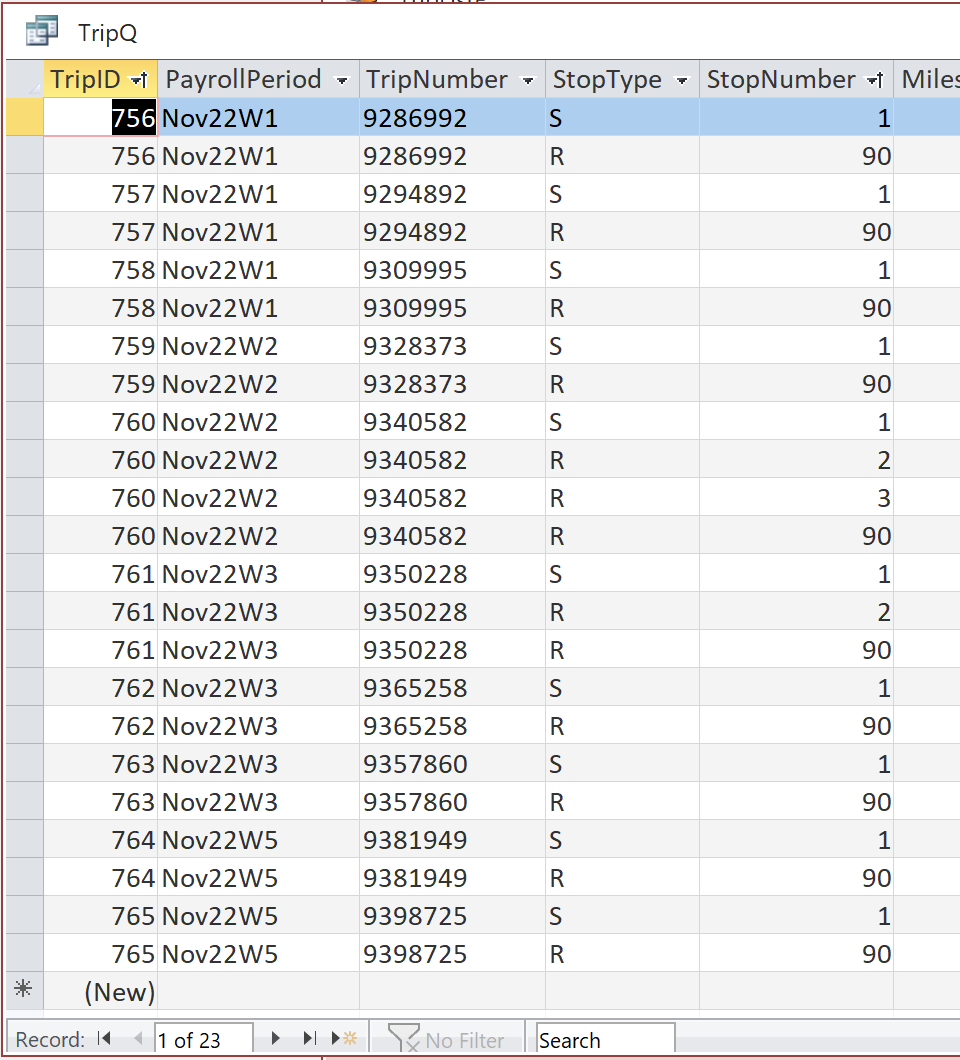
It sounds like I may have to restructure my tables or something. In the pic of the form I oringally posted it shows a count of 23, but that is how many Stops there were on the 10 Trips that I did in Nov. I use Like [Enter Payroll Period] to limit the results (i.e. Nov22*). I want it to count each Trip Number (or TripID) only once (so total would be 10) instead of counting each one for every Stop on a given Trip (23 Stops), but since each Stop is it's own record it counts each stop. The only way I've found to get around this problem is to make fields for each possible stop, but out of 760+ Trips only about 70 have had even 3 stops, let alone the oddball 4 to 7 stops which only account for maybe 5 Trips. Each stop with its own field for Pickup or Delivery Date, location, etc. would be a ridiculous amount of fields in each row and 90% of the time I'm only gonna be using the first 2 sets of fields leaving a ton of blank space.

I should note that MileageT is the table where I have the TripID (primary key) and TripNumber fields (my Db has undergone a lot of changes as I've attempted to learn my way thru) and the final Stop # on all trips is 90 regardless of how many stops a trip had. It's how my company denotes which stop is the last one.
Matthew Elder OP  @Reply  
   
4 years ago

Matthew Elder OP  @Reply  
   
4 years ago

Matthew Elder OP  @Reply  
   
4 years ago

Matthew Elder OP  @Reply  
   
4 years ago
I believe I now have a solution to this. I used =Count(IIF([StopNumber]= Like '1',1)) in a new text box in the form footer. There can only be one first stop per trip so this accomplishes counting the trips instead of the stops.
Matthew Elder OP  @Reply  
   
4 years ago
Without the = after StopNumber

This thread is now CLOSED. If you wish to comment, start a NEW discussion in Access Forum.
 

Next Unseen

 
New Feature: Comment Live View


The following is a paid advertisement
Computer Learning Zone is not responsible for any content shown or offers made by these ads.
 

Learn
 
Access - index
Excel - index
Word - index
Windows - index
PowerPoint - index
Photoshop - index
Visual Basic - index
ASP - index
Seminars
More...
Customers
 
Login
My Account
My Courses
Lost Password
Memberships
Student Databases
Change Email
Info
 
Latest News
New Releases
User Forums
Topic Glossary
Tips & Tricks
Search The Site
Code Vault
Collapse Menus
Help
 
Customer Support
Web Site Tour
FAQs
TechHelp
Consulting Services
About
 
Background
Testimonials
Jobs
Affiliate Program
Richard Rost
Free Lessons
Mailing List
PCResale.NET
Order
 
Video Tutorials
Handbooks
Memberships
Learning Connection
Idiot's Guide to Excel
Volume Discounts
Payment Info
Shipping
Terms of Sale
Contact
 
Contact Info
Support Policy
Mailing Address
Phone Number
Fax Number
Course Survey
Email Richard
[email protected]
Blog RSS Feed    YouTube Channel

LinkedIn
Copyright 2026 by Computer Learning Zone, Amicron, and Richard Rost. All Rights Reserved. Current Time: 4/30/2026 3:50:12 PM. PLT: 1s