Free Lessons
Courses
Seminars
TechHelp
Fast Tips
Templates
Topic Index
Forum
ABCD
 
Home   Courses   TechHelp   Forums   Help   Contact   Merch   Join   Order   Logon  
 
Back to 64-Bit Access    Comments List
Upload Images   @Reply   Bookmark    Link   Email   Next Unseen 
Running a 64 on a 32 Version
Abraham Breuer 
     
4 years ago
Dear All,

I developed a ms access database with my MS office 365 subscription which has the 64-bit office version, but when deploying it to the end user some of his computers have a 32-bit subscription.

When opening the database base code will run, but then when opening the 4th form it will not open and freeze the whole database until I will shut it down on the task manager, any fix for this?

developing on a 32-bit and deploying to a 64 is easy with just using the PtrSafe but the other way-round looks like a mystery... can anyone advise?

Kind regards,

A. B.
Dan Jackson  @Reply  
            
4 years ago
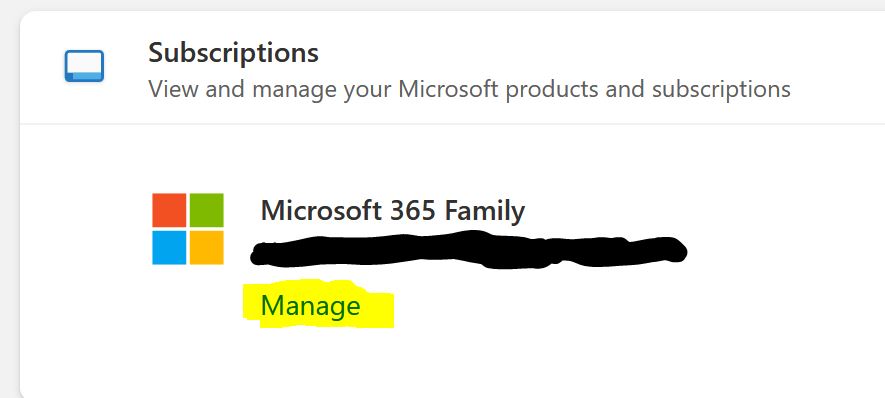
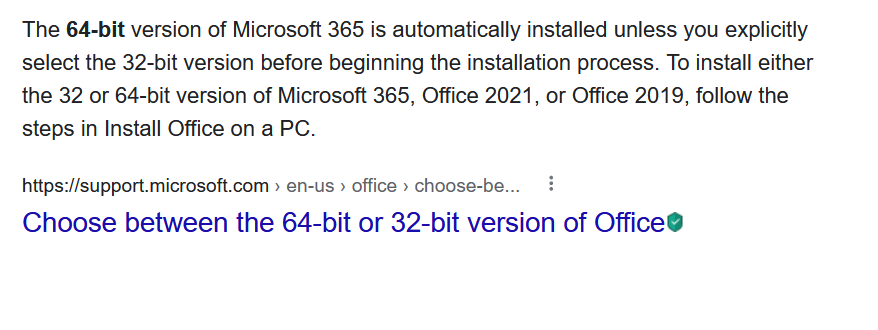
To the best of my knowledge, all office subscriptions include both 32 bit and 64 bit versions. Its annoying that even by today's standards, the 32 bit is still the default download when getting it from the microsoft site.

My recommendation, if possible, is to get your end user to log into their office 365 and download the 64 bit version of office and upgrade - it doesn't cost anything and future proofs (When going to the download, they'll need to select advanced options, rather than downloading the default)

I'm upfront about not supporting 32 bit. Its an unnecessary pain when nearly all computers these can run 64 bit applications. Furthermore, you'll be removing the 32 bit performance limitations which could seriously affect your access processing.
Dan Jackson  @Reply  
            
4 years ago

Dan Jackson  @Reply  
            
4 years ago

Dan Jackson  @Reply  
            
4 years ago

Dan Jackson  @Reply  
            
4 years ago

Scott Axton  @Reply  
        
4 years ago

Scott Axton  @Reply  
        
4 years ago
^^ Dan I don't think that is the case any longer.  I recently had to go looking for 32bit as I didn't want to have one machine different on a new computer.
I still haven't made the switch.  Don't want to deal with it right now.
Dan Jackson  @Reply  
            
4 years ago
Change is coming! Wonder when 128bit comes out?
Kevin Robertson  @Reply  
          
4 years ago
Dan probably the same time as Access.NET. LOL
Richard Rost  @Reply  
          
4 years ago
Yeah, I'd say keep ALL of your installations on the SAME bitness. If one person is 32-bit, you should ALL be 32-bit. But, try to get everyone up to 64-bit if you can. Working between different versions is a nightmare.

This thread is now CLOSED. If you wish to comment, start a NEW discussion in 64-Bit Access.
 

Next Unseen

 
New Feature: Comment Live View


The following is a paid advertisement
Computer Learning Zone is not responsible for any content shown or offers made by these ads.
 

Learn
 
Access - index
Excel - index
Word - index
Windows - index
PowerPoint - index
Photoshop - index
Visual Basic - index
ASP - index
Seminars
More...
Customers
 
Login
My Account
My Courses
Lost Password
Memberships
Student Databases
Change Email
Info
 
Latest News
New Releases
User Forums
Topic Glossary
Tips & Tricks
Search The Site
Code Vault
Collapse Menus
Help
 
Customer Support
Web Site Tour
FAQs
TechHelp
Consulting Services
About
 
Background
Testimonials
Jobs
Affiliate Program
Richard Rost
Free Lessons
Mailing List
PCResale.NET
Order
 
Video Tutorials
Handbooks
Memberships
Learning Connection
Idiot's Guide to Excel
Volume Discounts
Payment Info
Shipping
Terms of Sale
Contact
 
Contact Info
Support Policy
Mailing Address
Phone Number
Fax Number
Course Survey
Email Richard
[email protected]
Blog RSS Feed    YouTube Channel

LinkedIn
Copyright 2026 by Computer Learning Zone, Amicron, and Richard Rost. All Rights Reserved. Current Time: 4/30/2026 1:45:02 AM. PLT: 0s