Free Lessons
Courses
Seminars
TechHelp
Fast Tips
Templates
Topic Index
Forum
ABCD
 
Home   Courses   TechHelp   Forums   Help   Contact   Merch   Join   Order   Logon  
 
Back to Access Forum    Comments List
Upload Images   @Reply   Bookmark    Link   Email   Next Unseen 
4 searchadd forms in 1 table
Sean Sweeney 
     
3 years ago
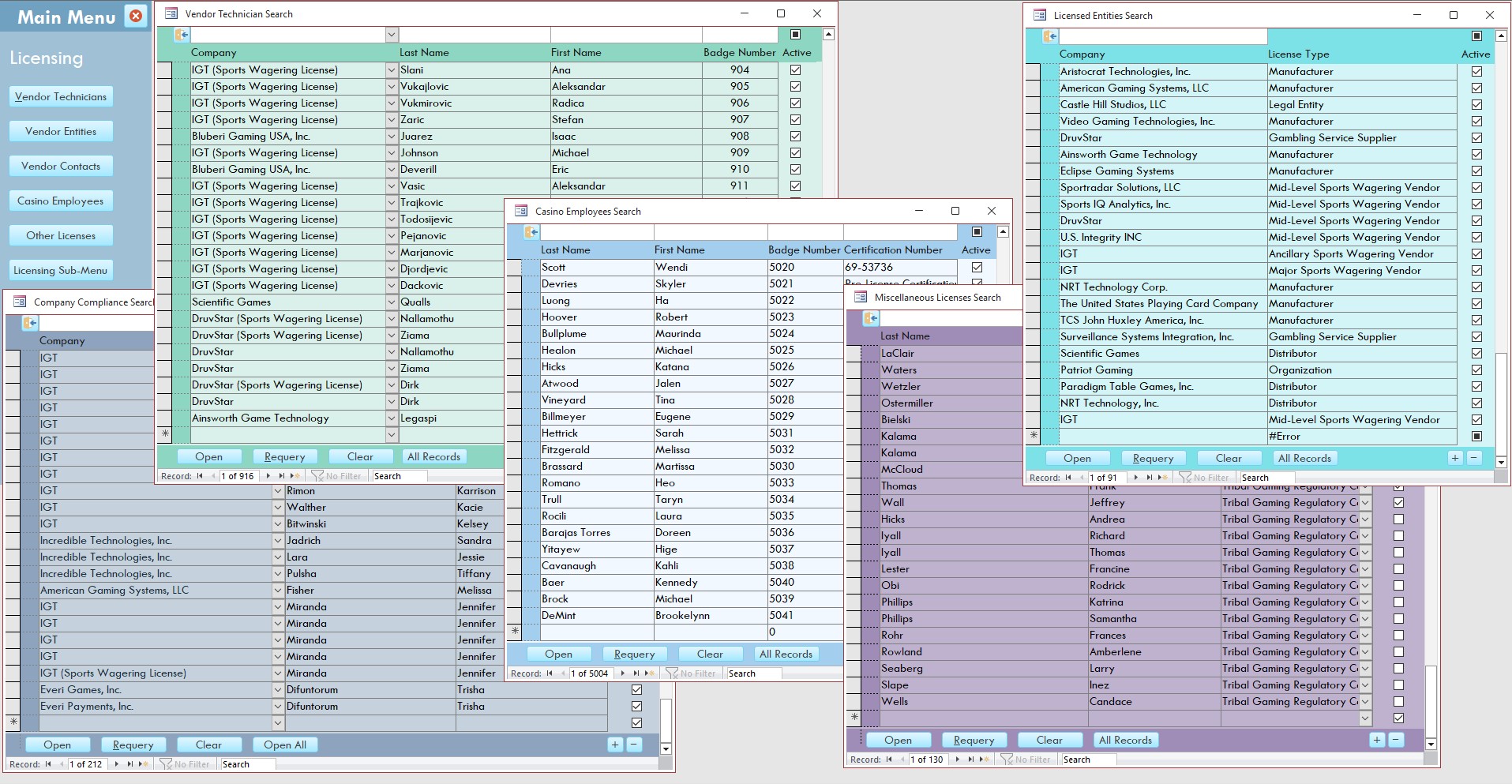
I'm sure it's possible, but I wasn't sure how to go about accomplishing this - I have multiple tables I would like to join together, since having a persons or licenses table is better database management than having tables for casino employees, vendor technicians, vendor companies and "other" licenses.

My issue is I use the search continuous form search page to add individuals to those tables for my end users. If I put everything together in one single table and I still want those search pages to be exclusive to the persons/license type, how can I continue to have that functionality of adding persons to those search lists and have those entries default to the list/type they are being added from?

I don't want to have to make my end user select the license type (Vendor Tech, Casino Employee, Vendor Company, "other licenses").

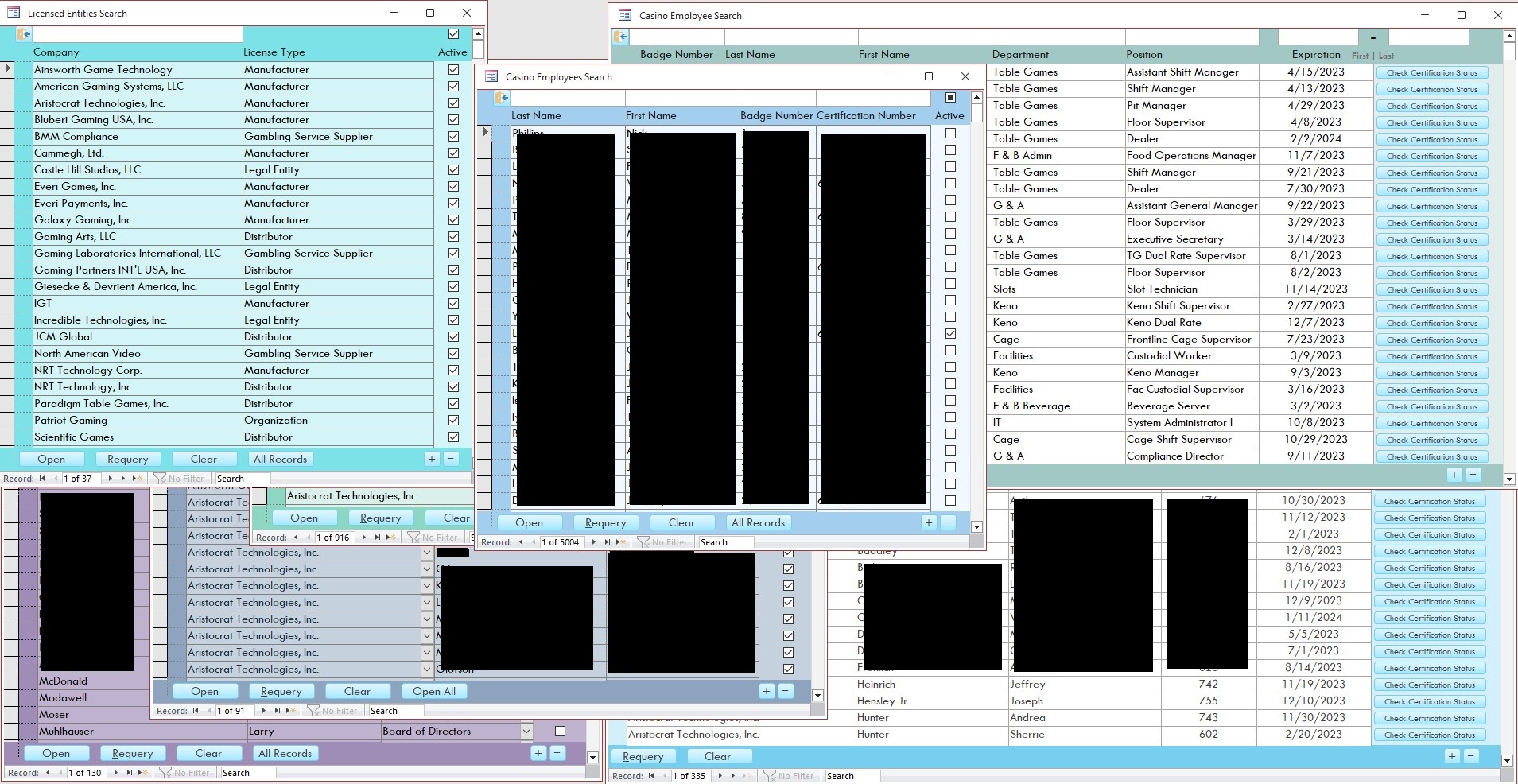
I will add a screenshot of my search/add pages. I know I will have to do a few adjustments to the individual forms to make everything uniform. I can manage that, I just don't want to add additional steps for my end users if I can help it. It would also be nice to get everything in a single table so I won't have to use a union query to search all ~<7,000 licenses (which takes about 29-30 seconds to load every time that union query is ran).
Sean Sweeney OP  @Reply  
     
3 years ago

Scott Axton  @Reply  
        
3 years ago
First thing I would do is to council you to reconsider your table structure.  See the Too Many Tables video for more info.

The other thing you could do, as you mentioned, is use a Union Query and build your search on that query.
Be aware that a Union query is not editable and requires that you have the same fields in each table to work.  The draw back is definitely speed in that case.
Scott Axton  @Reply  
        
3 years ago
Additionally the judicious use of Indexing can greatly speed up your searches.
To many indexes can actually slow your data base down however, so use them sparingly.
Alex Hedley  @Reply  
           
3 years ago
You can setup your forms to default to filter.

If they come from the main menu to be searching by a type you could then default the new functionality to use those values.
Sean Sweeney OP  @Reply  
     
3 years ago
Thanks for the notes!

First off, I want to apologize if my posts are never clear. I tend to ramble and talk in circles, so sometimes my questions aren't clear.

@Scott - My question was rooted in the fact that I was aware I had too many tables and I wanted to consolidate things. Plus the fact that I am using a union query for two particular searches, and it takes 30 seconds to load. Which is why I want to consolidate the queries.

@Scott Re:Indexing - The auto number is really the only field I can index (without duplicates) As I've had employees get hired by those companies and become technicians; I've had previous casino employees get appointed (by the tribe) to the board of directors, or get hired by Tribal Regulatory, or become a Gaming Commissioner. Due to this, I can't even use SSN as a (no duplicate) indexed field.

@Alex - yeah I'm aware I could filter the forms, I figured I could keep the "persons type" separate by adding a WHERE statement to the SQL/VBA that the search function for those tables/forms are based on.

With that said, the one thing I am not sure how to do is, in those particular forms, how to make sure the "persons type" is associated correctly, if I consolidate these tables into one table, but still use filtered searchs to keep each type separate. As said, if I use the casino employee search form to add an individual that will be associated as a casino employee, and add a vendor entity/company in the company search screen? If it was the same table, I would use a default value when adding a new record, but since it would be a default value based on the form that the record is being added from, and not the table, that's the part I'm not sure how to accomplish (without adding a dropdown, requiring the end user to specify the "person" type).

Hopefully that clears up what I'm trying to accomplish?
John Davy  @Reply  
         
3 years ago
Hi Sean,
I mainly agree with Scott on the too many tables, but I also believe the issue relates more to focusing on specific topics for each table. I see many repeated entities in the tables. I would urge you to pare the tables down to specific topics. If you begin to see item repeated then examine the need for another table. Reexamine your table structure and relationships to each.
HTH
John
John Davy  @Reply  
         
3 years ago
Hi Sean,
I mainly agree with Scott on the too many tables, but I also believe the issue relates more to focusing on specific topics for each table. I see many repeated entities in the tables. I would urge you to pare the tables down to specific topics. If you begin to see item repeated then examine the need for another table. Reexamine your table structure and relationships to each.
HTH
John

ps: You want to consider Many to Many relationships, for I think you have a few. That may help with the issues you described in the last paragraph.
Sean Sweeney OP  @Reply  
     
3 years ago
@John

Thanks for the notes John. The repeated items are actually purposeful, unfortunately. Each entry has a unique Certification Number. Also our State Gaming Agency requires companies be licensed separately from the TLS (Tribal Lottery System) Manufacturer/Distributors and Sports Wagering Vendors. The Tribal-State Compact Appendix S requires they be licensed separately. Since these entries all generate certificates, clear letters and have unique Certificate Numbers, License Dates and Expiration Dates, there is no easy way of having that specific information - not without relegating the certifications to a sub-table, which would make the functionality of my database (generating certificates, clear letters, checking certification status on the State Website, submitting State Gaming Agency Personnel Termination Notifications, generating reports) not work - at least not work with my current level and understanding of access (which is admittedly limited).

If you search "IGT" on our States Database - https://fortress.wa.gov/wsgc/etransfer/OnlineServices/search/license-search.cshtml?employerno=IGT&what2do=getemployer&getrecord=Get+Record

you'll see 6 different entries. My database has to mirror this.

While the note about repeat entries is a valid note and tells of poor database design, on my part, hopefully, this shows I can't get around this particular issue.
Sean Sweeney OP  @Reply  
     
3 years ago

Sean Sweeney OP  @Reply  
     
3 years ago

Sean Sweeney OP  @Reply  
     
3 years ago

Sean Sweeney OP  @Reply  
     
3 years ago

Sean Sweeney OP  @Reply  
     
3 years ago

Sean Sweeney OP  @Reply  
     
3 years ago
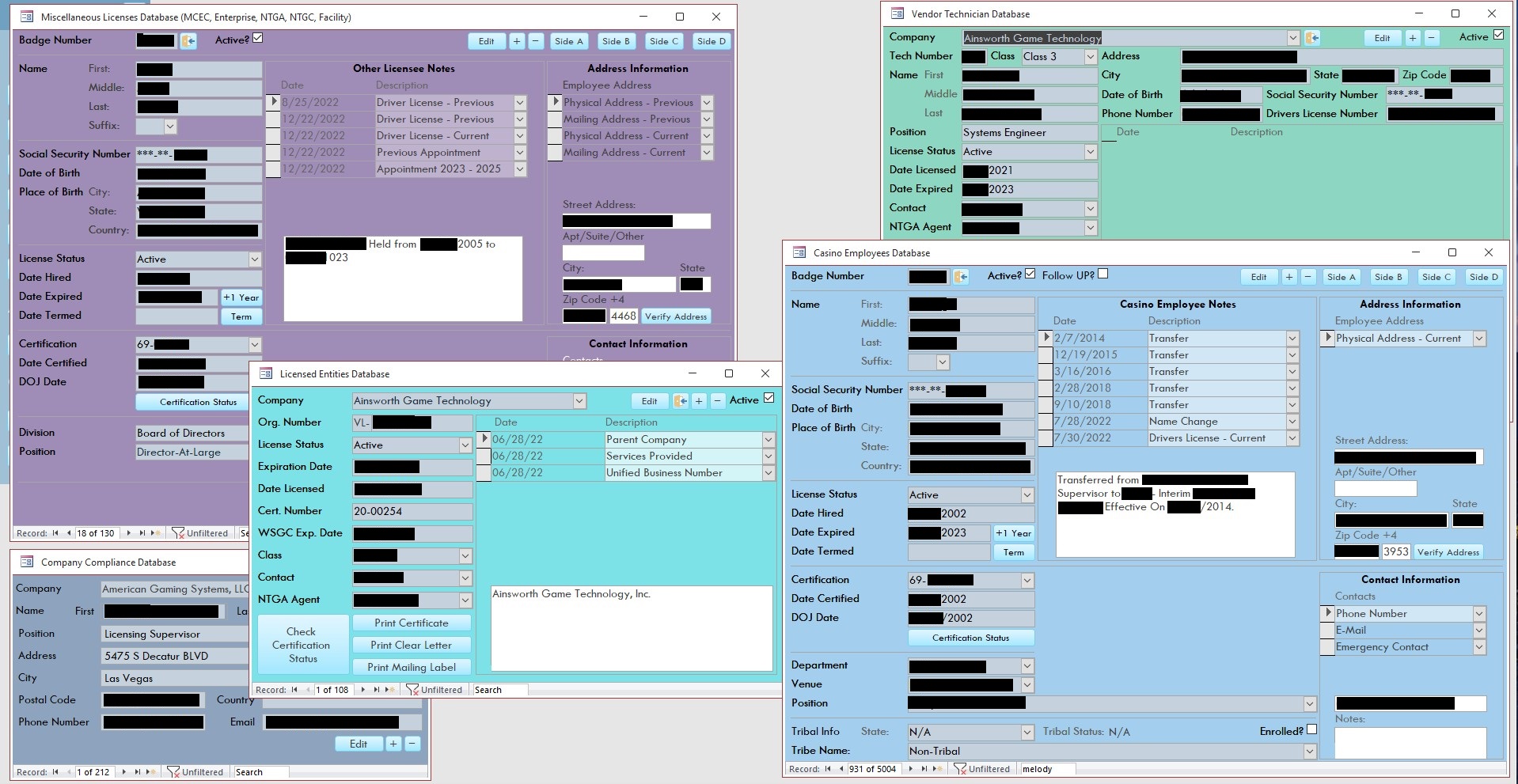
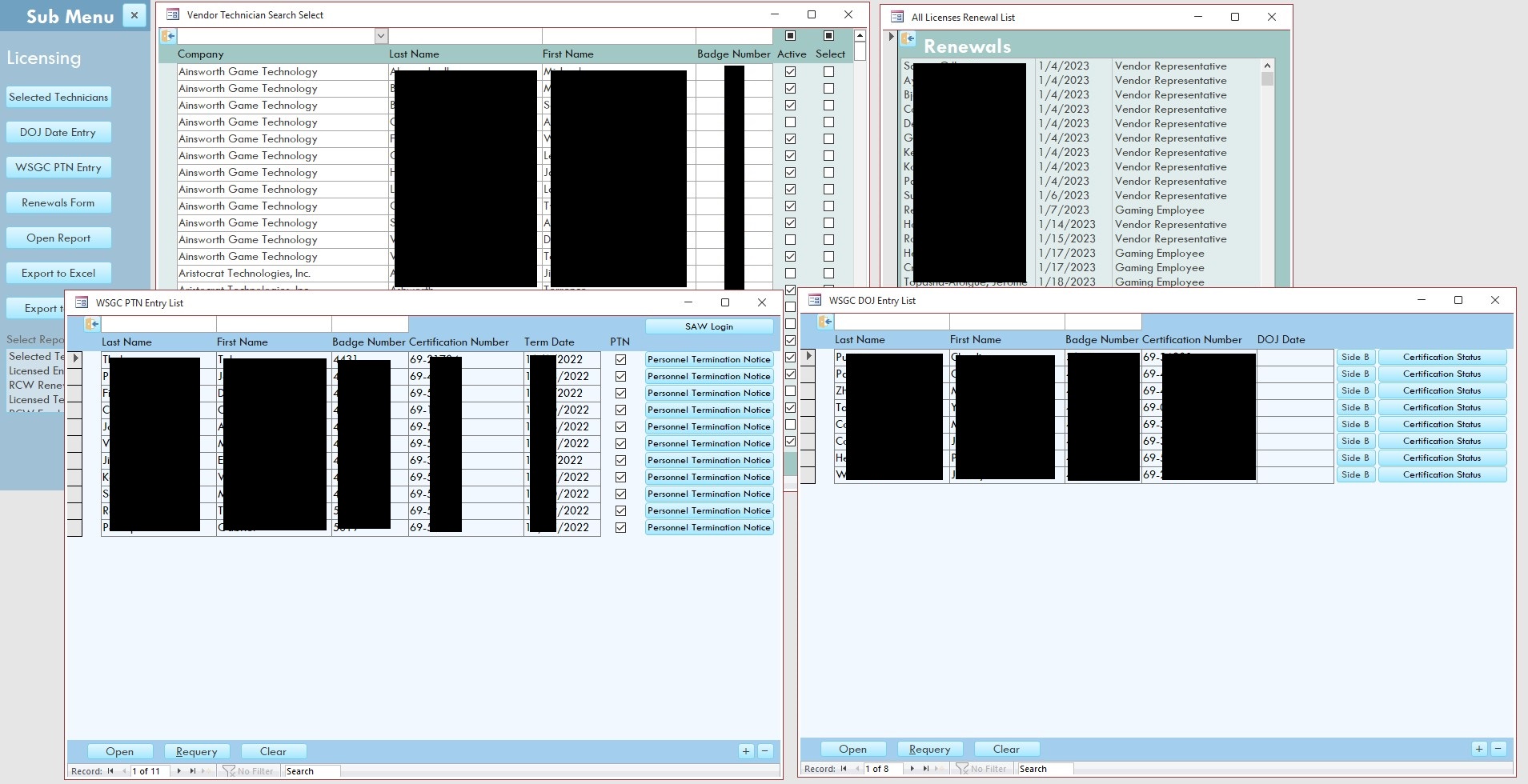
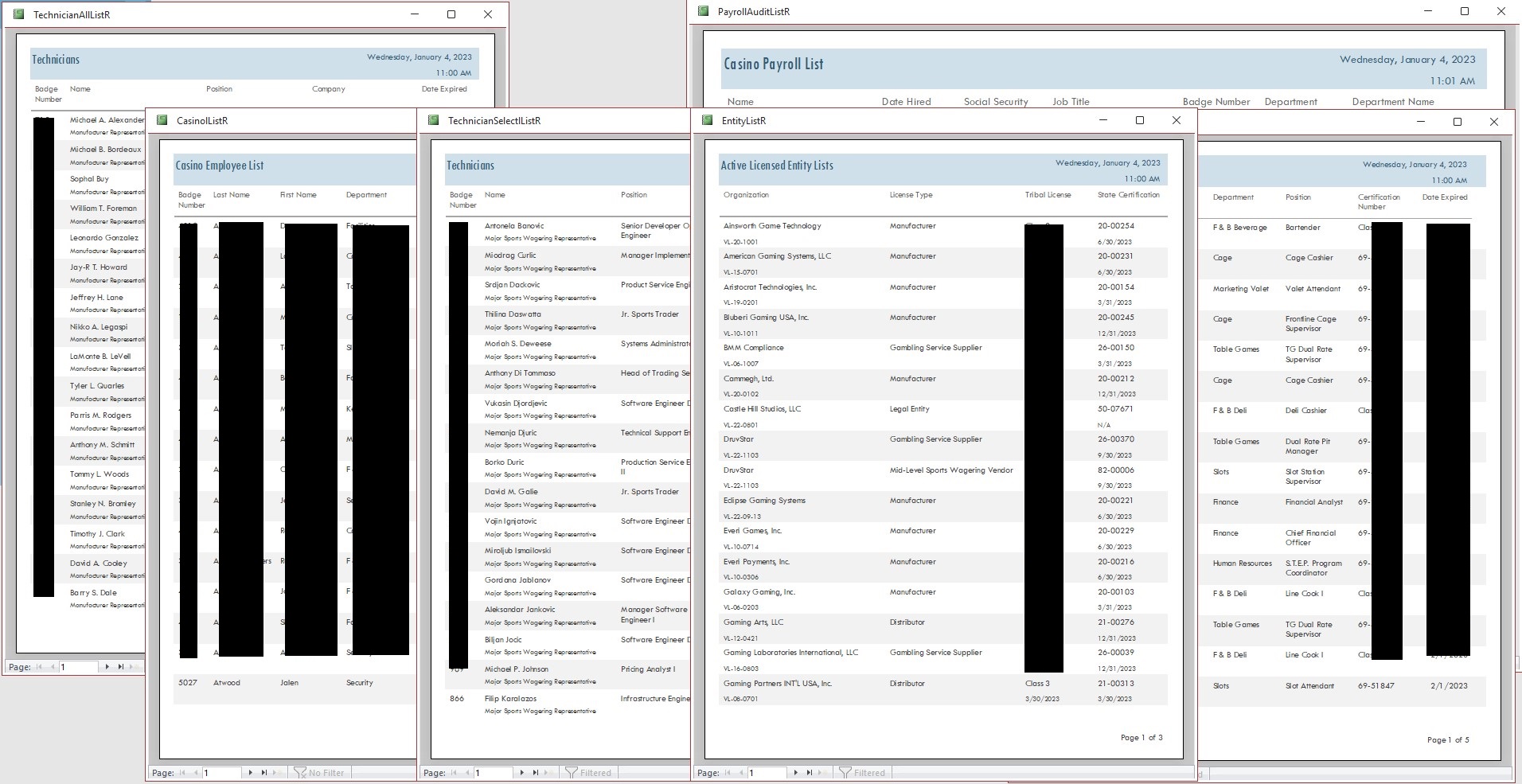
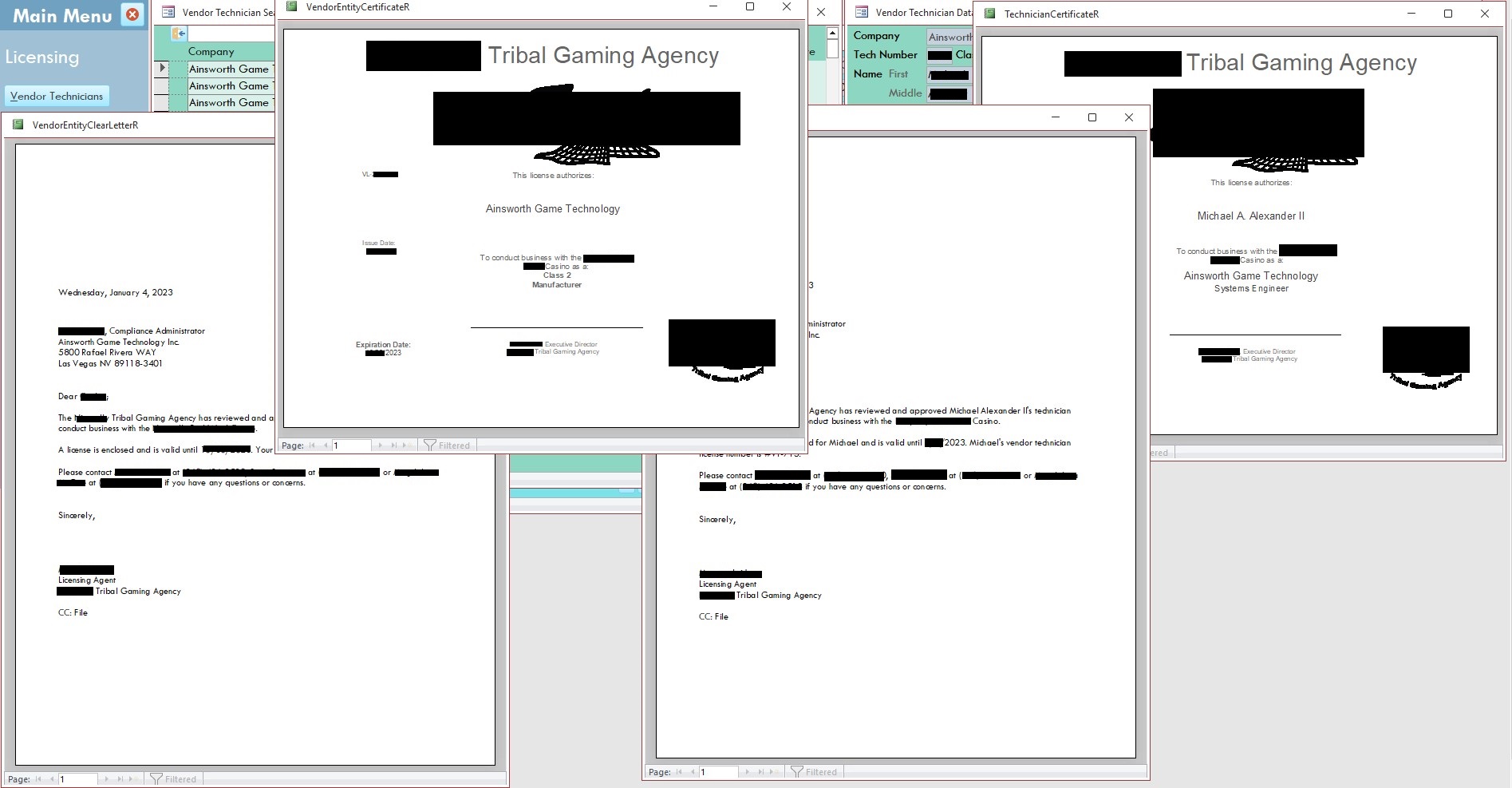
Here are screenshots of the forms and reports from my front end. I have some other items in the back-end, as well as user login, and add user screen - but I won't include those because I feel like those elements are aspects of the database I can't really take credit for since I either didn't make the code from the ground up and/or don't have a line by line understanding of how those functions work. I blanked out sensitive information and identifying factors, even though some of the certification information is actually public record.

I just wanted to show that this database I created was more than just those search forms. Also wanted to show there are a number of features in the database that are specific to the license and/or person type.

Honestly, I am feeling a little defeated in this thread, as I knew from the start of this thread I wanted to take four of those tables and merge them into a single table. However the one thing I was trying to figure out is how to maintain those individual search forms so my end users can add companies and person types without having to specify what type they are when being added to those specific forms. That was the main factor I have not been able to figure out. If I can figure that out, I can manage to filter those continuous search forms accordingly and get everything else reconfigured accordingly.

This thread is now CLOSED. If you wish to comment, start a NEW discussion in Access Forum.
 

Next Unseen

 
New Feature: Comment Live View


The following is a paid advertisement
Computer Learning Zone is not responsible for any content shown or offers made by these ads.
 

Learn
 
Access - index
Excel - index
Word - index
Windows - index
PowerPoint - index
Photoshop - index
Visual Basic - index
ASP - index
Seminars
More...
Customers
 
Login
My Account
My Courses
Lost Password
Memberships
Student Databases
Change Email
Info
 
Latest News
New Releases
User Forums
Topic Glossary
Tips & Tricks
Search The Site
Code Vault
Collapse Menus
Help
 
Customer Support
Web Site Tour
FAQs
TechHelp
Consulting Services
About
 
Background
Testimonials
Jobs
Affiliate Program
Richard Rost
Free Lessons
Mailing List
PCResale.NET
Order
 
Video Tutorials
Handbooks
Memberships
Learning Connection
Idiot's Guide to Excel
Volume Discounts
Payment Info
Shipping
Terms of Sale
Contact
 
Contact Info
Support Policy
Mailing Address
Phone Number
Fax Number
Course Survey
Email Richard
[email protected]
Blog RSS Feed    YouTube Channel

LinkedIn
Copyright 2026 by Computer Learning Zone, Amicron, and Richard Rost. All Rights Reserved. Current Time: 5/6/2026 3:25:57 AM. PLT: 0s