Free Lessons
Courses
Seminars
TechHelp
Fast Tips
Templates
Topic Index
Forum
ABCD
 
Home   Courses   TechHelp   Forums   Help   Contact   Merch   Join   Order   Logon  
 
Back to Access Forum    Comments List
Upload Images   @Reply   Bookmark    Link   Email   Next Unseen 
Default Value
Giovanni Miranda 
    
3 years ago
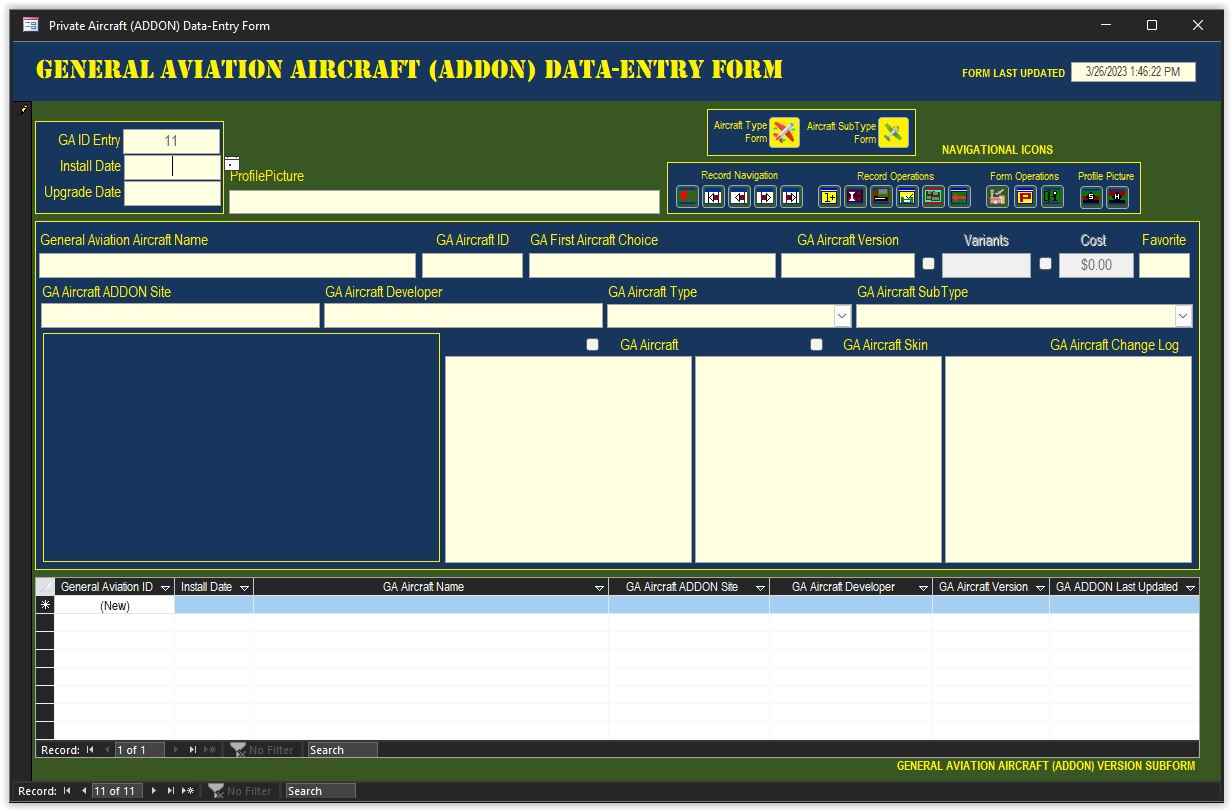
I've got a Currency Field that I'd like to be blank when adding a new record, as it is the default value without having a default value is $0.00.

I've changed this in the property sheet of the Field to "=Null", without the quotes of course. And it still has the zero's in it anytime I start a new record. Is there another way to make this default to a blank Field when I start a new record?
Giovanni Miranda OP  @Reply  
    
3 years ago

Giovanni Miranda OP  @Reply  
    
3 years ago
Also, it is blank when I first start out, but it populates with the zero's when I start to enter value inside a Field.
Kevin Robertson  @Reply  
          
3 years ago
Just blank the Default Value. Also be sure to delete the Default Value from the table.
Giovanni Miranda OP  @Reply  
    
3 years ago
Thanks, I didn't notice the "0" in the Default Value in the Table.
Dan Jackson  @Reply  
            
3 years ago
Yeah. That's another area i go slightly against Ricks teaching (Particularly in the early phase). I do absolutely minimum with the tables other than set the field name and type. Things like validation rules and default values I always apply to form controls.

Easier to work with and can specify different rules for different forms (For example, your currency field. In this form, you don't want a default value so you remove the value. In another form you could set a default value.) Just my humble opinion
Giovanni Miranda OP  @Reply  
    
3 years ago
Thanks for the advice, I've worked with Acces since back in the '80's and just really getting back into it again. Access was quite different back when I graduated as a programmer in '89. A lot of newer and cooler stuff now with the breakout of all this technology.
Richard Rost  @Reply  
          
2 years ago
That's awesome... Since Access 1.0 was released in 1992.  😁😁😁
Kevin Yip  @Reply  
     
2 years ago
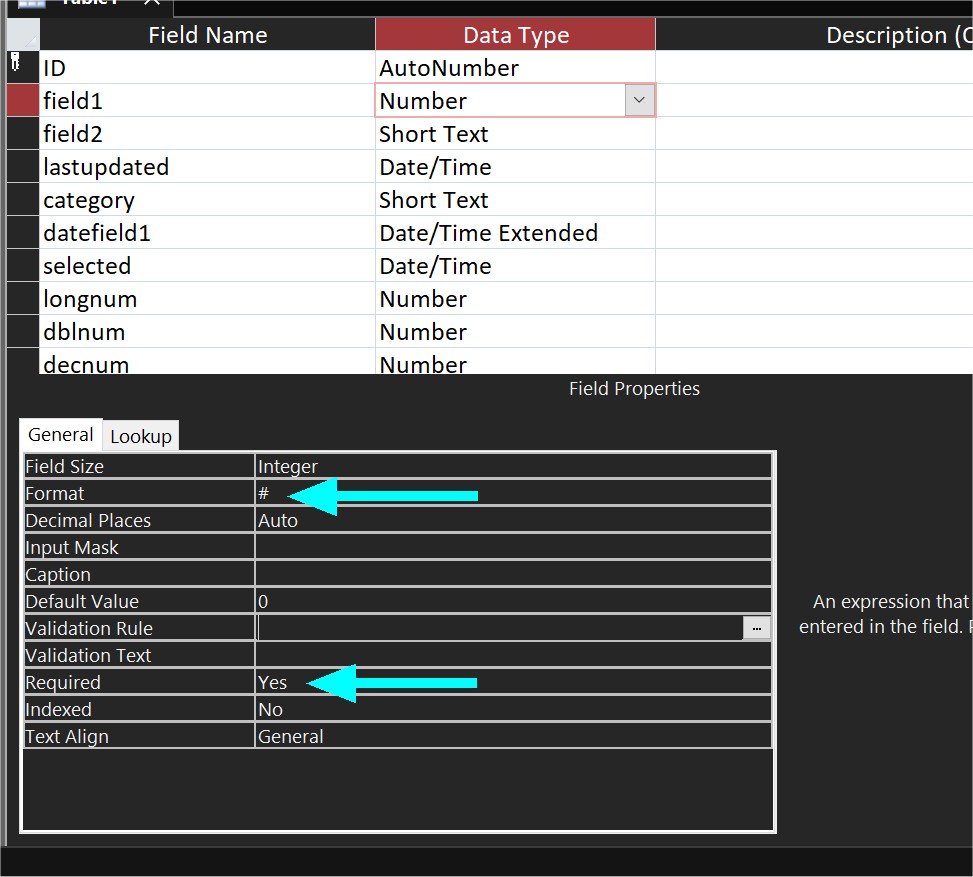
I tend to avoid having nulls in numeric fields because that may cause math errors.  E.g. [Field1]+[Field2] returns null if either one is null.  Therefore, all numeric fields should have their "Required" property set to Yes (default is No).  That way, they can't be nullified at any level.  The user gets a warning message if he tries to.  If you want zero values to appear as blanks, set the "Format" property to "#" (see picture below).  The values will still be zeroes, and only the display format is in effect.  When the user clicks on it, the zero appears again to let the user know.  Leave the field, and it appears blank again.
Kevin Yip  @Reply  
     
2 years ago

This thread is now CLOSED. If you wish to comment, start a NEW discussion in Access Forum.
 

Next Unseen

 
New Feature: Comment Live View


The following is a paid advertisement
Computer Learning Zone is not responsible for any content shown or offers made by these ads.
 

Learn
 
Access - index
Excel - index
Word - index
Windows - index
PowerPoint - index
Photoshop - index
Visual Basic - index
ASP - index
Seminars
More...
Customers
 
Login
My Account
My Courses
Lost Password
Memberships
Student Databases
Change Email
Info
 
Latest News
New Releases
User Forums
Topic Glossary
Tips & Tricks
Search The Site
Code Vault
Collapse Menus
Help
 
Customer Support
Web Site Tour
FAQs
TechHelp
Consulting Services
About
 
Background
Testimonials
Jobs
Affiliate Program
Richard Rost
Free Lessons
Mailing List
PCResale.NET
Order
 
Video Tutorials
Handbooks
Memberships
Learning Connection
Idiot's Guide to Excel
Volume Discounts
Payment Info
Shipping
Terms of Sale
Contact
 
Contact Info
Support Policy
Mailing Address
Phone Number
Fax Number
Course Survey
Email Richard
[email protected]
Blog RSS Feed    YouTube Channel

LinkedIn
Copyright 2026 by Computer Learning Zone, Amicron, and Richard Rost. All Rights Reserved. Current Time: 5/9/2026 3:15:52 AM. PLT: 2s