Free Lessons
Courses
Seminars
TechHelp
Fast Tips
Templates
Topic Index
Forum
ABCD
 
Home   Courses   TechHelp   Forums   Help   Contact   Merch   Join   Order   Logon  
 
Back to Access Forum    Comments List
Upload Images   @Reply   Bookmark    Link   Email   Next Unseen 
On-Screen Calculator
Richard Rost 
          
3 years ago
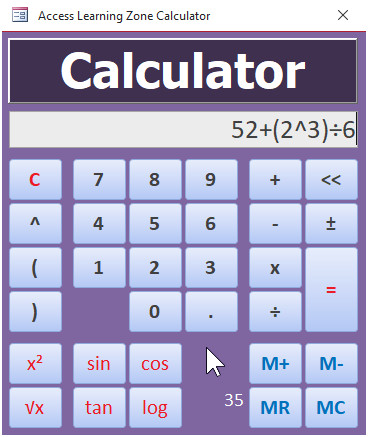
Coming next week... any requests for features?
Richard Rost OP  @Reply  
          
3 years ago

Kevin Robertson  @Reply  
          
3 years ago
Percent
SQRT
Trig functions
Conversions

Switching between Standard and Scientific (probably too complex for a Tech Help)
Kevin Robertson  @Reply  
          
3 years ago
I did a basic calculator a little while ago. Looks okay and is functional. It is just lacking in features.
Kevin Robertson  @Reply  
          
3 years ago

Alex Hedley  @Reply  
           
3 years ago
A history
Jerry Fowler  @Reply  
       
3 years ago
First off Thanks ever so much for taking this on as a tech help video, kudos to you.  Originally I was looking for a 10 key pad so to enter numbers into a form I had.  They are using a touch screen laptop so this way they could just press the numbers and then like a button to transfer it to the field and then just advance to the next field, or it could just automatically put the numbers into the field.  Maybe like a function where we feed it the field name and it enters them into that field. Clear as mud???

Thanks again

Jerry Fowler
Masih Ostad Novin  @Reply  
     
3 years ago
Hi Richard. That's great. It would be nice with a unit converter. But I guess that's another lesson. Thanks Masih
David Semon  @Reply  
      
3 years ago
Any chance of including fractions as well as decimals??
Kevin Yip  @Reply  
     
3 years ago
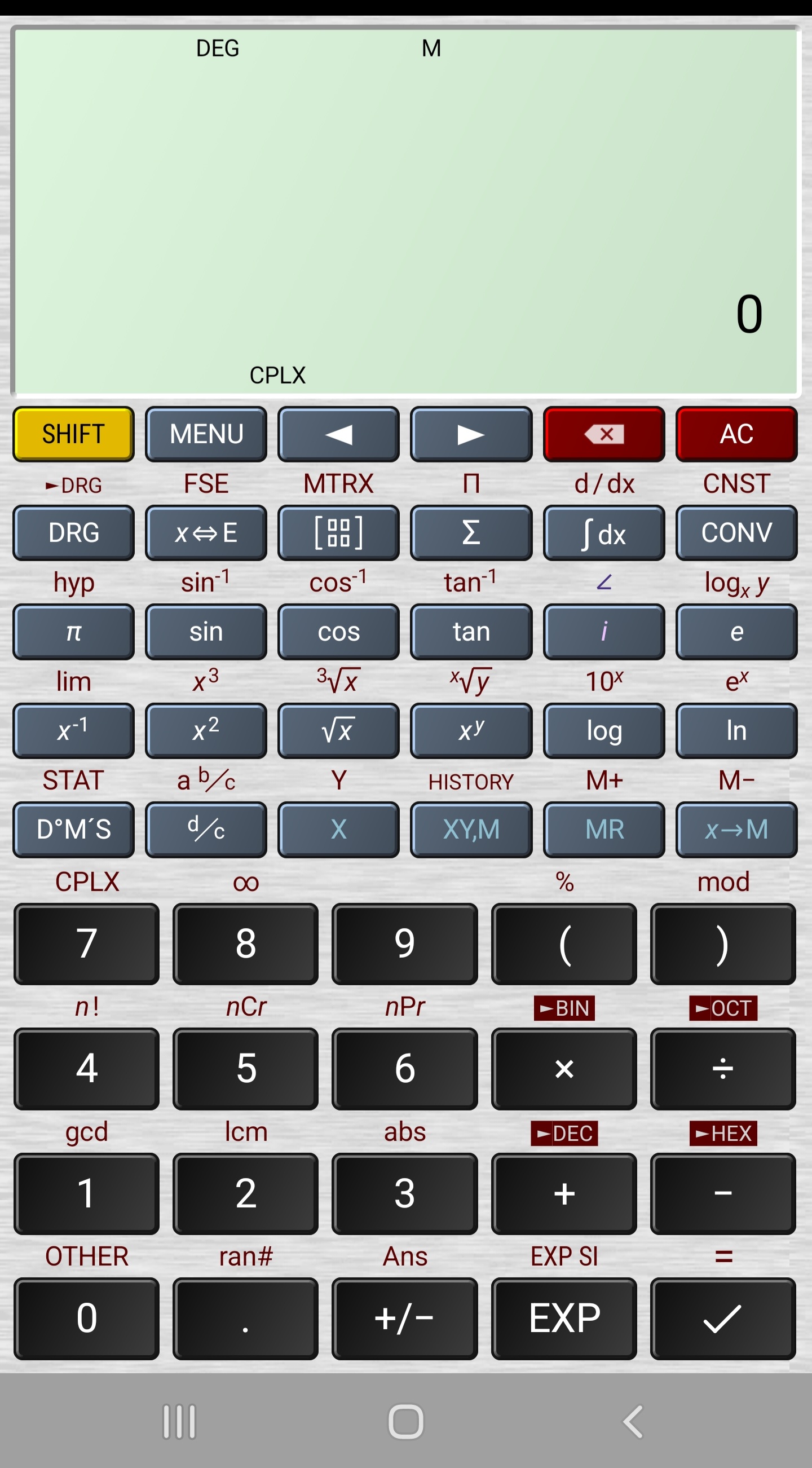
The sky is the limit really.  The picture below shows a scientific calculator that should look familiar to many.
Kevin Yip  @Reply  
     
3 years ago

Kevin Yip  @Reply  
     
3 years ago
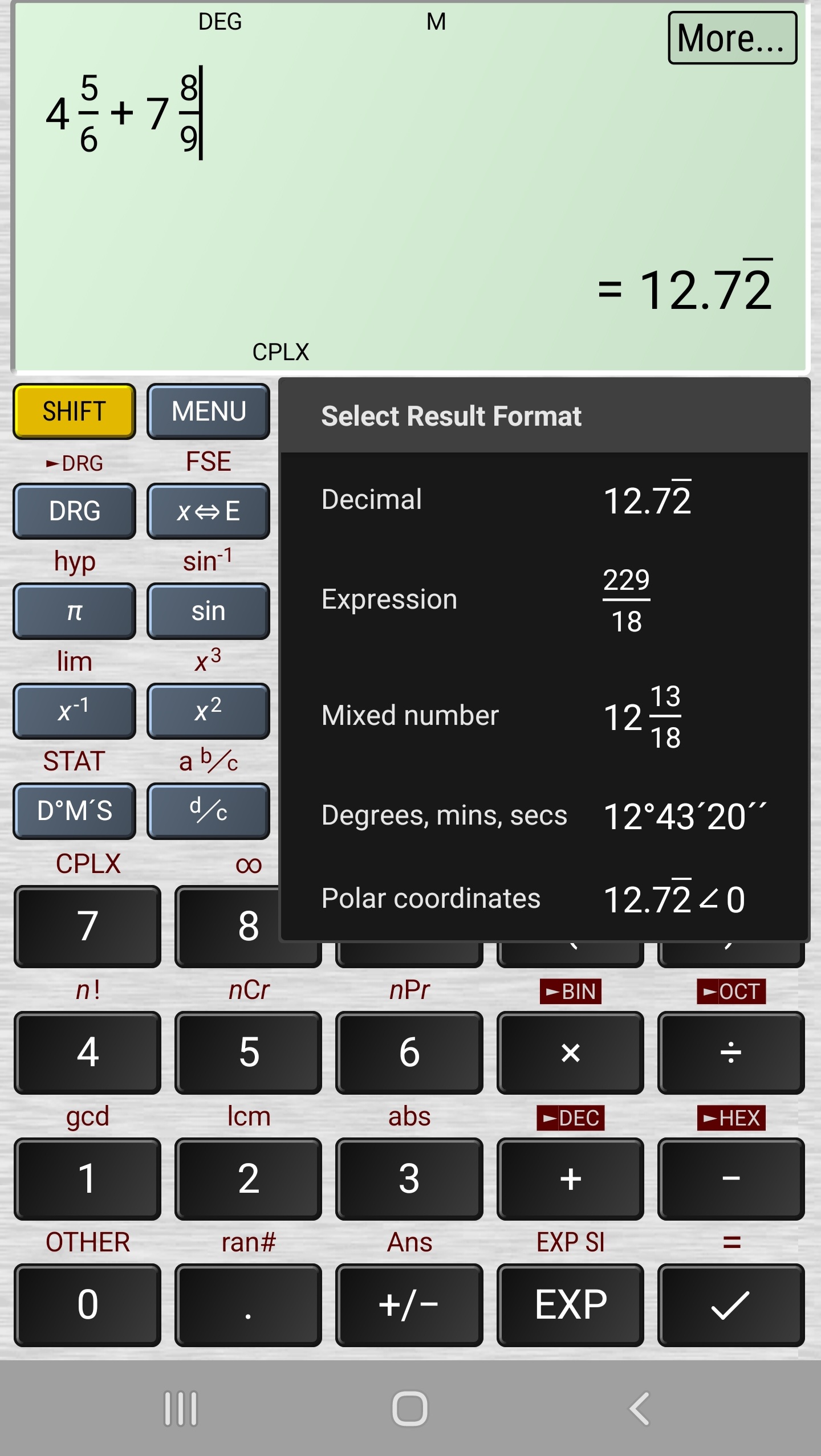
There are many mobile apps like this, and some are pretty good.  This one (picture below) and do fraction math and return the result as a decimal or a fraction (proper or improper).
Kevin Yip  @Reply  
     
3 years ago

Alex Hedley  @Reply  
           
3 years ago
Unit Tests with RubberduckVBA
Juan C Rivera  @Reply  
            
3 years ago
Another Vulcan Mind Meld by Richard, or was it a disturbance in the Force.  
I say this due to just sometime ago the Govt.  stoped all macros and VBA from working on computers due to some butt heads doing bad things...  So what I was doing was calling Calc.exe from Access it worked fine untill last month what they patched an upgrade.  So IT set up a trusted folder for me now VBA workes but cant call external programs.  So the Govt in order to protect from the butt heads provide us with MS365 and strip it of all powers down to the basic.  So I see that everyone in the Govt love Excel and send out sheets with tohusands of colums and millions or rows and call it a databse.    LOL   Anyways too much info here the Calculator will be an awsome adition to my database.  Jerry thanks for requesting this. And Richard big thanks for doing it.

V/r
Juan
A Glenn Yesner  @Reply  
     
3 years ago
Looks like the suggestions are actually turning this into a template or seminar so here are my 2'. Add (or a separate) construction calculator (rise, run, slope, pitch, sine, cosine, tangent) using feet, inches, sixteenths (with conversion to decimal or metric). Maybe a switch (Simple, Scientific, Construction)? I'd use a construction calculator for the shop guys and the field reps as an add-on for their database applications.
Richard Rost OP  @Reply  
          
3 years ago
Percent: surprisingly hard to do - future list
SQRT: easy. Done
X^2 button: easy. Done
Memory buttons: easy. Done
History: not hard, but time consuming. future list
Fractions: you can write them as division (1/12)+(2/5)
Full scientific stuff and construction calc: sure... down the road, if there's interest.
Richard Rost OP  @Reply  
          
3 years ago
It's getting there... OK... I've got it mostly built... now to record the videos and start over. :)
Richard Rost OP  @Reply  
          
3 years ago

Juan C Rivera  @Reply  
            
3 years ago
Scotty: I'm giving her all she's got, Captain!
Kevin Robertson  @Reply  
          
3 years ago
Perhaps a feature to save complex calculations and/or the results to a table for future lookups.
John Muir  @Reply  
     
3 years ago
Present value of an annuity. The   Excel  PV Works in access.
Michael Johnson  @Reply  
        
3 years ago
A times-equals feature where you put in a number, then hit times equals and it will square the number.
A multiple hit of the equal button to repeat the last math action.
Kevin Yip  @Reply  
     
3 years ago
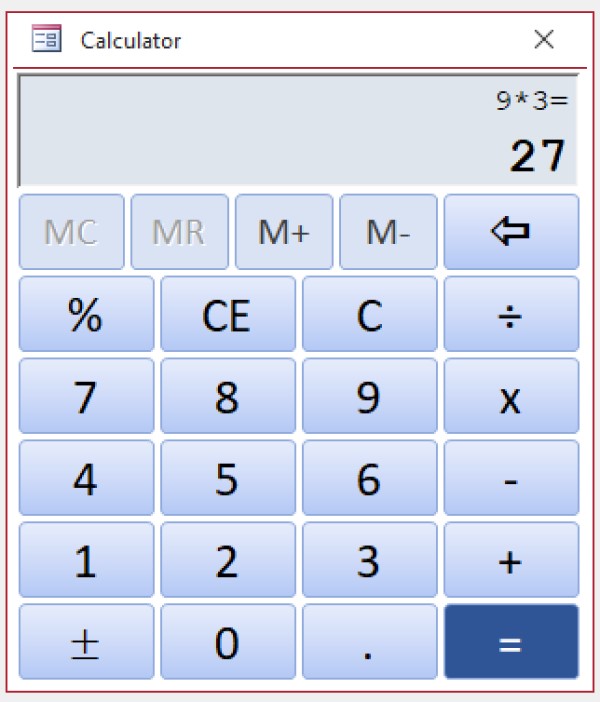
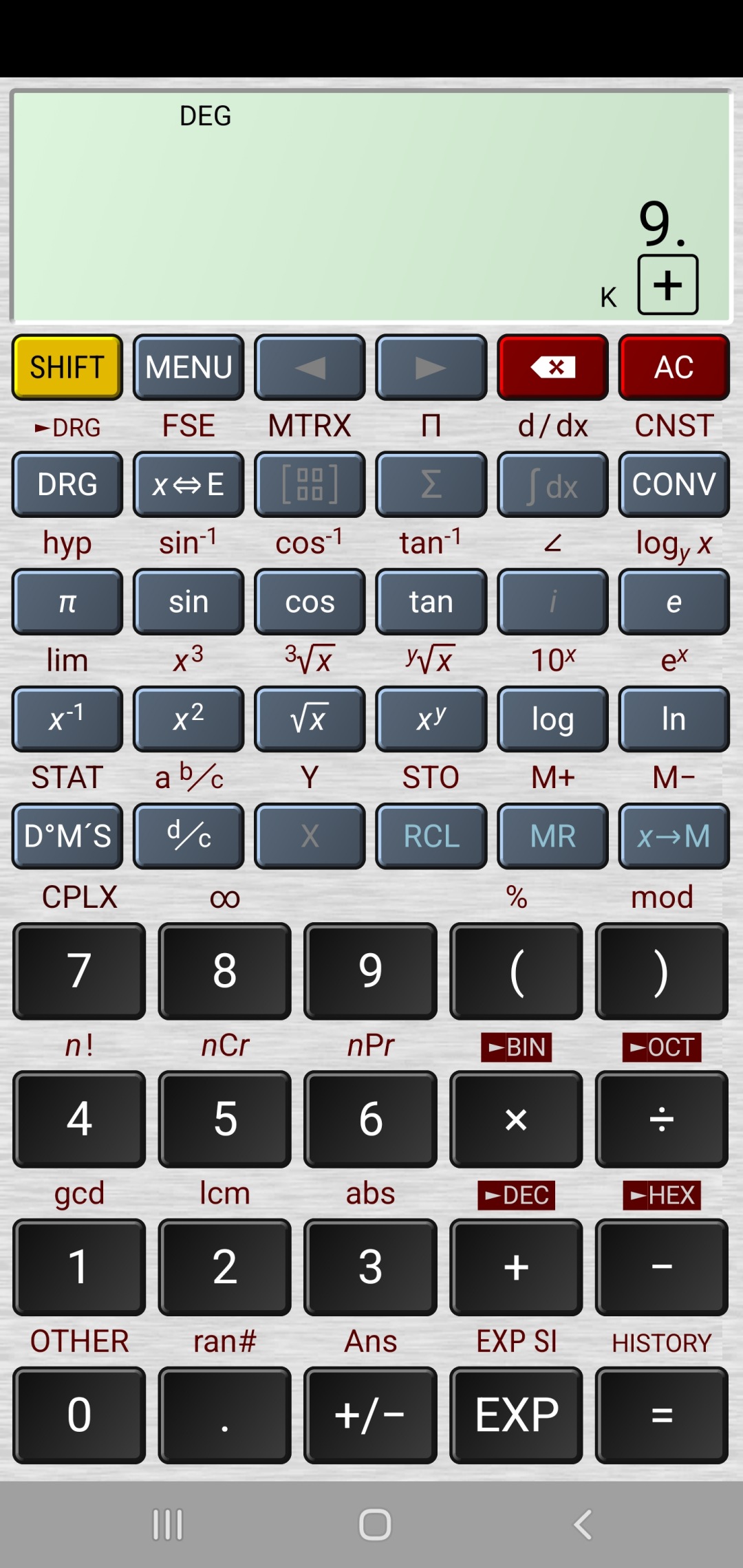
I second Michael's suggestion above, because it is a pretty common feature.  It was on all the physical calculators (since the 80s) I've seen, and it's on most of today's calculator apps, including the built-in Windows Calc app and Samsung Android app.  This feature only works in "classic mode," however, not in "expression mode".  Classic mode is this: press 9, then the square root key to get 3; or press 30, then the sine key to get sin 30.  But in expression mode, you press keys in the same order the math expression is written: square root, 9, or sin, 30.  Based on what Richard has done so far, I don't know if he is going for classic mode or expression mode.  If it's expression mode, then the constant feature will not be possible.

The constant feature works like this: press 9 + +, then press = to get 18; press = again to get 27; press + repeatedly and it will automatically add 9 to the previous result every time.  This works the same way with -, x, and / too.  Some calculators also show "K" on the display to indicate a constant has been stored (see picture below).  Those who've used 80s and 90s physical calculators remember this.

On some calculator app this works slightly differently: the constant is stored with just one press of the + key, or when the number is pressed the second time (9 + 9).
Kevin Yip  @Reply  
     
3 years ago

Juan C Rivera  @Reply  
            
3 years ago
Guys I think you missed the point.  This was not to recreate an app that can be found anyplace.... but to teach and provided tools for the ones that wish to learn.  So for many like us there is always a take away from the lesson.  

V/r
Juan
Michael Johnson  @Reply  
        
3 years ago
I disagree that we've missed the point. At the very top, Richard asked 'any requests for features?'  That is the question being answered in this thread. I agree there are always takeaways in the lessons. In requesting features, we get to see how it's being programmed and implemented.
Juan C Rivera  @Reply  
            
3 years ago
I stand corrected sorry please accept my apologies.

V/r
Juan

This thread is now CLOSED. If you wish to comment, start a NEW discussion in Access Forum.
 

Next Unseen

 
New Feature: Comment Live View


The following is a paid advertisement
Computer Learning Zone is not responsible for any content shown or offers made by these ads.
 

Learn
 
Access - index
Excel - index
Word - index
Windows - index
PowerPoint - index
Photoshop - index
Visual Basic - index
ASP - index
Seminars
More...
Customers
 
Login
My Account
My Courses
Lost Password
Memberships
Student Databases
Change Email
Info
 
Latest News
New Releases
User Forums
Topic Glossary
Tips & Tricks
Search The Site
Code Vault
Collapse Menus
Help
 
Customer Support
Web Site Tour
FAQs
TechHelp
Consulting Services
About
 
Background
Testimonials
Jobs
Affiliate Program
Richard Rost
Free Lessons
Mailing List
PCResale.NET
Order
 
Video Tutorials
Handbooks
Memberships
Learning Connection
Idiot's Guide to Excel
Volume Discounts
Payment Info
Shipping
Terms of Sale
Contact
 
Contact Info
Support Policy
Mailing Address
Phone Number
Fax Number
Course Survey
Email Richard
[email protected]
Blog RSS Feed    YouTube Channel

LinkedIn
Copyright 2026 by Computer Learning Zone, Amicron, and Richard Rost. All Rights Reserved. Current Time: 5/6/2026 10:52:27 AM. PLT: 1s