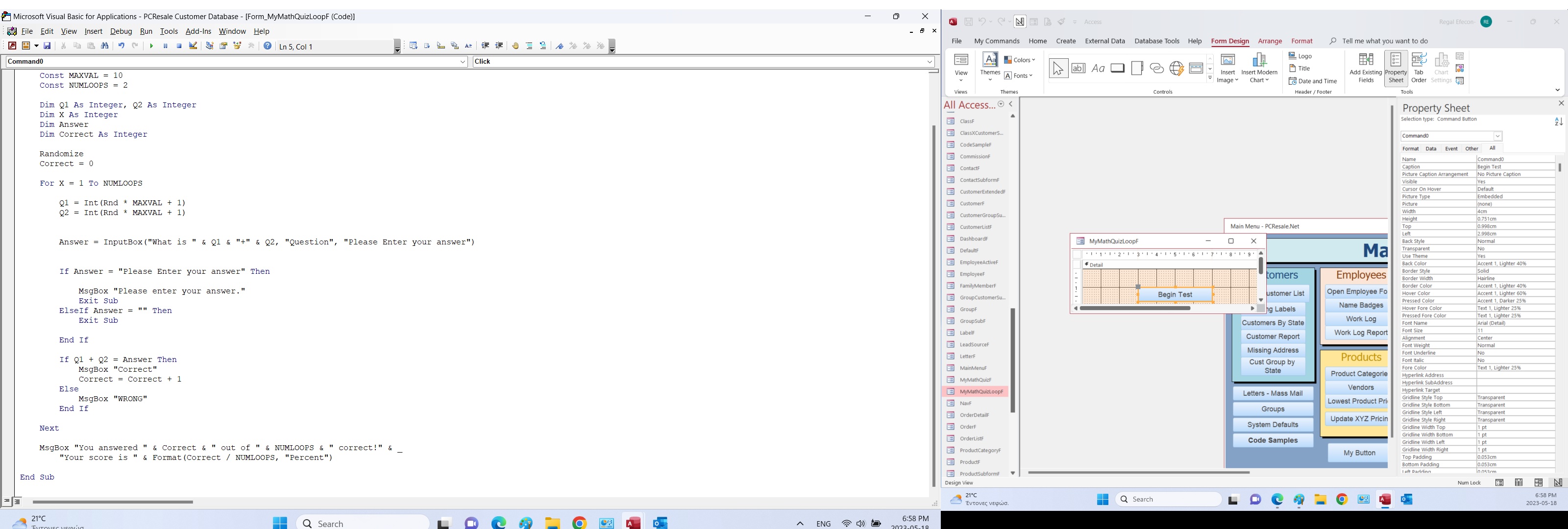
We declared Dim Answer As Integer but if we select the Cancel option of the input box we get a zero length string as the value for the variable Answer so we get a type mismatch error. I removed the Integer declaration and also added to the code that If Answer <>"" then run the code else exit sub. Waiting for your thoughts and proposals!
Best regards,
Stamatis Papoutsis-Greece
Kevin Robertson
@Reply 3 years ago
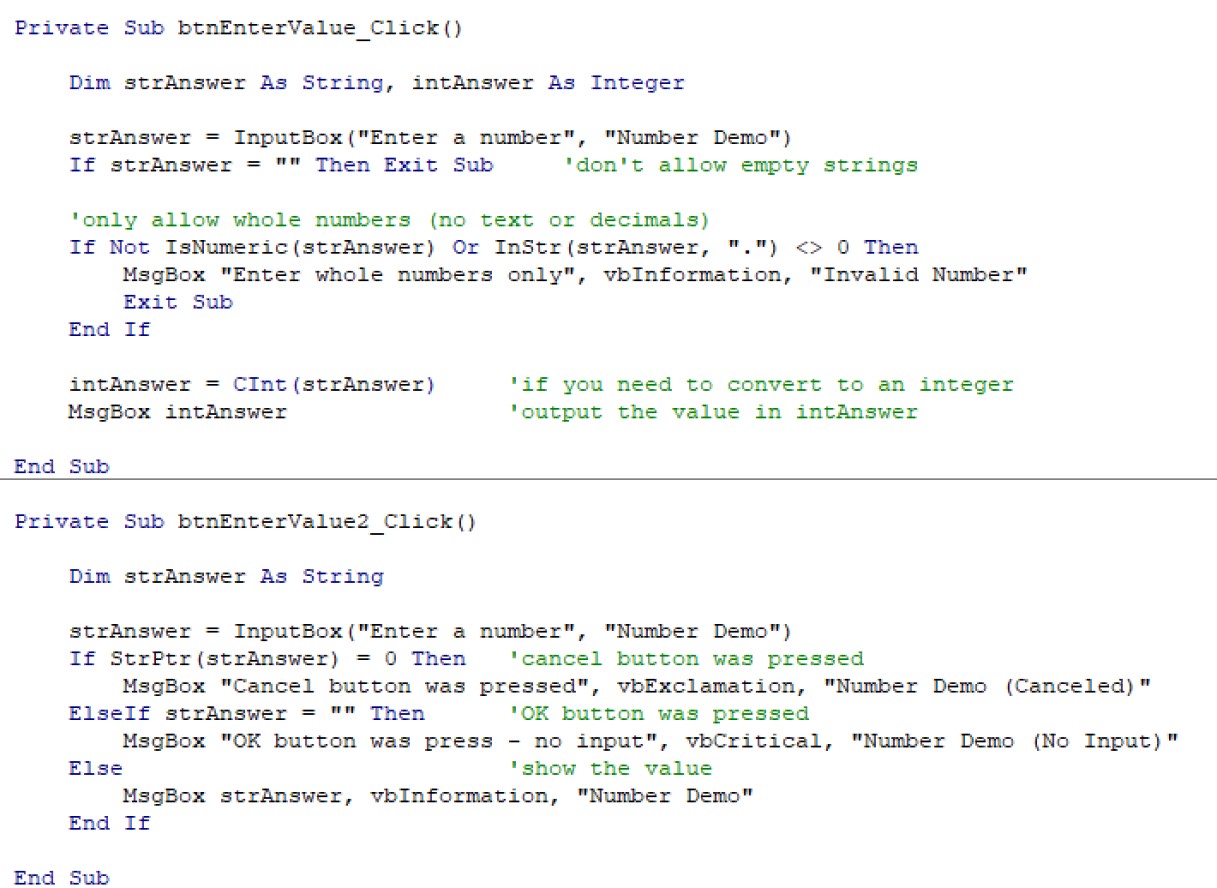
Input Boxes always return a string.
Declare your variable as a String, you can always covert it to an Integer later if you need to use the value in calculations.
Stamatios PapoutsisOP
@Reply 3 years ago
Dear Kevin,
For the specific exam of Richard's, if the Variable called Answer is set to Integer the code does not work if we enter a numeric value.
I mean the code does not work if we don't enter a numeric value (i.e enter text or blank and press OK or just press cancel.
Stamatios PapoutsisOP
@Reply 3 years ago
Dear Scott,
Thanks! The input box have two options right? One option is to enter a value and press OK or press OK WITHOUT a value. The second option is to CANCEL the program. In the first option I want the user to receive a warning message that he did not enter a value but in the second option I want the program to stop without any further dialog. I am wondering how to make the code understand from where the zero length string comes from (OK with blank or Cancel with blank) in order to either print a warning message OR to exit the program.
Stamatios PapoutsisOP
@Reply 3 years ago
I found the following solution which works well. The input box has a default prompt which will be returned in case the user press only the O.K button. If the user press the cancel button then a Zero length string will be returned therefore we can separate the two cases.
Stamatios PapoutsisOP
@Reply 3 years ago
Kevin Robertson
@Reply 3 years ago
Stamatios PapoutsisOP
@Reply 3 years ago
Dear Kevin,
Thank you for your proposal. However, the proposed code cannot separate the action to be carried out depending on the user's intention to carry out the program by pressing OK but forgetting to enter a value and his decision to Cancel the program. Both OK with blank and the Cancel with blank just exit the sub without any warning in the case of O.K with Blank entry.
Sorry, only students may add comments.
Click here for more
information on how you can set up an account.
If you are a Visitor, go ahead and post your reply as a
new comment, and we'll move it here for you
once it's approved. Be sure to use the same name and email address.
This thread is now CLOSED. If you wish to comment, start a NEW discussion in
Access Developer 3.