Free Lessons
Courses
Seminars
TechHelp
Fast Tips
Templates
Topic Index
Forum
ABCD
 
Home   Courses   TechHelp   Forums   Help   Contact   Merch   Join   Order   Logon  
 
Back to Access Forum    Comments List
Upload Images   @Reply   Bookmark    Link   Email   Next Unseen 
Access running out of memory
Scott Buffington 
    
3 years ago
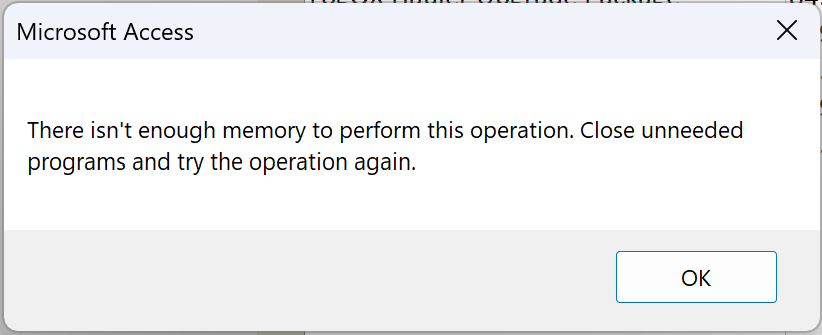
I am in serious need of some help.  Im using a MS surface pro for my database.  Prior to the windows 11 update everything was working perfect.  Since that time when I go to print preview my reports Im getting an error which seems to be coming from Access that I dont have enough memory.  Any thoughts or comments?
Kevin Robertson  @Reply  
          
3 years ago
Can you post a screenshot of the error message. Often knowing the exact error message and the error number helps diagnose the problem.

You could also try running down the Troubleshooter.
Scott Buffington OP  @Reply  
    
3 years ago

Scott Buffington OP  @Reply  
    
3 years ago
as another point of reference I copied the database on my work pc with windows 10 and everything works fine.
Kevin Robertson  @Reply  
          
3 years ago
After a Google search I found a couple of sites that suggested these steps.

   - Open File Explorer
   - Right Click This PC
   - Click on Properties
   - Click on Advanced System Settings
   - Click on the Advanced tab
   - Under Performance click the Settings... button
   - Under Virtual Memory click the Change... button
   - Uncheck Automatically Manage Paging File Size For All Drives
   - Select Custom Size
   - Set both Initial Size and Maximum Size to the Recommended value
   - Click the Set button
   - Click OK
   - Restart your PC

Let us know if this solves the problem.
Scott Buffington OP  @Reply  
    
3 years ago
Will do i will try this just as soon as i can.  Thank you
Scott Buffington OP  @Reply  
    
3 years ago
I've tried what you suggested and I'm still getting the same error
Kevin Robertson  @Reply  
          
3 years ago
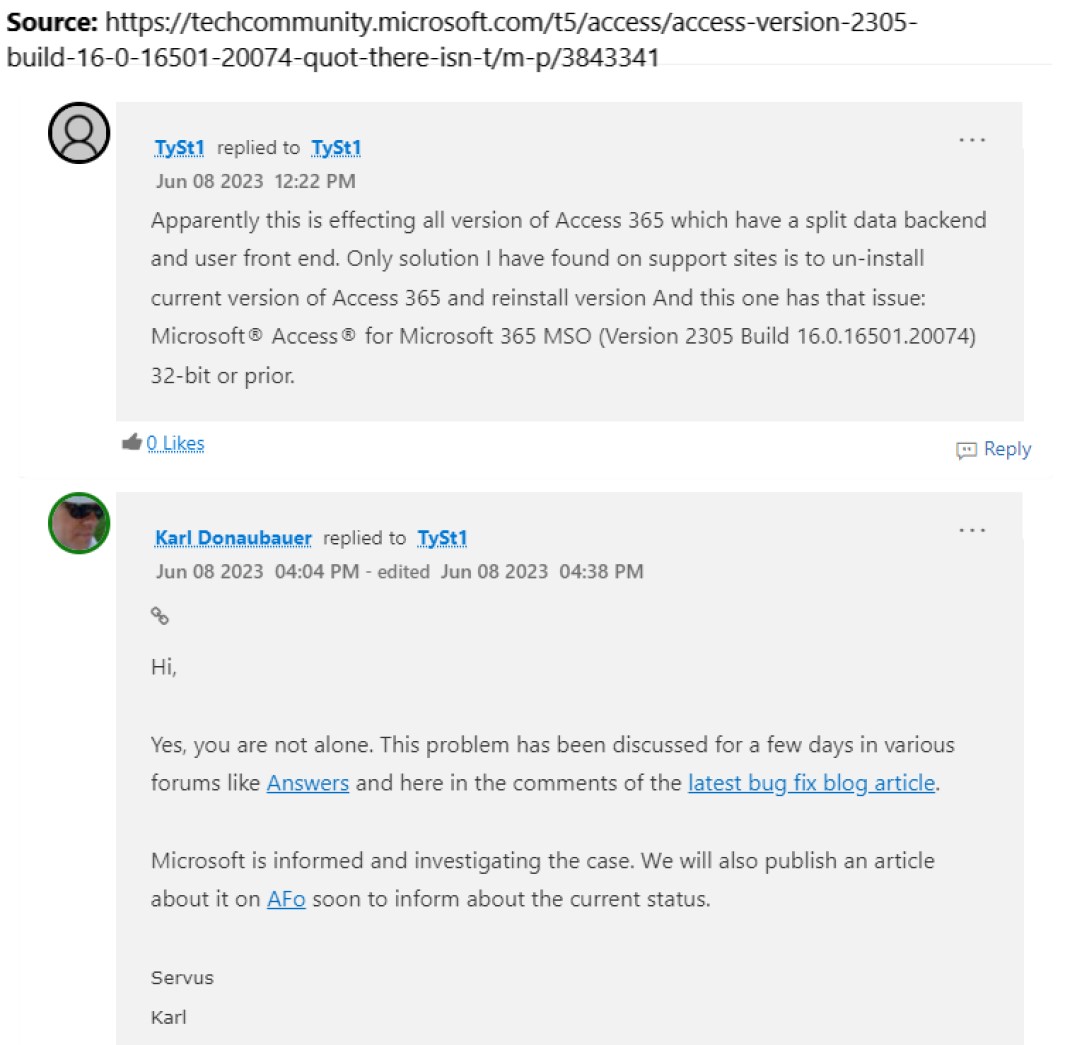
I found this on Tech Community. Apparently it is a known issue and Microsoft is currently investigating.
Kevin Robertson  @Reply  
          
3 years ago

Kevin Yip  @Reply  
     
3 years ago
This site says the issue has been fixed with the latest version of Access:

     https://www.accessforever.org/post/not-enough-memory-when-opening-reports-with-version-2305

If you haven't got the latest version, go to File -> Account -> Update Options -> Update Now.
Scott Buffington OP  @Reply  
    
3 years ago
Well I had to reset the paging size back to automatic to free up disk space to install the update.  Got the update installed and I'm still experiencing the issue.  Should I increase the paging file size again and see, or is there something else I need to do?  thank you guys for all your help, i really appreciate it.
Scott Buffington OP  @Reply  
    
3 years ago
Ok so I visited the site that Kevin Yip that he posted.  Evidently there is an issue with having an application icon which I did have set for the current database.  I removed the icon from my current data base and now everything is working again.  Thank you all so much.  Hopefully this is just a temporary work around and they figure out the actual cause of it.  Again you guys rock!  Thank you.
Scott Buffington OP  @Reply  
    
3 years ago
oh and for anyone else experiencing this issue, if you have an application icon for your database and you notice its not showing up on your tabs or next to your form captions this more than likely the issue.  Remove your icon and you'll be good to go.
Kevin Yip  @Reply  
     
3 years ago
Happy that you got that fixed.  But that had to be the most bizarre workaround ever.  That article also mentions other workarounds, such as reverting to older Office versions, in case you have this problem again.  The article, however, doesn't say whether this has to do with Windows 11 or not.
Scott Buffington OP  @Reply  
    
3 years ago
Yeah who would have thought that an icon would cause such an issue.  Thanks again for all your help.  I would have never figured this one out.

This thread is now CLOSED. If you wish to comment, start a NEW discussion in Access Forum.
 

Next Unseen

 
New Feature: Comment Live View


The following is a paid advertisement
Computer Learning Zone is not responsible for any content shown or offers made by these ads.
 

Learn
 
Access - index
Excel - index
Word - index
Windows - index
PowerPoint - index
Photoshop - index
Visual Basic - index
ASP - index
Seminars
More...
Customers
 
Login
My Account
My Courses
Lost Password
Memberships
Student Databases
Change Email
Info
 
Latest News
New Releases
User Forums
Topic Glossary
Tips & Tricks
Search The Site
Code Vault
Collapse Menus
Help
 
Customer Support
Web Site Tour
FAQs
TechHelp
Consulting Services
About
 
Background
Testimonials
Jobs
Affiliate Program
Richard Rost
Free Lessons
Mailing List
PCResale.NET
Order
 
Video Tutorials
Handbooks
Memberships
Learning Connection
Idiot's Guide to Excel
Volume Discounts
Payment Info
Shipping
Terms of Sale
Contact
 
Contact Info
Support Policy
Mailing Address
Phone Number
Fax Number
Course Survey
Email Richard
[email protected]
Blog RSS Feed    YouTube Channel

LinkedIn
Copyright 2026 by Computer Learning Zone, Amicron, and Richard Rost. All Rights Reserved. Current Time: 5/7/2026 1:08:37 AM. PLT: 0s