Free Lessons
Courses
Seminars
TechHelp
Fast Tips
Templates
Topic Index
Forum
ABCD
 
Home   Courses   TechHelp   Help   Contact   Merch   Join   Order   Logon   Forums   
 
Back to Access Forum    Comments List
Upload Images   @Reply   Bookmark    Link   Email   Next Unseen 
Show field description
David Campbell 
     
2 years ago
I would like to show the field description in the textbox when there is no data in textbox like a shadow until data is inserted.
Sami Shamma  @Reply  
             
2 years ago
Following
Adam Schwanz  @Reply  
           
2 years ago
I think you can do this with default value and the on focus event to clear the text out when it's clicked. I'd have to look at how to retrieve the description from the table, it's probably doable, but if nothing else you just type that manually into the default value field.
Adam Schwanz  @Reply  
           
2 years ago
You'd have to do more with like checking if a value was entered and if not, put the text back in kind of thing too.

MyText has a default value of "Enter Phone Number"
The GotFocus event of the textbox is

MyText=""
The LostFocus event is

If IsNull(MyText) or MyText="" Then
MyText="Enter Phone Number"
End If


This behaves like you're explaining, now I'll just look how to get the description.
Adam Schwanz  @Reply  
           
2 years ago
    Dim MyDescription
    MyDescription = CurrentDb.TableDefs("MyTable").Fields("MyText").Properties("Description")
    MsgBox MyDescription


Returns the description. Then just put the lego pieces togethor. :)
Alex Hedley  @Reply  
           
2 years ago
Use the .Format property, for text values it will be like this:
@;"Please enter the right name"
Sami Shamma  @Reply  
             
2 years ago
Thank you Adam
Adam Schwanz  @Reply  
           
2 years ago
Alex's solution is far easier ;P Although you'd have to probably make a function to pull the description into that
Sami Shamma  @Reply  
             
2 years ago
Richard,
This makes an excellent quick tip video
Richard Rost  @Reply  
          
2 years ago
Already added it. :)
Kevin Yip  @Reply  
     
2 years ago
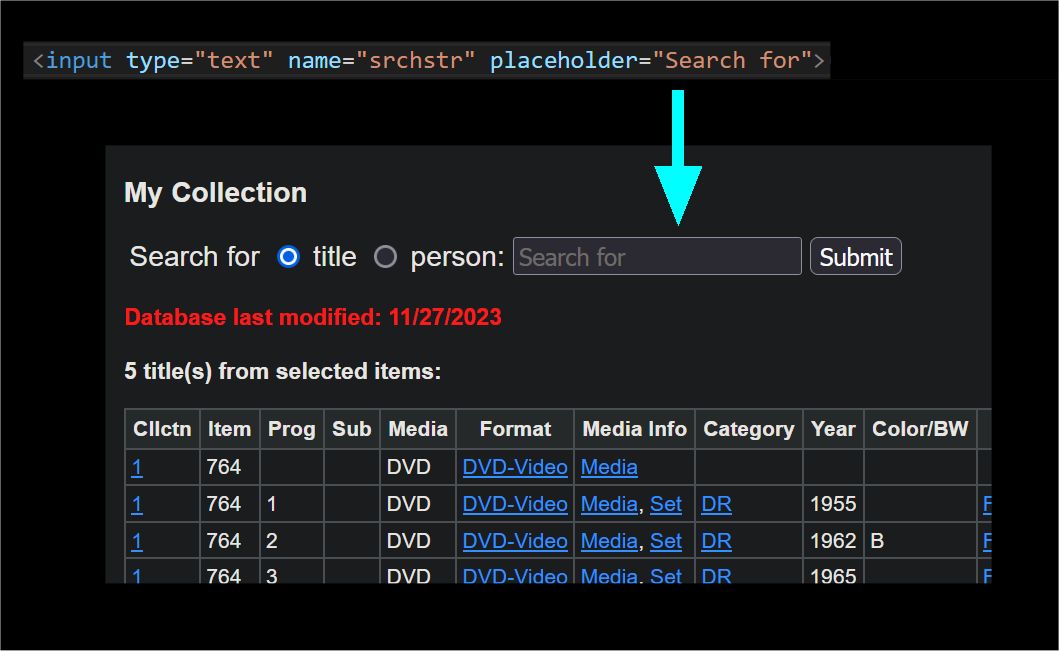
If you put text inside the textbox, the textbox is not empty anymore, and that may affect form operations that need to check whether textboxes are empty or not.  You need a way to show text while the textbox remains empty, like what HTML can do (see picture below).  But Access can't do that, not without some complicated VBA coding; and if it gets cumbersome it may not be worth it.  My suggestion is find another way to display text for the user, such as adding a label right below the textbox.
Kevin Yip  @Reply  
     
2 years ago

Sami Shamma  @Reply  
             
2 years ago
Richard,

I would like to add this feature to the list of enhancements we are keeping for the Access Team.
Alex Hedley  @Reply  
           
2 years ago
You could place a label over the top of the control and handle clicks etc to hide it
Kevin Yip  @Reply  
     
2 years ago
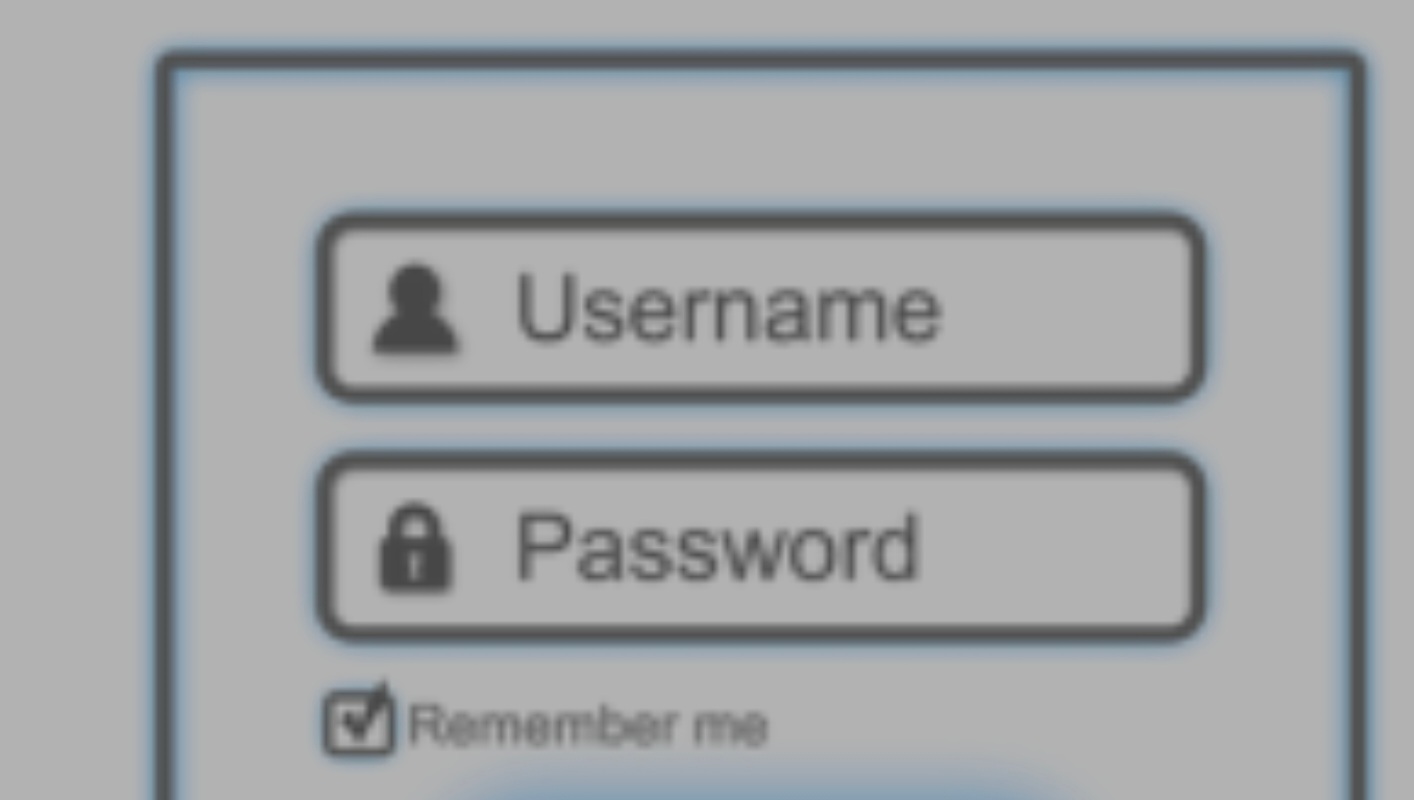
Hiding/unhiding labels on textboxes could get cumbersome if there were lots of textboxes, or even just a few.  I believe this kind of thing originated from HTML, with textboxes that didn't have labels (see picture below).  If you want to mimic how a web interface looks, you may want to make web apps instead.  Let Access be Access, and do things Access can do instead.
Kevin Yip  @Reply  
     
2 years ago

Richard Rost  @Reply  
          
2 years ago
Here's my take on it: Text Box Hints

This thread is now CLOSED. If you wish to comment, start a NEW discussion in Access Forum.
 

Next Unseen

 
New Feature: Comment Live View


The following is a paid advertisement
Computer Learning Zone is not responsible for any content shown or offers made by these ads.
 

Learn
 
Access - index
Excel - index
Word - index
Windows - index
PowerPoint - index
Photoshop - index
Visual Basic - index
ASP - index
Seminars
More...
Customers
 
Login
My Account
My Courses
Lost Password
Memberships
Student Databases
Change Email
Info
 
Latest News
New Releases
User Forums
Topic Glossary
Tips & Tricks
Search The Site
Code Vault
Collapse Menus
Help
 
Customer Support
Web Site Tour
FAQs
TechHelp
Consulting Services
About
 
Background
Testimonials
Jobs
Affiliate Program
Richard Rost
Free Lessons
Mailing List
PCResale.NET
Order
 
Video Tutorials
Handbooks
Memberships
Learning Connection
Idiot's Guide to Excel
Volume Discounts
Payment Info
Shipping
Terms of Sale
Contact
 
Contact Info
Support Policy
Mailing Address
Phone Number
Fax Number
Course Survey
Email Richard
[email protected]
Blog RSS Feed    YouTube Channel

LinkedIn
Copyright 2026 by Computer Learning Zone, Amicron, and Richard Rost. All Rights Reserved. Current Time: 8/17/2026 4:22:46 AM. PLT: 0s