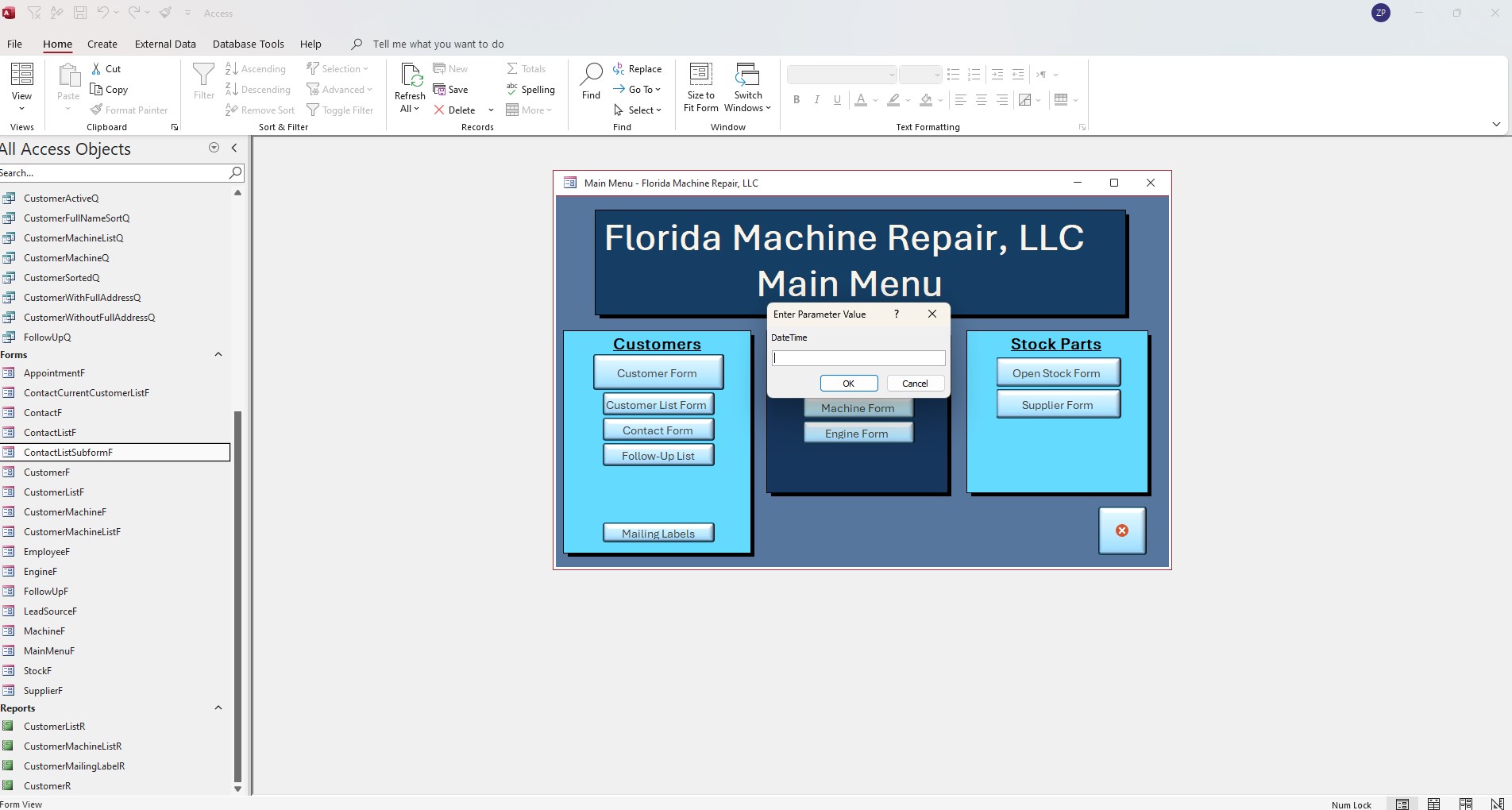
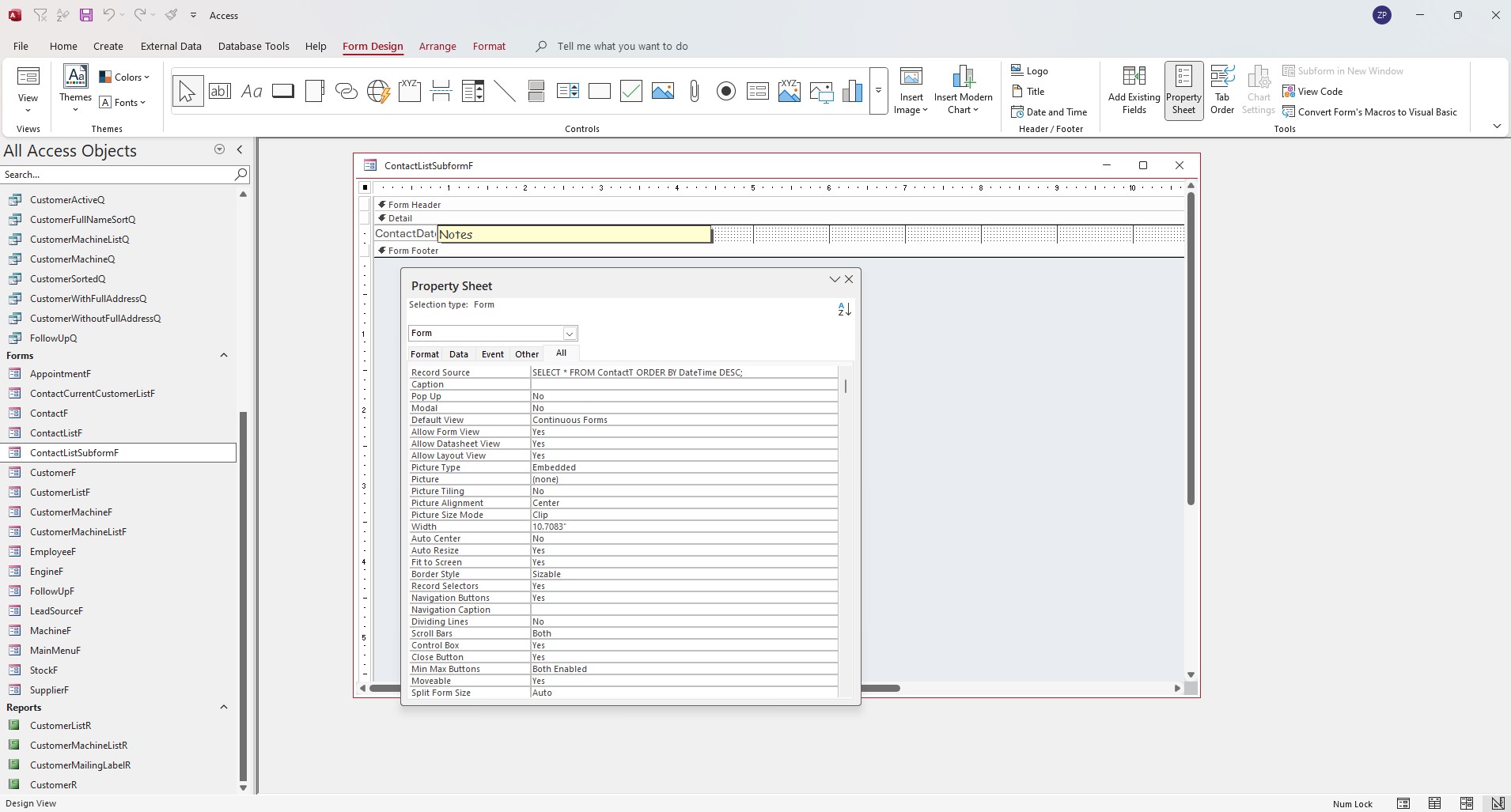
Expert 3 class 3 time stamp 4:45 I typed in the code exactly from your video into the record source under the form propperty sheet Record Source line, but every time I open the ContactSubform, it always says:
"Enter Parametter Value ? DateTime (Text box to type response) [OK] [Cancel]
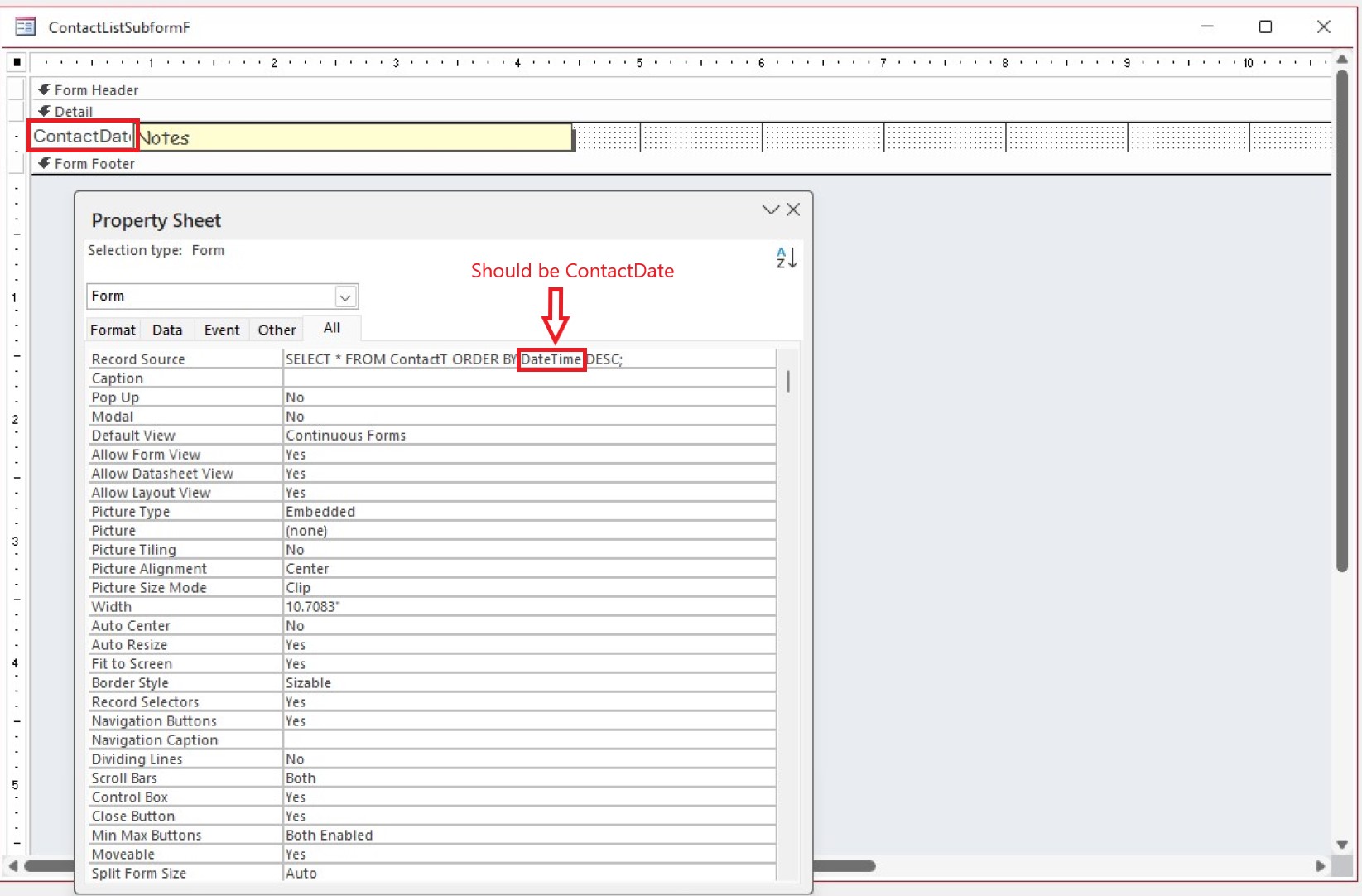
Here is what I typed in: SELECT * FROM ContactT ORDER BY DateTime DESC;
I retried multiple times, some with spaces some without but nothing seems to work. Using access in Office 365 (latest one Jan 1 2025)
Any suggestions would be greatly appreciated!
Also, how do I post screen shots here? Important instructions below in the start new conversation window says to be specific and post screen shots, but I dont see where I can post anything.
Thank you for the help guys! I REALLY dont want hundreds of queries for simple tasks liek this!
-Zachary R. Pritz
Zachary PritzOP
@Reply 20 months ago
Zachary PritzOP
@Reply 20 months ago
Zachary PritzOP
@Reply 20 months ago
LOL I figured out how to attach the screenshots after I posted my question. :D
Kevin Robertson
@Reply 20 months ago
Your field is called ContactDate, not DateTime.
DateTime is the Data Type.
Zachary PritzOP
@Reply 20 months ago
By the way... I freaking LOVE these lessons! Thank you Richard for your hard work, dedication and detail in getting these videos out! I am building a database from scratch to run my small machien repair company from after wasting close to ten thousand dollars using, testing and deleting several other pieces of software. Nothign I found did everythign I wanted. My wife finally convinced me to just build my own (which would be a completely impossible task without these classes and this awesome group of people assisting with questions and problems. I'm a machine technician with little computer skills and zero programming knowledge. Tried doing everything in excel but it just didnt do everything I wanted.
Zachary PritzOP
@Reply 20 months ago
I also tried the builder, same issue. I tried to reformat the DateTime field to General DateTime instead of how I type them in (yyyy.mm.dd hh:nn) No joy on all.
One step at a time. Remove the SQL statement and see if it just works if you make the recordsource ContactT by itself.
Kevin Robertson
@Reply 20 months ago
Zachary PritzOP
@Reply 20 months ago
Thank you guys! I went back in and changed it from the query I made back to the text Richard had in the video, with the correction that Kevin pointed out in my text. That fixed it! I thought in the video when Richard put DateTime in there that it was referring to the data type. I didnt notice that he named his field DateTime.
Thank you guys so much for your help! I cant wait to get to the later expert lessons so I can start working on my parts inventory and order form portion of this database.
You guys have a blessed evening!
Richard, safe travels man! Sorry to hear they made you miss your connecting flight! Growing up I used to love Delta. I dont fly much but am looking forward to how things have changed over the years! Ill be flying up to Minnesota some time this year for some training at Graco's headquarters.
Zachary PritzOP
@Reply 20 months ago
Kevin, I didnt realize while I was typing my questions and updates that you had responded while I was online. I apologize for missing that! I greatly appreciate the rapid response there!
Sorry, only students may add comments.
Click here for more
information on how you can set up an account.
If you are a Visitor, go ahead and post your reply as a
new comment, and we'll move it here for you
once it's approved. Be sure to use the same name and email address.
This thread is now CLOSED. If you wish to comment, start a NEW discussion in
Access Expert 3.