In this tutorial you will learn how to use the InputBox Function.
The InputBox function displays a prompt in a dialog box, waits for the user to input text or click a button, and returns a String containing the contents of the text box.
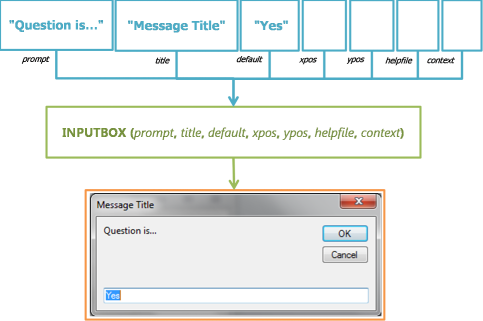
=InputBox( prompt [, title] [, default] [, xpos] [, ypos] [, helpfile] [, context] )
prompt The message to show the user.
title The title shown in the dialog box title bar
default The default response you may wish the user to choose
xpos The horizontal position of the dialog box
ypos The vertical position of the dialog box
helpfile The helpfile used to provide added information
context The topic number assigned in the helpfile




 Search
 By:
By: 

