|
|||||
Excel Expert 3IF, AND, OR, NOT, TRUE, FALSE, IS FunctionsWelcome to Excel Expert 3. In this course you will learn about logic functions in Excel, including understanding true and false values and working with the AND, OR, and NOT functions. We'll discuss how to use the IF function to make decisions in your spreadsheets, explore nested IF statements to assign letter grades, and handle time calculations such as overnight shifts and overtime pay. You will also see how to use the IS family of functions like ISBLANK and ISERROR to analyze data, and how IFERROR can help manage errors. Lessons
ResourcesLesson SummaryWelcome! IF, AND, OR, NOT & IS Functions - Welcome to Excel Expert Level 3. In this course we will focus on logic functions in Microsoft Excel, including understanding true and false values, and working with the AND, OR, and NOT functions. We will discuss the IF function to make decisions in spreadsheets, explore nested IF statements, assign letter grades, and handle time calculations like overnight shifts and overtime pay. We will also talk about the IS family of functions, such as ISBLANK, ISERROR, ISEVEN, ISLOGICAL, ISNUMBER, ISTEXT, ISNONTEXT, and IFERROR. This course is intended for experienced users who have completed the previous expert levels.
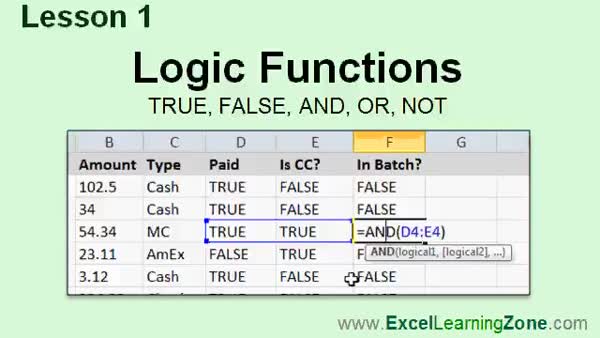
Lesson 1: TRUE, FALSE, AND, OR, NOT Functions - In Lesson 1, we will explore logic functions in Excel, focusing on true, false, and, or, and not. I will explain Boolean values, how Excel treats numbers and text as logical values, and show how to use the AND, OR, and NOT functions to evaluate conditions with practical spreadsheet examples. We will also see how to use these logic functions with ranges, work with system-generated and user-entered values, and set up simple applications like tracking unpaid invoices and batch processing credit card sales. Finally, we will discuss the TRUE and FALSE functions in Excel.
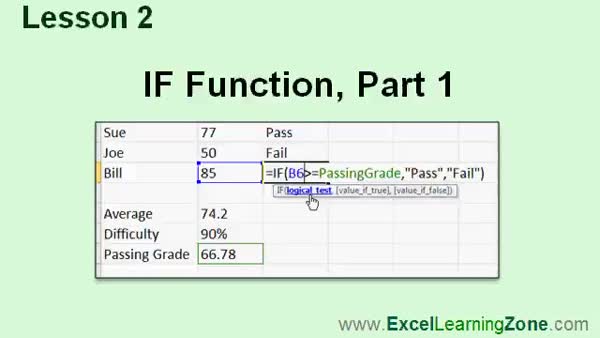
Lesson 2: IF Function: Conditional Logic - In Lesson 2, we are going to learn how to use the IF function in Excel to make your spreadsheets more dynamic by allowing them to make decisions based on specified criteria. I will show you how to write basic IF statements, use them to determine sales tax rates depending on customer location, calculate sales tax amounts, and apply IF logic to scenarios like credit card batch totals and student pass/fail status based on grades. We will also walk through using cell references, absolute references, and named cells within the IF function, as well as how to base criteria on averages and modifiers.
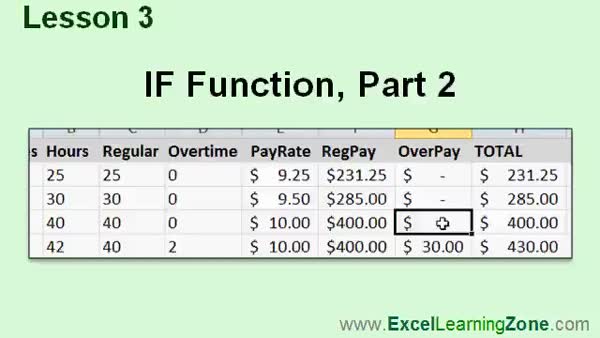
Lesson 3: Nested IFs: Grades & Overtime - In Lesson 3, we will look at more examples using the IF function in Excel. I will show you how to nest multiple IF functions to assign letter grades to students, discuss why using VLOOKUP can be better in some cases, and demonstrate how to handle time sheet calculations for shifts that go past midnight. We will also walk through using the IF function to separate regular and overtime hours in a work week and calculate overtime pay. This lesson focuses on practical ways to apply the IF function to tackle common spreadsheet problems.
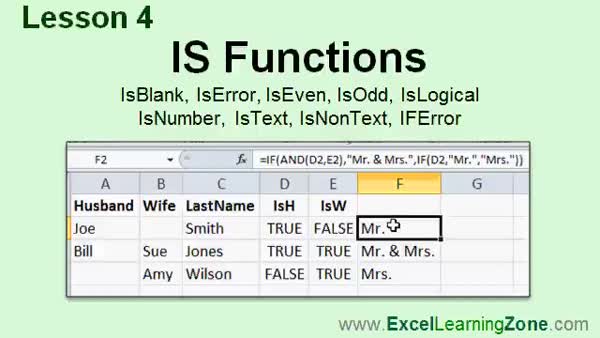
Lesson 4: ISBLANK, ISERROR, ISEVEN, ISNUMBER - In Lesson 4, we will explore the IS family of functions in Microsoft Excel, including ISBLANK, ISERROR, ISEVEN, ISODD, ISLOGICAL, ISNUMBER, ISTEXT, ISNONTEXT, and also the related IFERROR function. We will walk through examples of how to use these functions to check for blank cells, errors, even or odd values, logical values, numbers, and text. I will show you practical uses such as creating mailing labels and handling errors in calculations, and we will discuss how IFERROR can simplify formula error handling.
Lesson 5: If, Nested If, ISBLANK, ISTEXT Review - In this course we learned about different logic functions in Excel, including understanding true and false values, the use of and, or, and not, the if function, and how to work with nested if functions. We also discussed various is functions such as isblank, iserror, and istext, along with multiple practical examples showing how these make spreadsheets smarter and capable of making decisions. Resources for further help, submitting questions, and offering feedback about the course were also discussed, along with information on where to find additional Excel tips and future lessons.
NavigationKeywordsIF function, AND function, OR function, NOT function, TRUE FALSE, nested IF, letter grades Excel, overtime calculation, overnight shift Excel, ISBLANK, ISERROR, ISEVEN, ISLOGICAL, ISNUMBER, ISTEXT, IFERROR, Excel logic functions
More InformationTranscriptWelcome to Excel 2010 Expert Level 3, brought to you by ExcelLearningZone.com. I am your instructor, Richard Rost. Today's class is all about logic functions in Excel. We are going to learn about true and false values, the AND, OR, and NOT functions. We are going to learn one of the most powerful functions in Excel, the IF function, which can be used to check conditions - if this, then do that. We are going to begin to make our spreadsheet smart by learning about the IF function. Then, finally, we are going to learn about a group of functions called the IS functions that can be used to check for certain conditions, like whether or not a cell is blank. This class is designed to be used with Excel 2010, part of Microsoft Office 2010. If you are using an older version of Excel, you should visit my website at ExcelLearningZone.com and look for my older tutorials covering Excel 2000 through 2007. If you are using Excel 2007, you should have little difficulty following along as most of the concepts covered in this course are the same. If you are using an older version like 2003 or earlier, you really should either upgrade to Excel 2010 or purchase a tutorial for your version of Excel, which again you can find on my website. This is an expert level class for Microsoft Excel 2010. It was designed for the user who has a good amount of experience with Microsoft Excel. The prerequisite for this course is my expert level 2 course. You should have taken that course previously. It covers Excel dates and times, custom date codes and formats, and many of the popular date time functions. If you have not taken expert levels 1 and 2, and my beginner level series, I strongly recommend you go to my website at ExcelLearningZone.com and look for those courses. My courses are broken up into four different groups: beginner, expert, advanced, and developer. My beginner courses are for novice users who have little or no experience with Microsoft Excel. They are designed to give you an overview of the basic features and cover just what you need to know to be productive. The expert series, which is what you are watching right now, is designed for more experienced users who are already comfortable with Excel. Expert classes go into a lot more depth about each topic than the beginner classes did, and will cover more functions, features, tips, and techniques for power users. After you have mastered the expert classes, move up to the advanced lessons. You will learn how to record macros, build user forms, create your own templates, and many more advanced features that not everyone will use. They really add enhanced functionality and professionalism to your spreadsheets. Finally, my developer level courses will teach you how to program in Visual Basic for Applications for Microsoft Excel. This will allow you to create Excel-based programs for your users, automate your spreadsheets, and integrate Excel tightly with the other Microsoft Office applications. Each of my series is broken down into different levels. For example, the beginner series contained five different levels. This class is the third level of the expert series. Each level teaches you new and different topics in Microsoft Excel, building on the lessons learned in the previous levels. When you have finished all the expert classes, you will move up to the advanced series, then finally the developer series. Now let's take a more detailed look at exactly what we are going to cover in today's class. In lesson one, we are going to learn about logic functions: TRUE, FALSE, AND, OR, and NOT. In lesson two, we are going to learn one of the most powerful functions in Excel, the IF function. In lesson three, we are going to look at a couple more examples with the IF function. We will see how nested IF functions work. We will assign a letter grade to our students. We will fix our time sheet that we worked on in the last class, where we can now have times that go over midnight, so you can clock in at 11 p.m. and clock out at 3 a.m. We will see how to calculate overtime pay based on a 40-hour work week. In lesson four, we are going to learn about the IS family of functions: ISBLANK, ISERROR, ISEVEN, ISODD, ISLOGICAL, ISNUMBER, ISTEXT, ISNONTEXT, and then one that does not start with IS, which is IFERROR. If you need help with the topics covered in today's lessons, please feel free to post your questions in the Excel interactive student forums. If you are watching this course using my custom video player software or online in my web theater, you should see the student forum for each lesson appear in a small window next to the class videos if you have an active internet connection. Here, you will see all of the questions that other students have asked, as well as my responses to them, and any other comments that other students have made. I encourage you to read through these questions and answers as you start each lesson and feel free to post your own questions and comments as well. If you are not watching your lessons online, you can still visit the student forums later by visiting ExcelLearningZone.com/forums. To get the most out of this course, I recommend you sit back, relax, and watch each lesson completely through once without trying to do anything on your computer. Then replay the lesson from the beginning and follow along with my examples. Actually create the same spreadsheet that I make in the video. Build a spreadsheet with me step by step. Do not try to apply what you are learning right now to other projects until you have mastered the sample spreadsheet. If you get stuck or do not understand something, watch the video again from the beginning or tell me what is wrong in the student forums. Most importantly, keep an open mind. Excel might seem intimidating at first, but once you get the hang of it, you will see that it is really easy to use. IntroIn this lesson, you will learn about logic functions in Microsoft Excel 2010, including TRUE, FALSE, AND, OR, NOT, and the powerful IF function for checking conditions in your spreadsheets. We will also cover how to use nested IF statements, calculate overtime pay, handle time entries that pass midnight, assign letter grades, and introduce the IS family of functions like ISBLANK, ISERROR, ISNUMBER, and others. This is Excel Expert Level 3 and is designed for users who already have experience with Microsoft Excel. QuizQ1. Which of the following logic functions will be covered in the class? A. TRUE, FALSE, AND, OR, NOT B. SUM, AVERAGE, COUNT, MAX, MIN C. LEFT, RIGHT, MID, FIND D. VLOOKUP, HLOOKUP, INDEX, MATCH Q2. What is the primary use of the IF function in Excel? A. To perform mathematical calculations only B. To check conditions and perform actions based on those conditions C. To alphabetically sort data D. To format cells with colors Q3. According to the video, which group of functions allows you to check whether a cell contains a certain type of value, such as blank or a number? A. SUM functions B. IS functions C. DATE functions D. LOOKUP functions Q4. What should you do before moving on to other advanced features in Excel, according to the instructor? A. Memorize all keyboard shortcuts B. Use Excel without any prior instruction C. Build and master the sample spreadsheet presented in the lesson D. Skip straight to the developer series Q5. What Excel version is this course specifically designed for? A. Excel 2003 B. Excel 2010 C. Excel XP D. Excel 97 Q6. Which of the following is NOT mentioned as an IS function covered in the class? A. ISBLANK B. ISERROR C. ISNUMBER D. ISAVERAGE Q7. What is the prerequisite for taking this expert level 3 course? A. Advanced Excel knowledge B. Having taken expert level 2 course C. No prior experience necessary D. Only beginner series required Q8. What is recommended by the instructor if you get stuck or do not understand something during the lesson? A. Give up and move on to another program B. Skip ahead to the next video C. Watch the video again or ask questions in the student forums D. Contact Microsoft technical support Q9. Which of the following best describes the four course groups mentioned? A. Basic, Standard, Professional, Executive B. Beginner, Expert, Advanced, Developer C. Introduction, Intermediate, Advanced, Master D. Starter, Advanced, Master, Pro Q10. What will you learn to do with nested IF functions in this course? A. Sum multiple columns B. Assign letter grades and fix time sheets C. Format text as bold D. Change cell colors automatically Answers: 1-A; 2-B; 3-B; 4-C; 5-B; 6-D; 7-B; 8-C; 9-B; 10-B DISCLAIMER: Quiz questions are AI generated. If you find any that are wrong, don't make sense, or aren't related to the video topic at hand, then please post a comment and let me know. Thanks. SummaryToday's video from Excel Learning Zone focuses on logic functions in Excel 2010. In this session, I will guide you through the basics of logical values in Excel, such as TRUE and FALSE, and introduce you to the AND, OR, and NOT functions. You will also learn how to use the IF function, one of Excel's most powerful tools, which allows you to perform different actions depending on various conditions. We will go a step further and look at the IS functions, which are handy for checking specific criteria, like whether a cell is blank. This course is specifically designed for Microsoft Excel 2010, a key component of Office 2010. If you are using a version prior to 2007, I highly recommend upgrading to Excel 2010 or finding the appropriate tutorial for your version on my website. Users with Excel 2007 should be able to follow along comfortably, as the majority of concepts apply to both versions. Since this is an expert level class, I expect that you already have a solid understanding of Excel basics. The recommended prerequisite is my Expert Level 2 course, which covers topics like working with dates and times, custom formatting, and a range of date and time functions. If you haven't yet completed Expert Levels 1 and 2, or the beginner series, I encourage you to start with those classes to make sure you have the necessary background. My courses are organized into four main groups: beginner, expert, advanced, and developer. The beginner series is intended for those who are new to Excel, providing an overview of fundamental features and tips you need to become productive. The expert series, such as this class, is tailored for experienced users who want to deepen their mastery. You can expect more in-depth coverage of each topic, more complex functions, and a broader range of tips and techniques suitable for power users. After mastering the expert classes, you can move on to the advanced courses. These cover topics like recording macros, creating user forms, developing custom templates, and other advanced features that will further enhance and professionalize your spreadsheets. The developer series is for those who want to learn how to write programs in Visual Basic for Applications for Excel. That knowledge will allow you to automate tasks in Excel, build complex applications, and tightly integrate Excel with other Office programs. Each series is divided into multiple levels. For instance, the beginner series consists of five levels. This video is the third level of the expert series. With each level, you will encounter new topics that build upon what you have already learned. Once you finish the expert levels, you can continue on to the advanced and developer series as you expand your skills. Here is a breakdown of what we are covering today. In the first lesson, I'll introduce you to logic functions: TRUE, FALSE, AND, OR, and NOT. The second lesson is dedicated to the all-important IF function. The third lesson expands on this by illustrating more examples with the IF function, including nested IF statements, assigning letter grades, updating a timesheet so it can handle shifts over midnight, and calculating overtime pay based on the standard 40-hour work week. In lesson four, I'll show you the IS family of functions: ISBLANK, ISERROR, ISEVEN, ISODD, ISLOGICAL, ISNUMBER, ISTEXT, ISNONTEXT, and IFERROR, which does not start with IS but is closely related. If you have any questions about the topics discussed, you are welcome to use the Excel interactive student forums. Students using my custom video player software or the online Web Theater will see a forum window next to the class videos if they have an internet connection. Here, you can view questions from other students, my responses, and other comments. Reading through these discussions can help you understand the material better and you are encouraged to post your own questions or comments as well. For those not watching the lessons online, the forums are always available on my website. To get the most from this course, I suggest you first watch each lesson all the way through without trying to follow along on your computer. Then, replay the lesson and work step by step to create the same spreadsheet examples that I demonstrate. It's best to master the sample spreadsheets before applying your new knowledge to other projects. If anything is unclear, don't hesitate to watch the lesson again or ask questions in the student forums. Above all, keep an open mind as you learn. Excel might appear complicated at first, but as you progress, you'll find it becomes easy to use. You can find the complete video tutorial with step-by-step instructions on everything discussed here on my website at the link below. Live long and prosper, my friends. Topic ListTRUE and FALSE logical values in Excel AND function usage and examples OR function usage and examples NOT function usage and examples IF function basic usage Nested IF functions Using IF to assign letter grades Fixing time sheet calculations over midnight Calculating overtime pay with IF ISBLANK function ISERROR function ISEVEN function ISODD function ISLOGICAL function ISNUMBER function ISTEXT function ISNONTEXT function IFERROR function Primary Topicslogic functions, IF function, AND function, OR function, NOT function, TRUE/FALSE values, nested IF statements, IS functions, Excel 2010 Secondary Topicstimesheet calculations, letter grade assignments, Excel course structure, user forums |
||||||||||||||
|
| |||
| Keywords: IF function, AND function, OR function, NOT function, TRUE FALSE, nested IF, letter grades Excel, overtime calculation, overnight shift Excel, ISBLANK, ISERROR, ISEVEN, ISLOGICAL, ISNUMBER, ISTEXT, IFERROR, Excel logic functions PermaLink How To Use Logic Functions IF AND OR NOT IS Functions and Conditional Formulas in Microsoft Excel 2010 |