Free Lessons
Courses
Seminars
TechHelp
Fast Tips
Templates
Topic Index
Forum
ABCD
 
Home   Courses   TechHelp   Forums   Help   Contact   Merch   Join   Order   Logon  
 
Back to Access Forum    Comments List
Upload Images   @Reply   Bookmark    Link   Email   Next Unseen 
Date Issues Using Select Case Function
Julie Bennett 
     
15 months ago
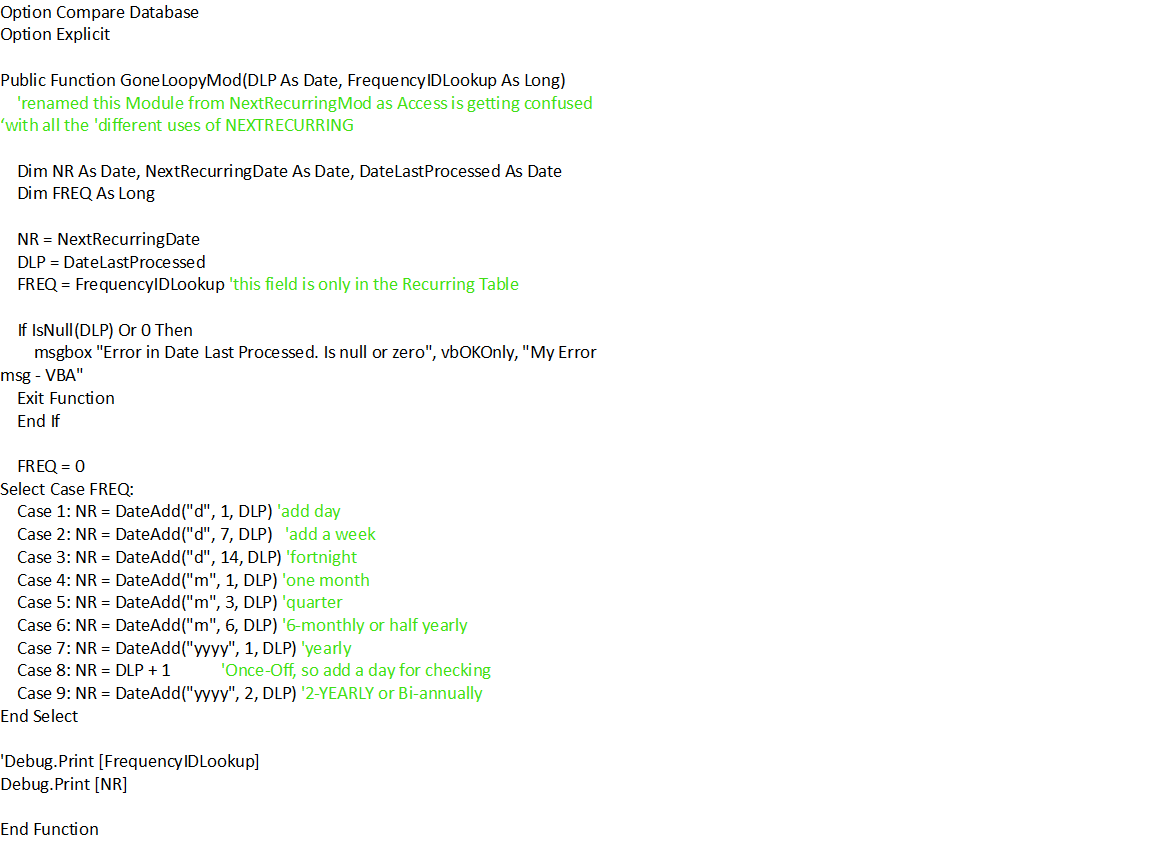
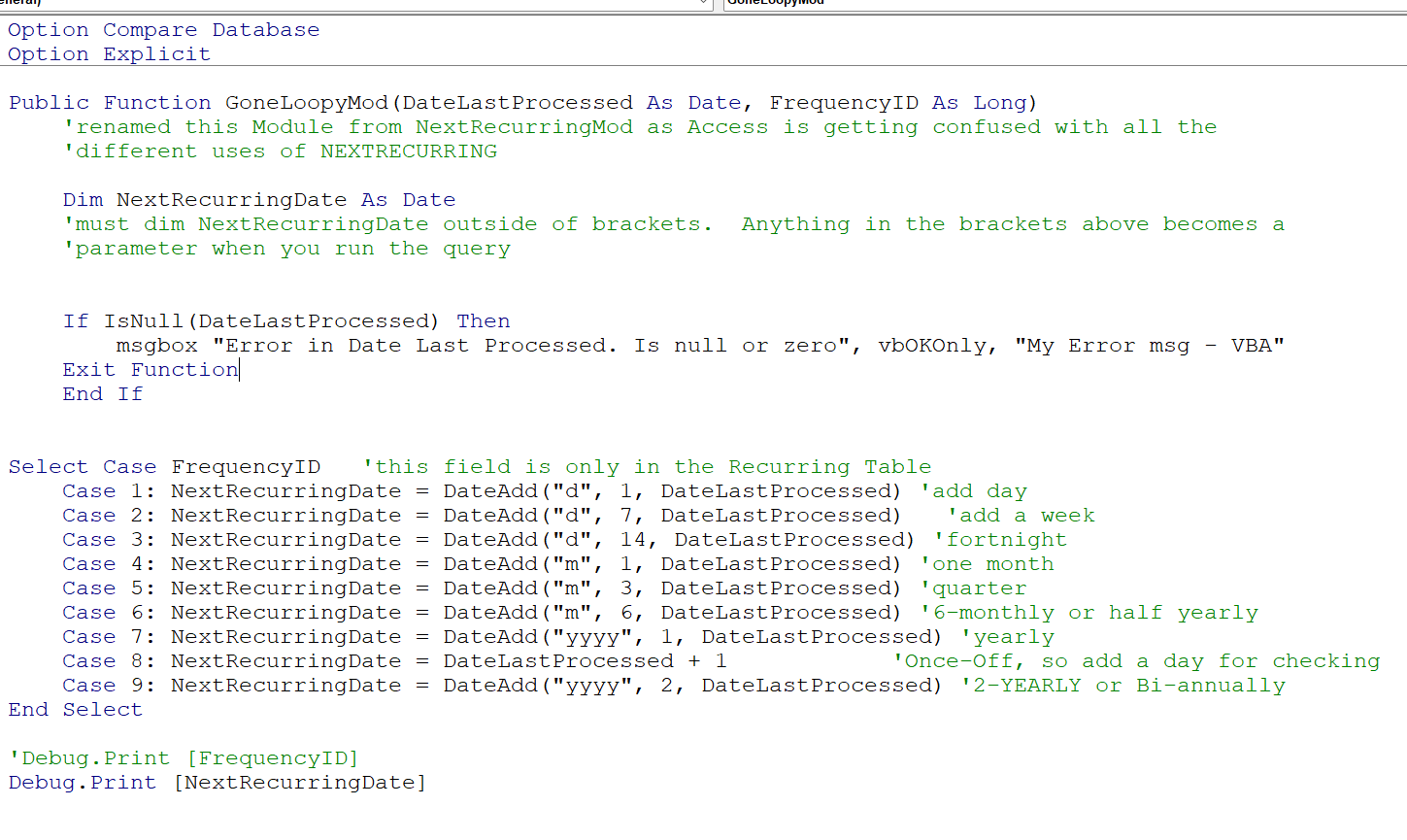
I'm tearing my hair out... I have a complex Date function that I coded to VBA as a Select Case Public Function after it kept failing as a Query.  The Select Case returns blank fields in the form, and only the time "12:00:00 AM" in debug.print in VBA. I suspect Select Case function wants to use USA dates whereas all my date formats are set to ISO dates (yyyy-mm-dd).  I don't want to change all my date functions to USA dates just to get this to run.  Does anyone have any ideas why my Select Case function isn't working?? Any help would be greatly appreciated.  Copy of Function follows...
Julie Bennett OP  @Reply  
     
15 months ago

Kevin Robertson  @Reply  
          
15 months ago
You are setting FREQ equal to FrequencyIDLookup but FREQ is being set back to 0 before the Select Case.
Julie Bennett OP  @Reply  
     
15 months ago
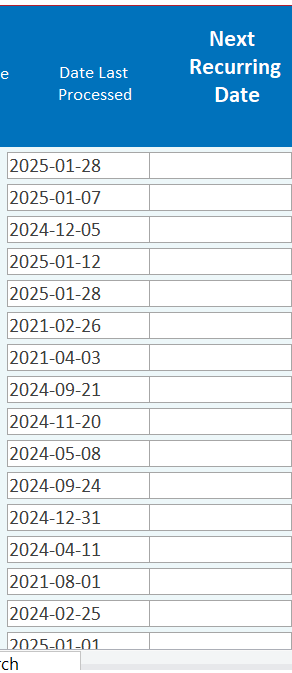
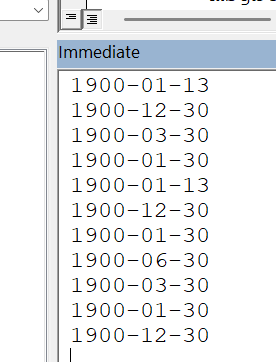
Thank you, Kevin.  I had put that line in for testing and forgot to remove it , LOL.  I have ran the form again after correcting it but I am still having date issues.  Please see screen prints below...
Julie Bennett OP  @Reply  
     
15 months ago

Julie Bennett OP  @Reply  
     
15 months ago

Kevin Robertson  @Reply  
          
15 months ago
DLP = DateLastProcessed is causing the problem. You are setting DLP to 0 as a value for DateLastProcessed has not been set.
DateLastProcessed shouldn't be need as a variable in that context as the date is being set to the Function (DLP As Date).
Kevin Robertson  @Reply  
          
15 months ago

Kevin Robertson  @Reply  
          
15 months ago
Just noticed a mistake in your If block DLP = 0 not just 0.
DLP should never be Null as it is required by the Function (not Optional).

    If DLP = 0 Then
        MsgBox "Error in Date Last Processed. Is null or zero", vbOKOnly, "My Error msg - VBA"
        Exit Function
    End If
Julie Bennett OP  @Reply  
     
15 months ago
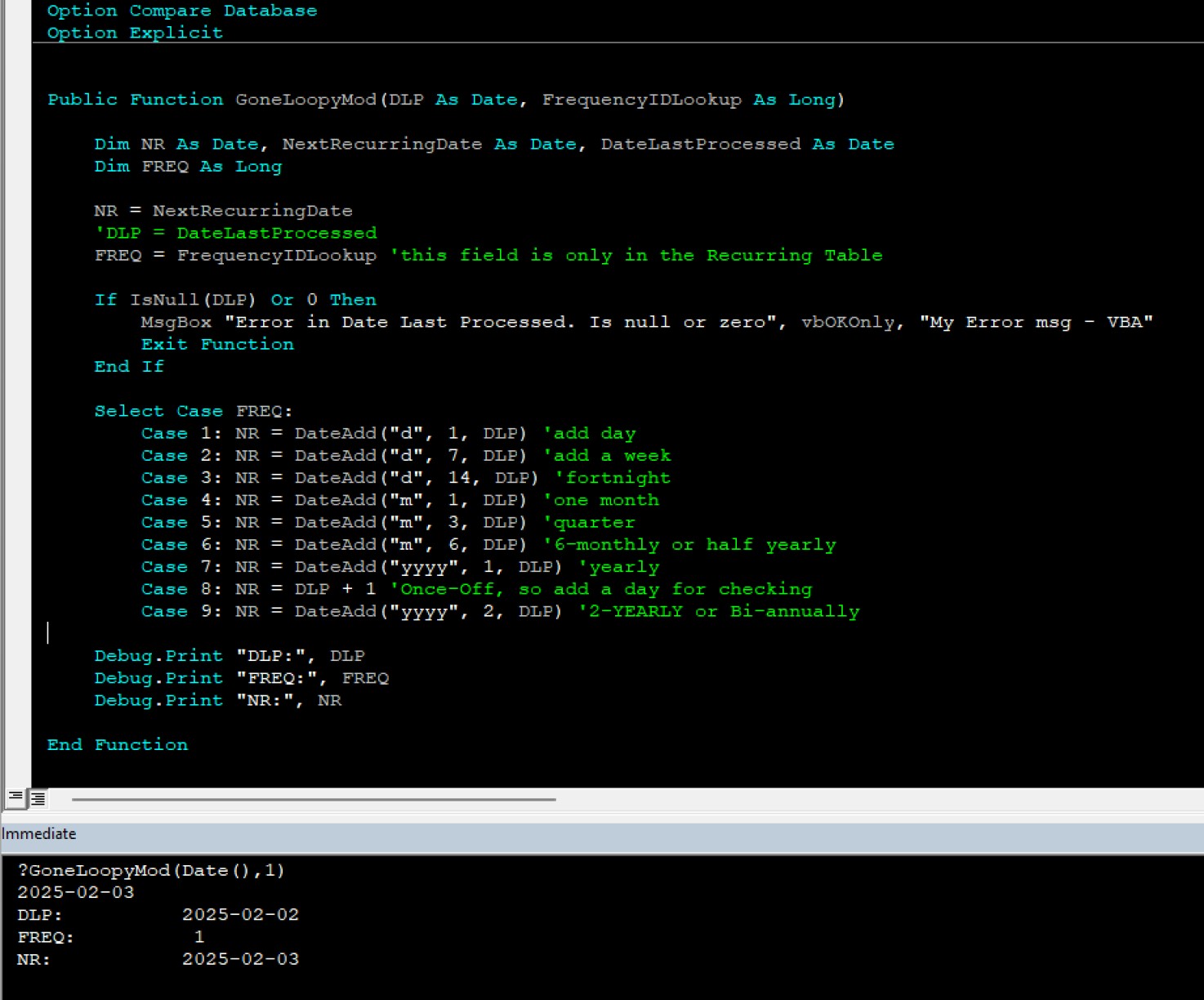
Thanks, Kevin.  I have made several changes and am now getting the right answers in the Immediate Window.  I am still getting a blank column on the form.  I checked that the Function is in a standard module by itself.  I am calling the function in the Form's Control Property.  I tried to call it in the On Open event, but that didn't work either.  I will post another copy of the updated function just in case I've missed something else...
Julie Bennett OP  @Reply  
     
15 months ago

Kevin Robertson  @Reply  
          
15 months ago
You need to have the Function return a Date and the function should Return NextRecurringDate

I tested this in a Query and I got the correct value returned.

DetailsPublic Function GoneLoopyMod(DateLastProcessed As Date, FrequencyID As Long) As Date
    
    Dim NextRecurringDate As Date
    
    If IsNull(DateLastProcessed) Then
        MsgBox "Error in Date Last Processed. Is null or zero", vbOKOnly, "My Error msg - VBA"
        Exit Function
    End If
    
    Select Case FrequencyID 'this field is only in the Recurring Table
        Case 1: NextRecurringDate = DateAdd("d", 1, DateLastProcessed)      'add day
        Case 2: NextRecurringDate = DateAdd("d", 7, DateLastProcessed)      'add a week
        Case 3: NextRecurringDate = DateAdd("d", 14, DateLastProcessed)     'fortnight
        Case 4: NextRecurringDate = DateAdd("m", 1, DateLastProcessed)      'one month
        Case 5: NextRecurringDate = DateAdd("m", 3, DateLastProcessed)      'quarter
        Case 6: NextRecurringDate = DateAdd("m", 6, DateLastProcessed)      '6-monthly or half yearly
        Case 7: NextRecurringDate = DateAdd("yyyy", 1, DateLastProcessed)   'yearly
        Case 8: NextRecurringDate = DateLastProcessed + 1                   'Once-Off, so add a day for checking
        Case 9: NextRecurringDate = DateAdd("yyyy", 2, DateLastProcessed)   '2-YEARLY or Bi-annually
    End Select

    GoneLoopyMod = NextRecurringDate
    
End Function
Julie Bennett OP  @Reply  
     
15 months ago
Thank you so much, Kevin.  That one little line of code fixed everything.  I now have the right dates in the right place :) .  I had watched a lot of video's and missed the most important part of solving this puzzle.  Thank you again.
Kevin Robertson  @Reply  
          
15 months ago
You're welcome.

This thread is now CLOSED. If you wish to comment, start a NEW discussion in Access Forum.
 

Next Unseen

 
New Feature: Comment Live View


The following is a paid advertisement
Computer Learning Zone is not responsible for any content shown or offers made by these ads.
 

Learn
 
Access - index
Excel - index
Word - index
Windows - index
PowerPoint - index
Photoshop - index
Visual Basic - index
ASP - index
Seminars
More...
Customers
 
Login
My Account
My Courses
Lost Password
Memberships
Student Databases
Change Email
Info
 
Latest News
New Releases
User Forums
Topic Glossary
Tips & Tricks
Search The Site
Code Vault
Collapse Menus
Help
 
Customer Support
Web Site Tour
FAQs
TechHelp
Consulting Services
About
 
Background
Testimonials
Jobs
Affiliate Program
Richard Rost
Free Lessons
Mailing List
PCResale.NET
Order
 
Video Tutorials
Handbooks
Memberships
Learning Connection
Idiot's Guide to Excel
Volume Discounts
Payment Info
Shipping
Terms of Sale
Contact
 
Contact Info
Support Policy
Mailing Address
Phone Number
Fax Number
Course Survey
Email Richard
[email protected]
Blog RSS Feed    YouTube Channel

LinkedIn
Copyright 2026 by Computer Learning Zone, Amicron, and Richard Rost. All Rights Reserved. Current Time: 5/6/2026 10:19:30 PM. PLT: 1s