Free Lessons
Courses
Seminars
TechHelp
Fast Tips
Templates
Topic Index
Forum
ABCD
 
Home   Courses   TechHelp   Forums   Help   Contact   Merch   Join   Order   Logon  
 
Back to Access Developer Forum    Comments List
Upload Images   @Reply   Bookmark    Link   Email   Next Unseen 
Highlight the Current Field
Kevin Robertson 
          
12 months ago
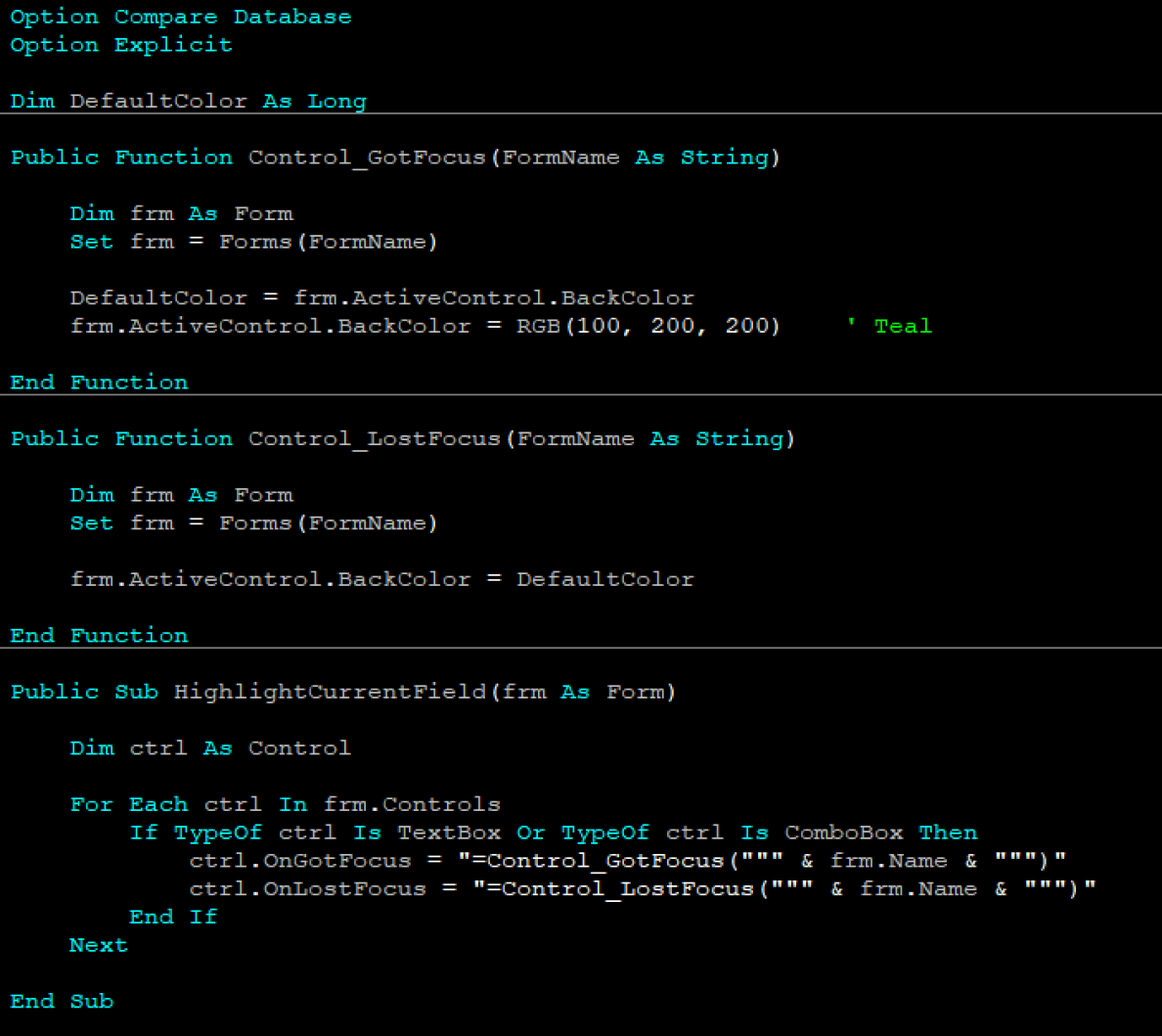
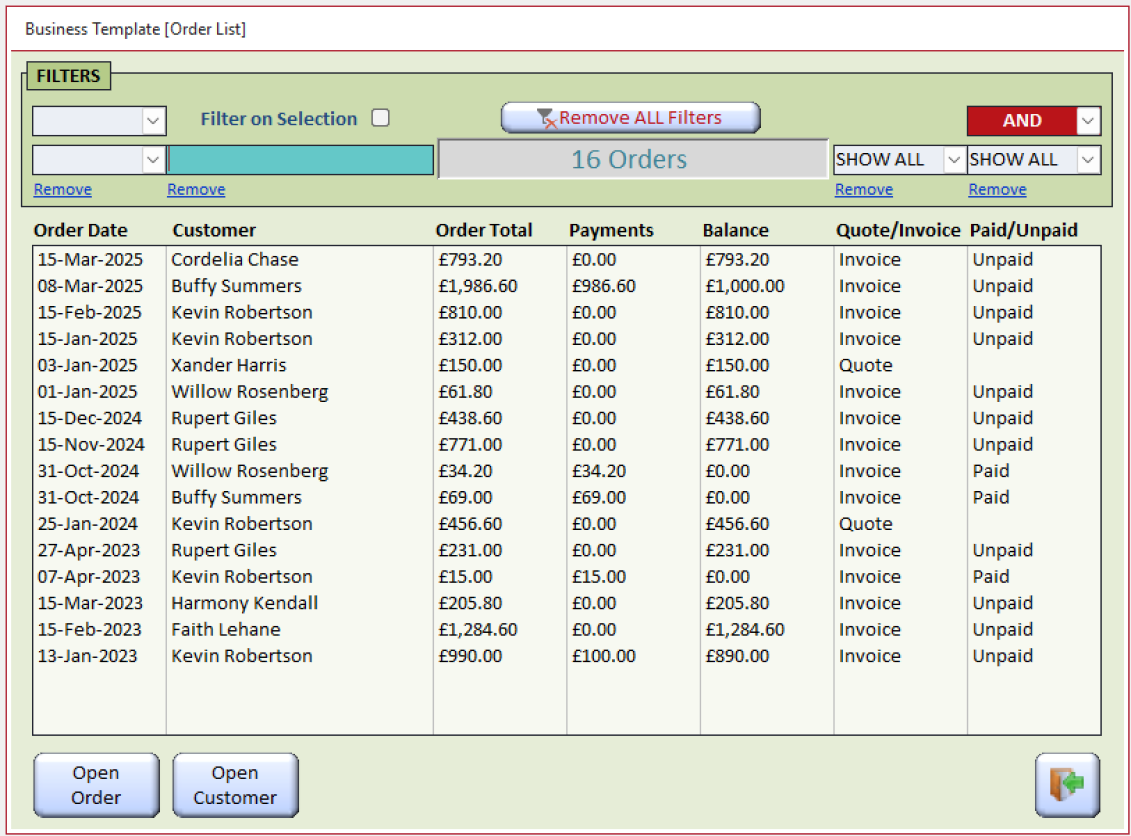
Below is a couple of screenshots showing how to dynamically highlight the current field on any Single Form (does not currently work on Subforms) with the minimum amount of code.

Notes:
   - For Continuous Forms use Conditional Formatting
   - Doesn't work if the field has Conditional Formatting

Add the code in the first image to a Global Module

In the Load even of each Form add:
   HighlightCurrentField Me
Kevin Robertson OP  @Reply  
          
12 months ago

Kevin Robertson OP  @Reply  
          
12 months ago

Thomas Gonder  @Reply  
      
12 months ago
Yep, getting it to work properly with continuous sub forms took several days of hair pulling.
Thomas Gonder  @Reply  
      
12 months ago

Thomas Gonder  @Reply  
      
12 months ago
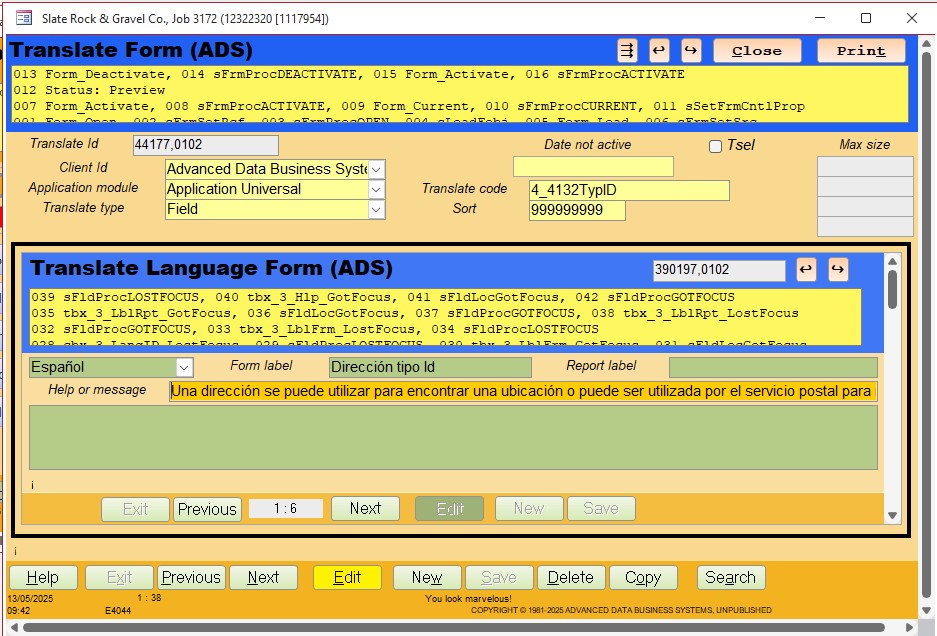
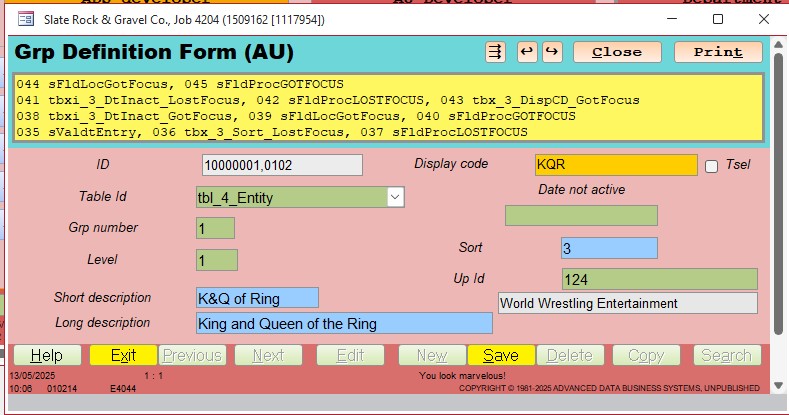
And even more code if you want to provide feedback to the user of what they've done in a form.
Golden rod color means active control, ready for entry
Green means editing in place, not modified (but this record was copied from another, so it's new)
Blue means entry that validated.
Thomas Gonder  @Reply  
      
12 months ago

Thomas Gonder  @Reply  
      
12 months ago
How do I pick all these crazy colors?
They are all in a table, easy to change by the FE user.
However, I pick bright colors for the core modules of the ADS, and let users choose more subdued ones for their applications.

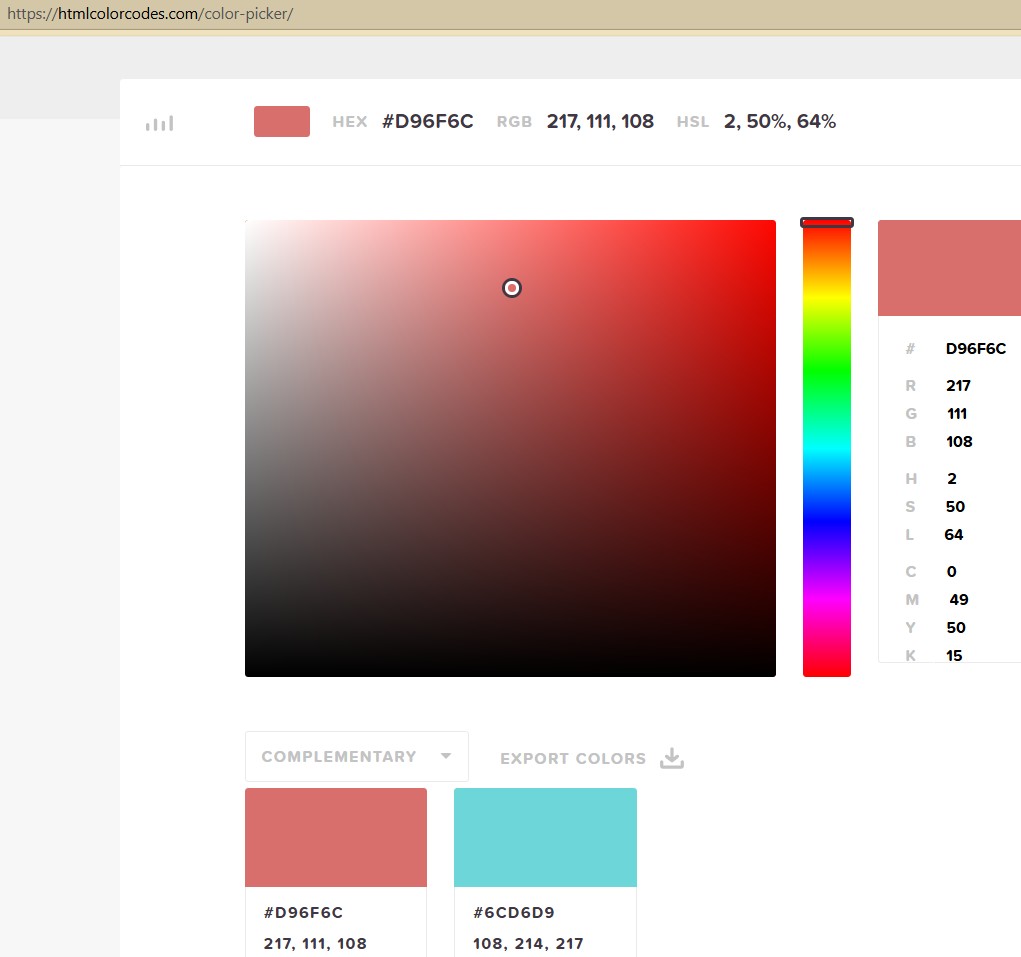
Richard mentioned this site in one of his (hundreds of) videos:
https://htmlcolorcodes.com/color-picker/

If the form is active, I use the "opposite" color of the footer for the header based on the color wheel.
I'm not color adept, so I have to trust the site.
Thomas Gonder  @Reply  
      
12 months ago

Thomas Gonder  @Reply  
      
12 months ago
Sorry for stepping on your toes Kevin, but you bring up some timely topics.
And ones I need to revisit after a few years of newer ADS development, just to refresh the memory.
:)
Thomas Gonder  @Reply  
      
12 months ago
A heads up. Kevin's solution uses a module variable DefaultColor. If you have two forms open at the same time, and switch between them, Access will corrupt the variable between the different calls. This is because Microsoft failed to properly instance a procedure's variables when reusing. It can happen with any modular or static variable.
Kevin Robertson OP  @Reply  
          
12 months ago
I just opened 2 Forms and switched between them and it worked fine. Then I opened 3 Forms and switched between all 3 and it still worked fine.
Thomas Gonder  @Reply  
      
12 months ago
Kevin Try changing the "default" color for each form. Then see what happens. I doubt Microsoft has changed anything in the past two years, but who knows. I'll try my old test that identified this problem later today.
Kevin Robertson OP  @Reply  
          
12 months ago
On one form I have filter fields that are a light shade of grey. On another form the default is white. My Notes field is yellow. They all return to the correct color with no problems.
Thomas Gonder  @Reply  
      
12 months ago
Hmmm, it's probably working because you _LostFocus when you shifted to another form. I'm guessing if you put the forms side by side, and you move to another form, the control color will shift back and forth as you move between the forms.

If the code was a bit more complicated (more than just _Got/LostFocus) you would find that the second form that calls the global procedures would overwrite the variables. That's what my old test did. Based on the example you gave, I retract my heads-up for your OP, but I'll test later if the claim is correct for calling a procedure a second time while the first isn't yet finished. Now that I think about it, my problem was probably exacerbated by DoEvents (buried in a pause procedure) which allows the second form to continue without the first finishing its procedure. See, these are good examples to refresh the memory.

This thread is now CLOSED. If you wish to comment, start a NEW discussion in Access Developer Forum.
 

Next Unseen

 
New Feature: Comment Live View


The following is a paid advertisement
Computer Learning Zone is not responsible for any content shown or offers made by these ads.
 

Learn
 
Access - index
Excel - index
Word - index
Windows - index
PowerPoint - index
Photoshop - index
Visual Basic - index
ASP - index
Seminars
More...
Customers
 
Login
My Account
My Courses
Lost Password
Memberships
Student Databases
Change Email
Info
 
Latest News
New Releases
User Forums
Topic Glossary
Tips & Tricks
Search The Site
Code Vault
Collapse Menus
Help
 
Customer Support
Web Site Tour
FAQs
TechHelp
Consulting Services
About
 
Background
Testimonials
Jobs
Affiliate Program
Richard Rost
Free Lessons
Mailing List
PCResale.NET
Order
 
Video Tutorials
Handbooks
Memberships
Learning Connection
Idiot's Guide to Excel
Volume Discounts
Payment Info
Shipping
Terms of Sale
Contact
 
Contact Info
Support Policy
Mailing Address
Phone Number
Fax Number
Course Survey
Email Richard
[email protected]
Blog RSS Feed    YouTube Channel

LinkedIn
Copyright 2026 by Computer Learning Zone, Amicron, and Richard Rost. All Rights Reserved. Current Time: 5/6/2026 7:40:14 AM. PLT: 0s