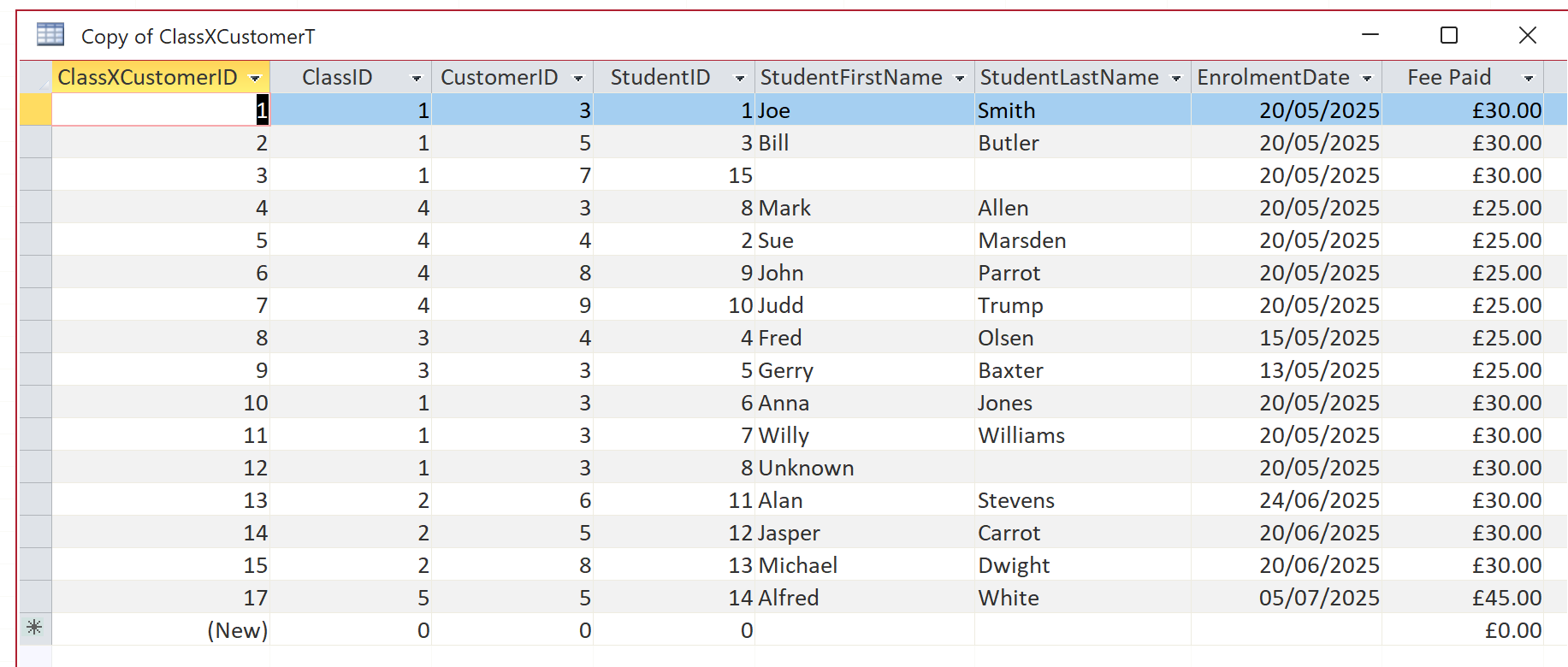
In 01. Student Attendance 1 lesson you create a junction table ClassXCustomerT where the customer (company) sends students to classes indexed by ClassID. You add StudentLastname and StudentFirstname so that students can be added. You state that this isn't strictly relational but in this case one only needed the student's details short-term. You then added some sample data and then created the ClassF and its ClassXCustomerSubF to populate the ClassXCustomerT I decided to create a StudentT, a StudentF and added StudentID to a CopyClassXCustomerT. There is a One to Many relationship between Customers (companies) and Students - one company can send one or more students to a class. My puzzle is how do I populate the CopyClassXCustomerT via a subform because there can only be one Parent/Child link between a form and its subform and by having a ClassID, CustomerID and StudentID, I have a problem? or do I.
Alan StevensOP
@Reply 14 months ago
Alan StevensOP
@Reply 14 months ago
Alan StevensOP
@Reply 14 months ago
Kevin Robertson
@Reply 14 months ago
Alan Why don't you concatenate First and Last Names (in a Query) then show that field in your Combo Box instead of the ID.
Alan StevensOP
@Reply 14 months ago
This is an update which works through how I have answered my initial question - how does one populate a many-to-many table with more than ID field. (see my initial question at the top of this thread).
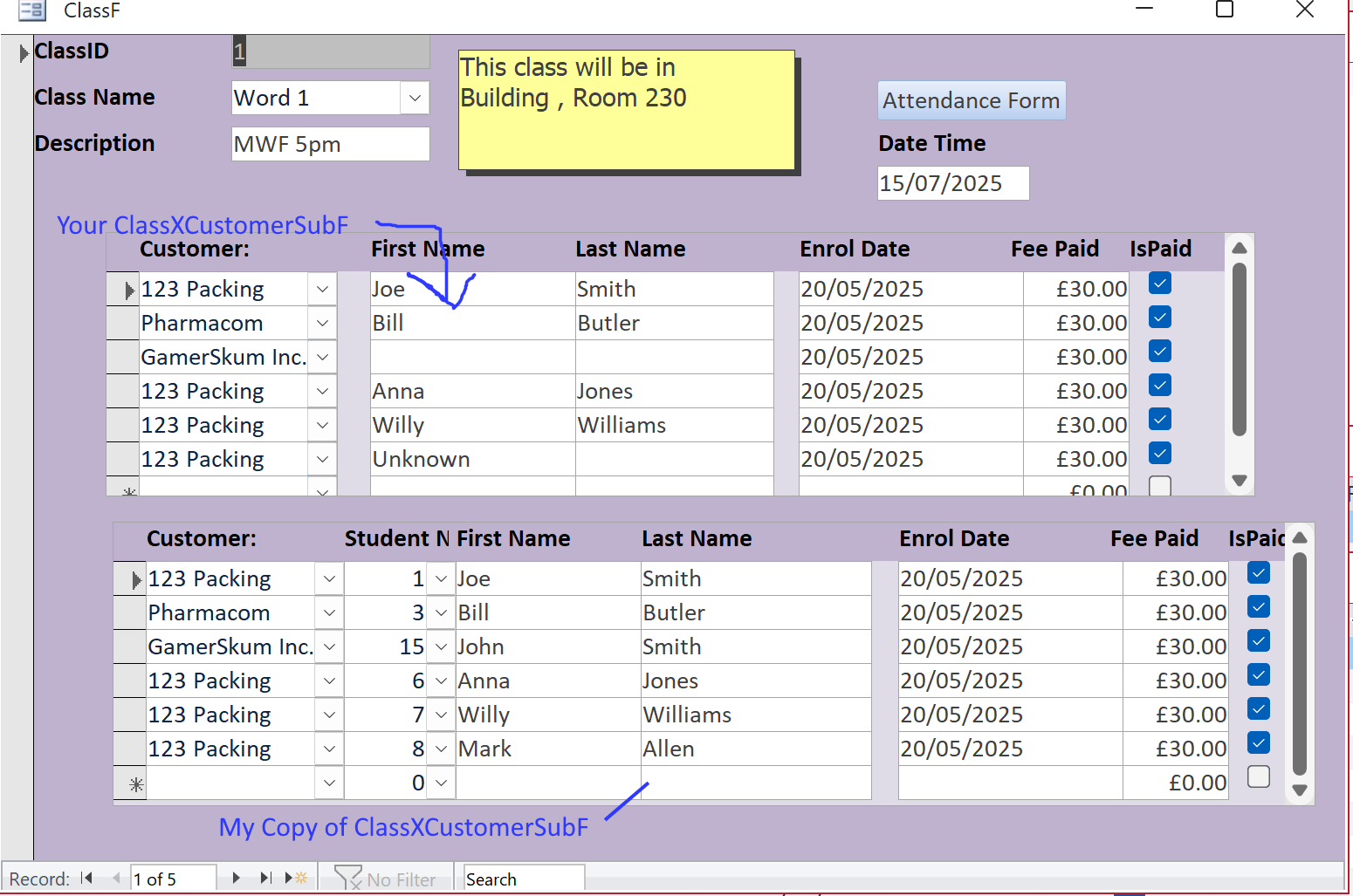
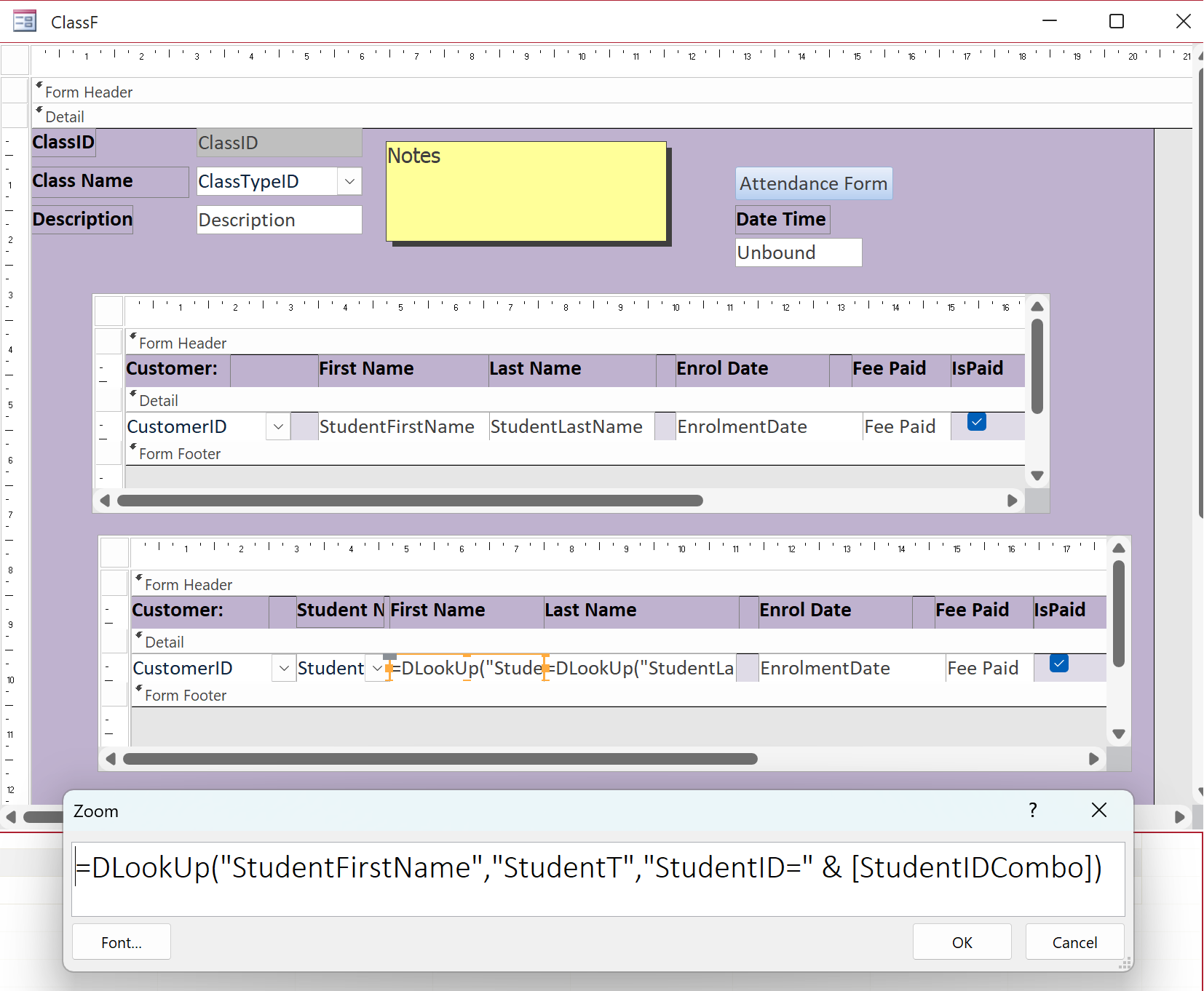
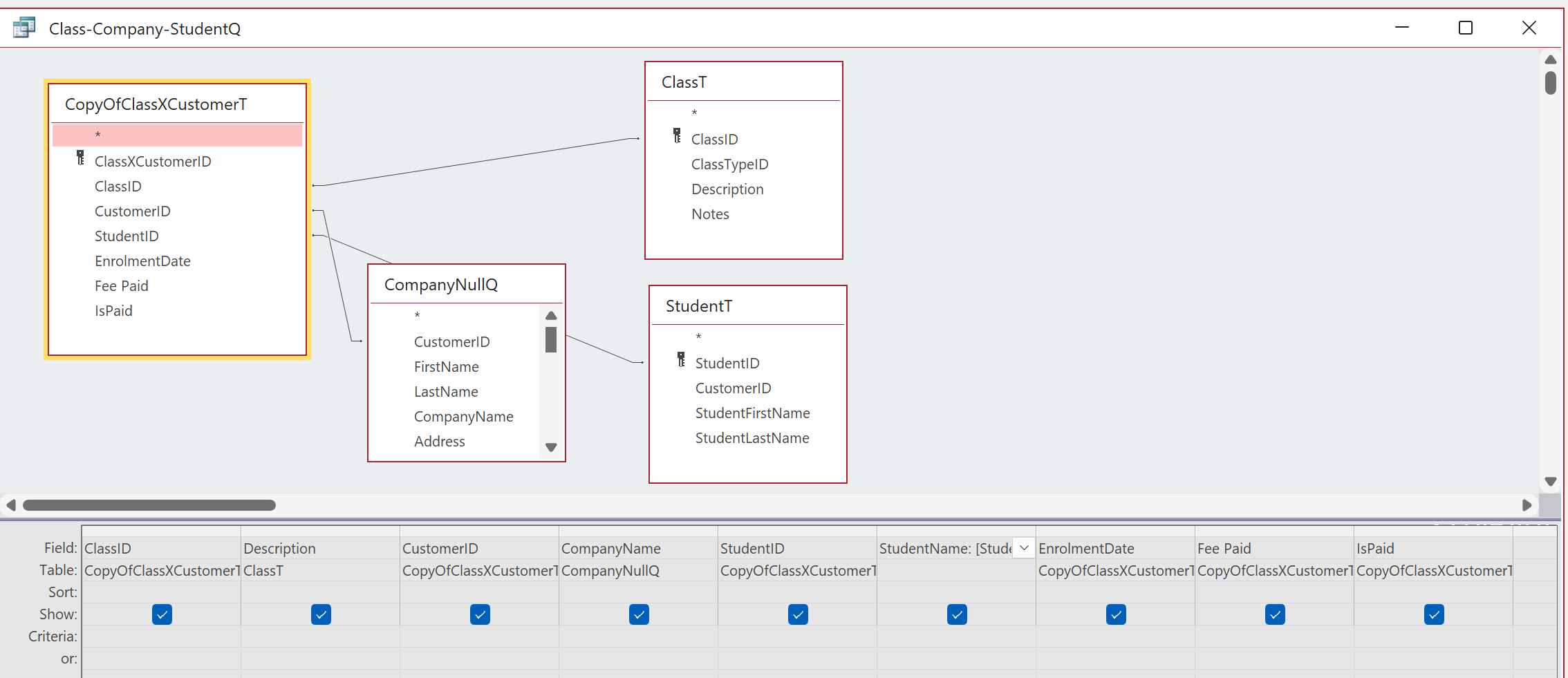
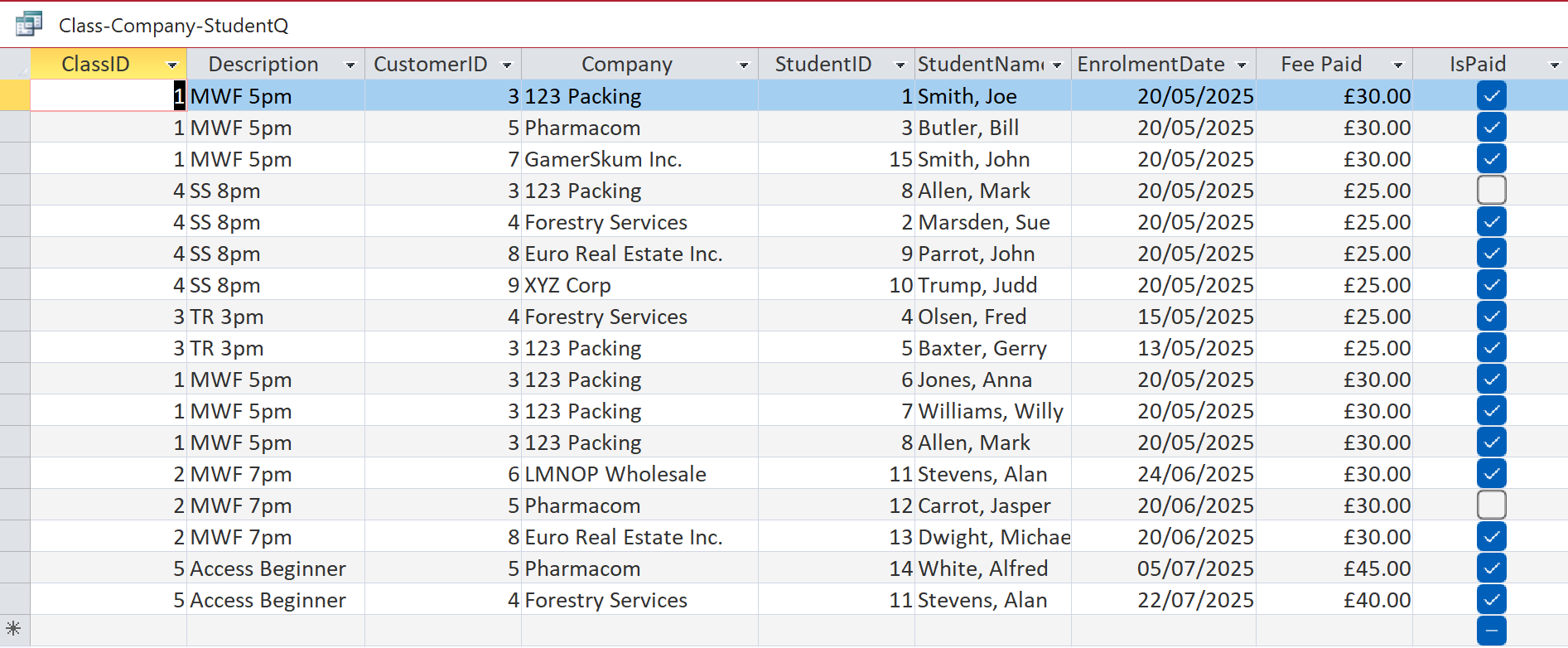
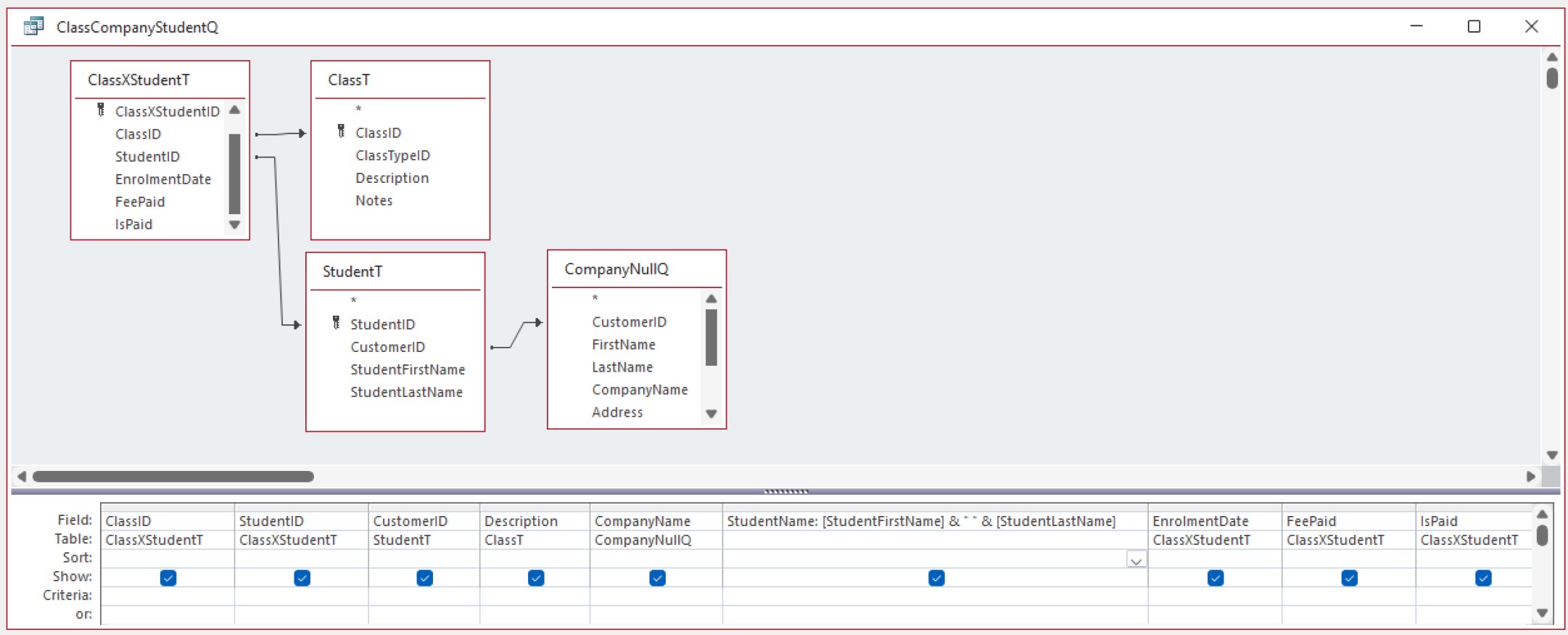
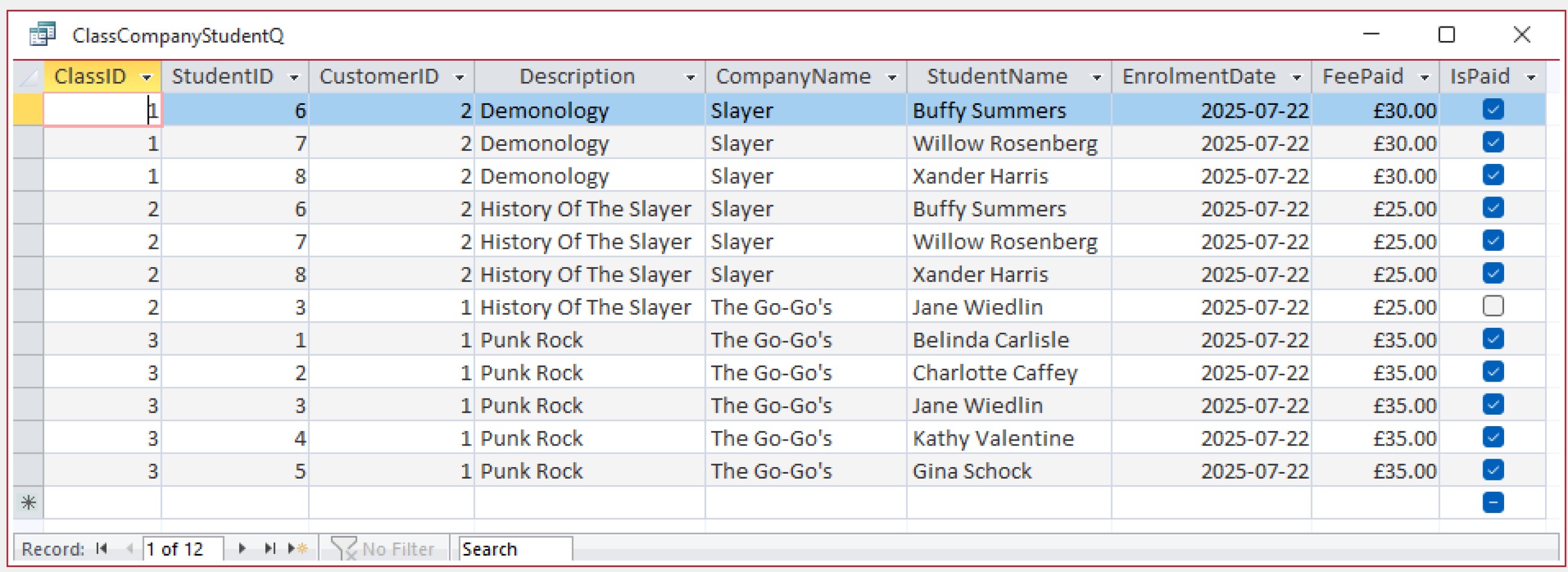
I modified the ClassXCustomerSubF in the ClassF (calling the modified subform "CopyOfClassXCustomerSubFv2") and based this on a query Class-Company-StudentQ. See the uploaded design and form view
Alan StevensOP
@Reply 14 months ago
Alan StevensOP
@Reply 14 months ago
Alan StevensOP
@Reply 14 months ago
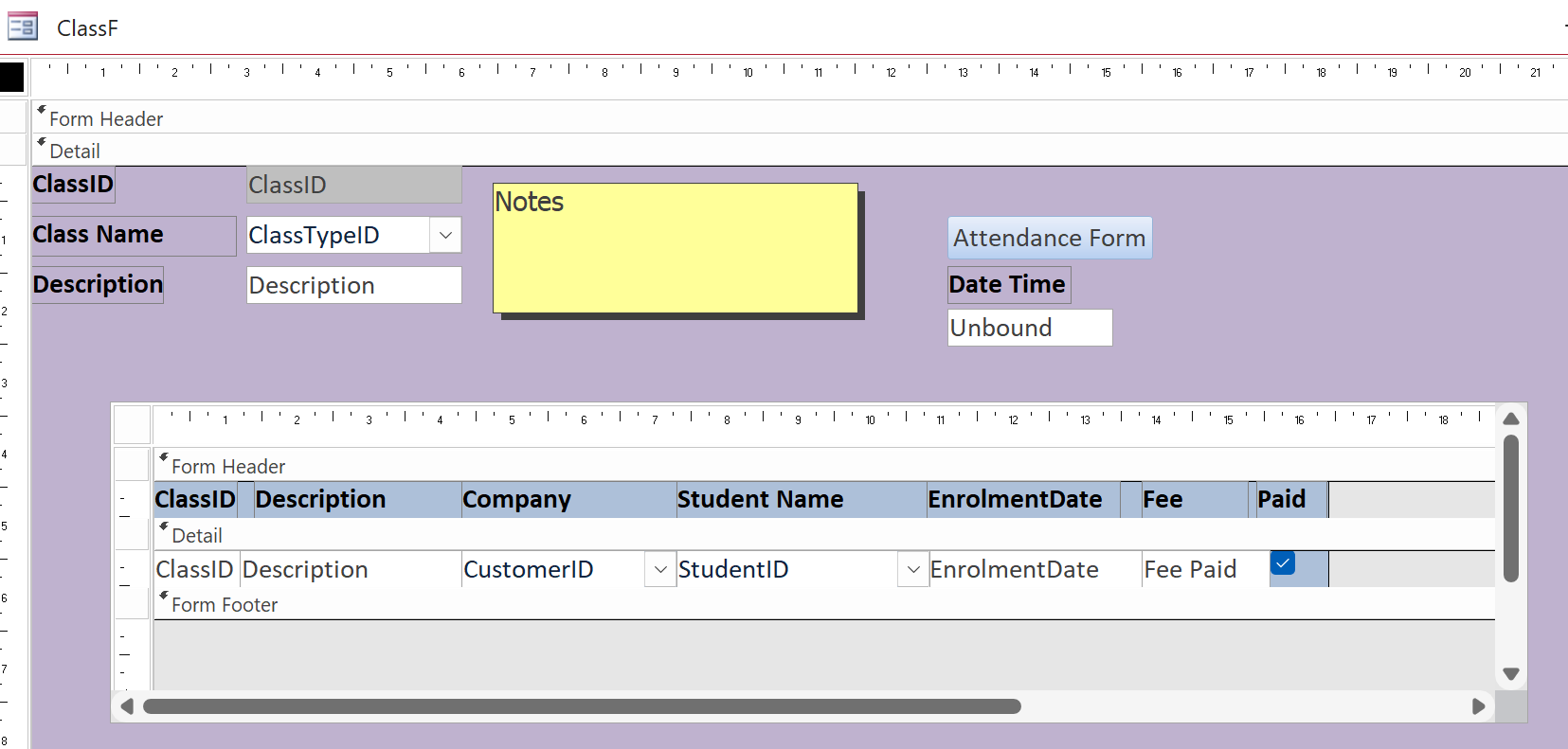
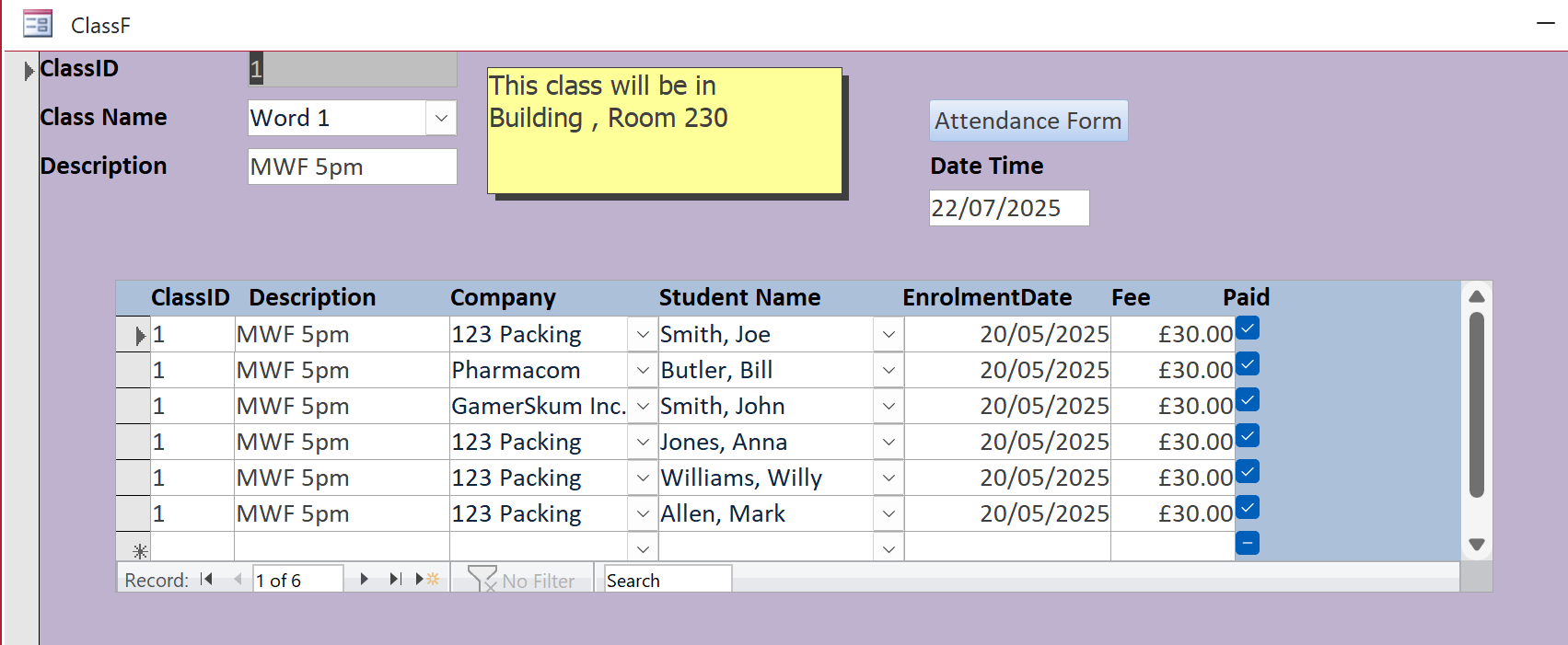
The ClassID and the Description in the subform are set by the ClassF and the Company (Customer) and Student can be selected from the combo-boxes. (New students can be added via a StudentF (not shown) created from the StudentT (also not shown). I followed Kevin Robertson's advice and concatenated the student's LastName, FirstName, creating an alias field StudentName.
Here is the ClassF with it's subform in Design and then Form view showing ClassID 1
Alan StevensOP
@Reply 14 months ago
Alan StevensOP
@Reply 14 months ago
Alan StevensOP
@Reply 14 months ago
I hope that this helps other people struggling with these concepts
Kevin Robertson
@Reply 14 months ago
You don't really need CustomerID in the Junction Tables. You can find the Customer based on the StudentID.
I made a sample. See screenshots below.
Kevin Robertson
@Reply 14 months ago
Kevin Robertson
@Reply 14 months ago
Alan StevensOP
@Reply 14 months ago
My confusion arose because of Richard's concept of having each Customer/Company being the the student initially but then being the body sending one or more persons (the real students (the company/customer was the one paying for the class(es))) to particular class(es). In my mind that needed 2 junction tables - ClassXCompanyT and ClassXStudentT.
Each junction table row identifies and unites a single ClassID, with a single Company(Customer) with a single student. I think that I can see from your solution that I seem to have unintentionally created the StudentT to be a junction table but it doesn't have a studentCustomerID number as the primary key - that is set as the StudentID.
Is there duplication of data by keeping these ID's in the junction table(s) which could lead to problems?
Sorry, only students may add comments.
Click here for more
information on how you can set up an account.
If you are a Visitor, go ahead and post your reply as a
new comment, and we'll move it here for you
once it's approved. Be sure to use the same name and email address.
This thread is now CLOSED. If you wish to comment, start a NEW discussion in
Access Expert 15.