Free Lessons
Courses
Seminars
TechHelp
Fast Tips
Templates
Topic Index
Forum
ABCD
 
Home   Courses   TechHelp   Forums   Help   Contact   Merch   Join   Order   Logon  
 
Back to Access Forum    Comments List
Upload Images   @Reply   Bookmark    Link   Email   Next Unseen 
Letter Symbols
Kim Boren 
      
5 months ago
Hi,
Perhaps someone can tell me if Microsoft Access has a way to enter letters with a symbol? Example would be a letter with an accent, or ḗ. Does Access have specific key strokes to get the letter with a symbol? I am using this for names from different countries. Any help would be appreciated.
Kim
Kevin Robertson  @Reply  
          
5 months ago
https://theasciicode.com.ar/

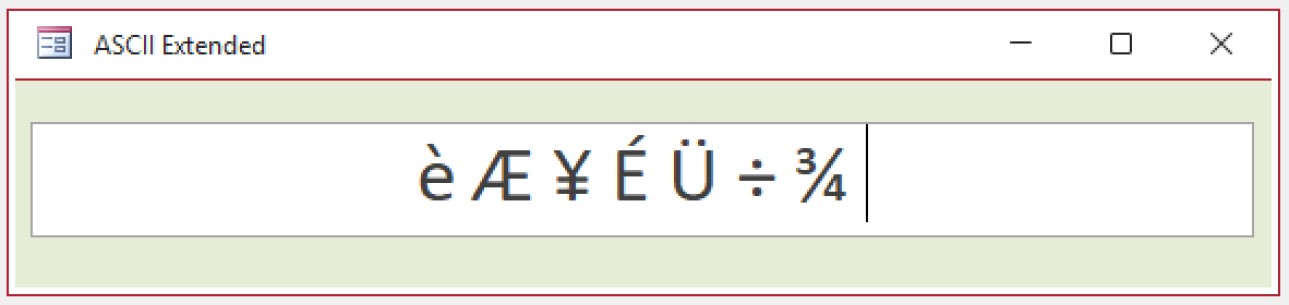
Hold down the ALT key while typing the number (ASCII Extended)
Kevin Robertson  @Reply  
          
5 months ago

Kim Boren OP  @Reply  
      
5 months ago
Perfect Kevin thank you very much.
Kim
Alex Hedley  @Reply  
           
5 months ago
Alex Hedley  @Reply  
           
5 months ago
Stephen Fugowski  @Reply  
    
5 months ago
There is also this website: copychar.cc/letters/ where you click on the letter and it is copied to the clipboard. Then you can paste it where you want it. They also have punctuation, math, numbers currency, symbols, hieroglyphs, arrows and emojies.
Richard Rost  @Reply  
          
5 months ago
This is actually a Windows feature, not something specific to Microsoft Access. Access will store and display accented and international characters as long as Windows can type or paste them. Windows includes the built-in Character Map tool (press Win+R, type 'charmap') where you can copy accented letters and symbols, as well as the newer Win + . symbol picker in Windows 10/11. You can also add an international keyboard layout (like US-International) if you enter these names frequently. ALT codes work too, but they're more of an old-school option now. This topic has been on my list for a TechHelp video for a while.
Bryan Enbey  @Reply  
     
5 months ago
In case you ever need beyond #255 in Unicode characters, or need ones from a non-Latin character set like Japanese, Arabic, Greek, math functions, etc., this is a good place to find what you need:
https://www.unicode-symbol.com/

If you don't know, you can also take the Base₁₀ of the Hex of the character and use it with the ChrW() function in VBA if you need special characters included in strings of variables.

This thread is now CLOSED. If you wish to comment, start a NEW discussion in Access Forum.
 

Next Unseen

 
New Feature: Comment Live View


The following is a paid advertisement
Computer Learning Zone is not responsible for any content shown or offers made by these ads.
 

Learn
 
Access - index
Excel - index
Word - index
Windows - index
PowerPoint - index
Photoshop - index
Visual Basic - index
ASP - index
Seminars
More...
Customers
 
Login
My Account
My Courses
Lost Password
Memberships
Student Databases
Change Email
Info
 
Latest News
New Releases
User Forums
Topic Glossary
Tips & Tricks
Search The Site
Code Vault
Collapse Menus
Help
 
Customer Support
Web Site Tour
FAQs
TechHelp
Consulting Services
About
 
Background
Testimonials
Jobs
Affiliate Program
Richard Rost
Free Lessons
Mailing List
PCResale.NET
Order
 
Video Tutorials
Handbooks
Memberships
Learning Connection
Idiot's Guide to Excel
Volume Discounts
Payment Info
Shipping
Terms of Sale
Contact
 
Contact Info
Support Policy
Mailing Address
Phone Number
Fax Number
Course Survey
Email Richard
[email protected]
Blog RSS Feed    YouTube Channel

LinkedIn
Copyright 2026 by Computer Learning Zone, Amicron, and Richard Rost. All Rights Reserved. Current Time: 5/7/2026 9:13:20 PM. PLT: 1s