Free Lessons
Courses
Seminars
TechHelp
Fast Tips
Templates
Topic Index
Forum
ABCD
 
Home   Courses   TechHelp   Forums   Help   Contact   Merch   Join   Order   Logon  
 
Back to Access Developer Forum    Comments List
Upload Images   @Reply   Bookmark    Link   Email   Next Unseen 
Underline Under the Email
Jeff Shepard 
      
4 months ago
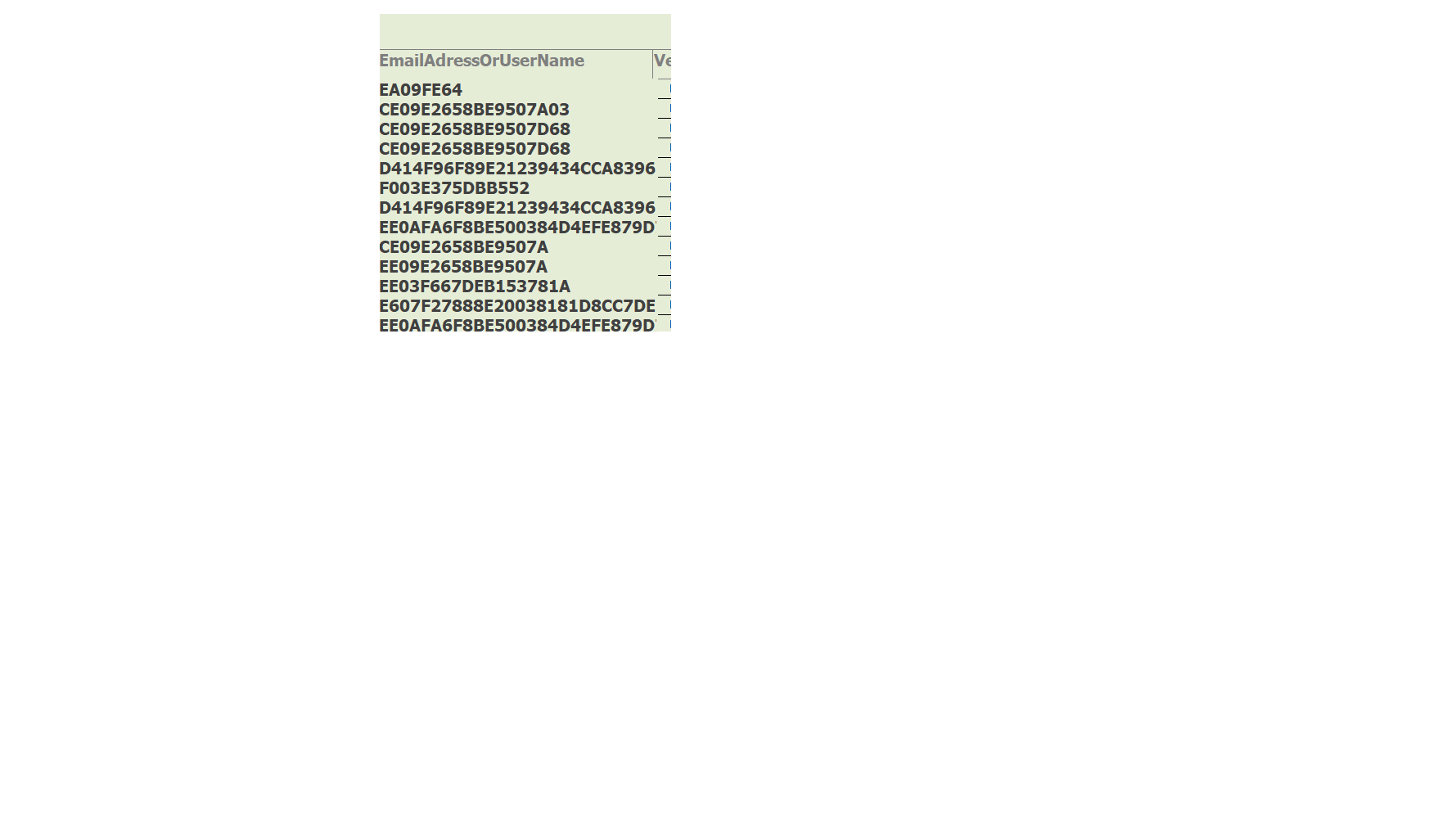
My Continuous list is  not proper with the EmailAddressOrUserName data  not being underlined.

The encryption called AES255.  Is the encryption that can't be cracked.  It took three months to write the code.
Jeff Shepard OP  @Reply  
      
4 months ago

Jeff Shepard OP  @Reply  
      
4 months ago
For you hackers out there .  Good Luck trying to crack and see the data.
Richard Rost  @Reply  
          
4 months ago
Is there a question here?
Jeff Shepard OP  @Reply  
      
4 months ago
I need to know why this data field is not underlined and all the other fields are underlined.
Jeff Shepard OP  @Reply  
      
4 months ago

Jeff Shepard OP  @Reply  
      
4 months ago
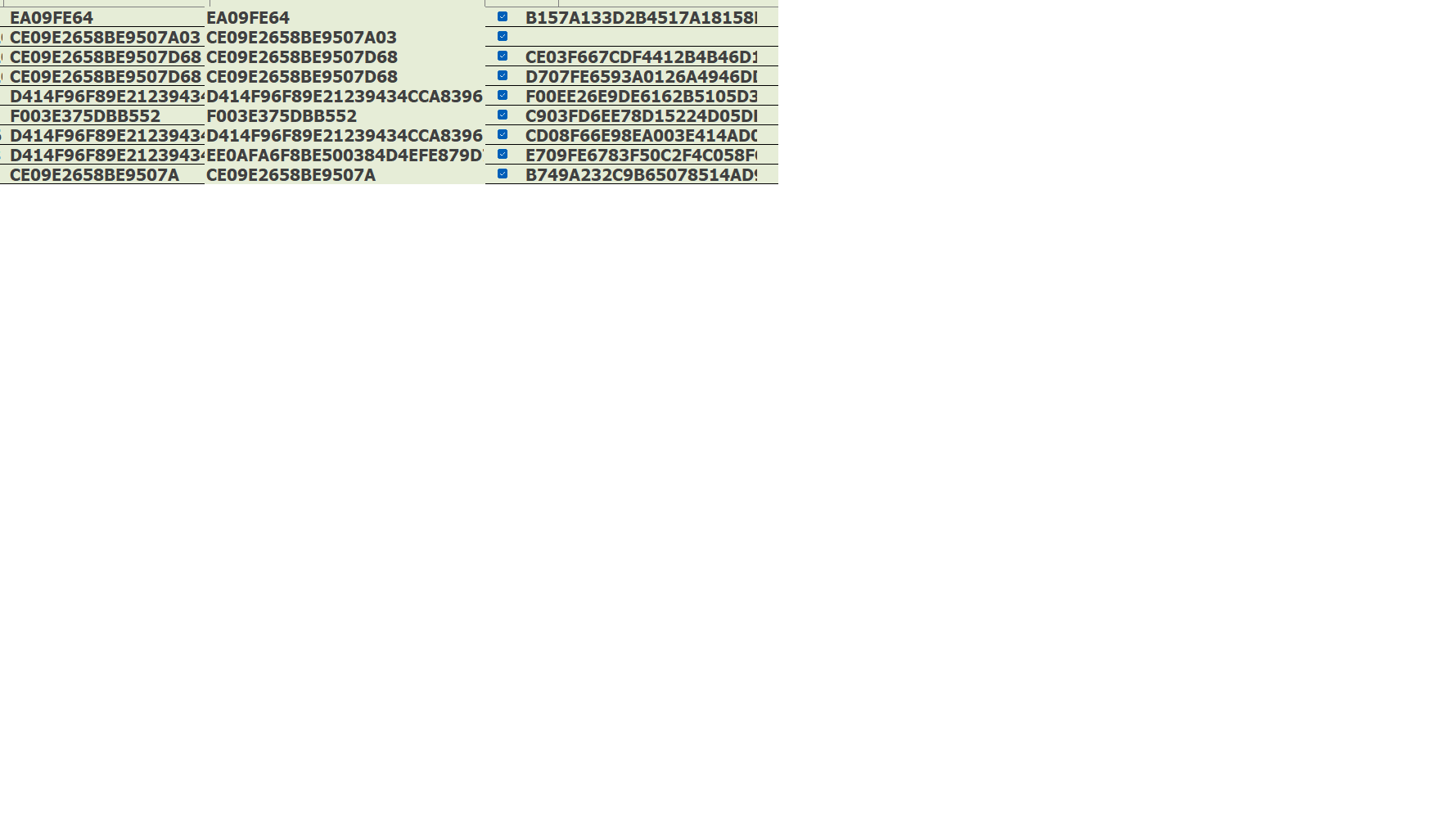
Notice how the field on the left and the field on the far right is underlined.  I need suggestions how to get the middle field or data to underline.  That is my question.    Comment number 2 will be deleted.  I don't want to give any ideas to hackers.
Richard Rost  @Reply  
          
4 months ago
You haven't given me anywhere near enough information to answer your question. The design view of the form would be a good start. Properties? All I see is a bit of a screen with a whole bunch of letters and numbers on it and some checkboxes. That's nowhere near enough information for me to help you. I can see that you spelled "address" wrong in the first screenshot.
Jeff Shepard OP  @Reply  
      
4 months ago
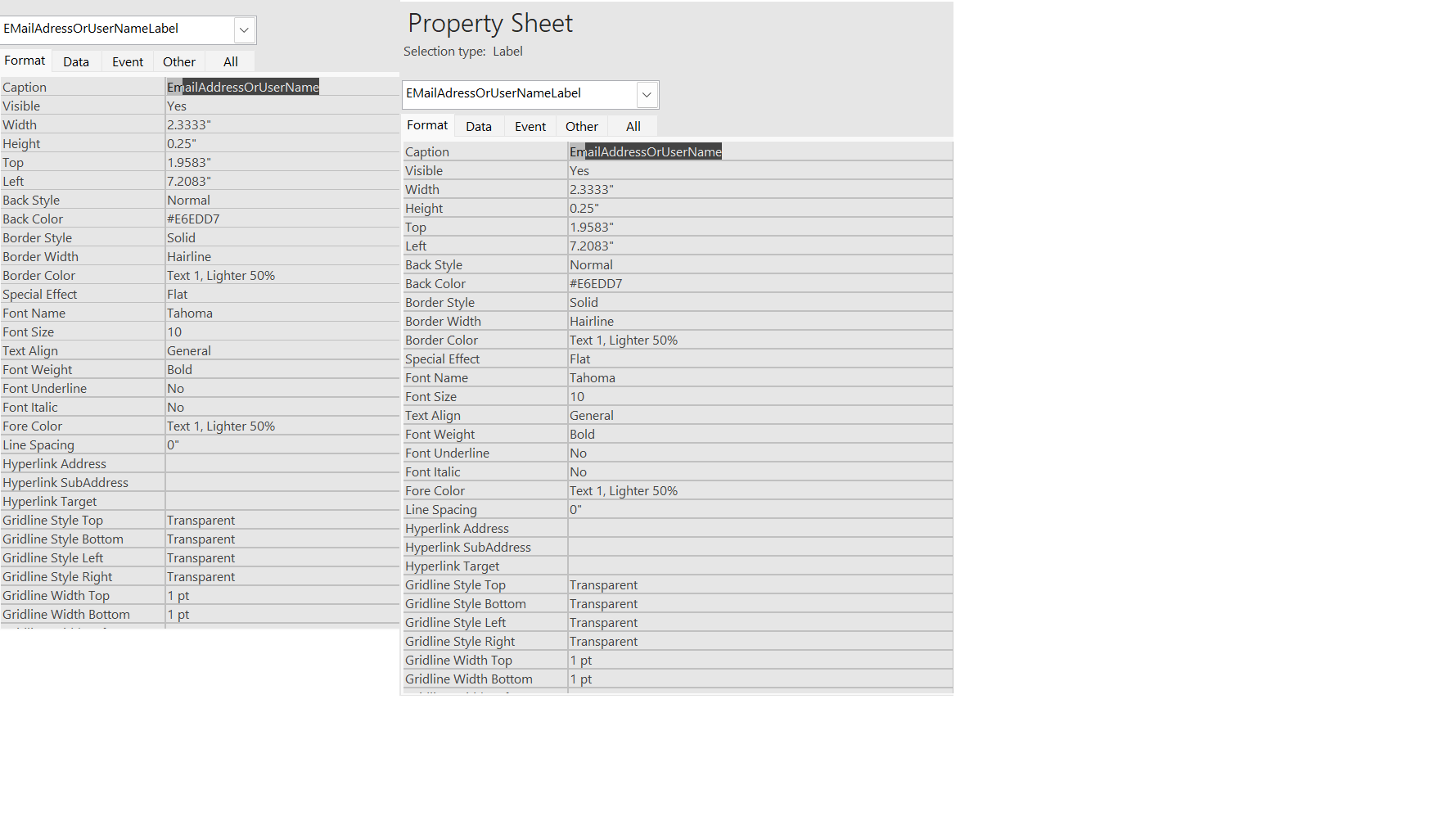
" spelled "address" wrong in the first screenshot." I changed the label to EmailAddressOrUserName.  i will put the property sheet up attachments.  see attached.
Jeff Shepard OP  @Reply  
      
4 months ago

Richard Rost  @Reply  
          
4 months ago
I'm going to be very direct here, because we're talking past each other.

The screenshot you posted does not contain enough useful information for anyone to diagnose why one control appears underlined and another does not. A list of hexadecimal strings and checkboxes tells us nothing about formatting behavior in Access.

If your actual question is "why is one field underlined and another is not," the answer lives in the form design, not in the data. Underlining is controlled by the properties of the control, not by encryption, hashes, or the contents of the field. Things like:

- Is it a textbox, label, hyperlink, or calculated control?
- Is the Underline or Font settings different?
- Is Conditional Formatting applied?
- Is the control bound or unbound?
- Is the middle column even the same control type as the others?

To move forward, you would need to show the form in Design View and the property sheet for each of the controls in question. Without that, there is nothing to troubleshoot.

Also, just to be clear, no one here is trying to crack your data, hack your system, or reverse engineer your encryption. That line of thinking is not relevant to the formatting issue you're asking about and only makes it harder for people to help you.

If you want help, post the form design and the control properties. If you're not comfortable sharing that, then this isn't something I can assist with.

That's as far as this can go with the information provided.
Thomas Gonder  @Reply  
      
4 months ago
https://chatgpt.com/share/69621beb-8d90-800e-bb61-e4169b42e8bf
Jeff Shepard OP  @Reply  
      
4 months ago
Thank you Thomas Gonder and Richard for responding.  I know no one from Computer Learning Zone is trying to hack my code.  I believe scammers and hackers are lurking on your site.  that's who who i was referring to.  I trust the moderators etc.  i also wanted people to see the results of AES255.

As for ChatGPT.  I am working with Claid A/I.  I will run this past him.

i will answer the question below soon.  
- Is it a textbox, label, hyperlink, or calculated control?
- Is the Underline or Font settings different?
- Is Conditional Formatting applied?
- Is the control bound or unbound?
- Is the middle column even the same control type as the others?

To move forward, you would need to show the form in Design View and the property sheet for each of the controls in question. Without that, there is nothing to troubleshoot.

Jeff
Richard Rost  @Reply  
          
4 months ago
Just to reset expectations a bit: you haven't posted any code at all, and a screenshot full of letters and numbers is not something anyone could hack, reverse engineer, or exploit in any meaningful way. There's simply nothing there to work with from a security standpoint.

Also, regarding "scammers and hackers lurking," one important thing to understand about this site is that participation in these forums requires a paid membership. This isn't an open anonymous forum where random people can post under throwaway accounts. While most forums are publicly readable, everyone replying here is a paid student with a real account. That greatly limits the kind of activity you're concerned about.

Now, back to the actual Access question.

Based on what I can see, this appears to be a continuous form with three separate controls. If that's the case, the most common and simplest reason one field doesn't appear underlined while the others do is a control property difference. Specifically, if that middle control is a textbox, check the Border Style, Border Color, and whether the border is set to Transparent. If the border is transparent or the color matches the background, it will look like it's not underlined even though the others are.

Beyond that, everything still comes back to the same point. Without seeing the form in Design View and the property sheet for the controls involved, there's no way to diagnose this further. Encryption, hashes, or AI tools are not related to why a control is or isn't underlined in Access.

If you're willing to share the form design and properties, people here can help. If not, then there really isn't anything more we can do on this one.

This thread is now CLOSED. If you wish to comment, start a NEW discussion in Access Developer Forum.
 

Next Unseen

 
New Feature: Comment Live View


The following is a paid advertisement
Computer Learning Zone is not responsible for any content shown or offers made by these ads.
 

Learn
 
Access - index
Excel - index
Word - index
Windows - index
PowerPoint - index
Photoshop - index
Visual Basic - index
ASP - index
Seminars
More...
Customers
 
Login
My Account
My Courses
Lost Password
Memberships
Student Databases
Change Email
Info
 
Latest News
New Releases
User Forums
Topic Glossary
Tips & Tricks
Search The Site
Code Vault
Collapse Menus
Help
 
Customer Support
Web Site Tour
FAQs
TechHelp
Consulting Services
About
 
Background
Testimonials
Jobs
Affiliate Program
Richard Rost
Free Lessons
Mailing List
PCResale.NET
Order
 
Video Tutorials
Handbooks
Memberships
Learning Connection
Idiot's Guide to Excel
Volume Discounts
Payment Info
Shipping
Terms of Sale
Contact
 
Contact Info
Support Policy
Mailing Address
Phone Number
Fax Number
Course Survey
Email Richard
[email protected]
Blog RSS Feed    YouTube Channel

LinkedIn
Copyright 2026 by Computer Learning Zone, Amicron, and Richard Rost. All Rights Reserved. Current Time: 5/6/2026 6:45:42 PM. PLT: 1s