Free Lessons
Courses
Seminars
TechHelp
Fast Tips
Templates
Topic Index
Forum
ABCD
 
Home   Courses   TechHelp   Forums   Help   Contact   Merch   Join   Order   Logon  
 
Back to Access Forum    Comments List
Upload Images   @Reply   Bookmark    Link   Email   Next Unseen 
Label Wizard Issue
Shane Knowles 
    
2 months ago
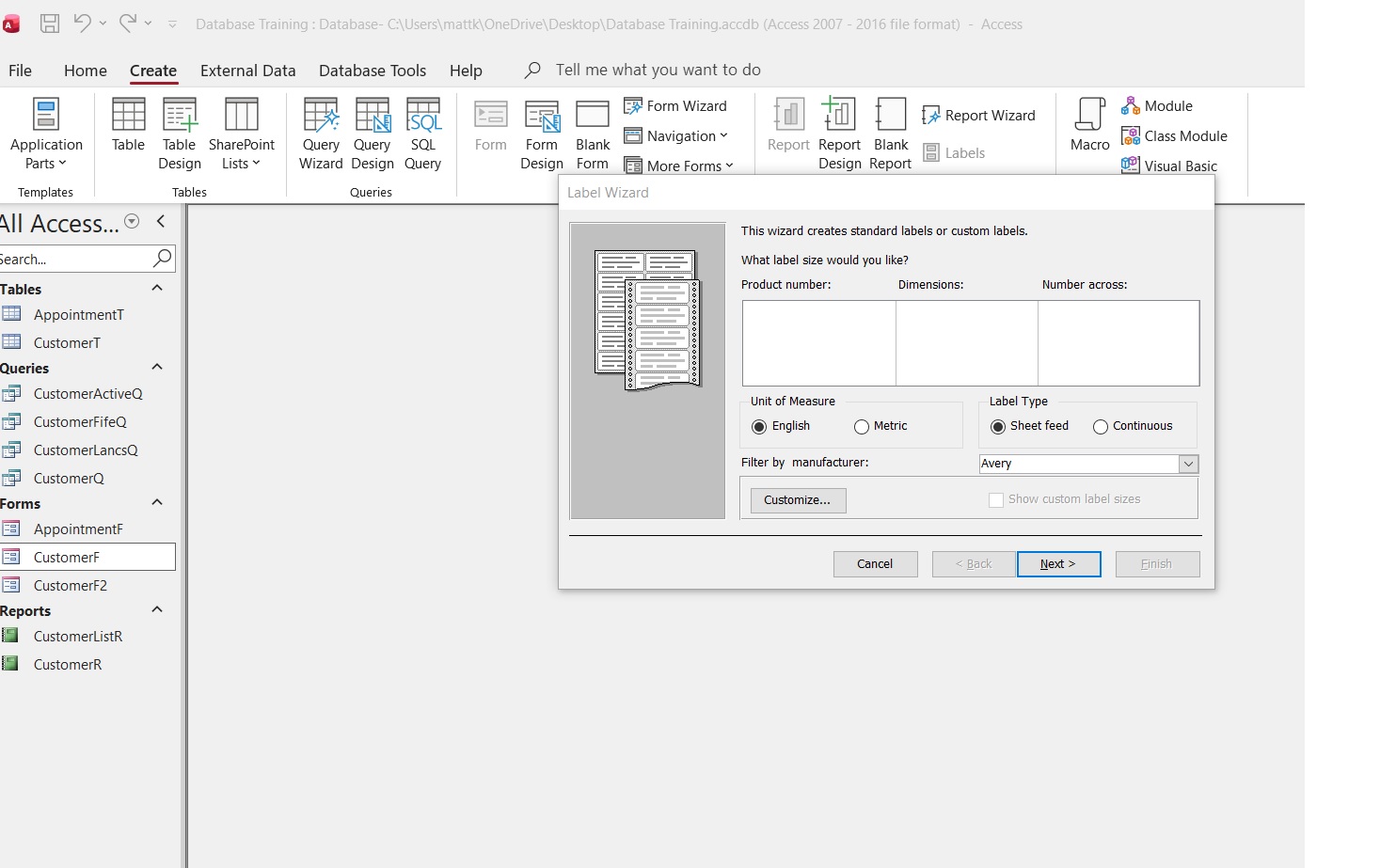
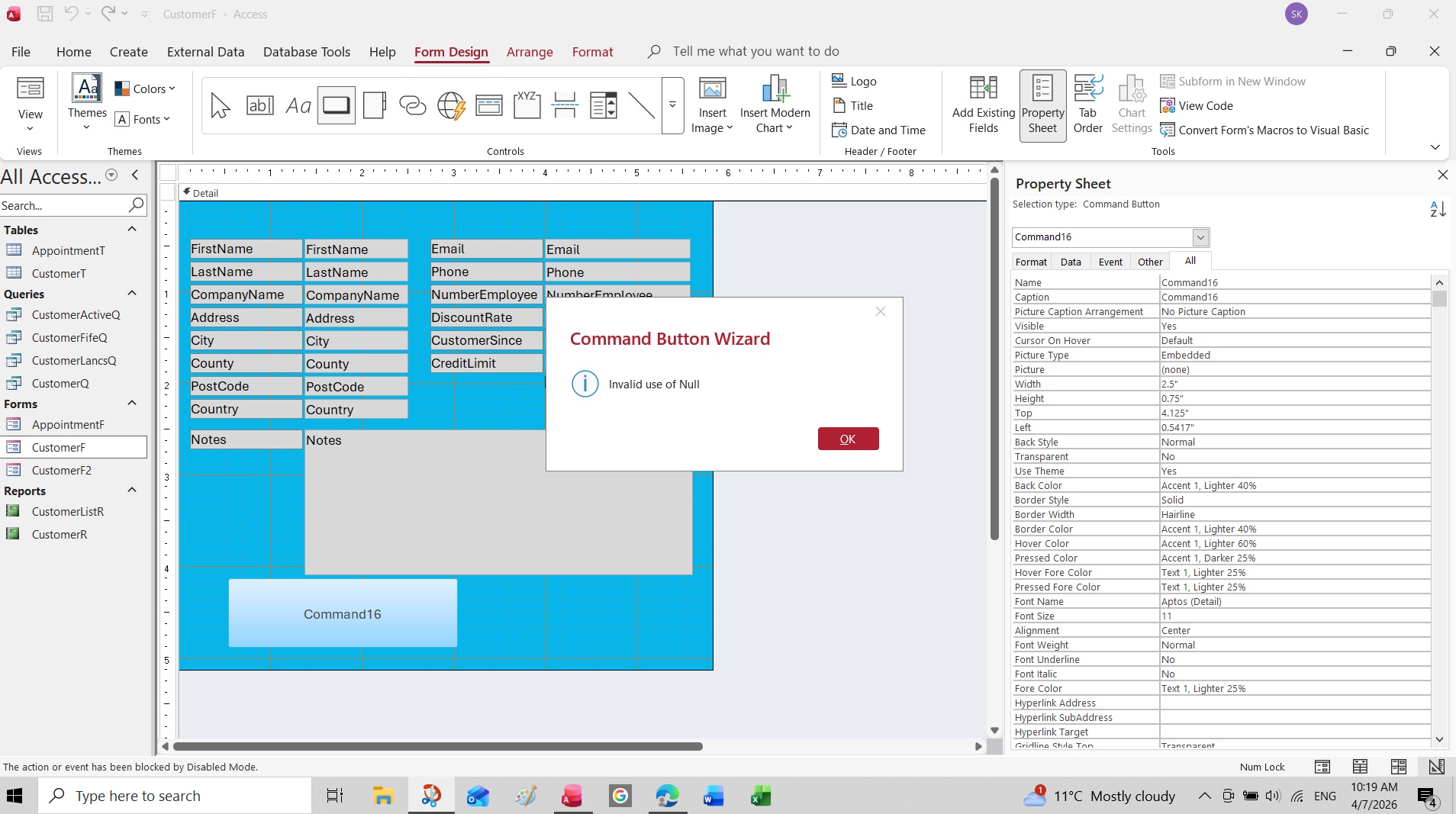
When i try to open the label wizard or command button wizard i get the following invalid use of null error. I have uninstalled Microsoft 365 and re installed and it did not fix the issue. I will post some screen shots but if any one has any ideas please let me know

Thanks
Shane
Shane Knowles OP  @Reply  
    
2 months ago

Shane Knowles OP  @Reply  
    
2 months ago
thats the label wizard which opens but there is nothing inside dimensions etc
Shane Knowles OP  @Reply  
    
2 months ago

Shane Knowles OP  @Reply  
    
2 months ago
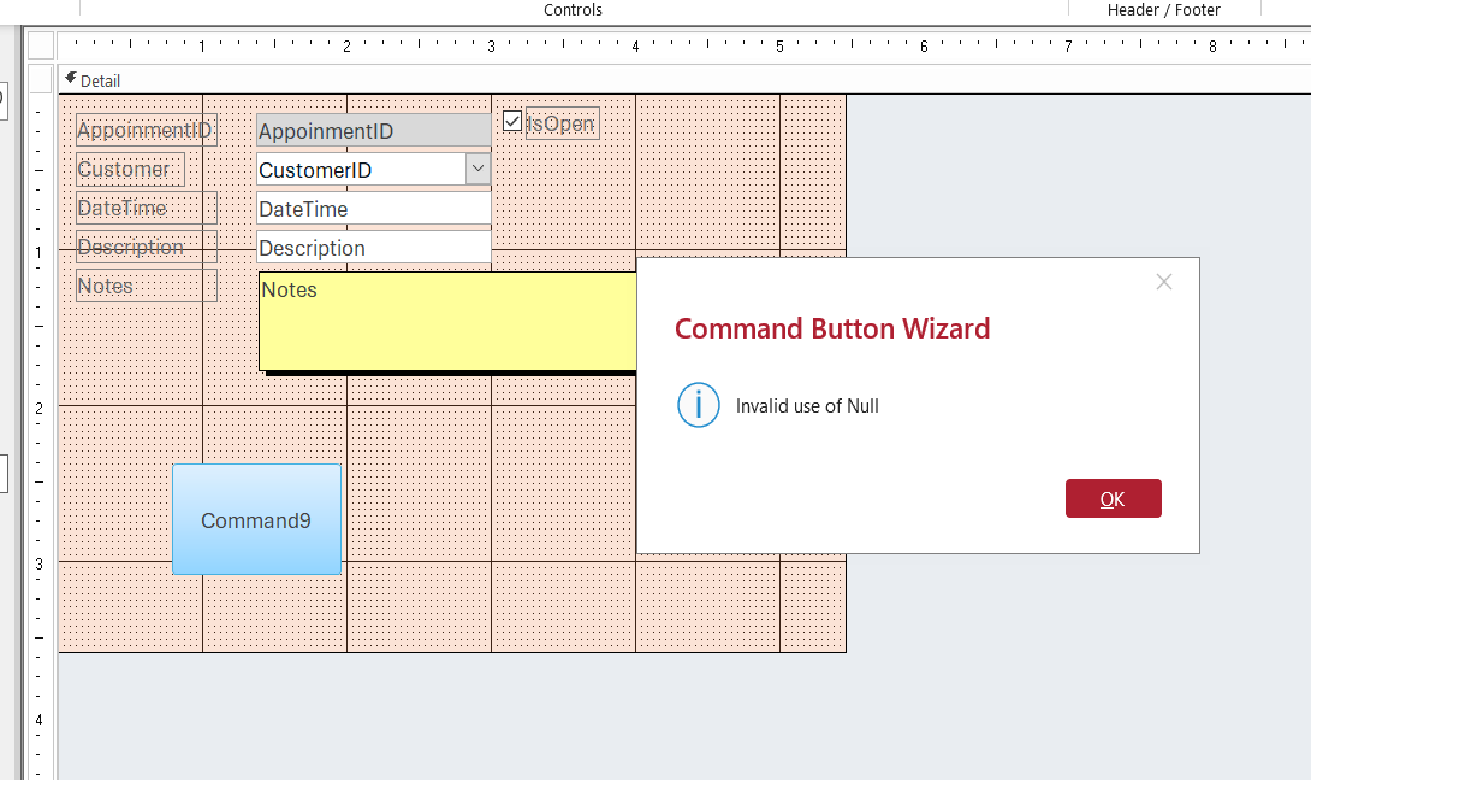
The command button wizard is the same. Invalid use of null and then when the wizard opens there are no options in the box
Raymond Spornhauer  @Reply  
          
2 months ago
Labels are used on Reports... not Forms.  And you can't have a button on a label.

-Raymond
Shane Knowles OP  @Reply  
    
2 months ago
Hi Raymond,
The label wizard does not work on forms or reports same error each time and i put the command button on a form not a label.

thanks
shane

Donald Blackwell  @Reply  
        
2 months ago
Hi Shane, i may be grasping at straws, but did you happen to see Quick Queries 86  last week.

Even if you're not using via, access still uses the editor to manage some of its core components. In that video Richard shows how to check if things are missing there and how to fix that.

It may not be the issue, but since youve already reinstalled office, its worth checking.
Donald Blackwell  @Reply  
        
2 months ago
*VBA, sorry auto correct on phone
Shane Knowles OP  @Reply  
    
2 months ago

Shane Knowles OP  @Reply  
    
2 months ago
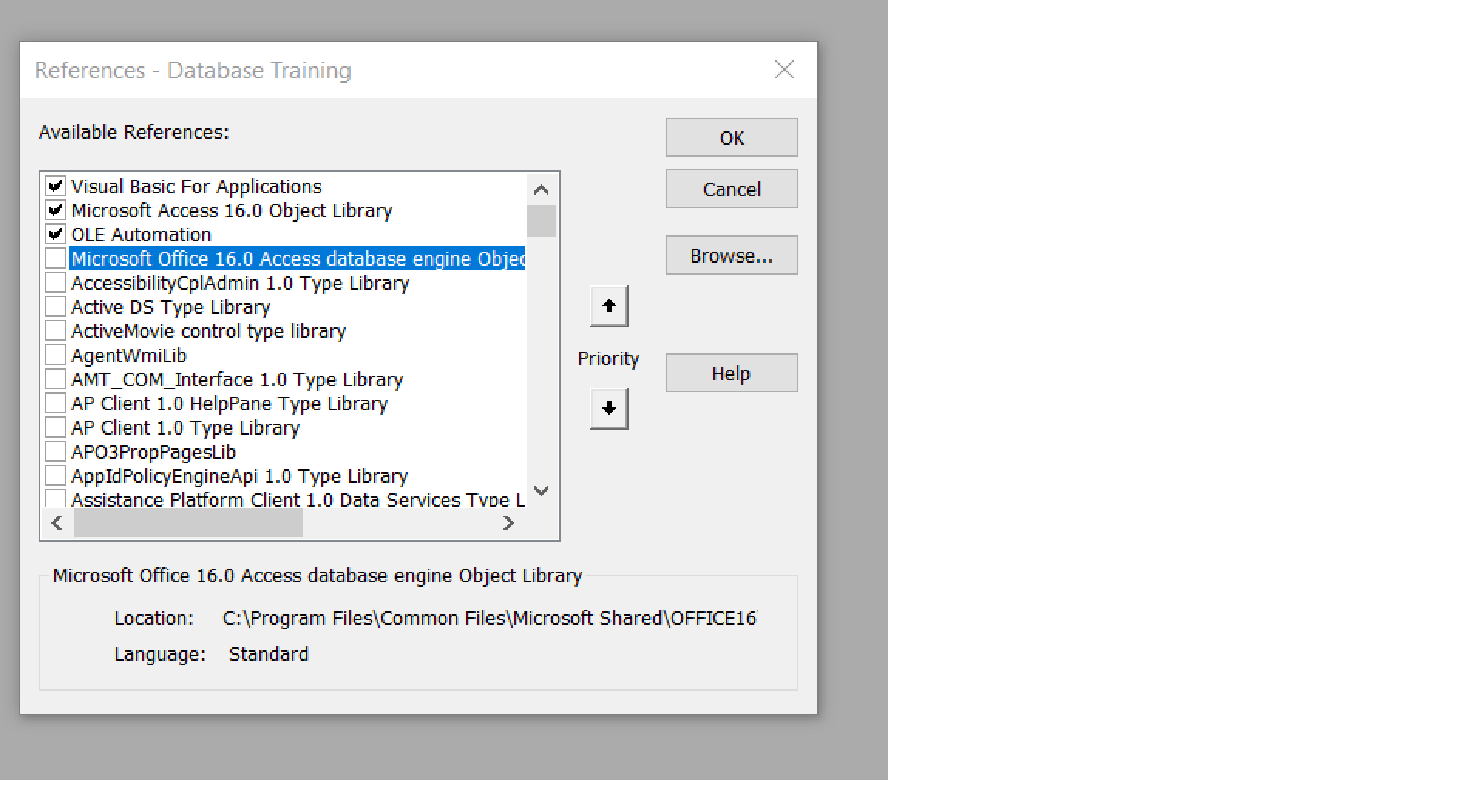
Hi Donald, i watched the vide and thanks for that! There was a box unchecked which i checked and then restarted but it never fixed the issue. I am still getting the same error.
Shane Knowles OP  @Reply  
    
2 months ago
I also checked the whole list but everything looked to be ok !
Adam Schwanz  @Reply  
           
2 months ago
If you create a new blank form are you able to put a button on it?
Shane Knowles OP  @Reply  
    
2 months ago
No Adam not even in a new database or an existing data base.
Len Jolly  @Reply  
     
2 months ago
Shane, I'd like to see the event code of the button. Command16
Darrin Harris  @Reply  
     
2 months ago
Hi Shane

Did you update you new install, and have you tried to repair Access
Shane Knowles OP  @Reply  
    
2 months ago

Shane Knowles OP  @Reply  
    
2 months ago
Hi len this is a screen shot, does that help ?

Darrin i have uninstalled and installed microsoft 365 and tried the compact and repair option with no joy
Kevin Robertson  @Reply  
          
2 months ago
Shane Try running through the Troubleshooter
Darrin Harris  @Reply  
     
2 months ago
Shane

Not Compact and repair

Did you update Access after you installed
and have tried to repair access?
Darrin Harris  @Reply  
     
2 months ago

Shane Knowles OP  @Reply  
    
2 months ago
Hi Darrin yes i tried both of the above and neither worked
Shane Knowles OP  @Reply  
    
2 months ago
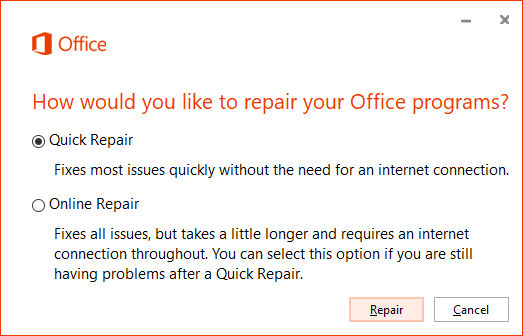
Kevin Hi Kevin do you mean the quick repair for microsoft ?
Darrin Harris  @Reply  
     
2 months ago
Did you do a normal uninstall or run the OffScrub utility to completely remove the installation before performing a fresh reinstall
Shane Knowles OP  @Reply  
    
2 months ago
I think it was a normal un install in as im not sure what the off scrub option is Darrin.
Darrin Harris  @Reply  
     
2 months ago
Ok Shane

I'm guessing you haven't fix the problem, it could be a licence key problem or something so try this.

This is the site
https://support.microsoft.com/en-gb/office/uninstall-microsoft-365-or-office-from-a-pc-9dd49b83-264a-477a-8fcc-2fdf5dbf61d8

Go to this section and select the button follow the instruction

Uninstall Microsoft 365 or Office with the uninstall troubleshooter
Use the uninstall troubleshooter to uninstall Microsoft 365, Office 2021, Office 2019, or Office 2016 from your Windows PC.

Select the button below to start the uninstall troubleshooter.

Richard Rost  @Reply  
           
2 months ago
Shane, based on what you're describing, this really looks like an Access-level issue, not anything in your database.

Since it's happening in brand new databases and across multiple wizards (both Mailing Label Wizard and Command Button Wizard), that usually points to a broken or missing library that the wizards depend on.

Like Donald mentioned, checking your VBA setup was a good idea. Go back into the VBA editor (Alt+F11), then Tools > References, and look carefully for anything marked MISSING. Even one bad reference can cause weird behavior like this. If you find one, uncheck it, close Access, reopen it, and test again. You might need to scroll down the list - they don't always show up at the top.

Also, as Darrin and Kevin were getting at with repair and troubleshooting, try re-registering Access. Close Access completely, then run this from a command prompt:

"C:\Program Files\Microsoft Office\root\Office16\MSACCESS.EXE" /regserver

(Adjust the path if needed.)

If you haven't already, make sure you do an Online Repair, not just Quick Repair. Quick Repair often doesn't fix these deeper issues.

And like Darrin suggested, if this was just a standard uninstall/reinstall, it may not have fully cleaned things out. Using Microsoft's uninstall troubleshooter (OffScrub) to completely remove Office and then reinstall can fix stubborn cases like this.

One more quick check: in the VBA editor, go Debug > Compile. If that throws an error, that can point directly to a broken reference or library.

At this point, I'd bet it's either a missing reference or something that didn't get properly reset during reinstall. Let us know what you find.

This thread is now CLOSED. If you wish to comment, start a NEW discussion in Access Forum.
 

Next Unseen

 
New Feature: Comment Live View


The following is a paid advertisement
Computer Learning Zone is not responsible for any content shown or offers made by these ads.
 

Learn
 
Access - index
Excel - index
Word - index
Windows - index
PowerPoint - index
Photoshop - index
Visual Basic - index
ASP - index
Seminars
More...
Customers
 
Login
My Account
My Courses
Lost Password
Memberships
Student Databases
Change Email
Info
 
Latest News
New Releases
User Forums
Topic Glossary
Tips & Tricks
Search The Site
Code Vault
Collapse Menus
Help
 
Customer Support
Web Site Tour
FAQs
TechHelp
Consulting Services
About
 
Background
Testimonials
Jobs
Affiliate Program
Richard Rost
Free Lessons
Mailing List
PCResale.NET
Order
 
Video Tutorials
Handbooks
Memberships
Learning Connection
Idiot's Guide to Excel
Volume Discounts
Payment Info
Shipping
Terms of Sale
Contact
 
Contact Info
Support Policy
Mailing Address
Phone Number
Fax Number
Course Survey
Email Richard
[email protected]
Blog RSS Feed    YouTube Channel

LinkedIn
Copyright 2026 by Computer Learning Zone, Amicron, and Richard Rost. All Rights Reserved. Current Time: 6/14/2026 5:38:11 AM. PLT: 1s