Free Lessons
Courses
Seminars
TechHelp
Fast Tips
Templates
Topic Index
Forum
ABCD
 
Home   Courses   TechHelp   Help   Contact   Merch   Join   Order   Logon   Forums   
 
Back to Access Developers    Comments List
Upload Images   @Reply   Bookmark    Link   Email   Next Unseen 
How to Create Kanban Board in Access
Chris Tyson 
      
4 months ago
I did a Google search to see if a kanban system can be made in Access.  The only video of your that came up was a gant chart.  Google says it can be done and is really suited for Access since it's a relational database.  Richard, would you consider putting together a video on how to do this?  (this is not to say I may not keep trying to do it myself).
Richard Rost  @Reply  
          
4 months ago
I'll be honest, I had no idea what that term meant. I had to look it up. LOL. I'm so out of today's corporate speak.

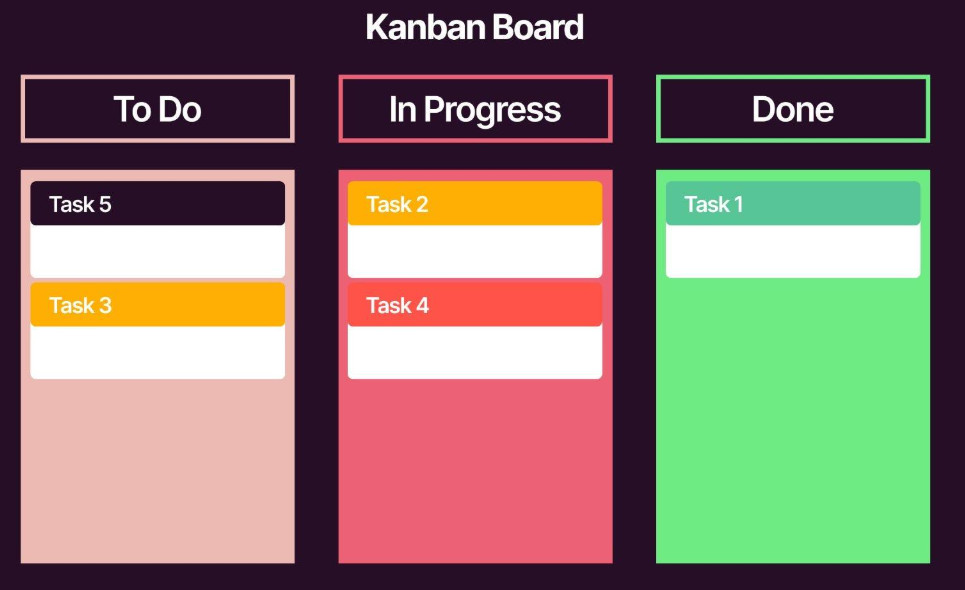
It's basically a visual "signboard" system where you track tasks and move them through different stages like To Do, In Progress, and Completed. The idea is just to see where everything is at a glance and move things along as work gets done.

In Access, the way I picture building this is with a form that has multiple list boxes, one for each stage. You'd load the tasks into the appropriate list based on their status, and then move them from one list to another as they progress. Access doesn't natively support drag and drop like some web apps do, but you can absolutely open a task and change its status to move it between lists. Or we could make buttons to move items between list boxes. That's a bit more advanced, but definitely doable.

I've got a lot on my plate right now with the Developer series and the SQL Server course I'm working on, but I can certainly add this to the list. Maybe it's something we can cover in an upcoming extended cut. It's a good idea though, I like it.
Richard Rost  @Reply  
          
4 months ago

Richard Rost  @Reply  
          
4 months ago

Richard Rost  @Reply  
          
4 months ago

Thomas Gonder  @Reply  
      
4 months ago
A simple db might just cover the tasks. A more advanced version might consider the old cost accounting concepts for job and process schemes. You have tasks that are continuous (like doing a client's books at any moment of any day) and doing a special report for the client. The one is ongoing while the other is discreet.

Then you can create a task tracking system tied into the timecard form, so that you have a record of what is done by employees every minute they work. Then those tasks can be "forwarded" to the billing system for...billing the client for time worked.

I used to sit down with my partner every Monday, go over completed tasks for the prior week, how much time was spent on each, let him decide certain priorities of pending tasks that involved special requests from clients. Once a month I gave him a report of all my time spent on special client requests that were completed.

When starting a new Access project, it pays to take a few minutes and think about the entirety of processes that might be related. You might be able to avoid an entire rewrite with some thoughtful planning.
Joe Holland  @Reply  
      
4 months ago
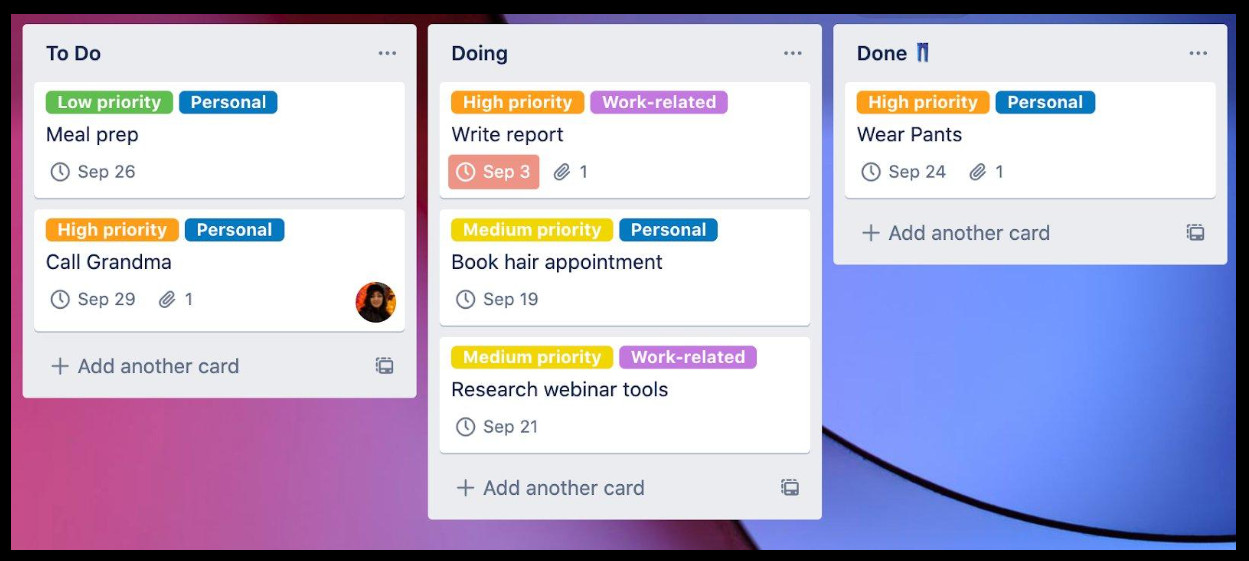
I like to wear shorts too so "Wear Pants" should never/rarely be in the Done column.
Chris Tyson OP  @Reply  
      
4 months ago
Thanks for the input, I'm going to move forward with trying to do something and will chime back in.
Alex Hedley  @Reply  
           
4 months ago

This thread is now CLOSED. If you wish to comment, start a NEW discussion in Access Developers.
 

Next Unseen

 
New Feature: Comment Live View


The following is a paid advertisement
Computer Learning Zone is not responsible for any content shown or offers made by these ads.
 

Learn
 
Access - index
Excel - index
Word - index
Windows - index
PowerPoint - index
Photoshop - index
Visual Basic - index
ASP - index
Seminars
More...
Customers
 
Login
My Account
My Courses
Lost Password
Memberships
Student Databases
Change Email
Info
 
Latest News
New Releases
User Forums
Topic Glossary
Tips & Tricks
Search The Site
Code Vault
Collapse Menus
Help
 
Customer Support
Web Site Tour
FAQs
TechHelp
Consulting Services
About
 
Background
Testimonials
Jobs
Affiliate Program
Richard Rost
Free Lessons
Mailing List
PCResale.NET
Order
 
Video Tutorials
Handbooks
Memberships
Learning Connection
Idiot's Guide to Excel
Volume Discounts
Payment Info
Shipping
Terms of Sale
Contact
 
Contact Info
Support Policy
Mailing Address
Phone Number
Fax Number
Course Survey
Email Richard
[email protected]
Blog RSS Feed    YouTube Channel

LinkedIn
Copyright 2026 by Computer Learning Zone, Amicron, and Richard Rost. All Rights Reserved. Current Time: 8/17/2026 8:00:14 AM. PLT: 0s